JANETS_INM.pdf - 第453页
J aN et s Instr ucti on M anua l 9. Tact S imul at ion 9- 11 Exam pl e of t he p ri nt ed te xt wh en y ou s el ect “D etai ls ( Each M achi ne) ” an d 9.3 .3. 1. 4 “Each Component” Figur e 9.3 - 11 Prin ted text when yo…
JaNets Instruction Manual 9. Tact Simulation
9-10
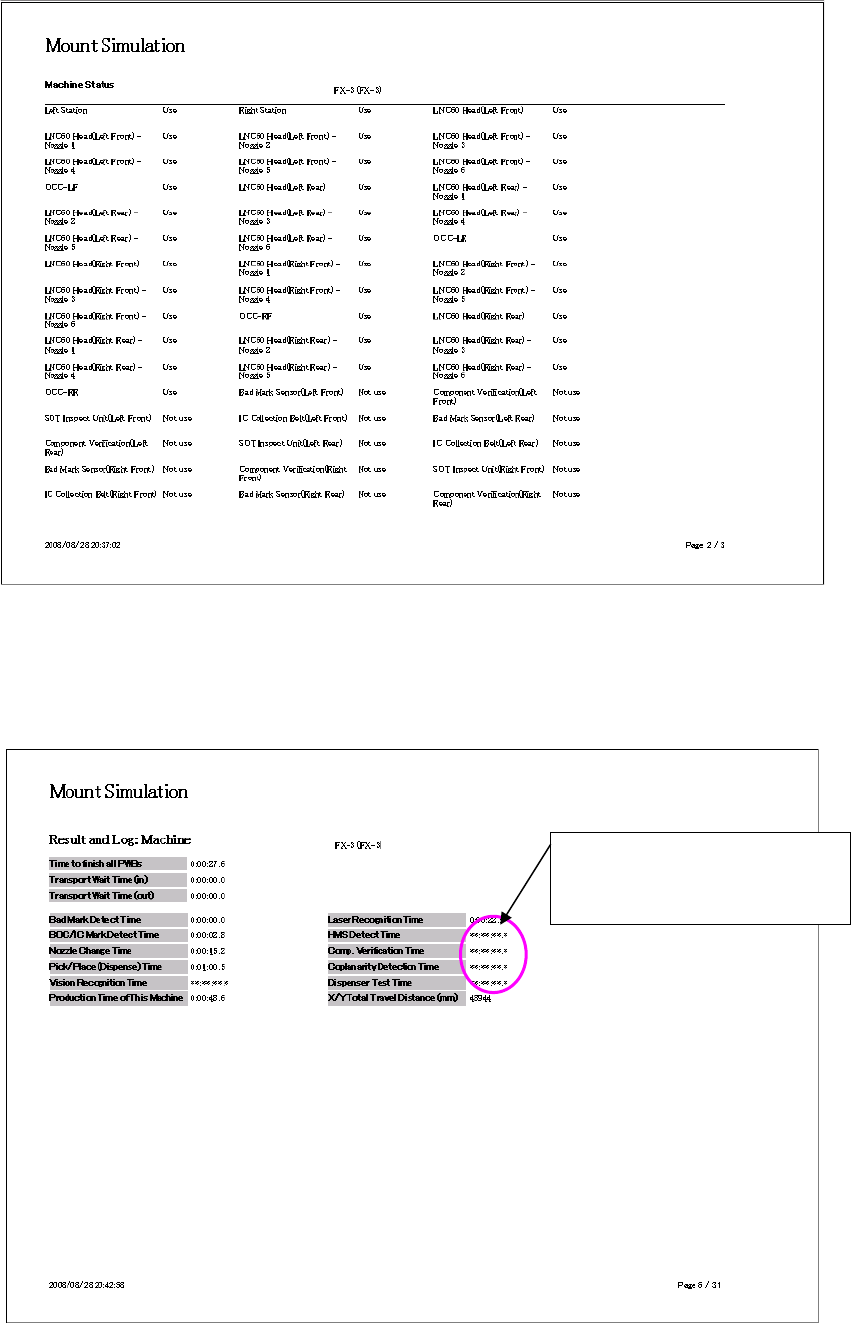
<Machine condition: Example of FX-3 series>
Figure 9.3-9 Machine condition (FX-3)
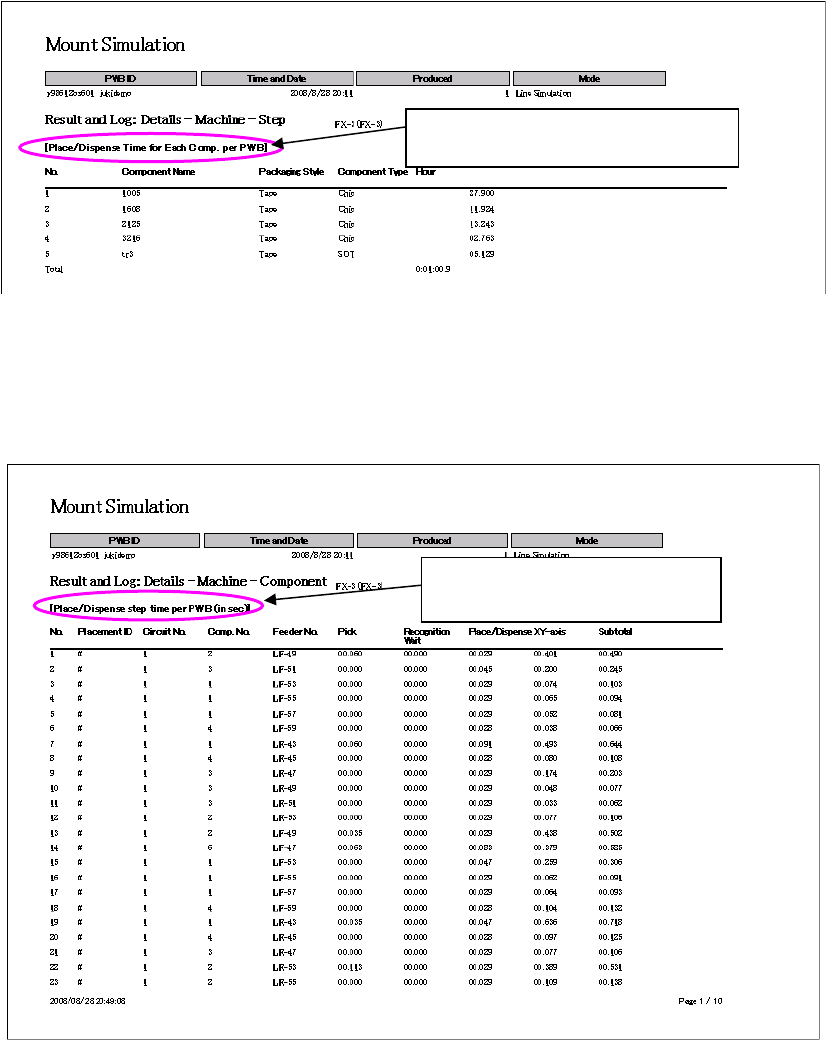
Example of the printed text when you select “Total (Each Machine)” 9.3.3.1.3
Figure 9.3-10 Printed text when you select “Total (Each Machine)”
Time of a machine that does not
have any function for outputting
data: **:**:**:*
JaNets Instruction Manual 9. Tact Simulation
9-11
Example of the printed text when you select “Details (Each Machine)” and 9.3.3.1.4
“Each Component”
Figure 9.3-11 Printed text when you select “Details (Each Machine)” and “Each Component”
Example of the printed text when you select “Details (Each Machine)” and 9.3.3.1.5
“Each Step”
Figure 9.3-12 Printed text when you select “Details (Each Machine)” and “Each Step”
Data on each component used on one
PWB is output for each machine.
Data on each step of one PWB is
output for each machine.
JaNets Instruction Manual 9. Tact Simulation
9-12
“Result and Log” Screen 9.4
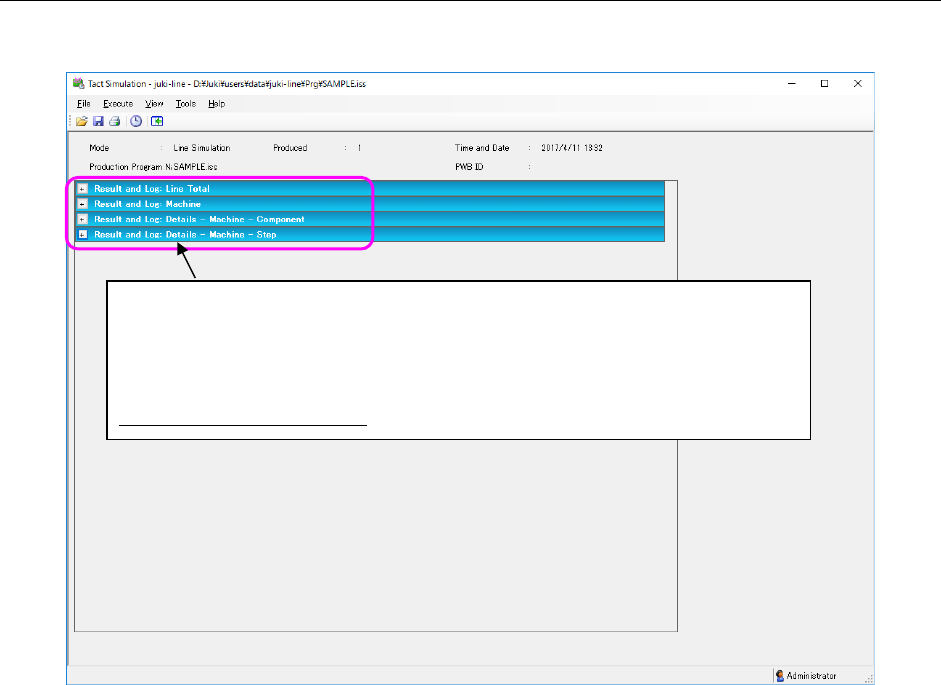
After completion of simulation, a result log is displayed on the screen.
Figure 9.4-1 “Result and Log” screen
The simulation result is classified into the following panels and displayed: “Line Total,”
“Machine,” “Details – Machine – Component” and “Details – Machine – Step.” When
you click the “+” on the left side of each panel, the corresponding panel opens to
display its data. When you click the “-,” the corresponding panel closes. Specify the
panel(s) to be displayed by default on the “Set Environments” screen (see Section
9.3.2 “Setting the environment”).