JANETS_INM.pdf - 第455页
J aN et s Instr ucti on M anua l 9. Tact S imul at ion 9- 13 Result log ( Lin e Tot al ) 9.4.1 The r esul t and l og of s im ulati on of the enti re l ine are dis pl ayed on thi s s creen. Figur e 9.4 -2 Result log (Li n…
JaNets Instruction Manual 9. Tact Simulation
9-12
“Result and Log” Screen 9.4
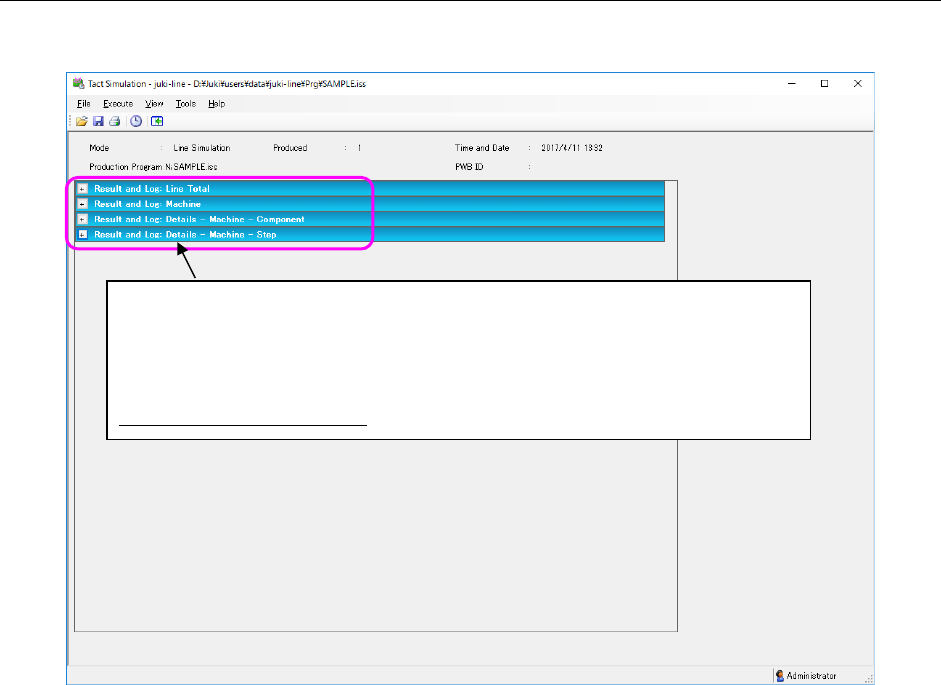
After completion of simulation, a result log is displayed on the screen.
Figure 9.4-1 “Result and Log” screen
The simulation result is classified into the following panels and displayed: “Line Total,”
“Machine,” “Details – Machine – Component” and “Details – Machine – Step.” When
you click the “+” on the left side of each panel, the corresponding panel opens to
display its data. When you click the “-,” the corresponding panel closes. Specify the
panel(s) to be displayed by default on the “Set Environments” screen (see Section
9.3.2 “Setting the environment”).
JaNets Instruction Manual 9. Tact Simulation
9-13
Result log (Line Total) 9.4.1
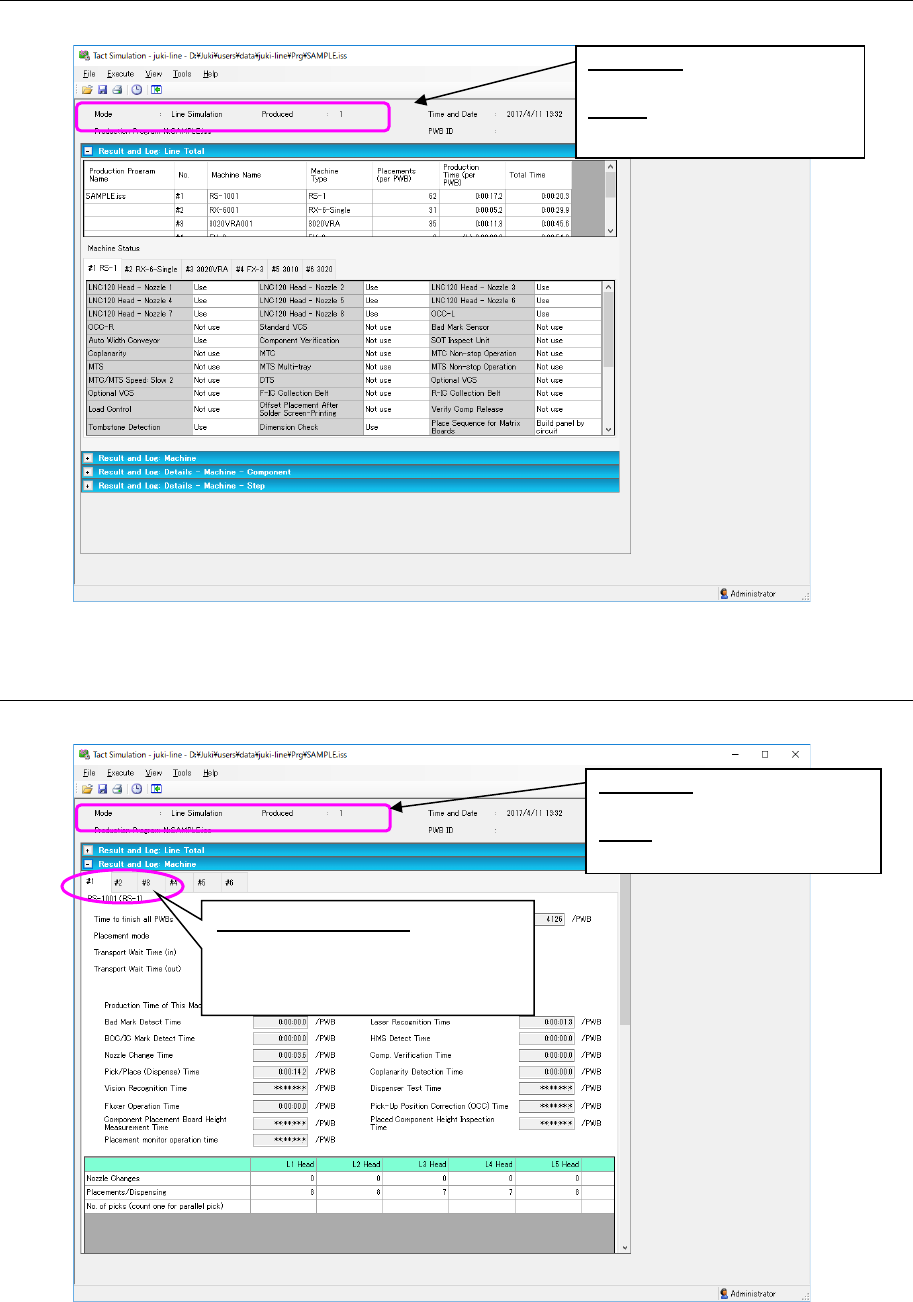
The result and log of simulation of the entire line are displayed on this screen.
Figure 9.4-2 Result log (Line Total) screen
Result log (overall – machine) 9.4.2
The result and log of simulation of each machine are displayed on this screen.
Figure 9.4-3 Result log (overall – machine) screen
Machine selection tab: Allows you to
select a machine whose simula-
tion result and log are to be dis-
played.
Produced: Displays the number
of simulated PWBs.
Mode: Displays the simulation
mode.
Produced: Displays the number
of simulated PWBs.
Mode: Displays the simulation
mode.
JaNets Instruction Manual 9. Tact Simulation
9-14
Result log (Details – Machine – Component) 9.4.3
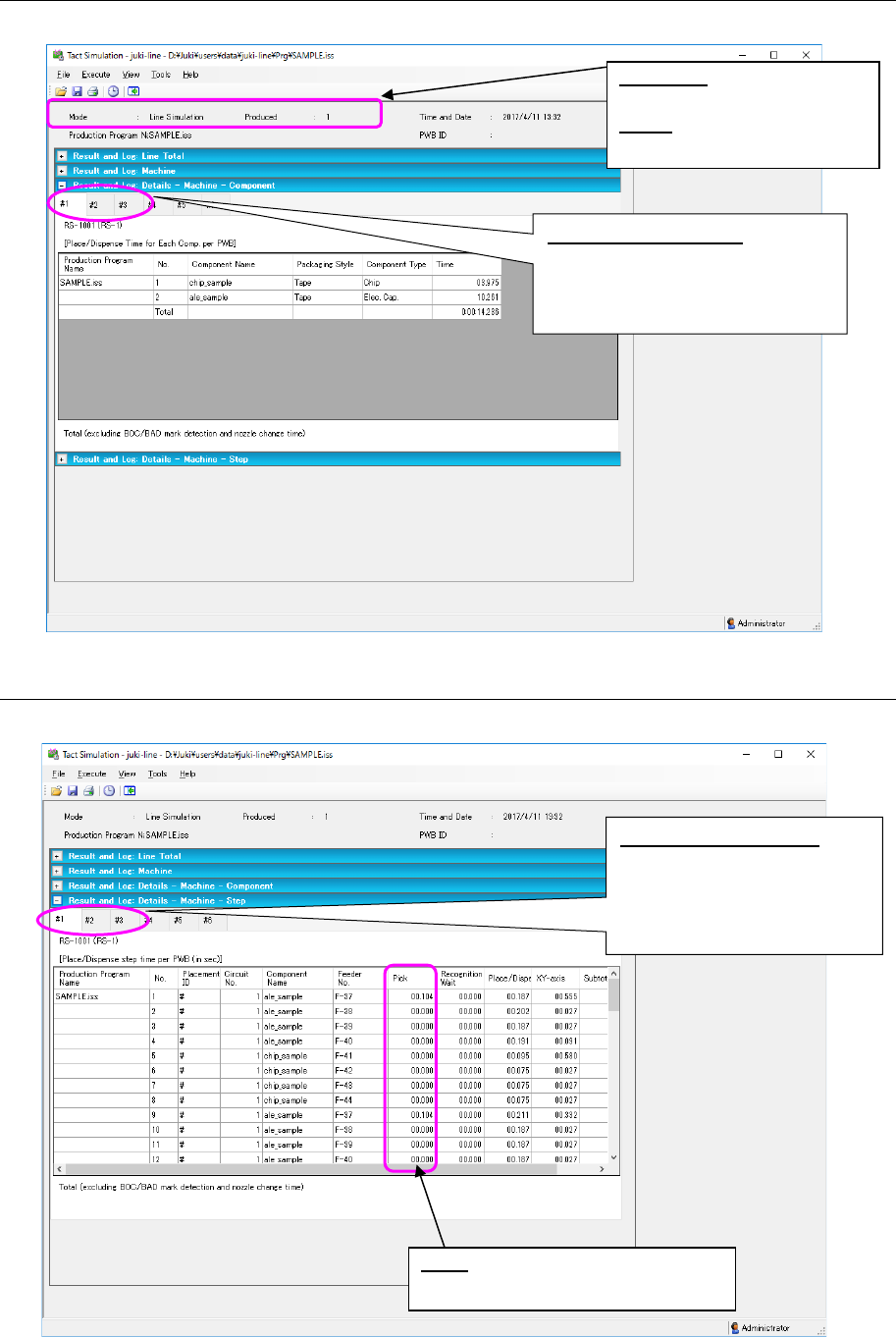
The simulation log of each component of each machine is displayed on this screen.
Figure 9.4-4 Result log (Details – Machine – Component) screen
Result log (Details – Machine – Step) 9.4.4
The simulation log of each step of each machine is displayed on this screen.
Figure 9.4-5 Result log (Details – Machine – Step) screen
Machine selection tab: Allows you
to select a machine whose sim-
ulation result and log are to be
displayed.
Produced:
Displays the num-
ber of simulated PWBs.
Mode: Displays the simulation
mode.
Machine selection tab: al-
lows you to select a ma-
chine whose simulation re-
sult and log are to be dis-
played.
Pick: Displays the time that was re-
quired to pick up a component.