JANETS_INM.pdf - 第474页
J aN et s Inst ructi on M anual 11. Mark Database 11 -1 11. Mark Dat abase Wh at is the M ar k Dat abase? The m ark data control led b y dat abas e can b e reg is tered, updat ed or chec ked. Ob tain the teachi ng data o…
JaNets Instruction Manual 10. Feeder Set Database
10-17
Print/Save as Text 10.3.14
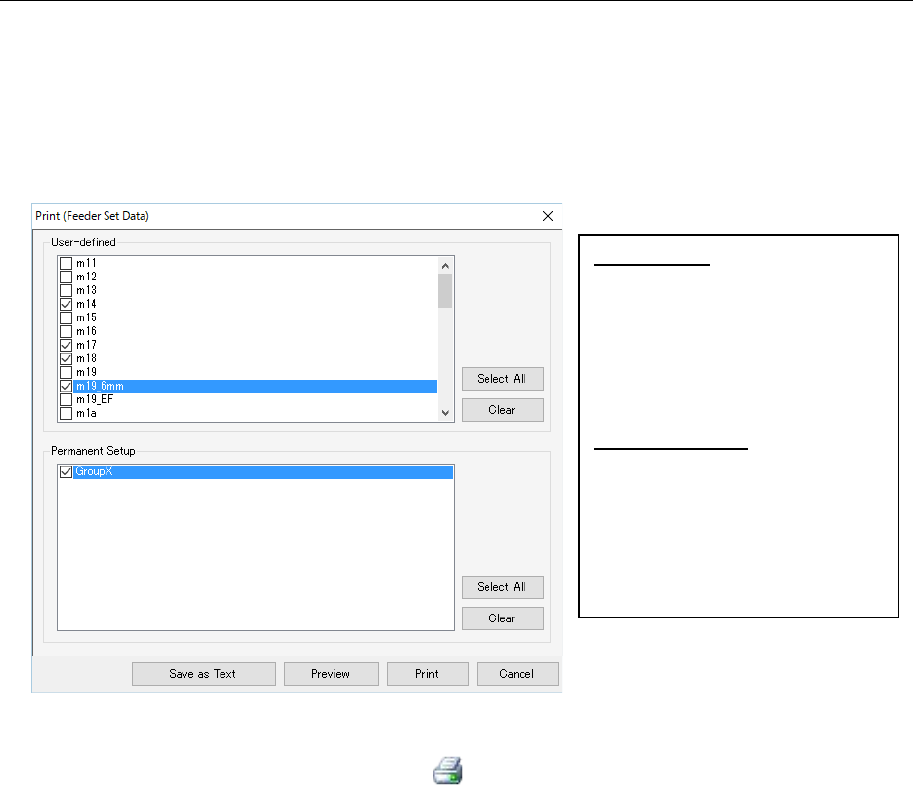
This command prints or outputs feeder set data displayed on the list as text.
To print or output data as text, perform one of the operations described below.
1. When you select the [File] command from the menu bar, and then the [Print/Save as Text]
command on the “File” menu. The “Print” setting screen appears.
Select the item to be performed on the displayed screen.
Figure 10.3-19 “Print” setting screen
2. Select the “Print/Save as Text” button ( ) of the toolbar. The “Print” setting screen ap-
pears. Select an item you want to execute on the displayed screen. (Operate in the same
manner as you do at 1 above.)
User-defined: Displays the list of
the user-defined feeder groups
registered in the database in the
form of check boxes. Only feed-
er group information whose
check box you checked is to be
printed or output as text.
Permanent Setup: Displays the list
of the permanent feeder groups
registered in the database in the
form of check boxes. Only feed-
er group information whose
check box you checked is to be
printed or output as text.
JaNets Instruction Manual 11. Mark Database
11-1
11. Mark Database
What is the Mark Database?
The mark data controlled by database can be registered, updated or checked. Obtain the
teaching data on a BOC mark and an area fiducial mark from the production program in which
the corresponding teaching data is stored, and then register it in the database.
Controlled mark data is displayed on the list for each machine type, and you can change a
mark name and/or a mark ID.
Up to 10,000 BOC marks can be recorded, and up to 10,000 area fiducial marks can be
recorded too.
* Teaching data on the user-defined template is not controlled with the database.
11.1 Starting Up or Quitting the Mark Database
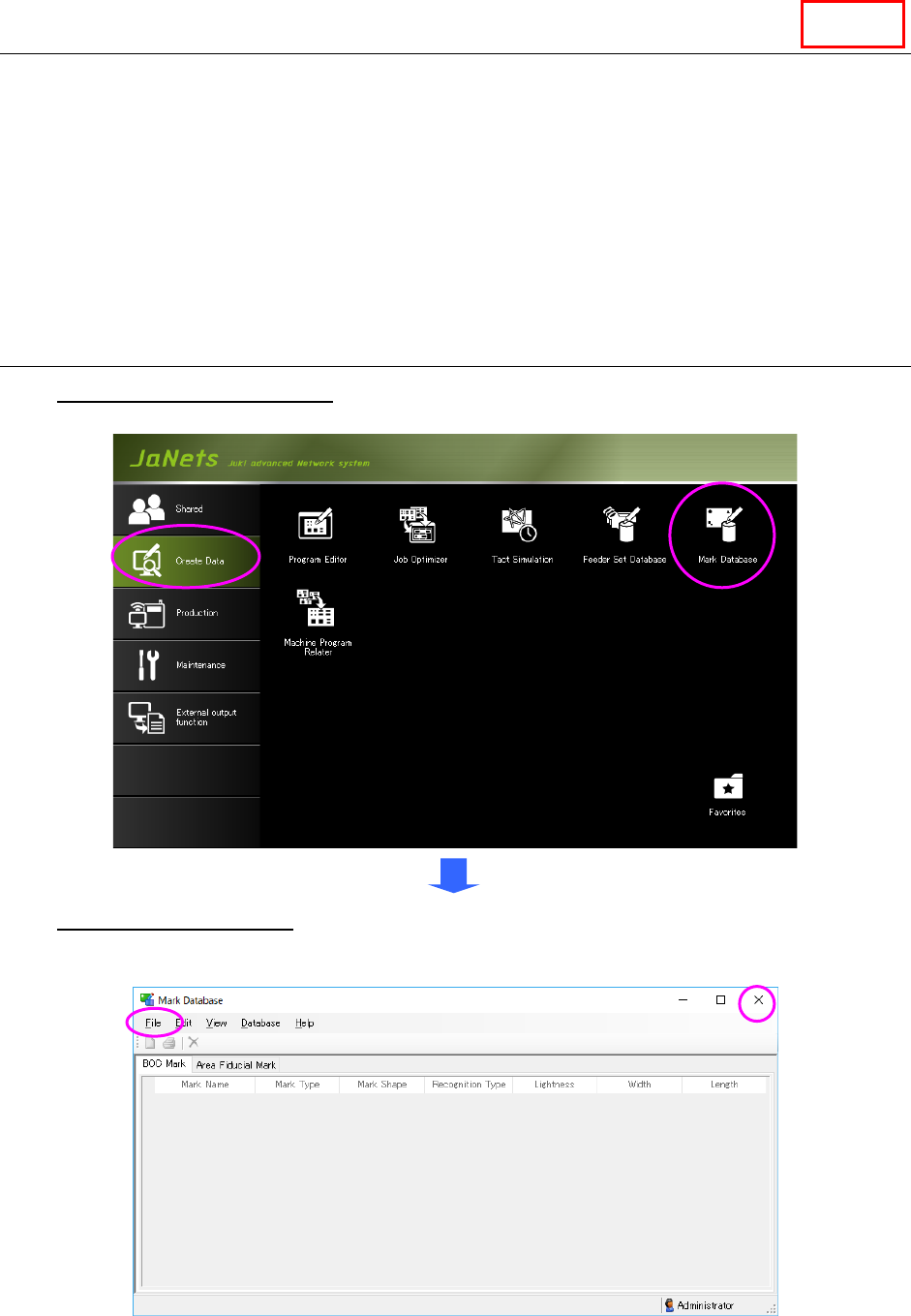
To start up the Mark Database: Double-click the “Create Data” tab from the JaNets Launcher,
and then the “Mark Database” icon.
To quit the Mark Database, select the [File] command from the menu bar, and then the [Exit
Mark Database] command on the “File” menu, or select the close (×) button located at the
upper right corner of the title bar.
Figure 11.1-1 “Mark Database” screen
(displayed when the Mark Database starts up for the first time)
Line

JaNets Instruction Manual 11. Mark Database
11-2
11.1.1 Starting Up the Mark Database
when the System Is Connected to a Server
If you start up the Mark Database when the system is set to be connected to a server, the
system regards the database as a server to obtain data from it.
When you select the [New] menu command or the [Open] menu command from this point, you
can switch a database to a database of .mdb files.
The [Switch to connection to the server] menu command allows you to switch the database to
the database of a server again also.
Data Manager