JANETS_INM.pdf - 第48页
JaNets Instr ucti on Man ual 2. Install ation 2- 20 The V isual C++ Library r untime com pon ent is auto matica lly instal led on the PC. 2.2.3 .3 Installing the Microsoft Visual C++ 2010 and the M icrosoft Visual C++ 20…
JaNets Instruction Manual 2. Installation
2-19
2.2.2.3 When upgrading the Data Manager
- To upgrade the Data Manager, you have to do it as the user having the administrator’s privilege
(used when you logged in the system as a user having the user privilege). If you do not know
which user installed the Data Manager for the first time, upgrade it as a user to which the
administrator’s privilege is given.
2.2.3 Procedure for newly installing the Data Manager
2.2.3.1 Starting up the installer
When you double-click “setup.exe” of the installation DVD, the installer starts up.
2.2.3.1.1 Display of the prerequisites to be met to install the Data Manager
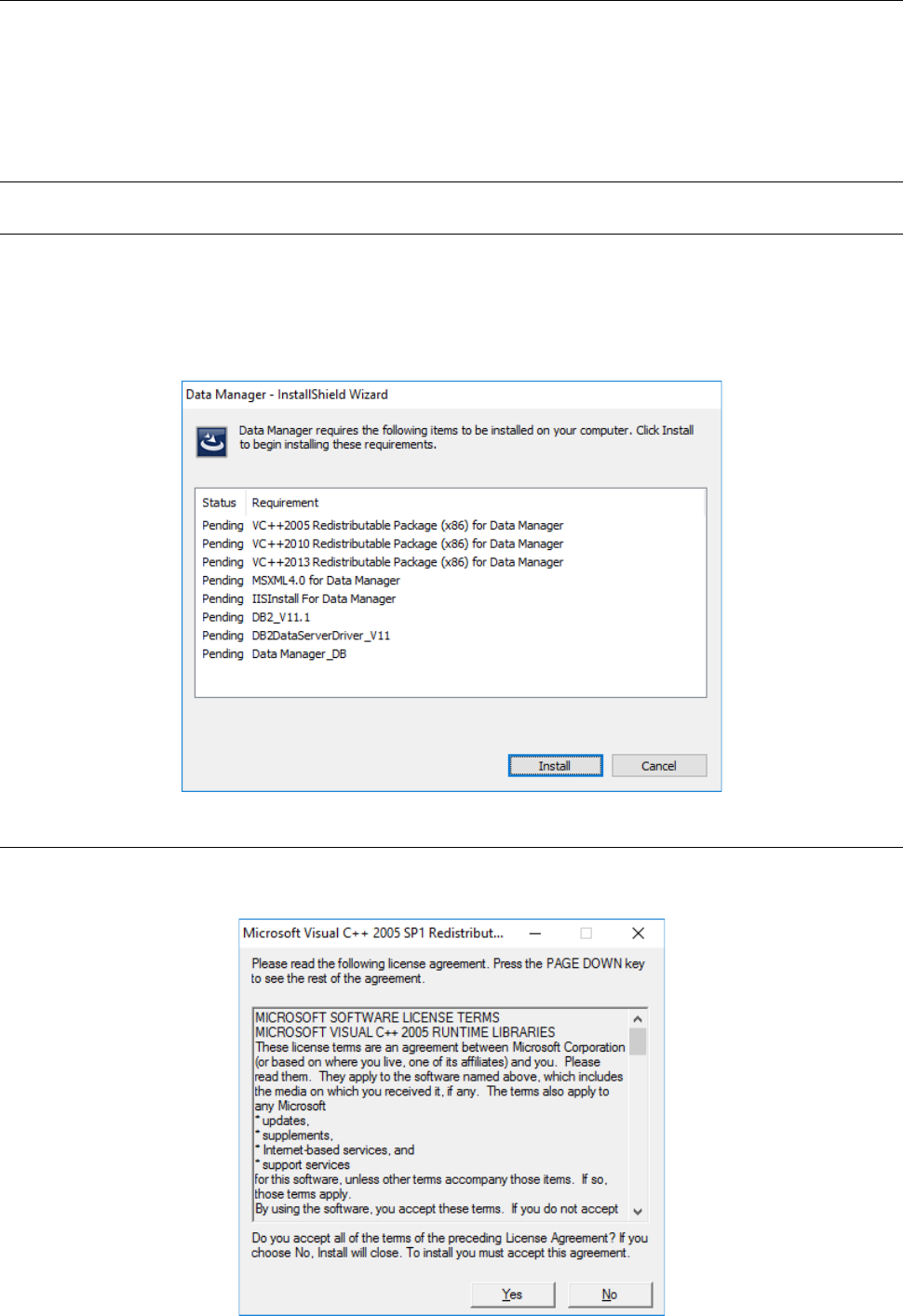
When you start up the Data Manager installer, the following screen appears. When you click the
<Install> button, installation starts.
2.2.3.2 Installing the Microsoft Visual C++ 2005
Install the Visual C++ Library runtime component on a PC.
When the following screen appears, click the <Yes> button.
JaNets Instruction Manual 2. Installation
2-20
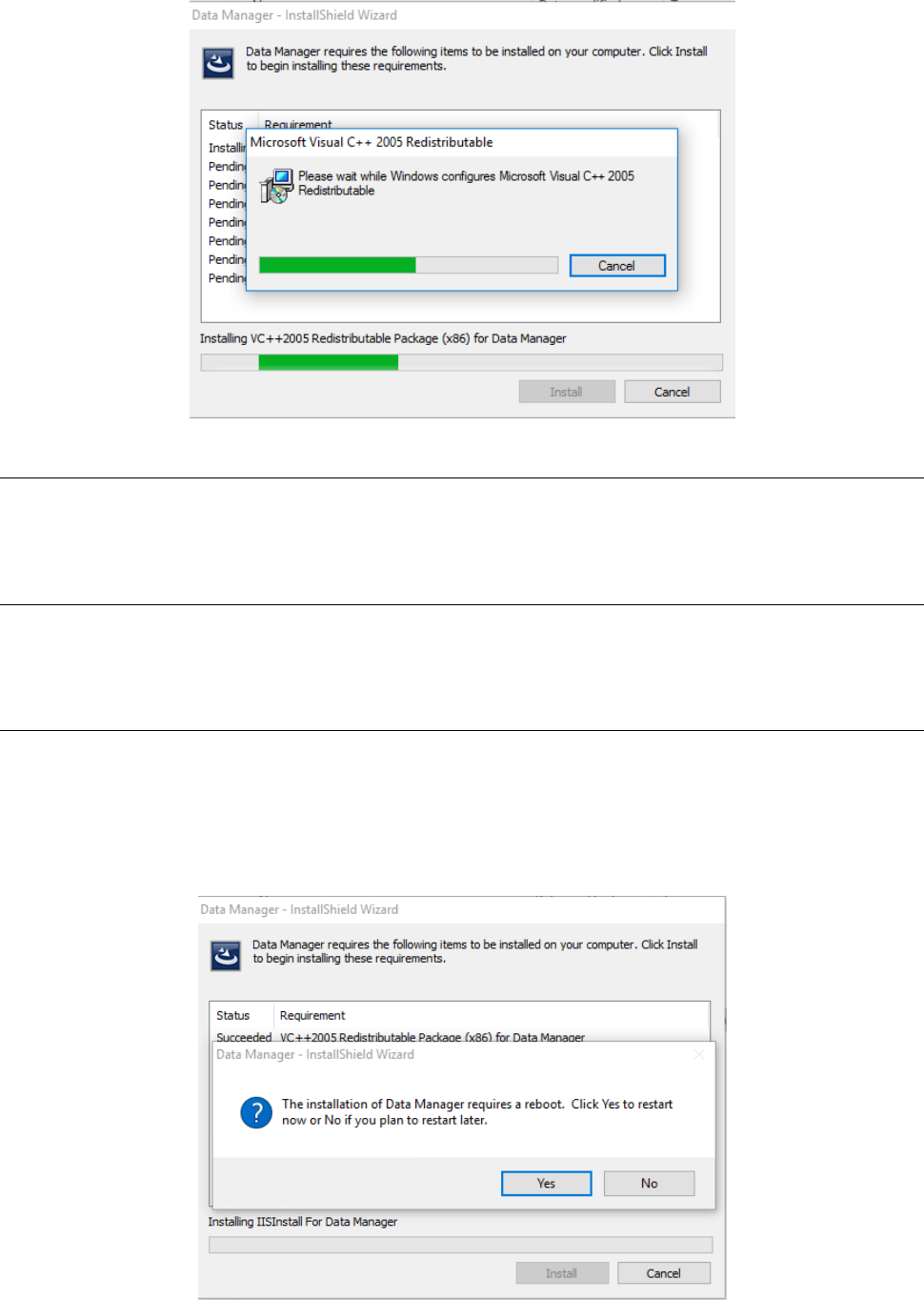
The Visual C++ Library runtime component is automatically installed on the PC.
2.2.3.3 Installing the Microsoft Visual C++ 2010 and the Microsoft Visual C++ 2013
The respective Visual C++ Library runtime components are automatically installed on the PC.
You do not have to perform any special operation.
2.2.3.4 Installing the MSXML 4.0 SP2 Parser
The MSXML 4.0 SP2 Parser is automatically installed on the PC. You do not have to perform any
special operation.
2.2.3.5 Installing the Internet Information Service (IIS)
The Web server to be used with the Data Manager is automatically installed on the PC.
2.2.3.5.1 Restart request after the IIS is installed on the PC
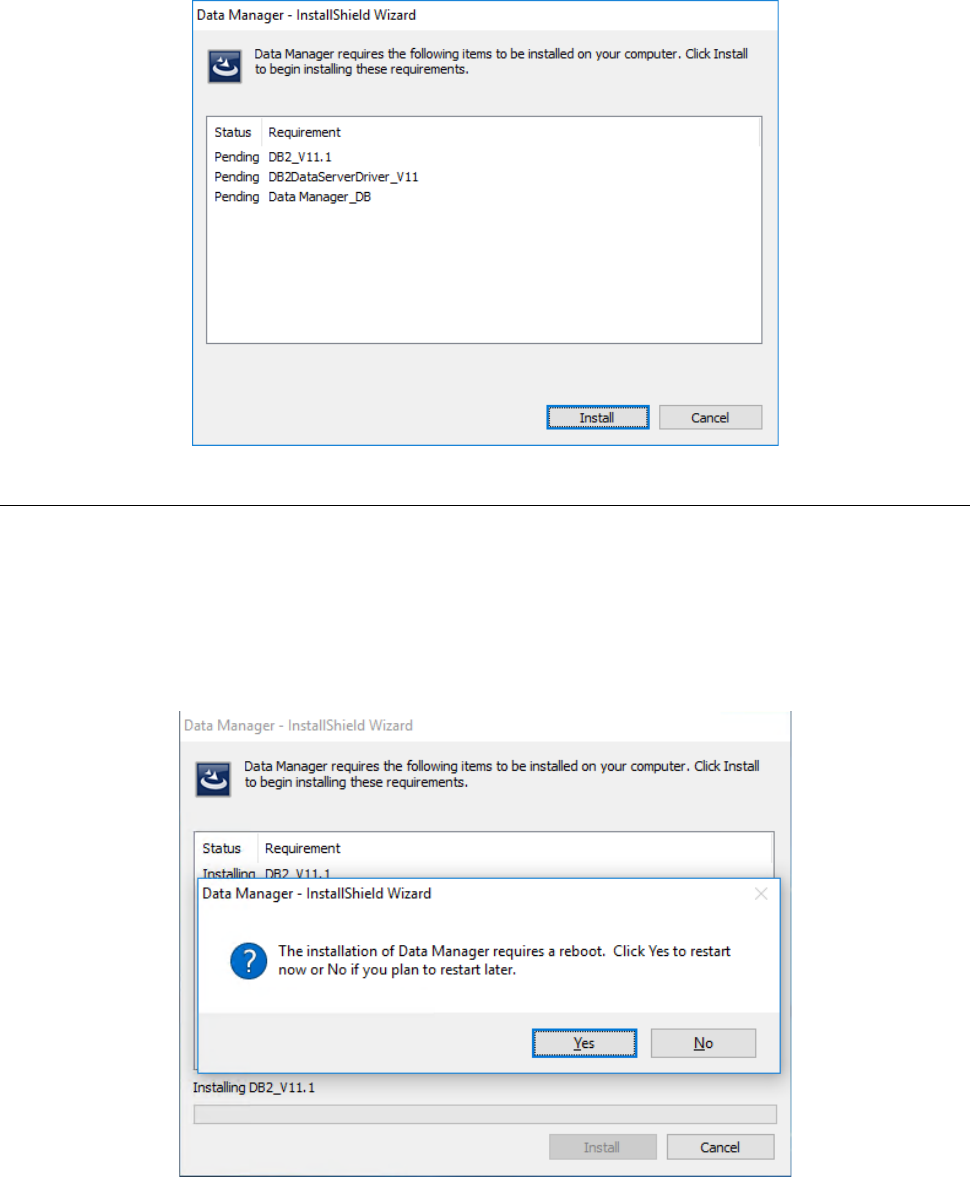
After the IIS finishes being installed on the PC, the message for requesting restart of the PC
appears on the screen.
JaNets Instruction Manual 2. Installation
2-21
Click the <Yes> button to restart the PC. When you restart the PC, the installer automatically
starts up.
When the installer starts up, the following screen appears. Click the <Install> button.
2.2.3.6 Installing the DB2
The database service to be used with the Data Manger is automatically installed on the PC.
2.2.3.6.1 Restart request after the DB2 is installed on the PC
After the DB2 finishes being installed on the PC, the message for requesting restart of the PC
appears on the screen.
Click the <Yes> button to restart the PC. When you restart the PC, the installer automatically
starts up.