JANETS_INM.pdf - 第484页
JaNets Instr ucti on Man ual 12 . Machine Program R elater 12 -2 St arting Up o r Quitt ing the M achine Pro gram Rel ater T o start up the Mach ine Progr am Relat er : Double - click the “ Create Data ” t ab from the Ja…
JaNets Instruction Manual 12. Machine Program Relater
12-1
Machine Program Relater
What is the Machine Program Relater?
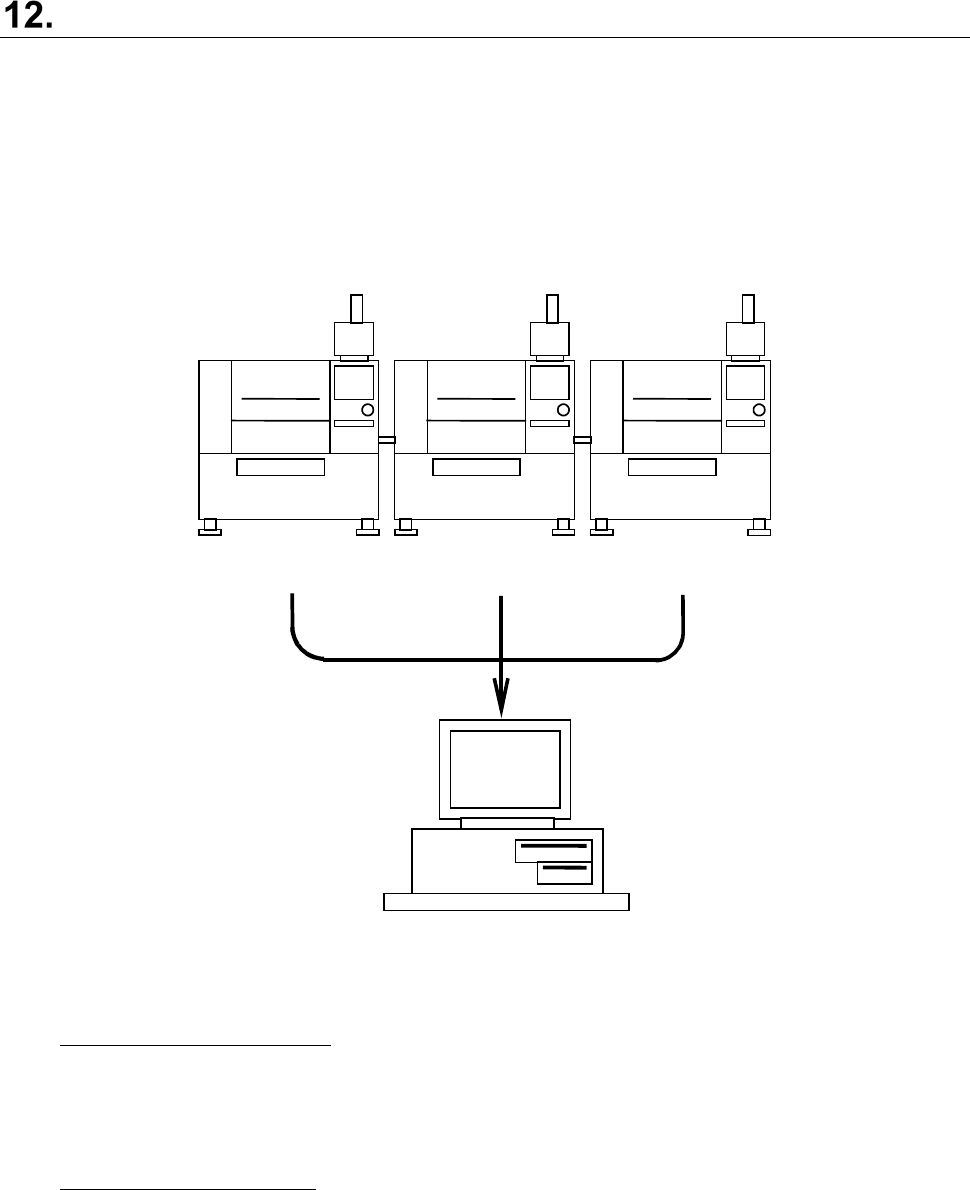
This application groups together production programs of each machine of a production line
composed of JUKI mounters and placers, or optimized divided files of the JaNets to create a
production program for the JaNets.
Even though a customer who has already configured a production line with JUKI machines installs
the JaNets newly, he or she can manage production programs that have been used not for each
machine alone but as production programs in the format for the JaNets (*.iss).
Test.x01
Test.e47
Test.e48
Test.iss
FX
-3RA
KE-2070
KE-2080
Figure 12-1 Overview of the function
Manual relating function:
This function relates production programs of each machine or divided programs generated
after production programs created with the JaNets or MI Line Optimizer are optimized to
create a production program for the JaNets. (See Figure 12-1)
Batch relating function:
This function converts a group of production programs already created for an old production
line into files for configuring a new production line when the production line configuration
changes to configure the production line again.
JaNets Instruction Manual 12. Machine Program Relater
12-2
Starting Up or Quitting the Machine Program Relater
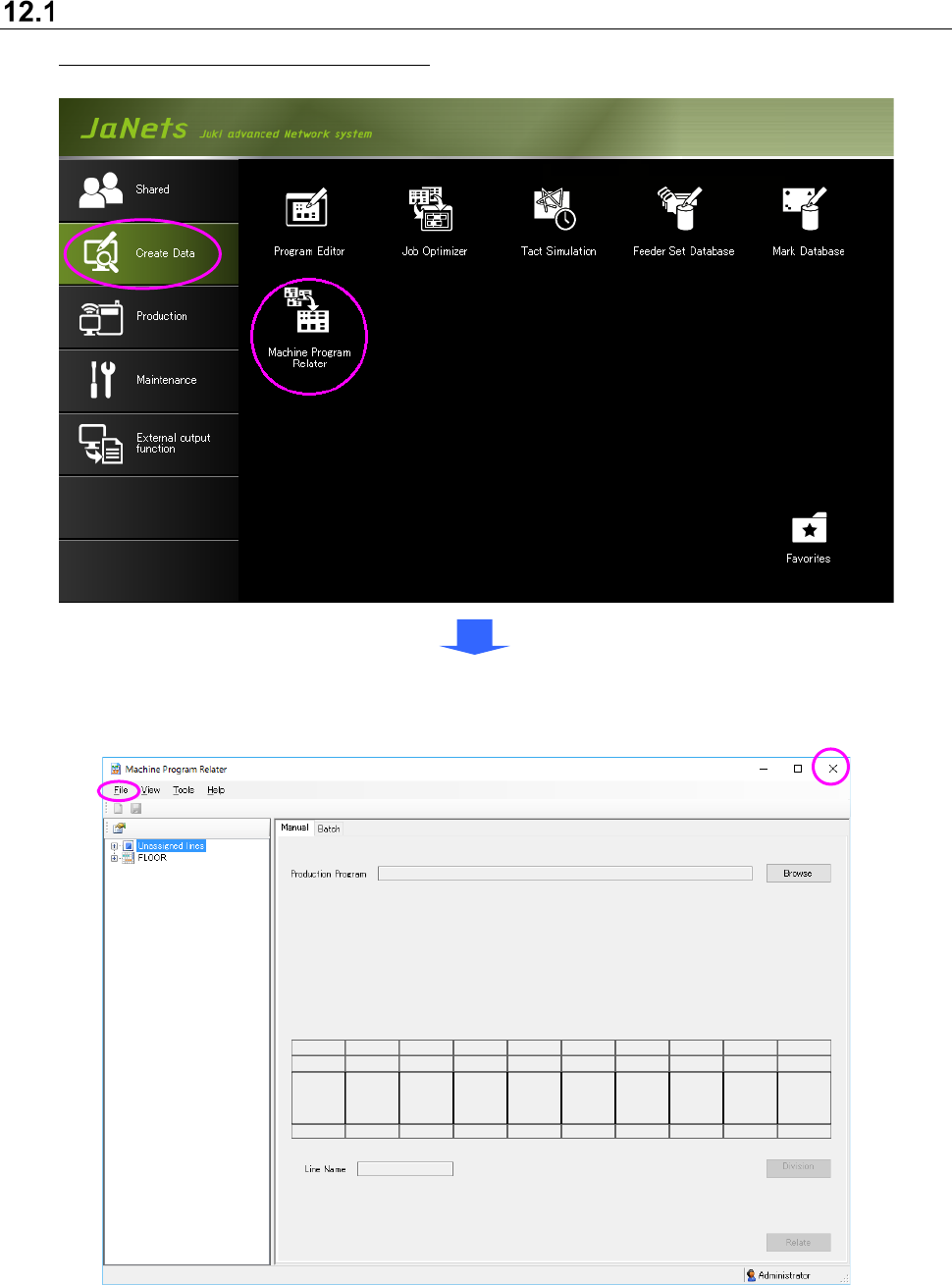
To start up the Machine Program Relater: Double-click the “Create Data” tab from the JaNets
Launcher, and the “Machine Program Relater” icon.
To quit the Machine Program Relater, select the [File] command from the menu bar, and then the
[Exit Machine Program Relater] command on the “File” menu, or select the close (×) button
located at the upper right corner of the title bar.
Figure 12.1-1 Main screen
(displayed when you start up the Machine Program Relater for the first time)
JaNets Instruction Manual 12. Machine Program Relater
12-3
Menu Configuration
Menu items
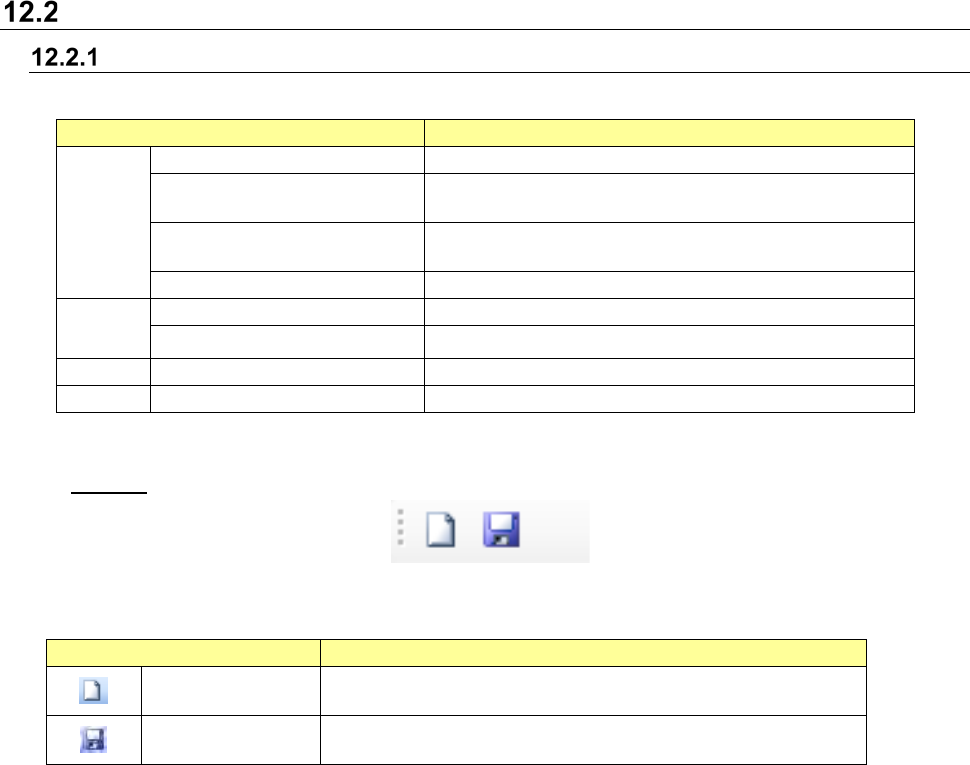
Table 12.2-1 Description of each menu item
Menu item
Description
File
New
Clears the current editing.
Save
Overwrites ands saves a production program (only when
it is manually related).
Save as Displays the “Save as” dialog box for a production
program (only when it is manually related).
Exit Machine Program Relater
Quits the Machine Program Relater.
View
Toolbar
Displays/hides the toolbar.
Status Bar Displays/hides the status bar.
Tools
Set Environments
Displays the “Set Environments” screen.
Help
About
Displays the version information.
Toolbar
Table 12.2-2 List of tools of the toolbar
Toolbar items
Description
New
Clears the current editing.
Save Overwrites and saves a production program. This tool is
available only when the production program is manually related.