JANETS_INM.pdf - 第493页
JaNets Instr ucti on Man ual 12 . Machine Program R elater 12 - 11 When you clic k a mac hine o f an old product ion line t o be related t o a new one, machines o n the new produc tion line yo u can sel ect are h ighligh…
JaNets Instruction Manual 12. Machine Program Relater
12-10
Selecting an old production line whose file is related to a new production line
Figure 12.3-9 Selecting an old production line
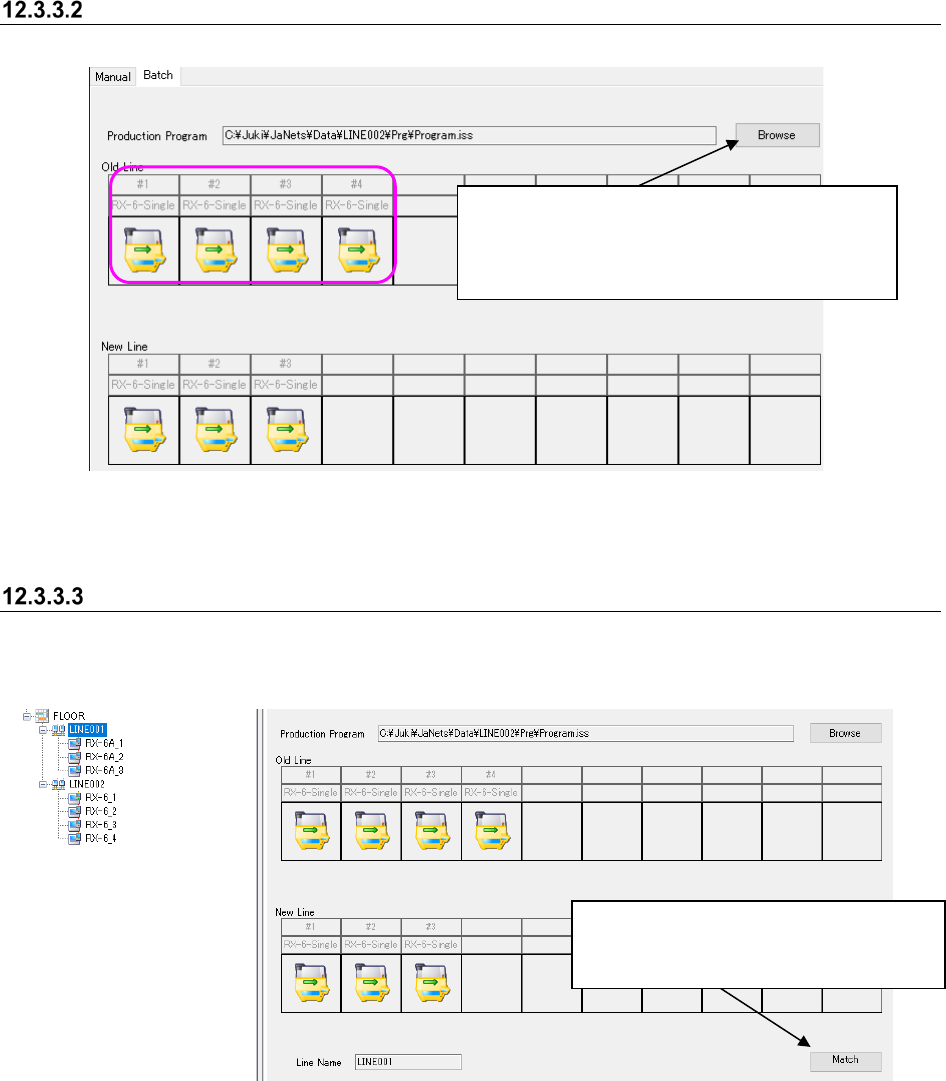
Relating an old production line to a new production line
When you relate an old production line to a new one, production program are inherited from the
old production line to a new one.
Figure 12.3-10 Starting relating an old production line to a new production line
When you click the <Browse> button, the “Open”
dialog box appears on the screen.
When you specify a production program, machines
are displayed on the old production line.
When the new production line and the old
production line are displayed on the
screen, the <Match> button is enabled.
JaNets Instruction Manual 12. Machine Program Relater
12-11
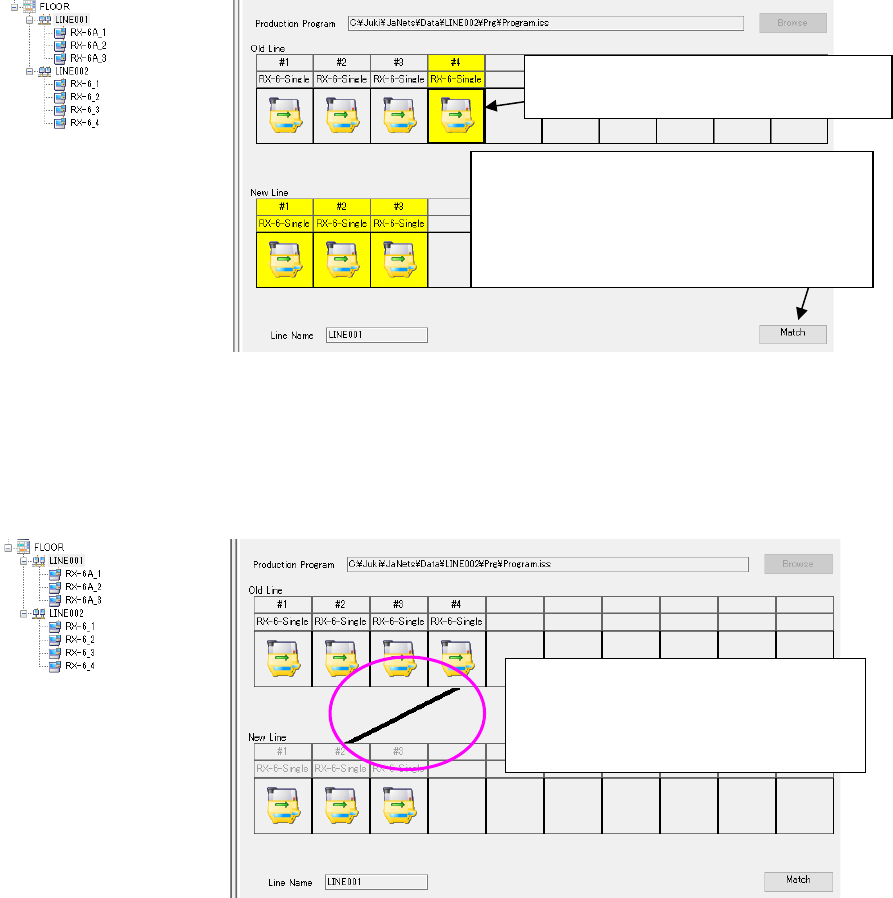
When you click a machine of an old production line to be related to a new one, machines on the
new production line you can select are highlighted.
Figure 12.3-11 Relating an old production line to a new production line (highlighted)
When you click a machine you can select on the new production line, a line is displayed between
the selected old production line and the new production line.
Figure 12.3-12 Relating an old production line to a new production line (combined)
When you click a machine of another old
production line to be related to a new
production line, you can continue relating
production lines.
When you click the <Match> button, the
system enters Relation mode, and the
<Match> button is switched to the <Matched>
button. When you click this <Matched> button,
you quit Relation mode.
Click a machine of the old production line
to be related to a new production line.
JaNets Instruction Manual 12. Machine Program Relater
12-12
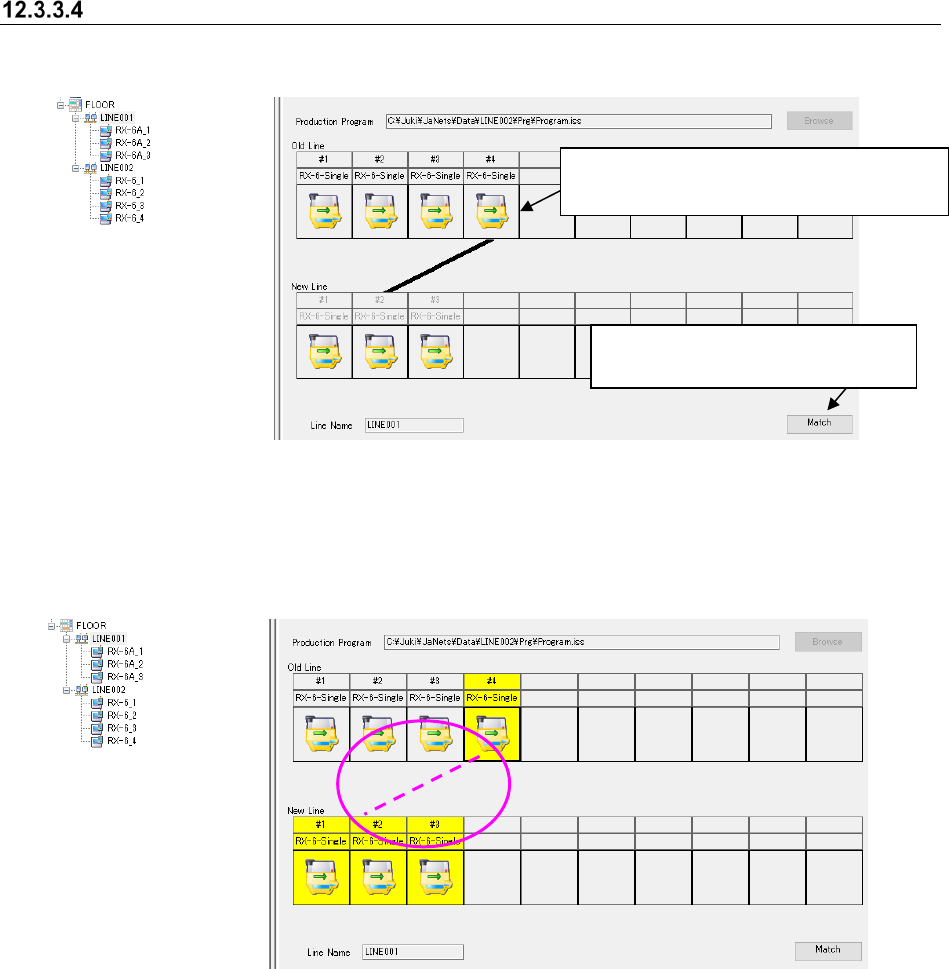
Canceling the relation between a new production line and an old one
Perform the operations ① and ② below.
Figure 12.3-13 Canceling of relation between the new production line and
the old production line
The line indicating the relation disappears from the screen.
Figure 12.3-14 Canceling of a relation between the new production line and
the old production line
②
Click a machine whose relation is to be
canceled on an old production line.
① Click the <Match> button to put
the system into Relating mode.