JANETS_INM.pdf - 第495页
JaNets Instr ucti on Man ual 12 . Machine Program R elater 12 - 13 Specifyi ng the target d ata path Specify the t arget path of a production progr am to be r elated with the bat ch process on the “ Batch ” relating scre…
JaNets Instruction Manual 12. Machine Program Relater
12-12
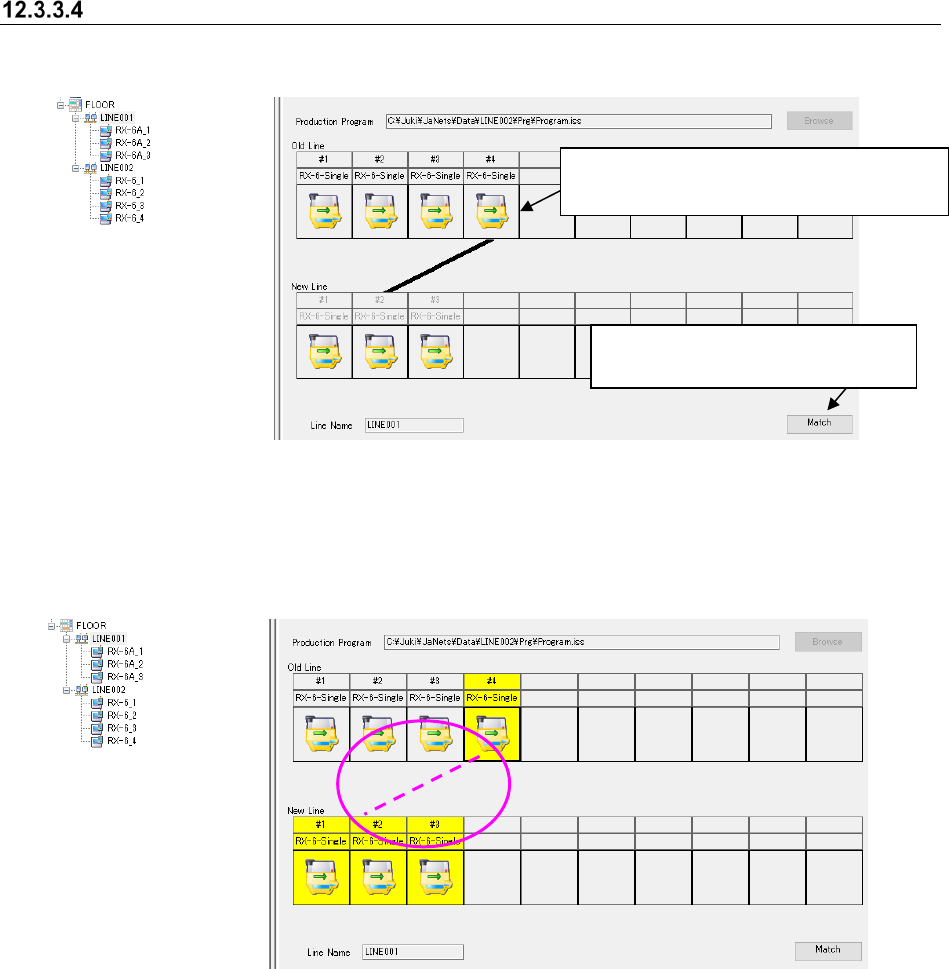
Canceling the relation between a new production line and an old one
Perform the operations ① and ② below.
Figure 12.3-13 Canceling of relation between the new production line and
the old production line
The line indicating the relation disappears from the screen.
Figure 12.3-14 Canceling of a relation between the new production line and
the old production line
②
Click a machine whose relation is to be
canceled on an old production line.
① Click the <Match> button to put
the system into Relating mode.
JaNets Instruction Manual 12. Machine Program Relater
12-13
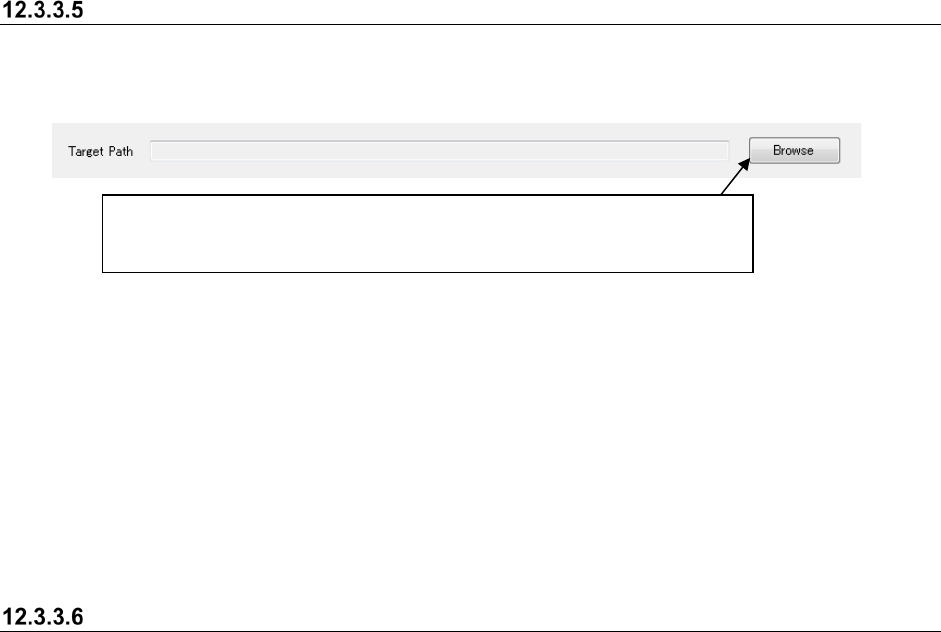
Specifying the target data path
Specify the target path of a production program to be related with the batch process on the “Batch”
relating screen.
Figure 12.3-15 Specifying the target data path
The "Batch" relating function updates a production program already created for an old line in order
to assign the same program to a new line at a time. The new line needs to contain the same
machines as the old line.
For “Target path”, specify a folder that has a production program and the divided files that you
want to relate. (If there is no divided file, a program for the “PWB Pass-through mode” is
assigned.); However, the sub folder of the specified target path is not related.
You also can specify a path that you specified on the old line. In that case, the production program
specified on the old line is related as well.
Executing a batch relation
Click the <Relate> button on the “Batch” relating screen. When you execute the relation process,
the system automatically backs up the specified file to the destination specified in section 12.3.4
“Setting the environment,” and executes the overwrite process for production programs that match
the configuration of the old production line of all production programs that exist on the target data
path.
* Production programs for Idle mode are automatically generated for machines of a new
production line not related to an old production line.
The Batch relation is not executed under the conditions as follows:
● When the transport direction differs between the old line and the new line;
● When the divided files corresponding to the target path is incomplete;
● When the transport direction differs between the new line and the production program
corresponding to the target path.
● The same name files, one’s extension is iss and another’s extension is mic, are located on the
target data path.
When you click the <Browse> button, the “Open” dialog box appears on the
screen. Specify a file and click the <Open> button on this dialog box. Note that
you can specify a production program whose extension is “*.iss” or “*.mic” only.
JaNets Instruction Manual 12. Machine Program Relater
12-14
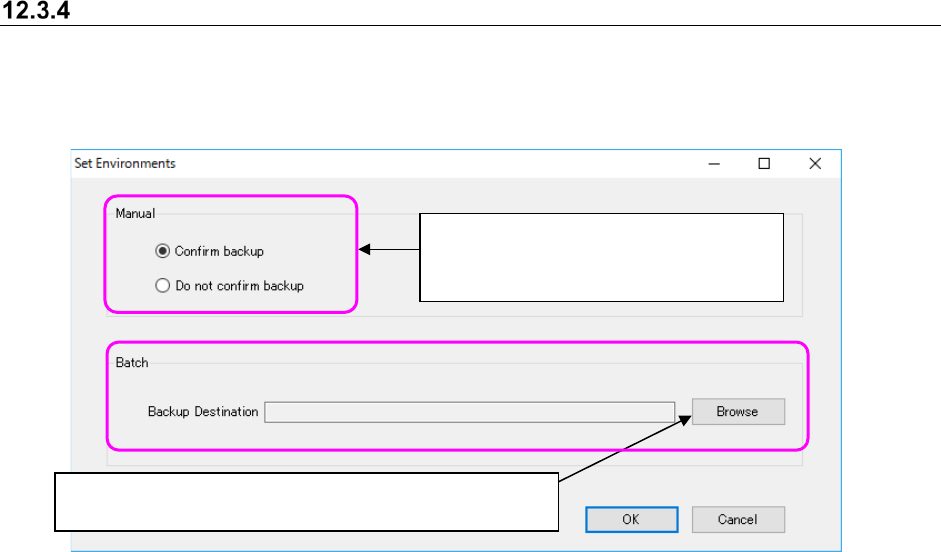
Setting the environment
Before relating an old production line to a new one manually, make the setting for displaying the
back-up confirmation message of files in the JaNets format with the corresponding radio button.
Specify where to back up files automatically during batch relation also.
Figure 12.3-16 “Set Environments” screen
Click the <Browse> button to specify whether to back up files
automatically when the system performs batch relation.
Specify whether to display the back-up
confirmation message when the system
relates the production lines manually.