JANETS_INM.pdf - 第52页
JaNets Instr ucti on Man ual 2. Install ation 2- 24 When insta llation f inishes, the follow ing screen a ppears . Click the <Finish> but ton to f inish the installat ion proce dure. 2.2.3 .9.1 After the D ata Mana…
JaNets Instruction Manual 2. Installation
2-23
[Note]
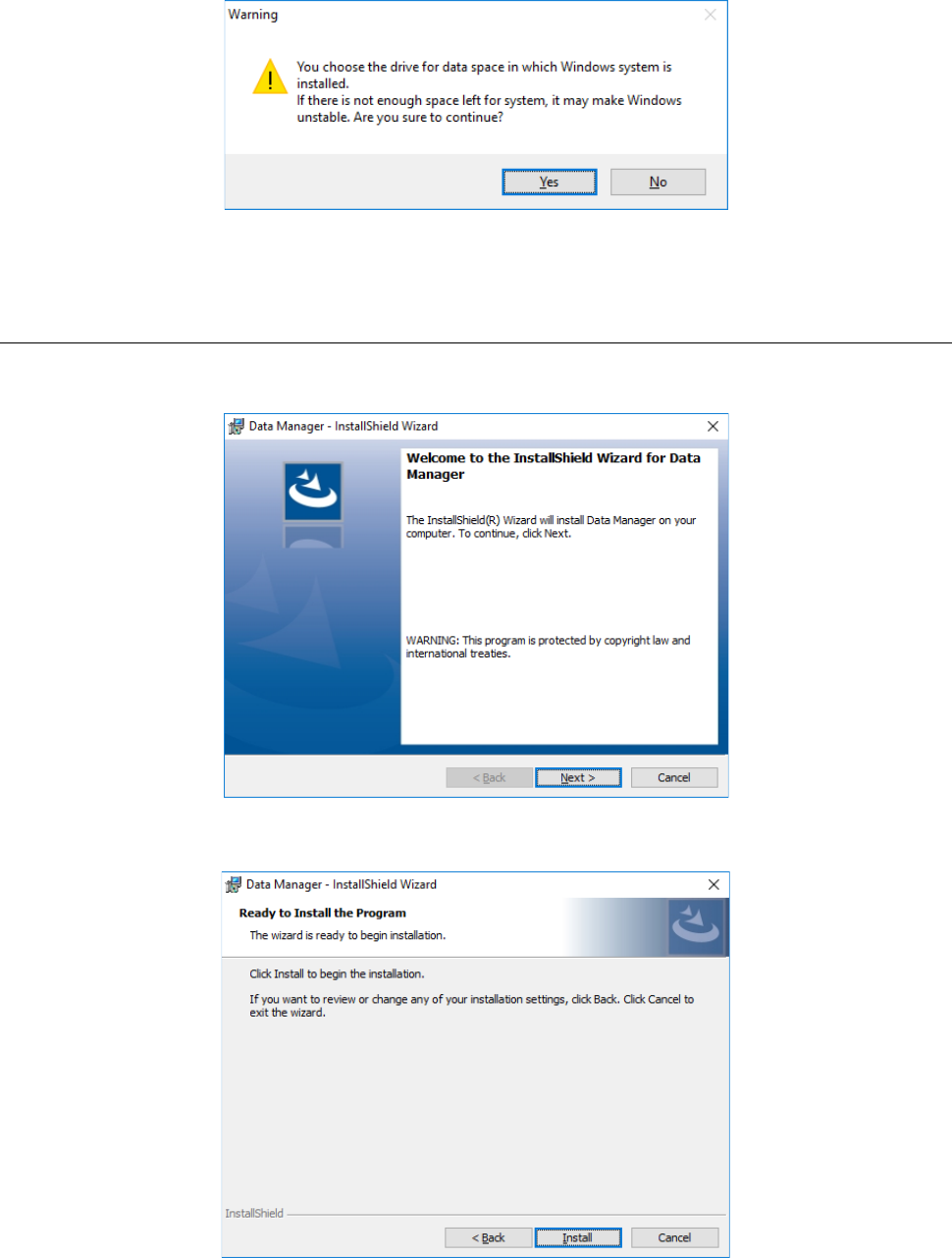
* When you specify the drive in which the Windows system is stored (that is, the drive C), and then
click the <OK> button, the following warning appears on the screen. When you click the <Yes>
button for this warning, the database starts being created. When you click the <No> button, the
screen is switched back to the “Selection of database-data saving destination” screen.
* The data size is calculated by subtracting 20 % of the entire drive capacity from the unoccupied
space of the drive, and then displayed on the screen.
2.2.3.9 Installing the Data Manager
After the Data Manger DB is installed on the PC, the installer for the Data Manager automatically
starts up. Click the <Next> button.
When the screen for waiting for installation, “Ready to Install the Program,” appears, click the
<Install> button to start installation.
JaNets Instruction Manual 2. Installation
2-24
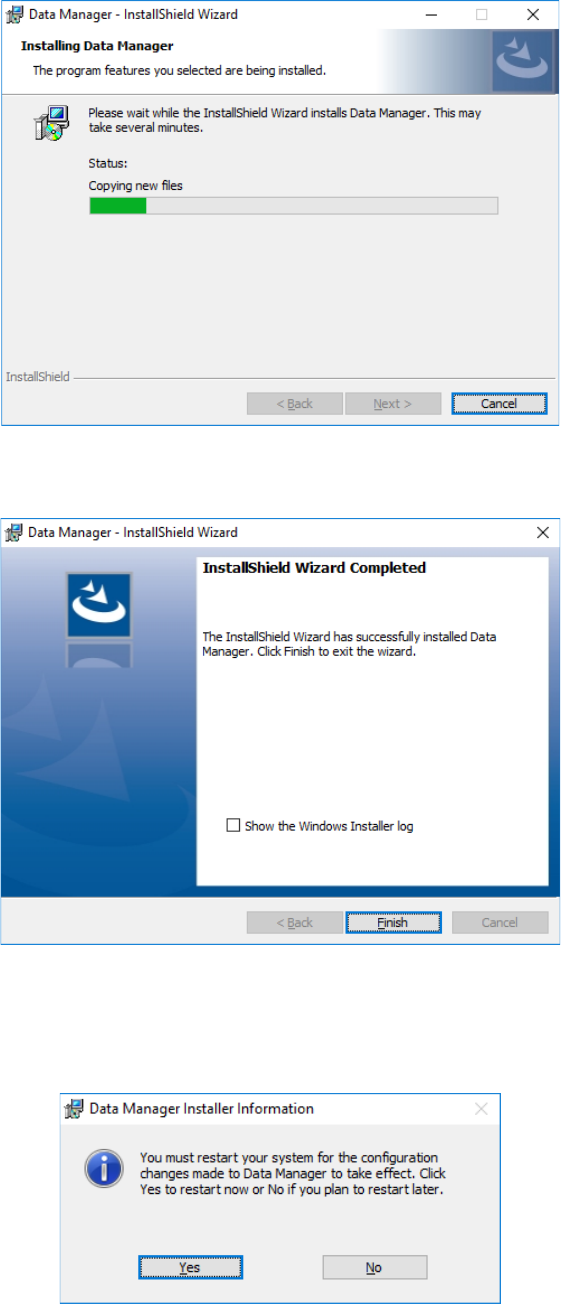
When installation finishes, the following screen appears. Click the <Finish> button to finish the
installation procedure.
2.2.3.9.1 After the Data Manager finishes being installed on the PC
When installation of the Data Manager finishes, the screen for requesting restart of the PC
appears. Click the <Yes> button to restart the PC.
You have finished installing the Data Manager newly at this point.
JaNets Instruction Manual 2. Installation
2-25
2.2.4 Procedure for upgrading the Data Manager
2.2.4.1 Starting up the installer
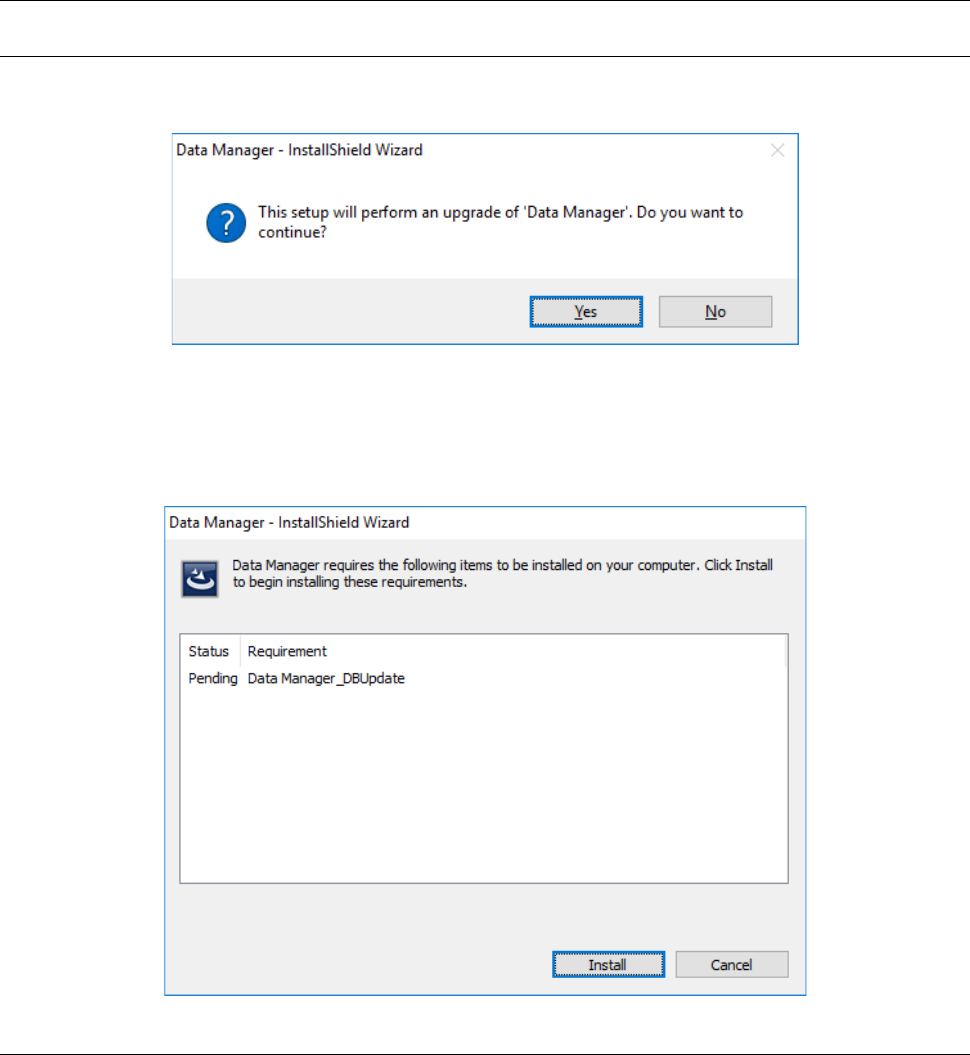
When you double-click “setup.exe,” the following screen appears. Click the <Yes> button.
2.2.4.1.1 Display of the prerequisites to be met to install the Data Manager
When you start up the Data Manager installer, the following screen appears. When you click the
<Install> button, installation starts.
2.2.4.2 Updating the Data Manger DB (Data Manager_DBUpdate)
Update the database of the Data Manager.