JANETS_INM.pdf - 第535页
JaNets Instr ucti on Man ual 13 . Program D ownloa der 13 - 39 13.9.11.8 Switching a machine model to ano ther one when an added program exists See Section 13.9. 10.8 “R equireme nts for s witching product ion to the ne …
JaNets Instruction Manual 13. Program Downloader
13-38
13.9.11.6 Displaying the Program schedule list after adding a program
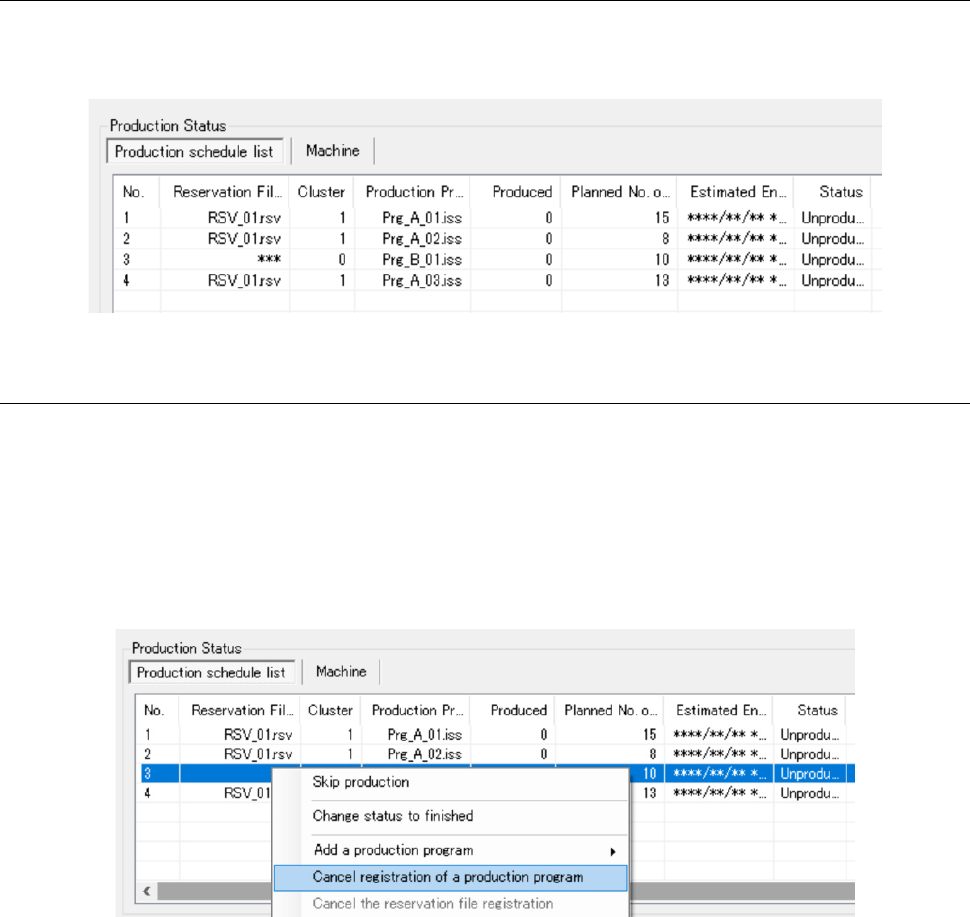
A program specified to be added is added to the selected position. “***” is displayed in the
“Reservation File” column fixedly, and “0” is displayed in the “Cluster” column fixedly.
Figure 13.9-35 Production schedule list displayed after a program is added
13.9.11.7 Canceling addition of a program
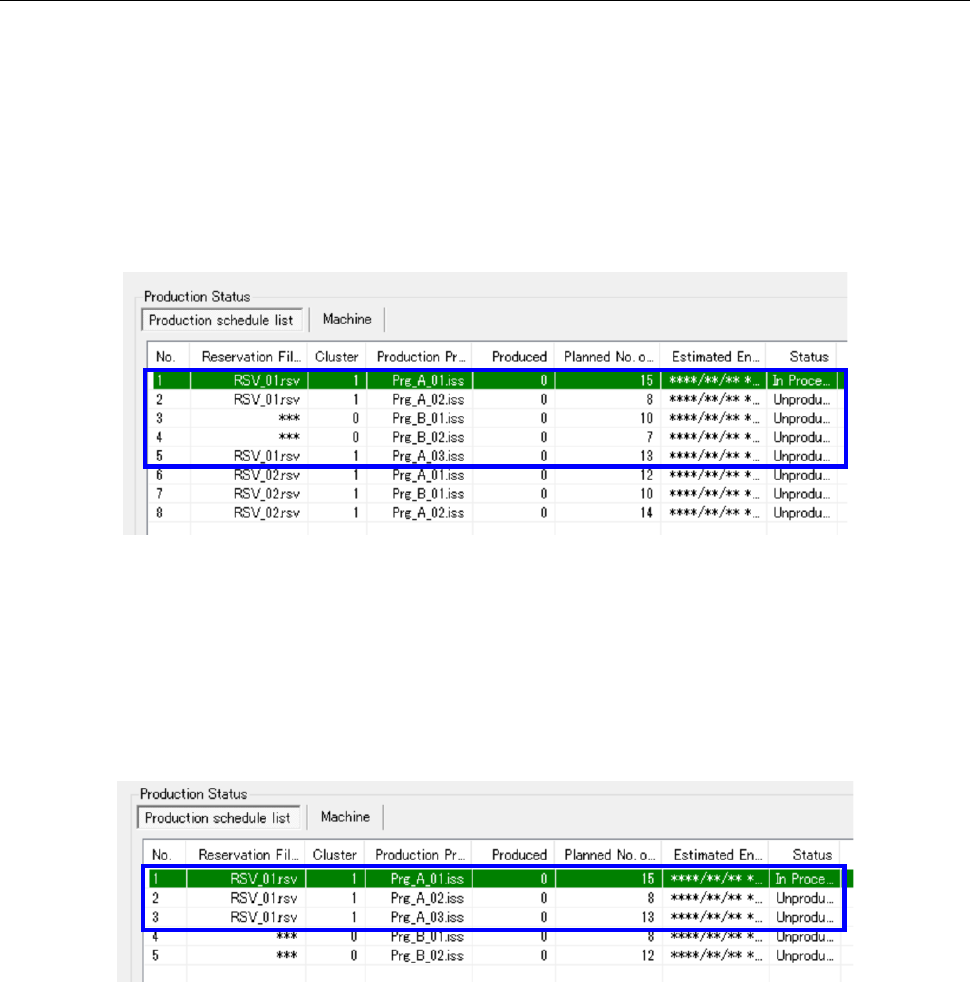
When you click a program whose addition you want to cancel with the mouse right button, and
then click the menu command [Cancel registration of a production program] on the displayed
menu, the selected program is deleted from the Production schedule list. You cannot cancel
addition of any production program contained in a reservation file (program whose corresponding
reservation file name is displayed in the “Reservation File” column of the Production schedule list).
In addition, you cannot cancel addition of a program whose production status is not “Unproduced”
either.
Figure 13.9-36 Canceling addition of a production program
JaNets Instruction Manual 13. Program Downloader
13-39
13.9.11.8 Switching a machine model to another one when an added program exists
See Section 13.9.10.8 “Requirements for switching production to the next reservation file” also.
If a program is added to a reservation file
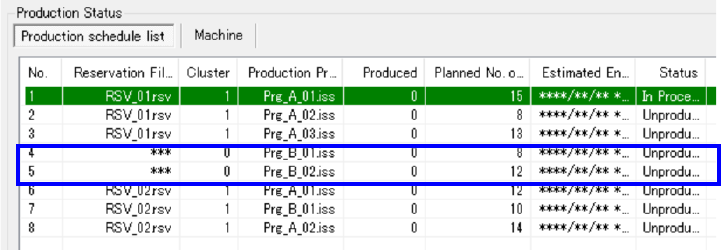
When a production program is added to a reservation file (RSV_01.rsv) as shown in Figure
13.9-37, the system switches the current production to production that is to be performed
according to the next reservation file (RSV_02.rsv) only if production specified with all
production programs contained in the reservation file and production specified with those
added to the reservation file (indicated with the blue frame in the figure) finished.
Figure 13.9-37 When a program is added to a reservation file
When a program is added not to a reservation file
When a production program is added below the last program of a reservation file as shown in
Figure 13.9-38, the system switch the current production to production that is to be performed
according to the added program (Prg_B_01.iss) only if production with all production
programs of a reservation file (indicated with the blue frame in the figure) finished.
Figure 13.9-38 When a program is added below the last program of a reservation file
When a production program is added below the last program of a reservation file as shown in
Figure 13.9-39, and then a reservation file is registered, the system switches the current
production to production that is to be performed according to the next reservation file only if
production with all programs added between the reservation file and the next reservation file
(indicated with the blue frame in the figure) finished.
JaNets Instruction Manual 13. Program Downloader
13-40
Figure 13.9-39 When programs are added between a reservation file and the next reservation file