JANETS_INM.pdf - 第540页
JaNets Instr ucti on Man ual 13 . Program D ownloa der 13 - 44 13.10.2.3 Specifying a production program to be associated with a serial code Click the <Open> button to specify a product ion pr ogram to be associ at…
JaNets Instruction Manual 13. Program Downloader
13-43
13.10.2.2 Reading a serial code
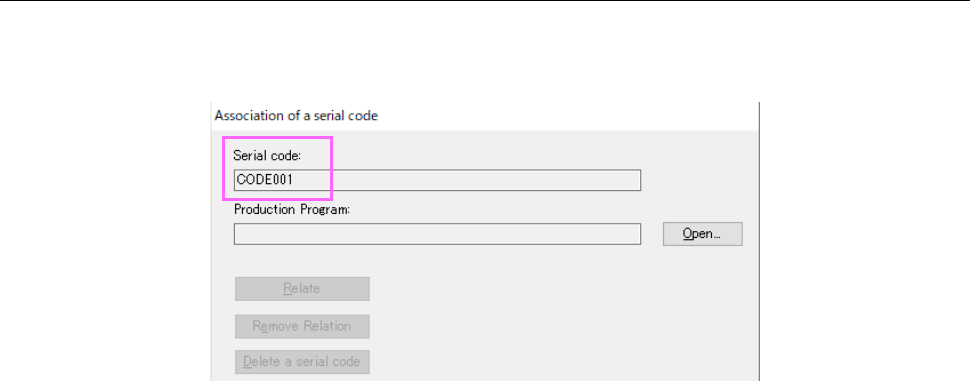
Read a serial code to be used for association with a production program with a code reader. The
read code is displayed on the “Association of a serial code” screen.
Figure 13.10-3 Screen displayed after a serial code is read
JaNets Instruction Manual 13. Program Downloader
13-44
13.10.2.3 Specifying a production program to be associated with a serial code
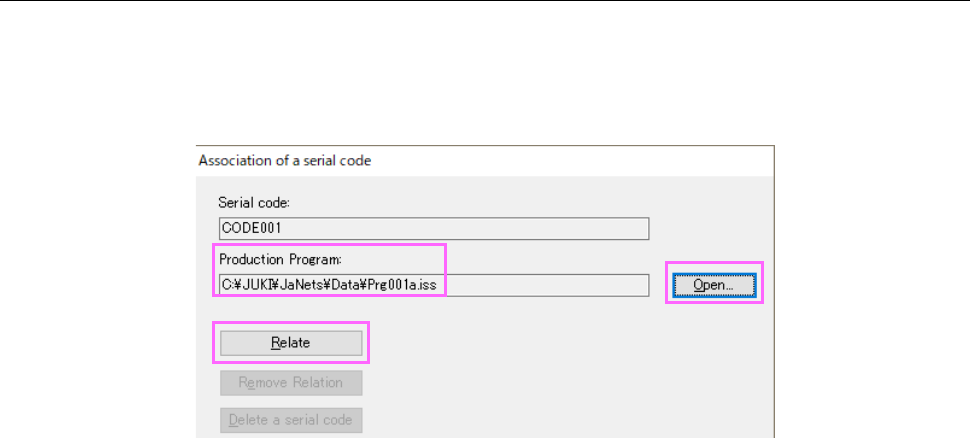
Click the <Open> button to specify a production program to be associated with a serial code.
The save destination of the production program is displayed on the “Association of a serial code”
screen. When the system finishes reading a serial code and you finish specifying a production
program, the <Relate> button is activated.
Figure 13.10-4 Screen displayed after a production program is specified
JaNets Instruction Manual 13. Program Downloader
13-45
13.10.2.4 Executing association
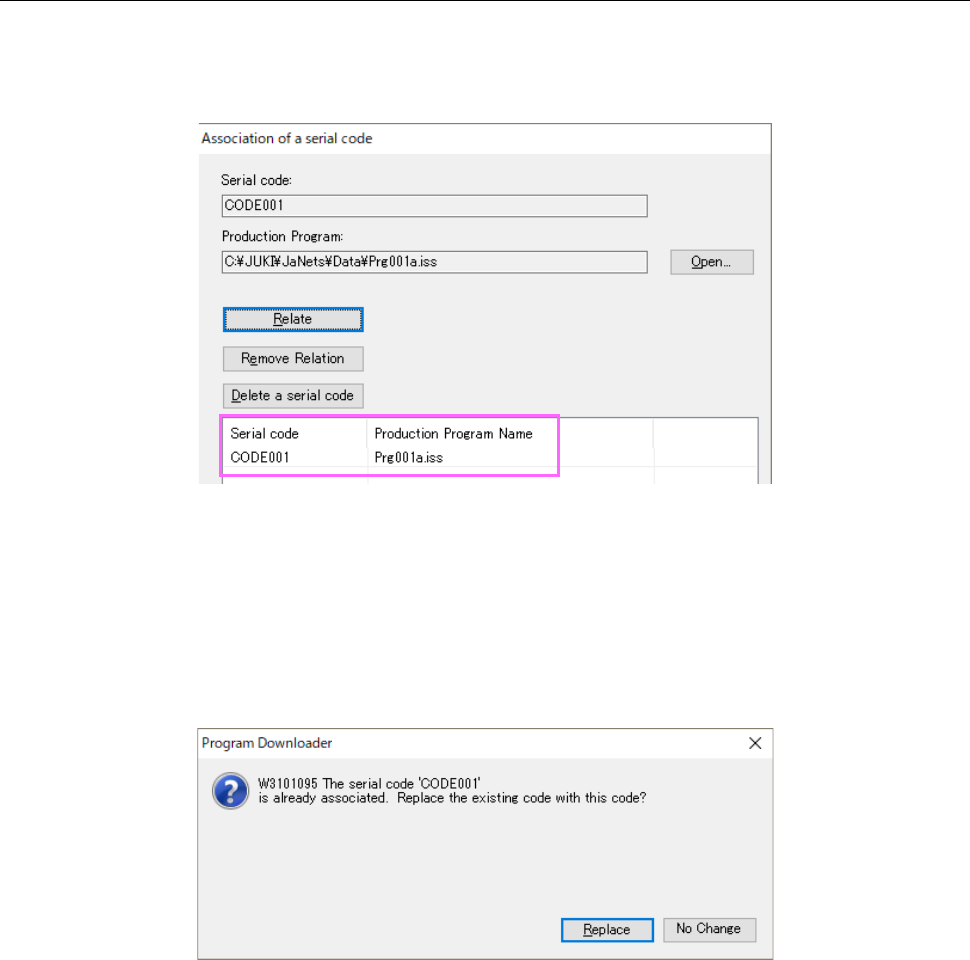
When you click the <Relate> button, the system associates (relates) the read serial code with the
specified production program. The associated serial code and production program are displayed
in the list.
Figure 13.10-5 Screen displayed after association
<Notes>
* Change in the association information is not saved until you click the <OK> button or the
<Apply> button.
* If you try to associate a serial code already associated with one production program with
another program, the confirmation message for specifying whether to replace the association
information appears on the screen.
Figure 13.10-6 Confirmation for replacement of association information