JANETS_INM.pdf - 第542页
JaNets Instr ucti on Man ual 13 . Program D ownloa der 13 - 46 13.10.2.5 Cancelling the association The <Remo ve Relat ion> b utton delet es inform ation on a prod uction pr ogram from the inf ormation on the seri …
JaNets Instruction Manual 13. Program Downloader
13-45
13.10.2.4 Executing association
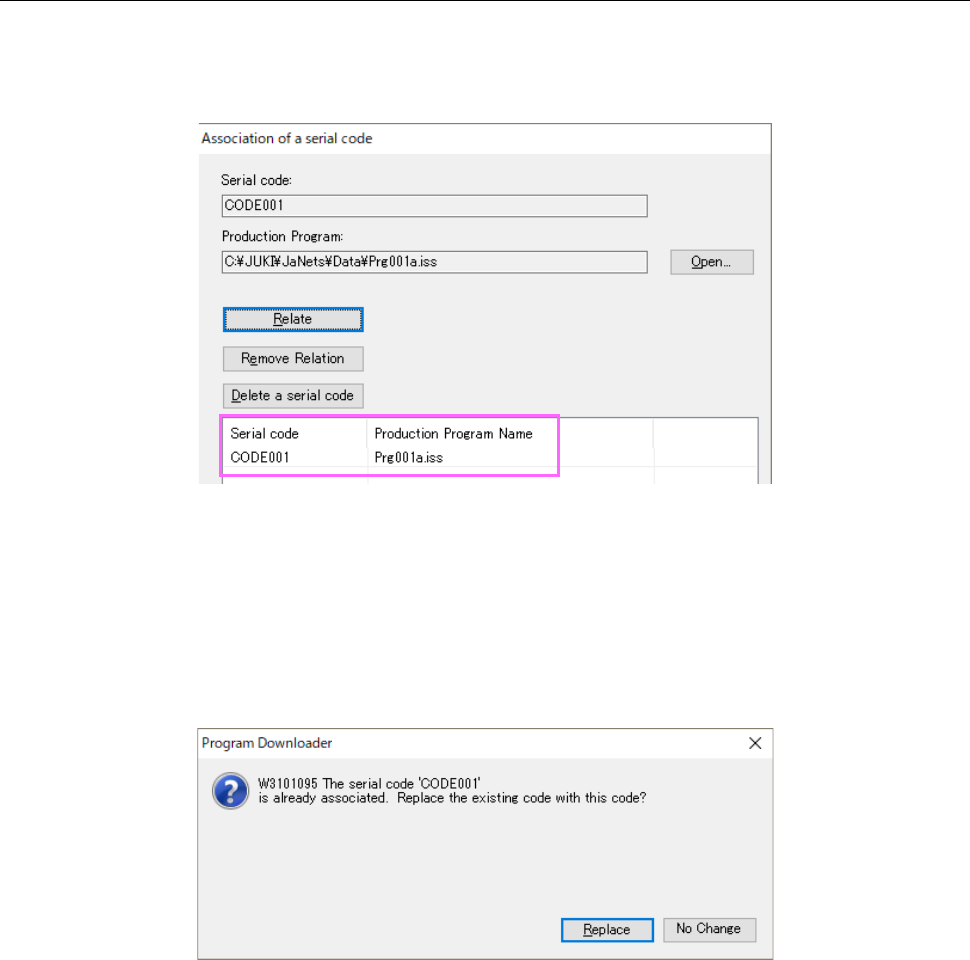
When you click the <Relate> button, the system associates (relates) the read serial code with the
specified production program. The associated serial code and production program are displayed
in the list.
Figure 13.10-5 Screen displayed after association
<Notes>
* Change in the association information is not saved until you click the <OK> button or the
<Apply> button.
* If you try to associate a serial code already associated with one production program with
another program, the confirmation message for specifying whether to replace the association
information appears on the screen.
Figure 13.10-6 Confirmation for replacement of association information
JaNets Instruction Manual 13. Program Downloader
13-46
13.10.2.5 Cancelling the association
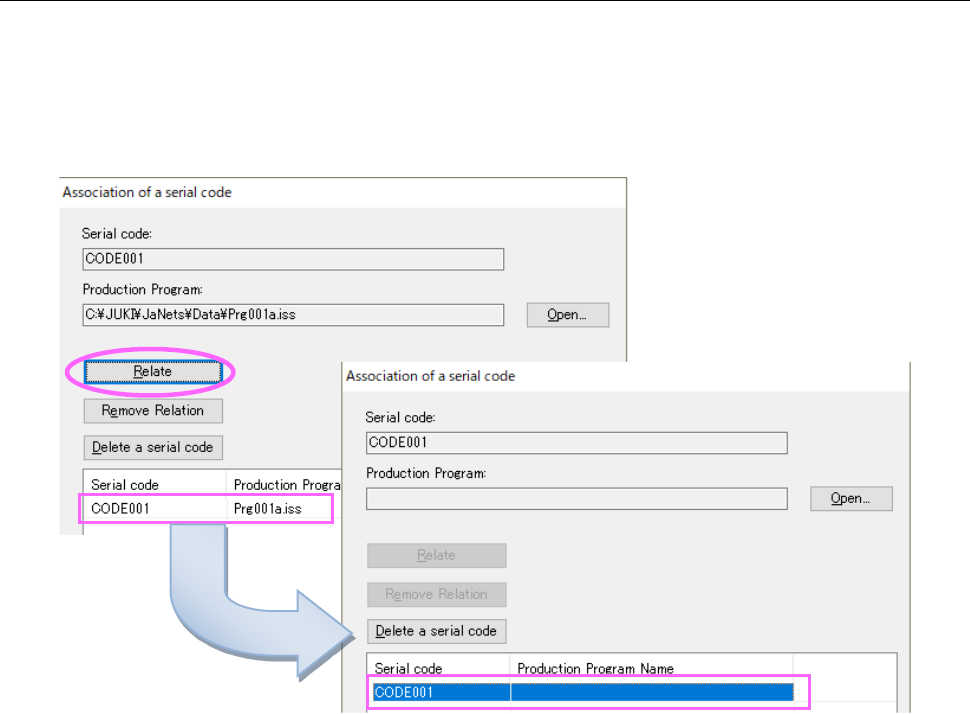
The <Remove Relation> button deletes information on a production program from the information
on the serial code and production program association. Select association data to be deleted
from the list, and then click the <Remove Relation> button. The association of the serial code
and the production program is canceled, and only the serial code is displayed on the “Association
of a serial code” screen.
Figure 13.10-7 Cancelling the association
JaNets Instruction Manual 13. Program Downloader
13-47
13.10.2.6 Deleting a serial code
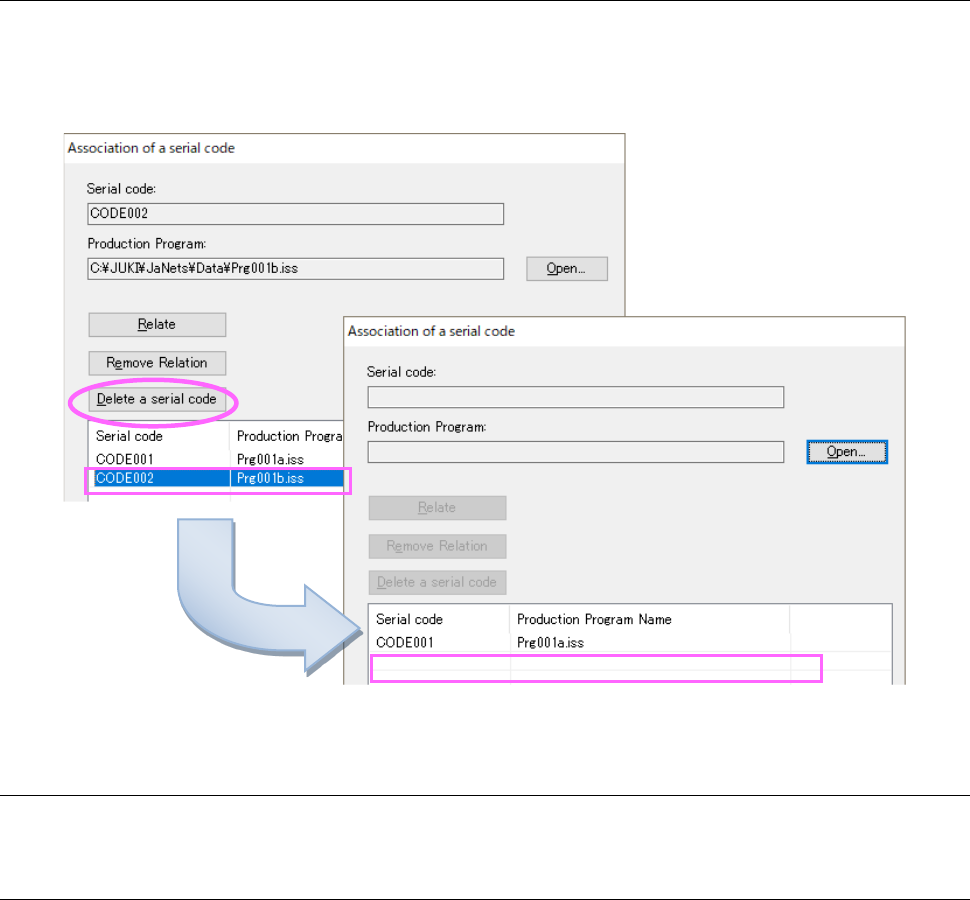
The <Delete a serial code> button deletes a serial code and information on its associated
production program from association information of the serial code and the production program.
Select data to be deleted from the list, and then click the <Delete a serial code> button. The
selected data is deleted from the list.
Figure 13.10-8 Deleting a serial code
13.10.2.7 Saving the association information
When you click the <Apply> button, the association information is saved.
13.10.2.8 Terminating association operation of a seral code and a production program
When you click the <OK> button or the <Cancel> button, the system terminates association
operation. When you click the <OK> button, the system saves the association information before
terminating the association operation. When you click the <Cancel> button, it does not save the
information.