JANETS_INM.pdf - 第557页
JaNets Instr ucti on Man ual 13 . Program D ownloa der 13 - 61 13.14.2.4 Automatic display setting Make setti ngs for vari ous display funct ions . ( Set how you ar e inform ed) . Figure 13.14 -5 Environment – Automatic …
JaNets Instruction Manual 13. Program Downloader
13-60
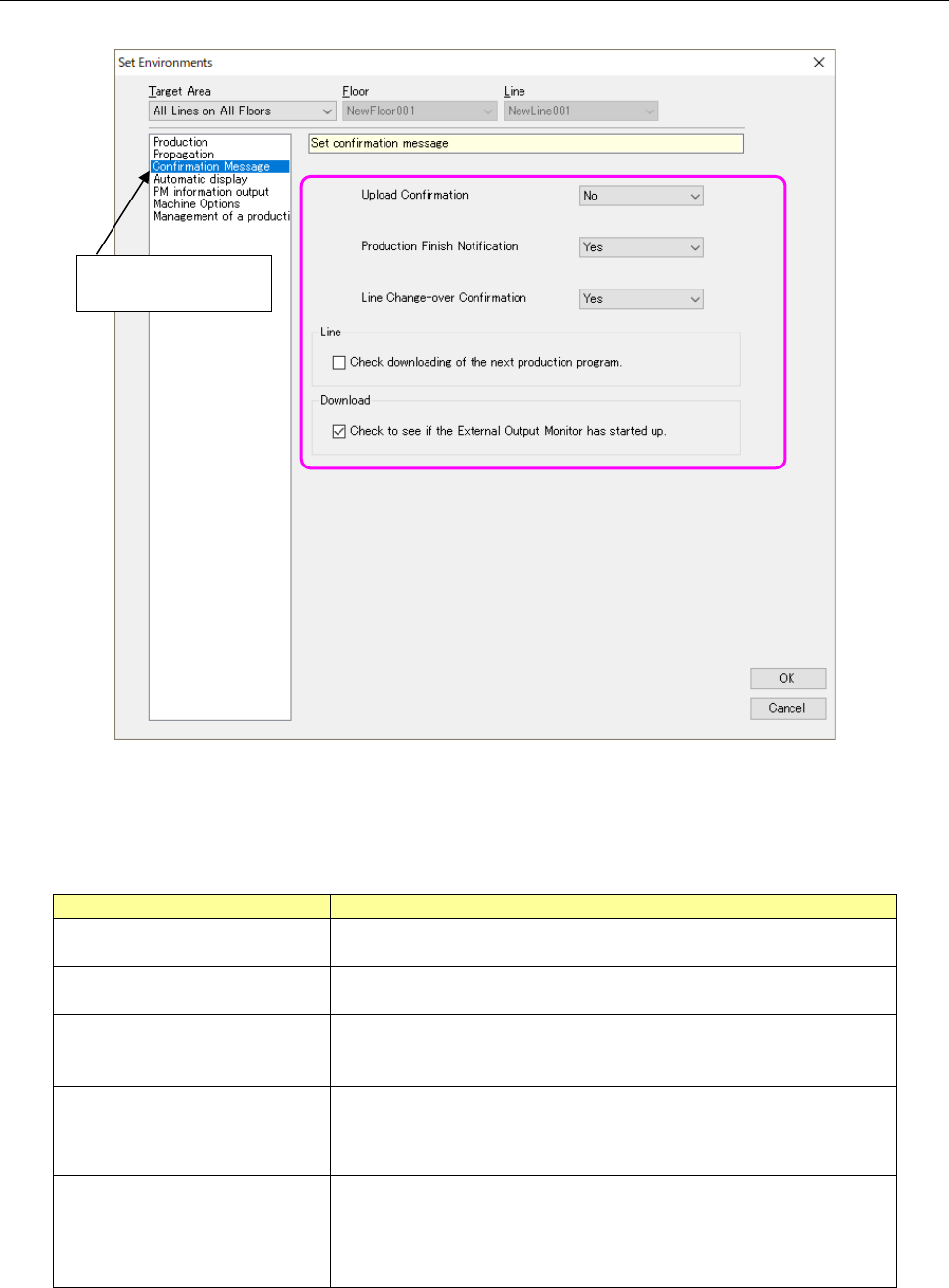
13.14.2.3 Confirmation message setting
Perform the settings related to confirmation messages.
Figure 13.14-4 Environments – Confirmation message setting
The set contents are as shown in Table 13.14-4.
Table 13.14-4 Types of confirmation messages
Confirmation message
Contents
Upload confirmation Set whether a confirmation message of upload processing execution is
displayed or not.
Production finish notification
Set whether a message for notification of production completion is
displayed or not.
Line change-over confirmation Set whether a confirmation message of line change-over is displayed
or not when a production program or reservation file of other than the
active line is read.
Check downloading of the next
production program
Set whether to display the confirmation message before a production
program for the next PWB production is downloaded to the production
line that is producing a PWB when “Line” is selected as the “Loading
Mode.”
Check to see if the External
Output Monitor has started up.
Set whether to check the starting-up condition of the External Output
Monitor when a program is downloaded.
* This check box is not displayed and the system does not check to
see if the External Output Monitor has started up already when the
license of the External Output Monitor is invalid.
Select “Confirmation
Massage.”
JaNets Instruction Manual 13. Program Downloader
13-61
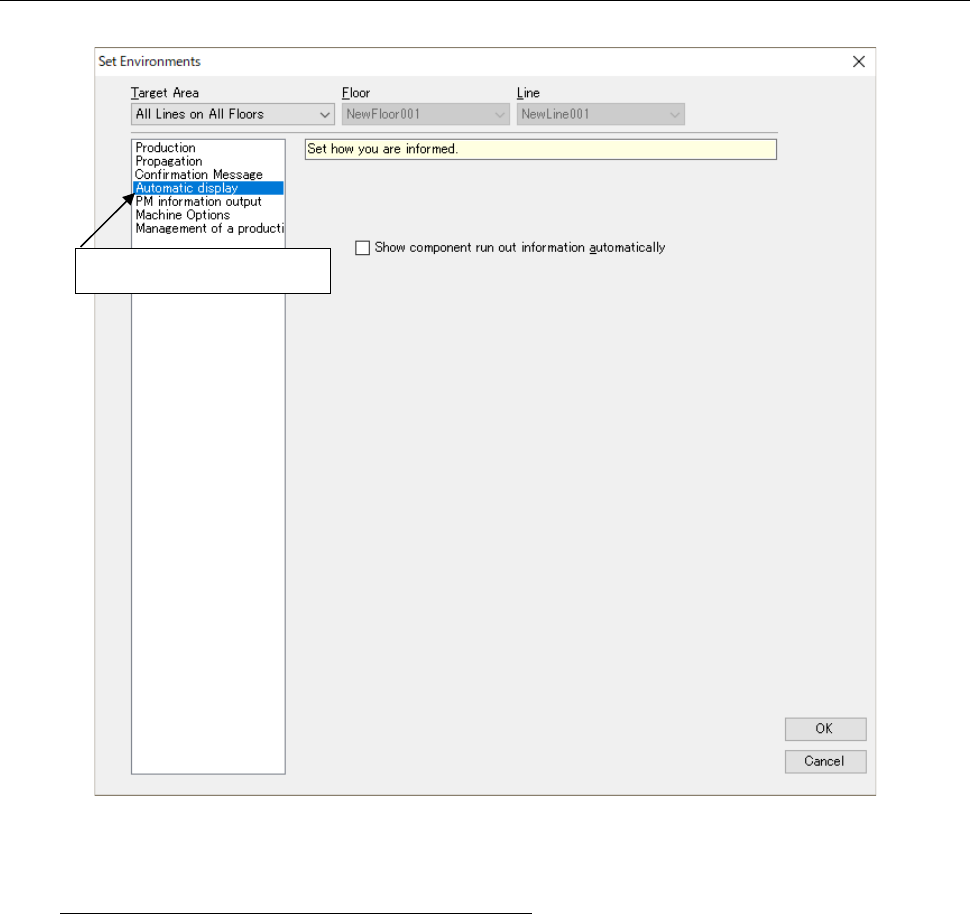
13.14.2.4 Automatic display setting
Make settings for various display functions. (Set how you are informed).
Figure 13.14-5 Environment – Automatic display setting
Show component run out information automatically
A component count display screen (13.12 Automatic Display of a Component Run-Out Error)
is automatically displayed when components run out.
Select “Automatic display”
JaNets Instruction Manual 13. Program Downloader
13-62
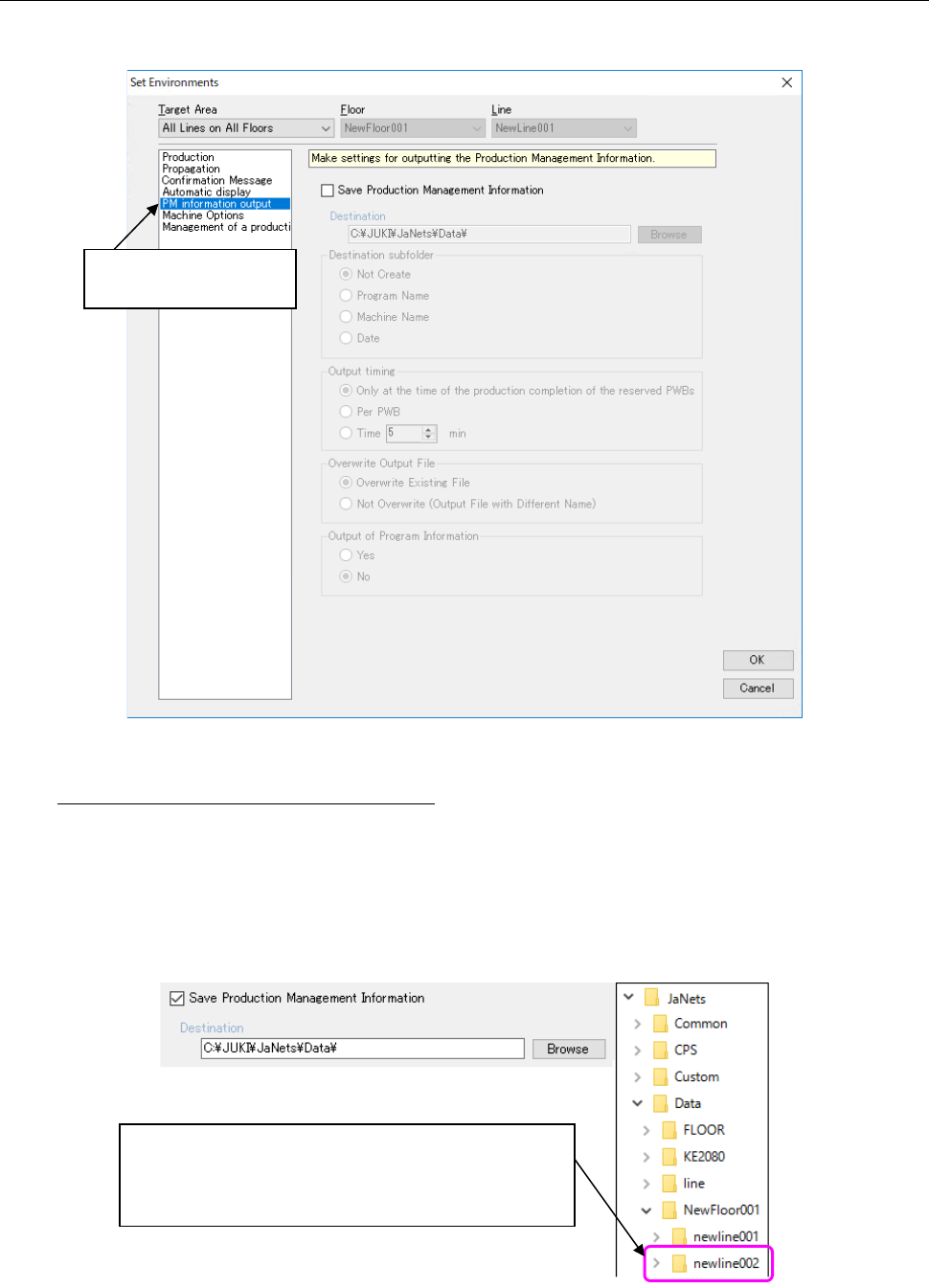
13.14.2.5 Production control information output setting
Make settings for outputting a file described in the Section 13.16 “Outputting a file of production
management information.”
Figure 13.14-6 Environment – PM information output
Save Production Management Information
Save Production management information in a CSV file. You can change an output
destination folder.
When the information is output, a folder to which the production floor name is assigned is
created in the folder that is specified in the “Destination” field, and a folder to which the
production line name is assigned is created in this folder. The CSV file is output in the folder to
which the production line name is assigned.
Figure 13.14-7 Destination folder configuration
Select “PM information
output”.
When you set a data folder for an output destination, a
folder to which the production floor name is assigned is
created, and then a folder to which the production line
name is assigned is created in this folder.