JANETS_INM.pdf - 第559页
JaNets Instr ucti on Man ual 13 . Program D ownloa der 13 - 63 O utput dest ination sub - fol der In the output destinati on sub - folder , set whether a sub - folder is cre ated or not in the ab ove production line nam …
JaNets Instruction Manual 13. Program Downloader
13-62
13.14.2.5 Production control information output setting
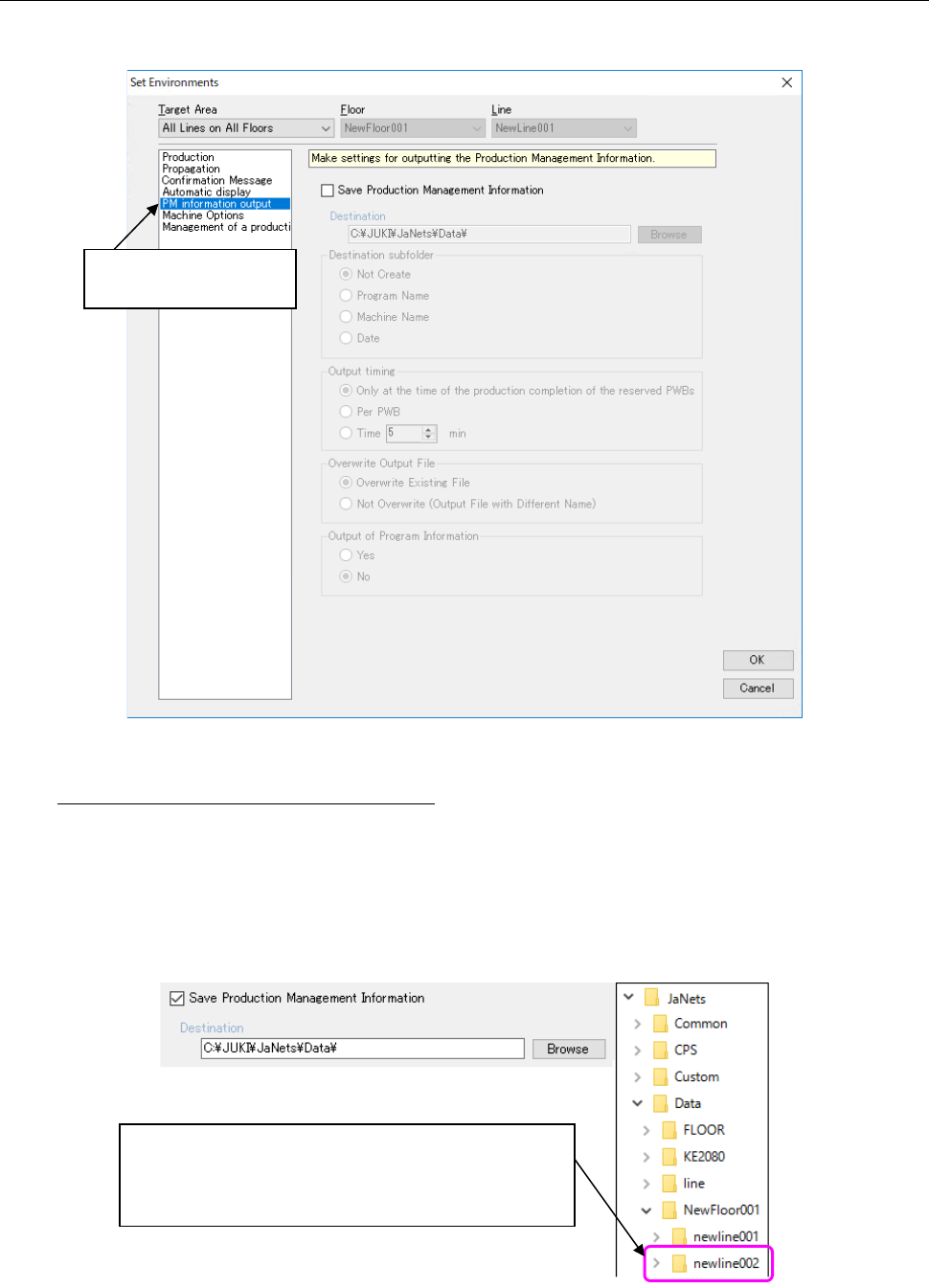
Make settings for outputting a file described in the Section 13.16 “Outputting a file of production
management information.”
Figure 13.14-6 Environment – PM information output
Save Production Management Information
Save Production management information in a CSV file. You can change an output
destination folder.
When the information is output, a folder to which the production floor name is assigned is
created in the folder that is specified in the “Destination” field, and a folder to which the
production line name is assigned is created in this folder. The CSV file is output in the folder to
which the production line name is assigned.
Figure 13.14-7 Destination folder configuration
Select “PM information
output”.
When you set a data folder for an output destination, a
folder to which the production floor name is assigned is
created, and then a folder to which the production line
name is assigned is created in this folder.
JaNets Instruction Manual 13. Program Downloader
13-63
Output destination sub-folder
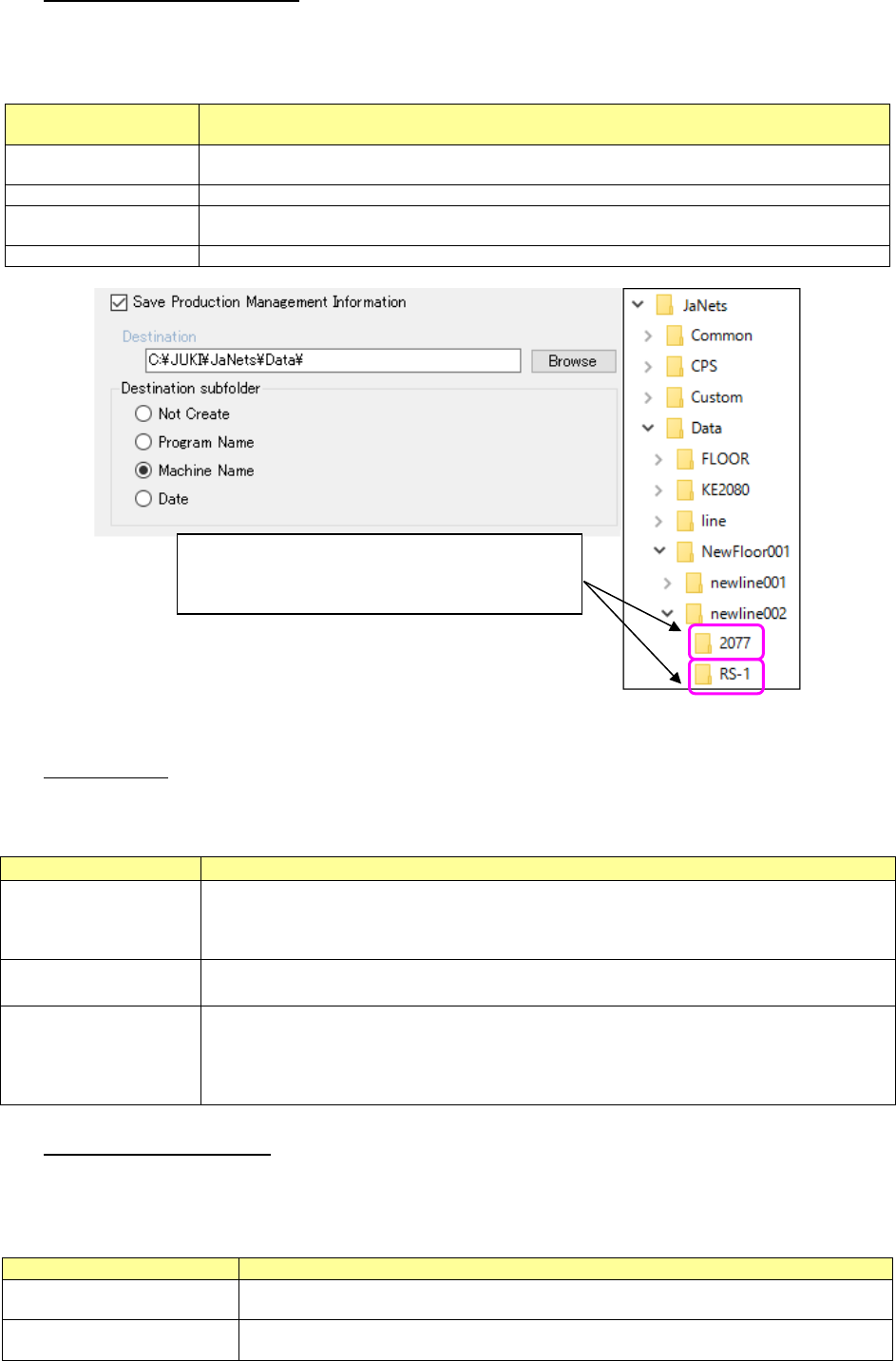
In the output destination sub-folder, set whether a sub-folder is created or not in the above
production line name folder.
Table 13.14-5 Folder setting
Output destination
sub-folder
Contents
Not Create
Does not a sub-folder.
Outputs a CSV file to a production line name folder.
Program Name
Creates the sub-folder of a production program name to output a CSV file to it.
Machine Name
Creates the sub-folder of the name of a machine which produces to output a CSV file to it.
* The machine name is the name set in the shop floor setup.
Date
Creates the sub-folder of start-of-production time to output a CSV file to it.
Figure 13.14-8 Sub-folder image (for machine name)
Output Timing
Make settings for the timing which outputs the production management information to a file.
Table 13.14-6 Output timing setting
Output timing
Contents
Only at the time of the
production completion
of the reserved PWBs
Outputs the production management information when production of the number of
sheets set up in the Section 13-8-2 and 13-8-7 is completed.
Per PWB
Outputs the production management information whenever production of one PWB is
completed.
Time
Outputs the production management information whenever a designated time (unit:
minute) passes.
This can be specified in the unit of one minute in the range of 1 minutes to 60 minutes.
The default time is five minutes.
Overwrite of an output file
Perform the setting related to file overwrite to output the production control information to a
file.
Table 13.14-7 File output setting
Overwrite of an output file
Contents
The existing file is
overwritten.
Overwrites the file when an output file exists in a save destination.
Therefore, only the production management information output at the end is saved.
No overwrite (output with a
different name)
Newly aerates a file and saves it every time when a file is output.
If you set a folder configuration for a "machine
name," the folder of the same name as a machine
name will be created.
JaNets Instruction Manual 13. Program Downloader
13-64
Output of Program Information
Specify whether to include information on a program being used for production in the CSV file.
Table 13.14-8 Setting of the “Output of Program Information”
Output of Program
Information
Contents
Yes
Includes program information in the production control information CSV file.
See Section 13.5.1 “CSV file output format” for the detailed file format.
No
Does not include any program information in the production control information CSV file.
“No” is selected by default.
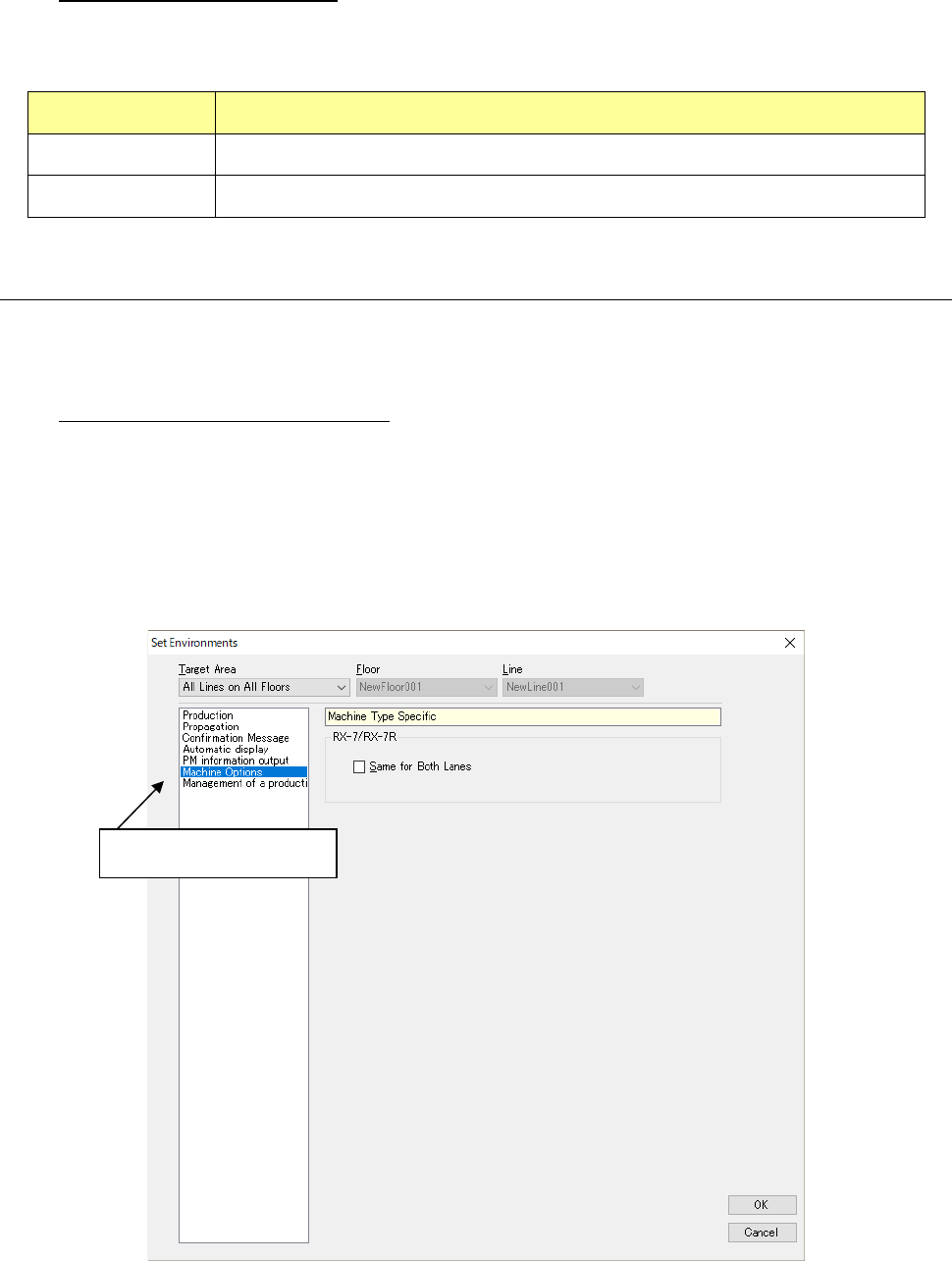
13.14.2.6 Special for the model
Set the functions that are owned especially by each model.
<RX-7/RX-7R>
Common to the front and rear lanes:
When “Same for Both lanes” is checked off, the common production program to the front lane
and rear lane is downloaded. Otherwise, the production program is downloaded for the front
lane only.
* The production program is downloaded for front lane only even if a check mark is put into
“Common in Front/ Back Lanes” in case of RX-7 and RX-7R dual lane machine are set to
single lane setting or RX-7R single machine at shop floor set-up.
Figure 13.14-9 Environment – Special to the model
Select “Machine Options”