JANETS_INM.pdf - 第56页
JaNets Instr ucti on Man ual 2. Install ation 2- 28 2.2.5 Procedure for unins talling the Data Manager Select the [ Control Pane l] comman d from the “Start ” menu of t he task bar . (Y ou may have to se lect the [ Setti…
JaNets Instruction Manual 2. Installation
2-27
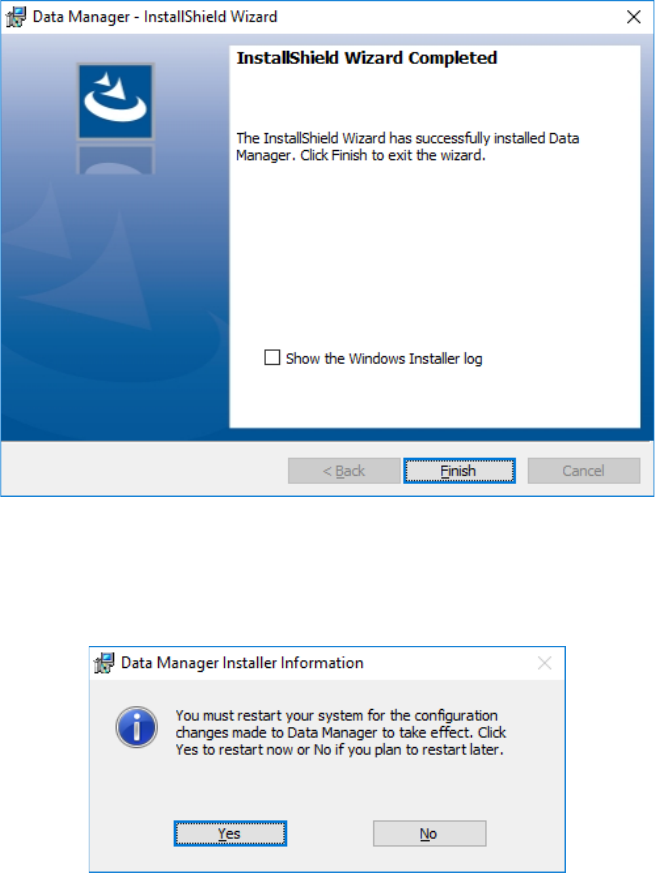
When installation finishes, the following screen appears. Click the <Finish> button to finish the
installation procedure.
2.2.4.3.1 After the Data Manager finishes being installed on the PC
When installation of the Data Manager finishes, the screen for requesting restart of the PC
appears. Click the <Yes> button to restart the PC.
You have finished upgrading the Data Manager at this point.
JaNets Instruction Manual 2. Installation
2-28
2.2.5 Procedure for uninstalling the Data Manager
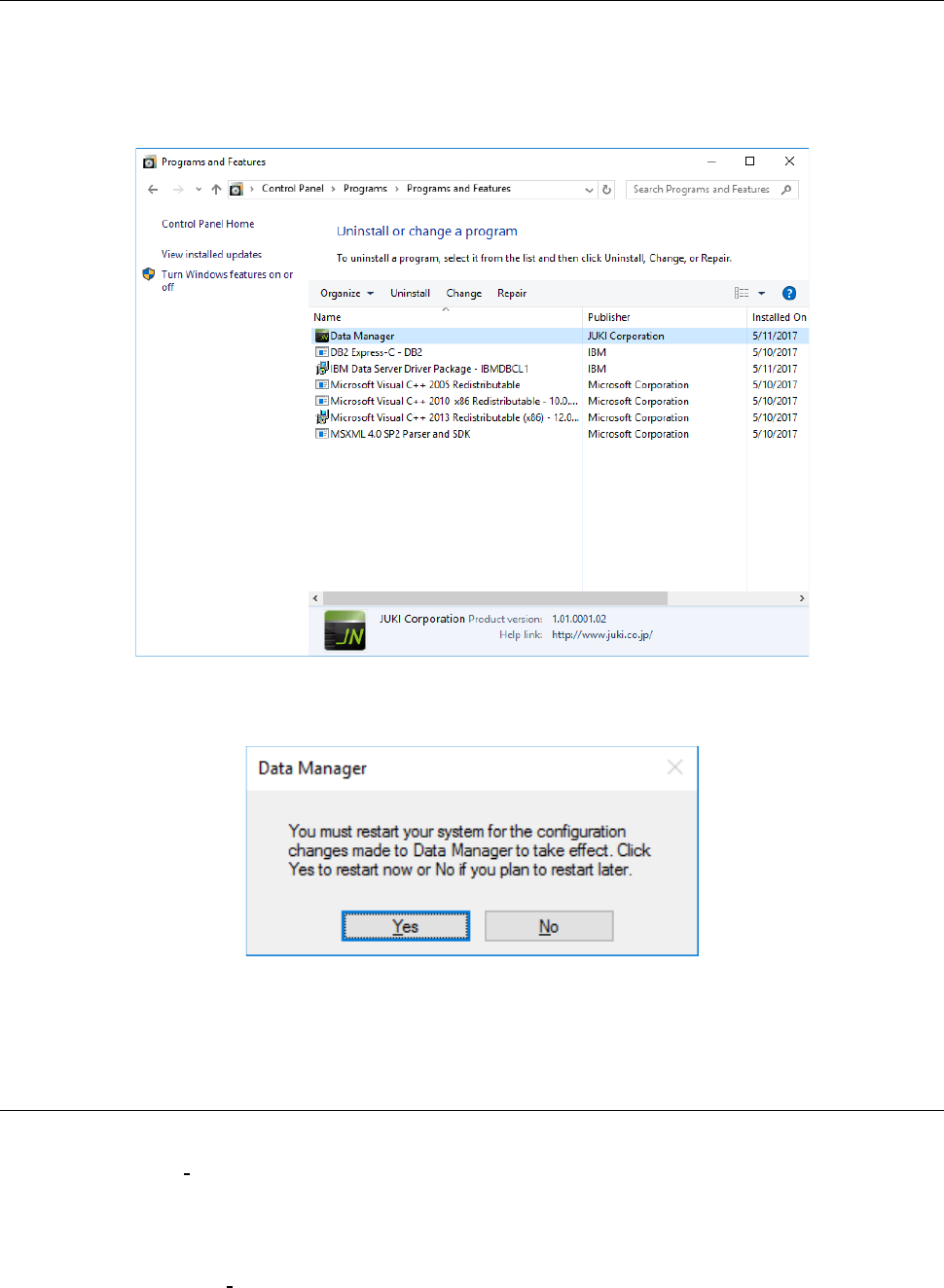
Select the [Control Panel] command from the “Start” menu of the task bar.
(You may have to select the [Settings] command from the “Start” menu of the task bar. Start up
the [Programs and Features] command from the “Control Panel.”)
Select [Data Manager], and then click “Uninstall.”
When the system uninstalls the Data Manager, the message prompting you to restart the PC
appears on the screen. Click the <Yes> button to restart the PC.
You have finished uninstalling the Data Manger at this point.
2.2.6 Procedure for reinstalling the Data Manager
To reinstall the Data Manager, uninstall the existing Data Manager first, and then reinstall it. See
Section “2.2.5 Procedure for uninstalling the Data Manager” for how to uninstall the Data Manager.
Since the “prerequisites” are not deleted although you delete the Data Manager, the prerequisites
are not installed when you install the Data Manager again or subsequently (however, after you
uninstall the prerequisites, they are installed again).
See Section “2.2.3 Procedure for newly installing the Data Manager” for how to install the Data
Manager.
JaNets Instruction Manual 2. Installation
2-29
2.3 Installing the Component Database (DB)
For information on how to install the Component DB, refer to Chapter 2 “Install” of the Component
DB INSTRUCTION MANUAL”.
If you install the Component DB on the same PC with an JaNets, do not use the same folder as the
JaNets. Be sure to install the Component DB in a different folder than the one containing the
JaNets.
2.4 Installing the Flexline CAD
If you have the Flexline CAD, install it on a PC.
For information on how to install the Flexline CAD, refer to Chapter 3 “Install” of the Flexline CAD
INSTRUCTION MANUAL”.
If you install the Flexline CAD on the same PC with an JaNets, do not use the same folder as the
JaNets. Be sure to install the Flexline CAD in a different folder than the one containing the JaNets.