JANETS_INM.pdf - 第561页
JaNets Instr ucti on Man ual 13 . Program D ownloa der 13 - 65 13.14.2.7 Management of a production program Make settings of a pr oduc tion progr am. Figure 13.14 - 10 [Set E nvironments] - [Manage ment of a producti on …
JaNets Instruction Manual 13. Program Downloader
13-64
Output of Program Information
Specify whether to include information on a program being used for production in the CSV file.
Table 13.14-8 Setting of the “Output of Program Information”
Output of Program
Information
Contents
Yes
Includes program information in the production control information CSV file.
See Section 13.5.1 “CSV file output format” for the detailed file format.
No
Does not include any program information in the production control information CSV file.
“No” is selected by default.
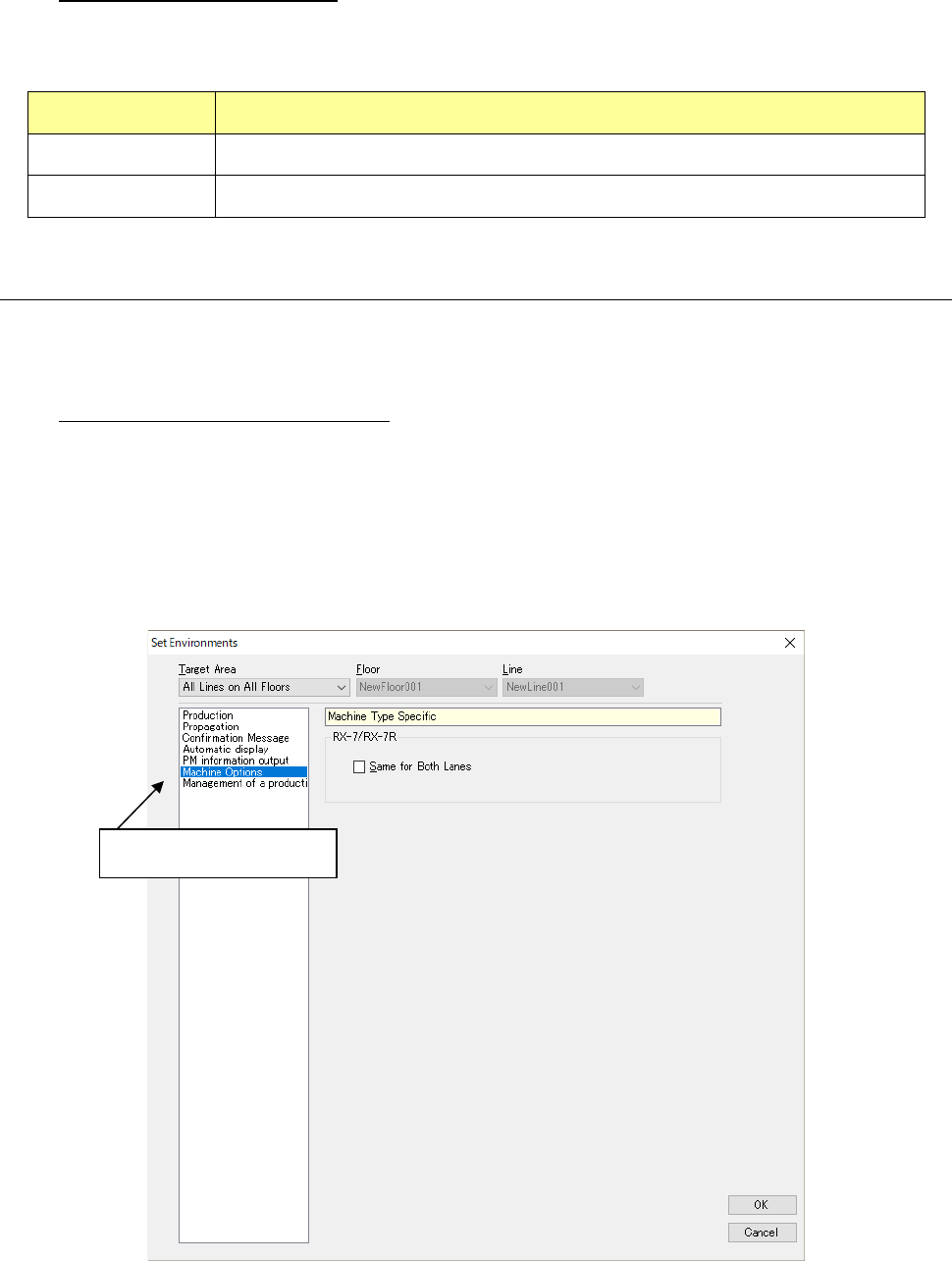
13.14.2.6 Special for the model
Set the functions that are owned especially by each model.
<RX-7/RX-7R>
Common to the front and rear lanes:
When “Same for Both lanes” is checked off, the common production program to the front lane
and rear lane is downloaded. Otherwise, the production program is downloaded for the front
lane only.
* The production program is downloaded for front lane only even if a check mark is put into
“Common in Front/ Back Lanes” in case of RX-7 and RX-7R dual lane machine are set to
single lane setting or RX-7R single machine at shop floor set-up.
Figure 13.14-9 Environment – Special to the model
Select “Machine Options”
JaNets Instruction Manual 13. Program Downloader
13-65
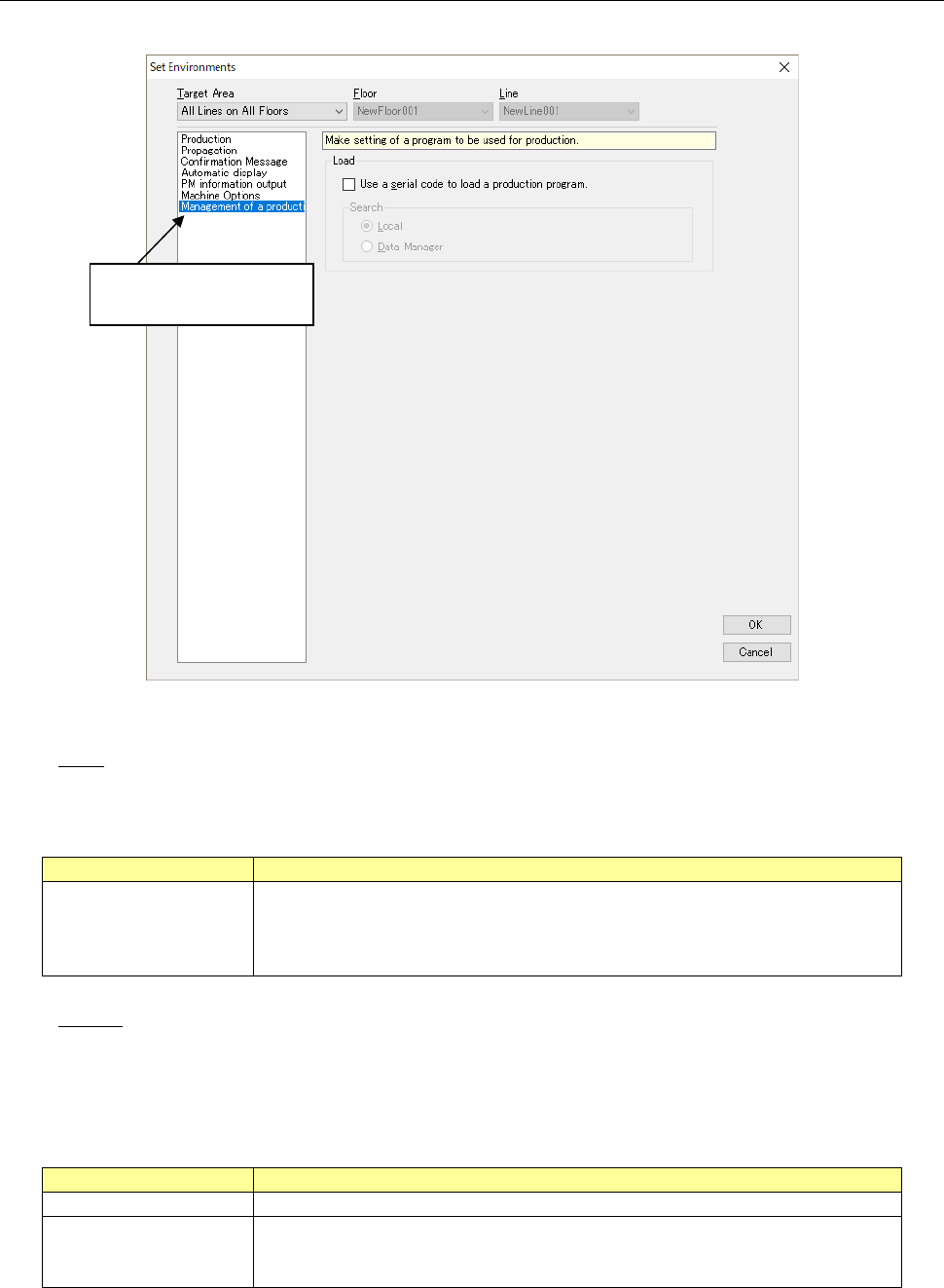
13.14.2.7 Management of a production program
Make settings of a production program.
Figure 13.14-10 [Set Environments]- [Management of a production program]
Load
Make settings of loading of a production program.
Table 13.14-9 Setting of “Load”
Setting of “Load”
Description
Use a serial code to load
a production program
When you enable this setting, you can select a production program by reading a
serial code.
See Section 13.10 “Managing a Production Program with a Seral Code” for
details.
Search
Specify which production program and serial code association information is to be searched
for. When you enable the check box “Use a serial code to load a production program,” you
can make this setting.
Table 13.14-10 Setting of the menu item “Search”
What to search for
Description
Local
The system searches for association information saved locally.
Data Manager The system searches through the Data Manager server. If the Data Manager
connection license is invalid or if the Data Manger is set to be unused with the
JaNets launcher, you cannot select this radio button.
Select “Management of
a product”
JaNets Instruction Manual 13. Program Downloader
13-66
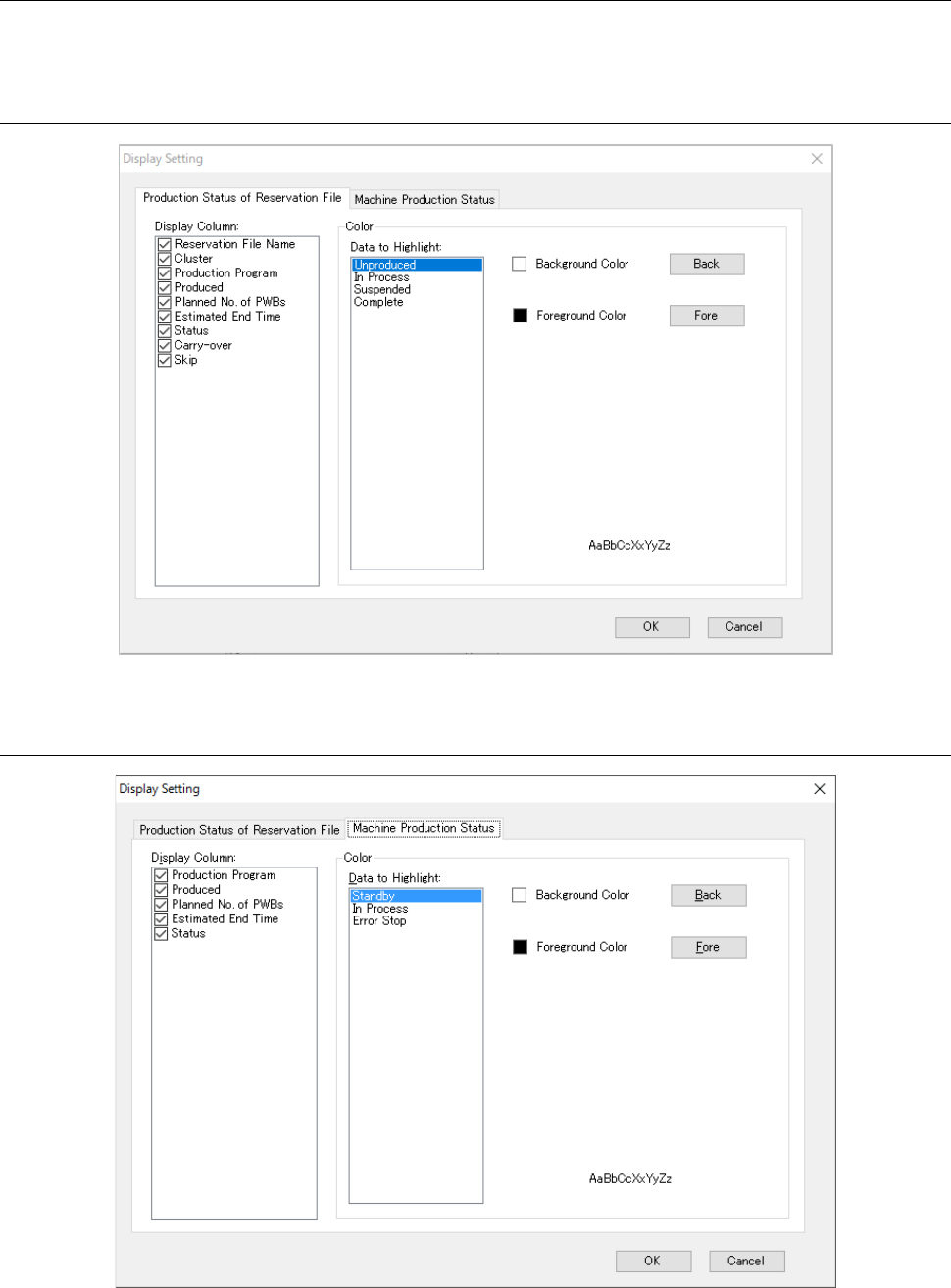
13.15 Setting the Displayed Items
Select the “Tools” command from the menu bar, and then the “Display Setting” from the “Tools”
menu to make settings for the displayed items or displayed color in various data display.
13.15.1 Production status of reservation file
Figure 13.15-1 Machine production status
13.15.2 Production status of machine
Figure 13.15-2 Production status of machine