JANETS_INM.pdf - 第562页
JaNets Instr ucti on Man ual 13 . Program D ownloa der 13 - 66 13.15 Setting the Displa yed Items Sel ect the “T ools” command f rom the m enu bar , and then t he “Disp lay Settin g” from t he “T ool s” menu to mak e set…
JaNets Instruction Manual 13. Program Downloader
13-65
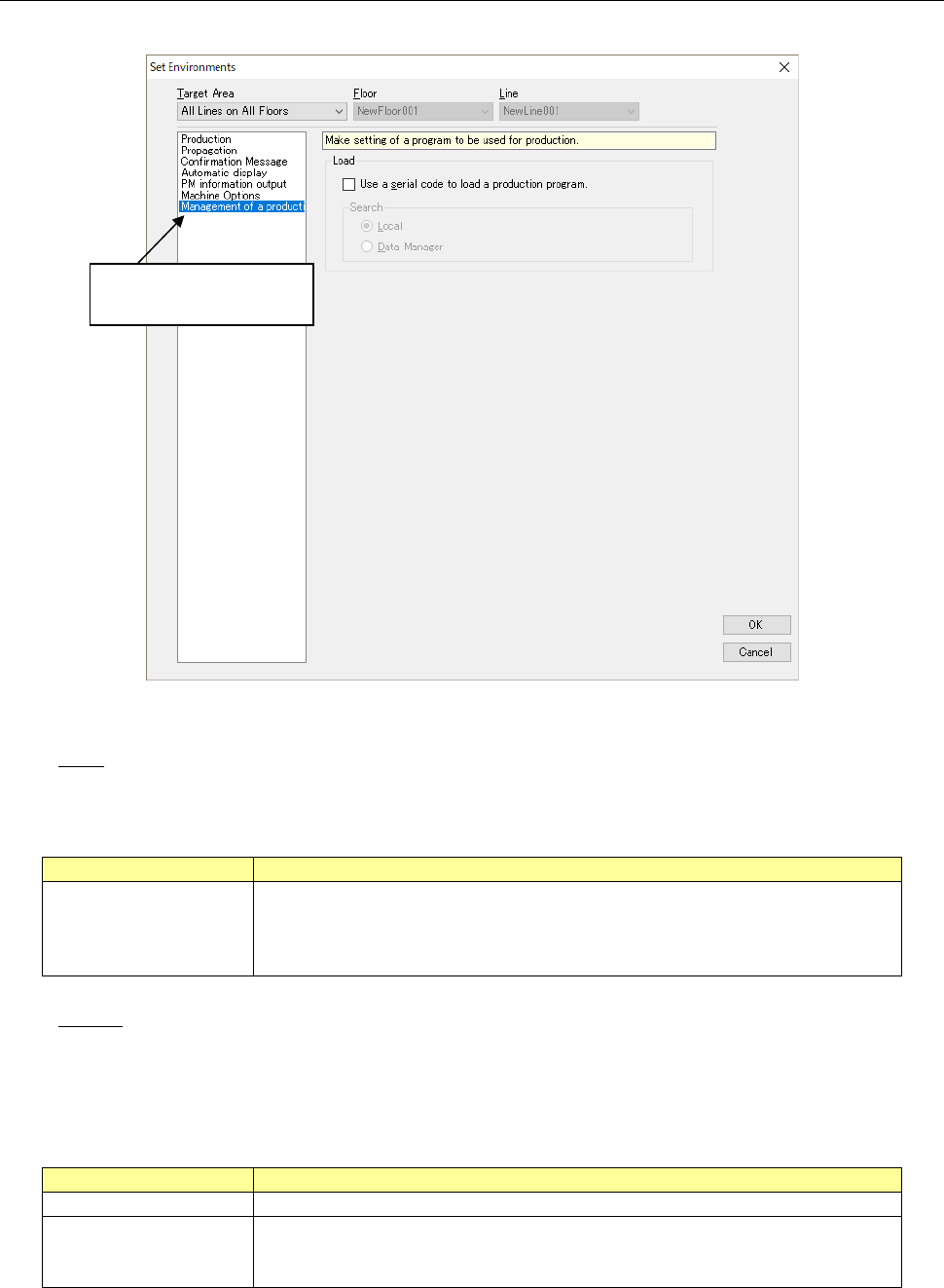
13.14.2.7 Management of a production program
Make settings of a production program.
Figure 13.14-10 [Set Environments]- [Management of a production program]
Load
Make settings of loading of a production program.
Table 13.14-9 Setting of “Load”
Setting of “Load”
Description
Use a serial code to load
a production program
When you enable this setting, you can select a production program by reading a
serial code.
See Section 13.10 “Managing a Production Program with a Seral Code” for
details.
Search
Specify which production program and serial code association information is to be searched
for. When you enable the check box “Use a serial code to load a production program,” you
can make this setting.
Table 13.14-10 Setting of the menu item “Search”
What to search for
Description
Local
The system searches for association information saved locally.
Data Manager The system searches through the Data Manager server. If the Data Manager
connection license is invalid or if the Data Manger is set to be unused with the
JaNets launcher, you cannot select this radio button.
Select “Management of
a product”
JaNets Instruction Manual 13. Program Downloader
13-66
13.15 Setting the Displayed Items
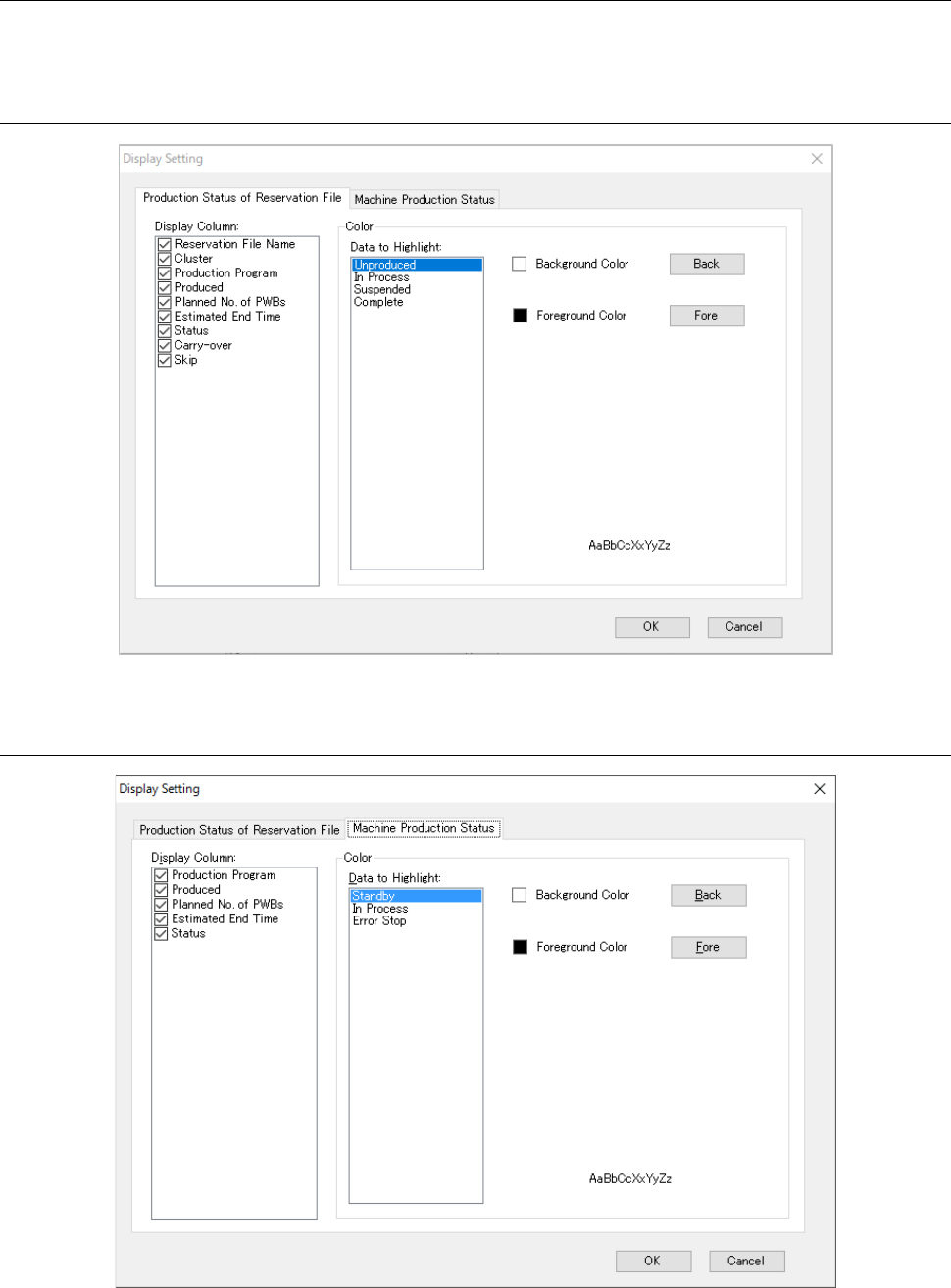
Select the “Tools” command from the menu bar, and then the “Display Setting” from the “Tools”
menu to make settings for the displayed items or displayed color in various data display.
13.15.1 Production status of reservation file
Figure 13.15-1 Machine production status
13.15.2 Production status of machine
Figure 13.15-2 Production status of machine
JaNets Instruction Manual 13. Program Downloader
13-67
13.16 Outputting a file of production management information
When the file output function of production management information is enabled in the Section
13.14.2.5 Production control information output setting of the Set Environment, the production
management information on the machine of a production line is output to a CSV file.
13.16.1 CSV file output format
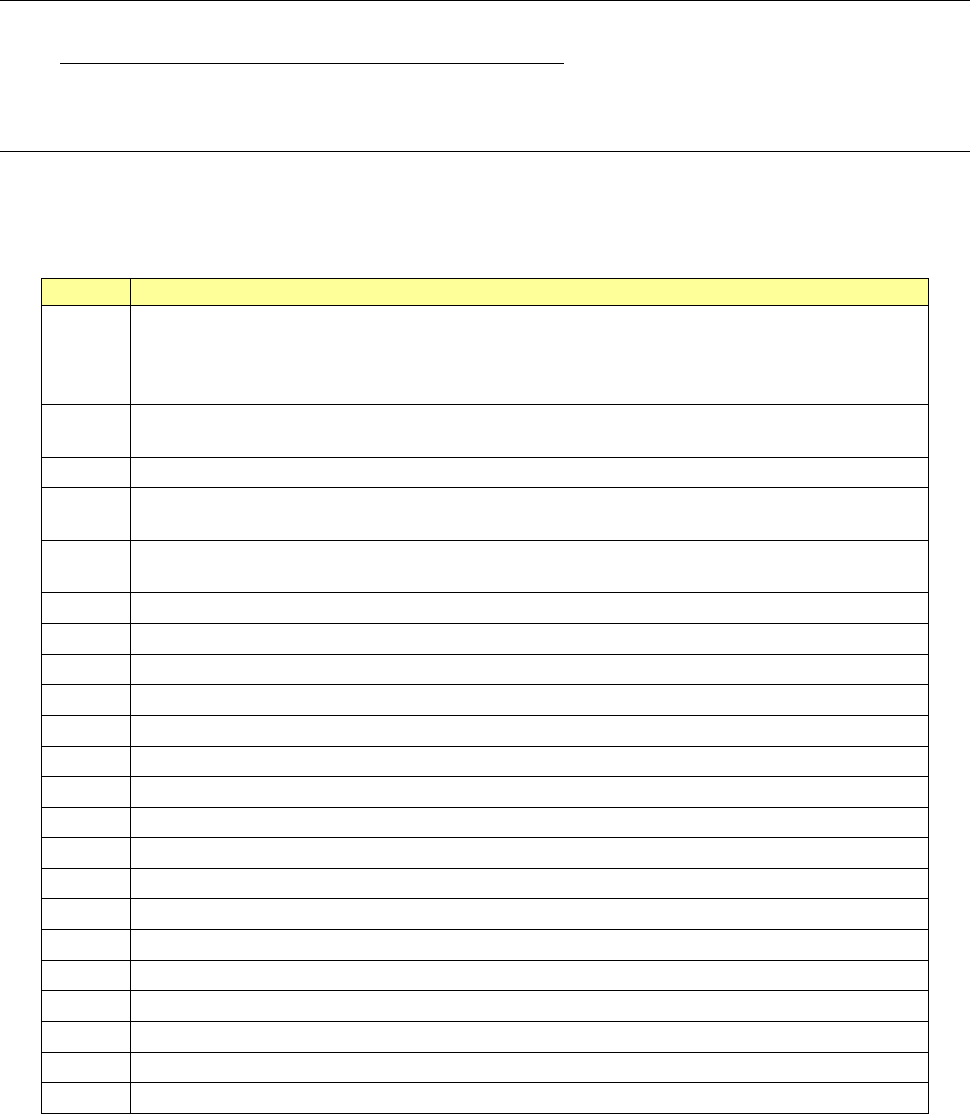
A CSV file has an identification code, which ranges from 1 to 22 and is divided into every following
item.
Table 13.16-1 CVS format file ID code item
ID code
Description
0
Program information
* This information is output only when “Yes” is selected for the menu item “Output of Program
Information” of the screen described in Section 13.13.2.5 “Production control information output
setting.”
1
Production management information (RS-1 series/RX-6 series single transport machine/FX-3
series/KE-3000 series/KE2050/60/70/80 series /JM-10/JM-20/JM-100)
2
Head information (RS-1 series/RX-6 series/FX-3 series/KE-3000 series)
3
Feeder information (RS-1 series/RX-6 series/FX-3 series/KE-3000 series /KE2050/60/70/80
series)
4
Tray/MTS information (RS-1 series/RX-6 series/FX-3 series/KE-3000 series /KE2050/60/70/80
series)
5
Station-by-station information (RX-7 series)
6
Lane-by-lane information (RX-7 series)
7
Supply position information (RX-7 series)
8
Head information (RX-7 series)
9
Nozzle information (RX-7 series)
10
Production control information (RX-6 dual transport machine)
11
Dispenser production control information (KD-2077)
12
Dispenser head information (KD-2077)
13
Feeder information (JM-10)
14
Tray/MTS information (JM-10)
15
Head information (JM-20/JM-100)
16
Feeder information (JM-20/JM-100)
17
Tray/MTS information (JM-20/JM-100)
18
Production management information (RV-1/2/2-3D)
19
Production management information (RP-1)
21
Inspection information (RV-1/2/2-3D)
22
Printer information (RP-1)