JANETS_INM.pdf - 第563页
JaNets Instr ucti on Man ual 13 . Program D ownloa der 13 - 67 13.16 O utputting a fil e of production management in formation When the file o u tput functio n of product ion m anage ment infor mat ion is enabled in the …
JaNets Instruction Manual 13. Program Downloader
13-66
13.15 Setting the Displayed Items
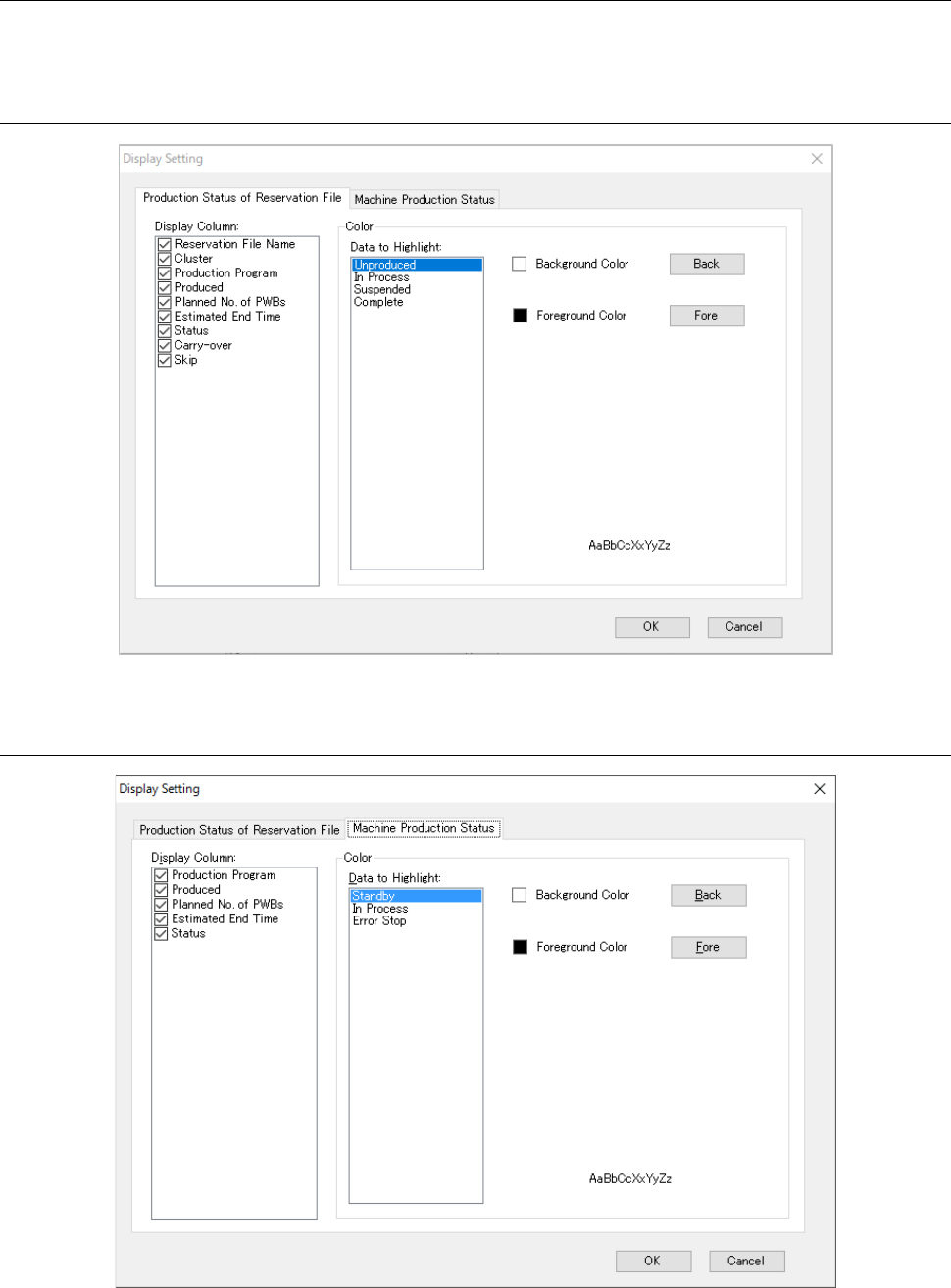
Select the “Tools” command from the menu bar, and then the “Display Setting” from the “Tools”
menu to make settings for the displayed items or displayed color in various data display.
13.15.1 Production status of reservation file
Figure 13.15-1 Machine production status
13.15.2 Production status of machine
Figure 13.15-2 Production status of machine
JaNets Instruction Manual 13. Program Downloader
13-67
13.16 Outputting a file of production management information
When the file output function of production management information is enabled in the Section
13.14.2.5 Production control information output setting of the Set Environment, the production
management information on the machine of a production line is output to a CSV file.
13.16.1 CSV file output format
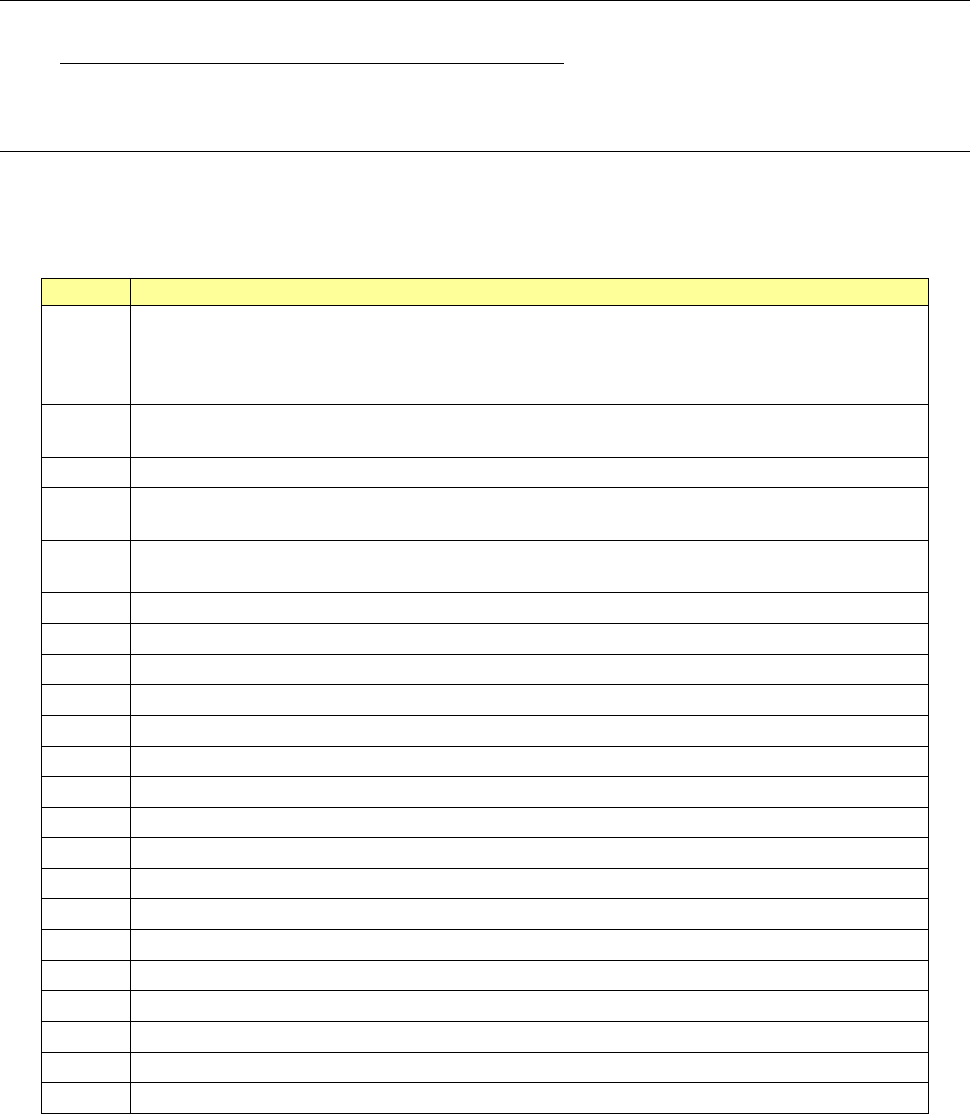
A CSV file has an identification code, which ranges from 1 to 22 and is divided into every following
item.
Table 13.16-1 CVS format file ID code item
ID code
Description
0
Program information
* This information is output only when “Yes” is selected for the menu item “Output of Program
Information” of the screen described in Section 13.13.2.5 “Production control information output
setting.”
1
Production management information (RS-1 series/RX-6 series single transport machine/FX-3
series/KE-3000 series/KE2050/60/70/80 series /JM-10/JM-20/JM-100)
2
Head information (RS-1 series/RX-6 series/FX-3 series/KE-3000 series)
3
Feeder information (RS-1 series/RX-6 series/FX-3 series/KE-3000 series /KE2050/60/70/80
series)
4
Tray/MTS information (RS-1 series/RX-6 series/FX-3 series/KE-3000 series /KE2050/60/70/80
series)
5
Station-by-station information (RX-7 series)
6
Lane-by-lane information (RX-7 series)
7
Supply position information (RX-7 series)
8
Head information (RX-7 series)
9
Nozzle information (RX-7 series)
10
Production control information (RX-6 dual transport machine)
11
Dispenser production control information (KD-2077)
12
Dispenser head information (KD-2077)
13
Feeder information (JM-10)
14
Tray/MTS information (JM-10)
15
Head information (JM-20/JM-100)
16
Feeder information (JM-20/JM-100)
17
Tray/MTS information (JM-20/JM-100)
18
Production management information (RV-1/2/2-3D)
19
Production management information (RP-1)
21
Inspection information (RV-1/2/2-3D)
22
Printer information (RP-1)
JaNets Instruction Manual 13. Program Downloader
13-68
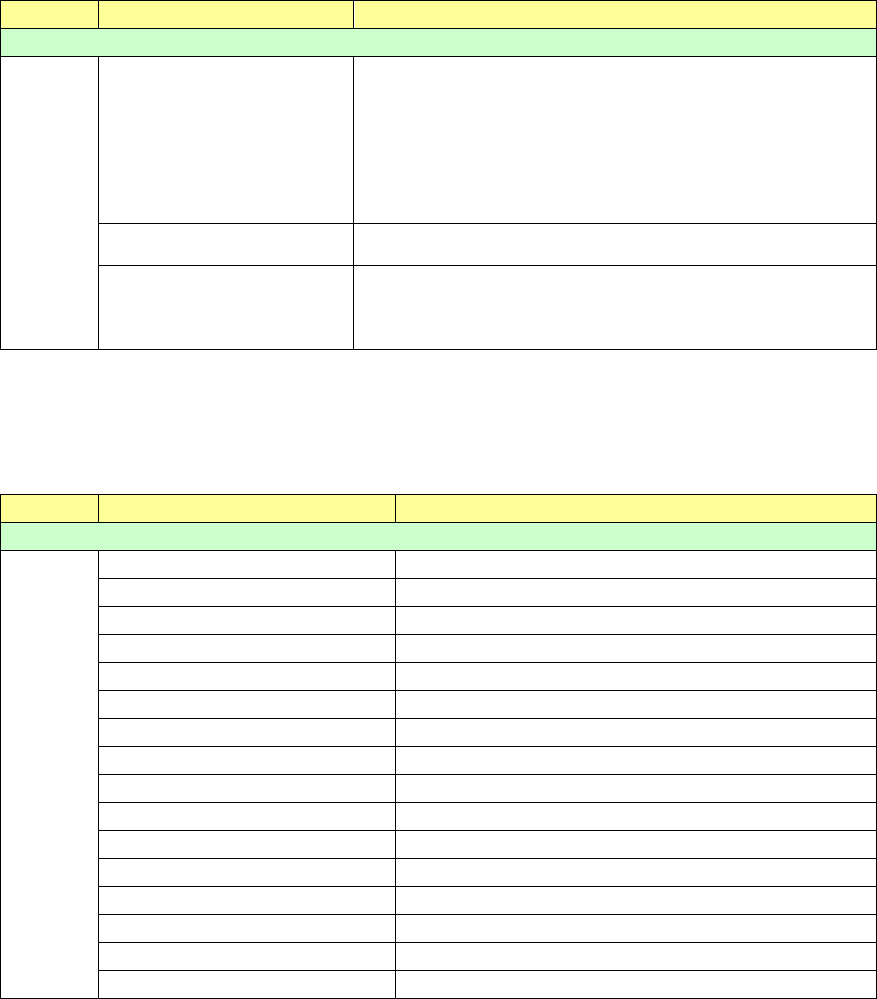
The contents output according to each identification code are as follows:
Table 13.16-2 Program information
ID code
Label (Title)
Description
Production management information
0
ReservationFileName
Reservation file name
- When a PWB is produced according to a reservation file
Reservation file name
- When a PWB is produced according to a production program
pd_<production program name>.rsv
- When the next production program is reserved to produce a
PWB
pd_<first production program name>.rsv
ProductionProgramName
Name of a production program being used for the current
production
ReservationNo
Reservation number of a production program being used for
the current production in the reservation file
This number is the same as the
number displayed on the
“Reservation file” tab of the “Production Status” panel.
Table 13.16-3 Production management information
(RS-1 series/RX-6 series single transport machine /FX-3 series/KE-3000 series/
KE-2050/60/70/80 series/JM-10/20/100)
ID code
Label (Title)
Description
Production management information
1
ProductNum
Number of finished PWBs in production
ProductCir
Number of finished circuits in production
PickNum
Total number of picked-up components
PlaceNum
Total number of placed components
BadMarkNum
Number of detected bad marks
BocMarkNum
Frequency of BOC mark recognition errors
AreaMark
Frequency of area mark recognition errors
NoCompo
Frequency of non-component stop
TimeRun
Accumulated production run duration
TimePwbIn
PWB loading wait time
TimePwbOut
PWB unloading wait time
TimePwb
PWB transport wait time
TimeRepair
Maintenance time
TimeTrouble
Trouble stop time
TimeSomeStop
Some-stops time
TimeNoCompo
Non-component stop time