JANETS_INM.pdf - 第59页
JaNets Instr ucti on Man ual 2. Install ation 2- 31 (2) When the “User Acc ounts” dialog box appe ars on the s creen, select the item “Man age another acc ount. ” Figure 2.5 -2 “User Account s” screen (d isplayed w ith a…
JaNets Instruction Manual 2. Installation
2-30
2.5 Setup Procedure
This section describes the setup operation of the machine necessary for communication with another
machine in order to, for example, obtain its production state.
2.5.1 Procedure for setting up an RX-6 series/RS-1 series/JM-20/JM-100
2.5.1.1 Creating a user account
Create a user account for the machine to communicate with a PC.
The name of an account to be created is “isuser,” and the corresponding password is
“is_user_2008.”
* Since an RX-7 series uses the different communication system, you do not have to make any
setting here.
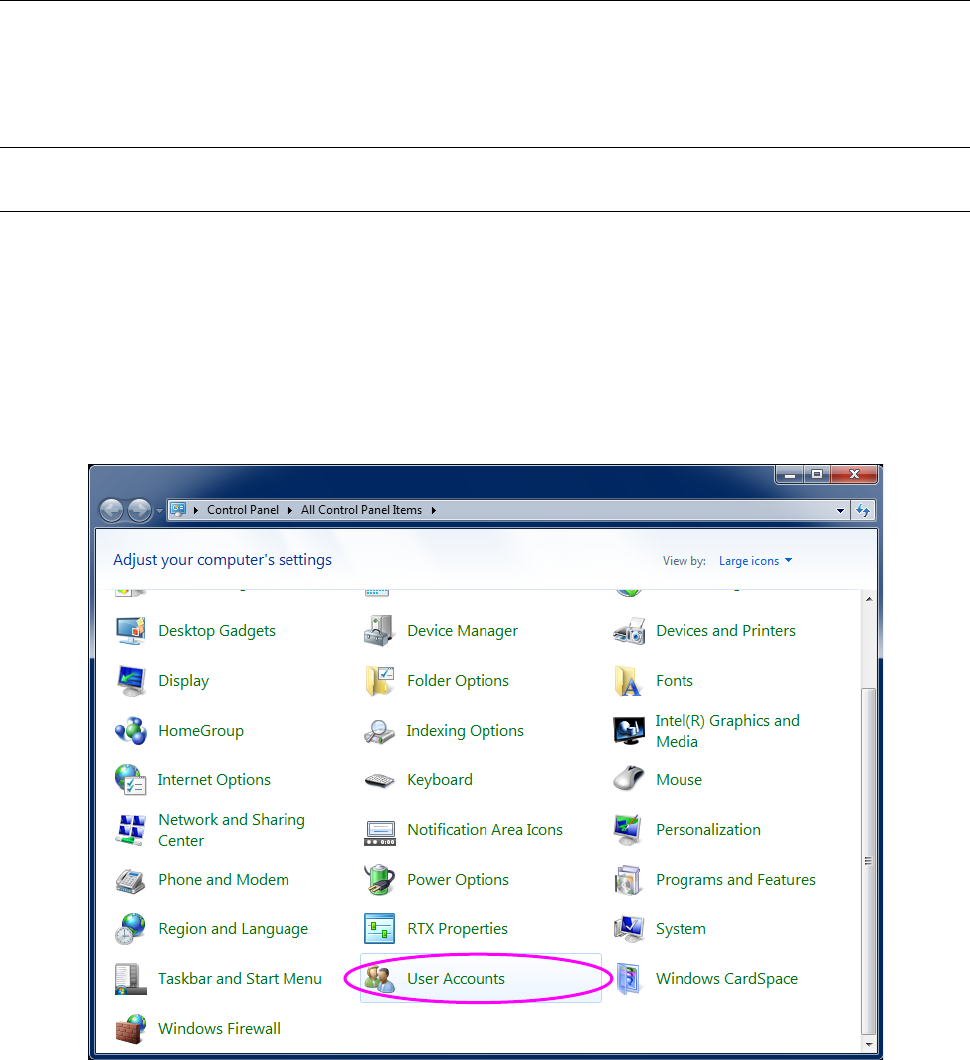
(1) Display the “Control Panel” shown in Figure 2.5-1 from the “Start” menu, and select the “User
Accounts” icon.
Figure 2.5-1 Control Panel displayed with a machine
JaNets Instruction Manual 2. Installation
2-31
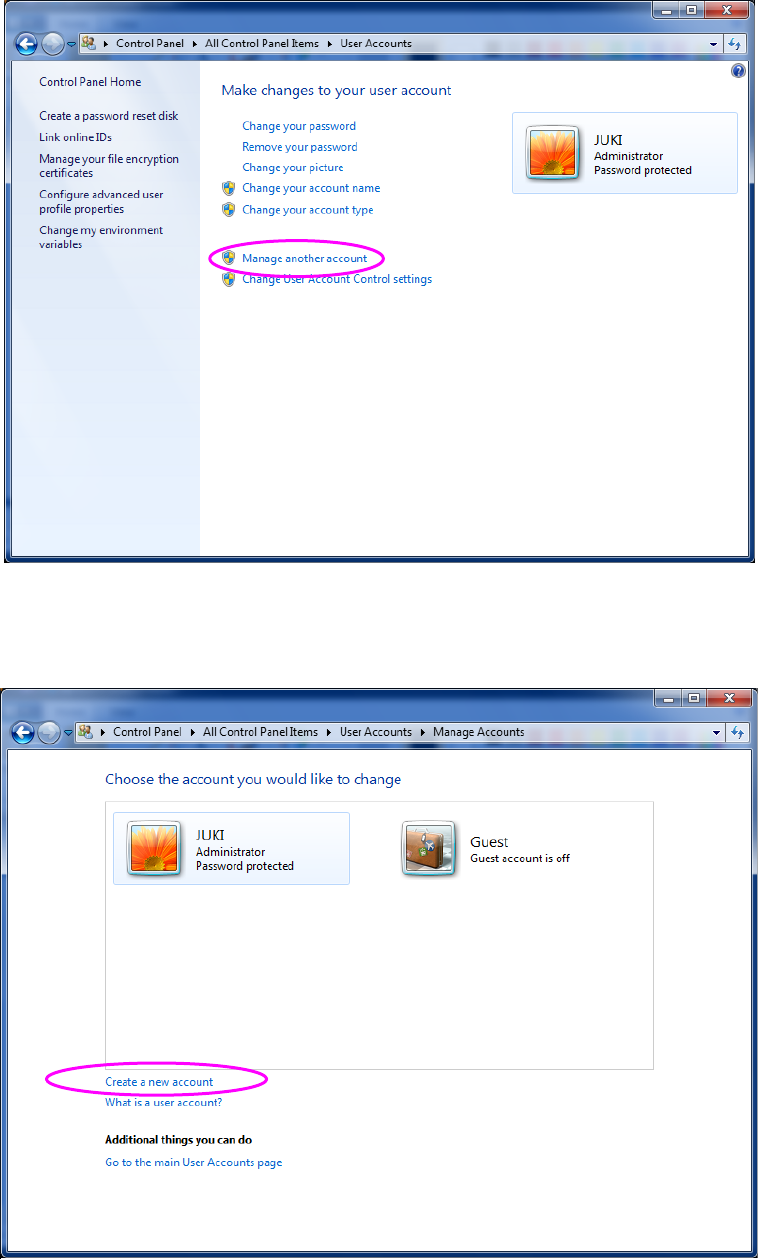
(2) When the “User Accounts” dialog box appears on the screen, select the item “Manage
another account.”
Figure 2.5-2 “User Accounts” screen (displayed with a machine)
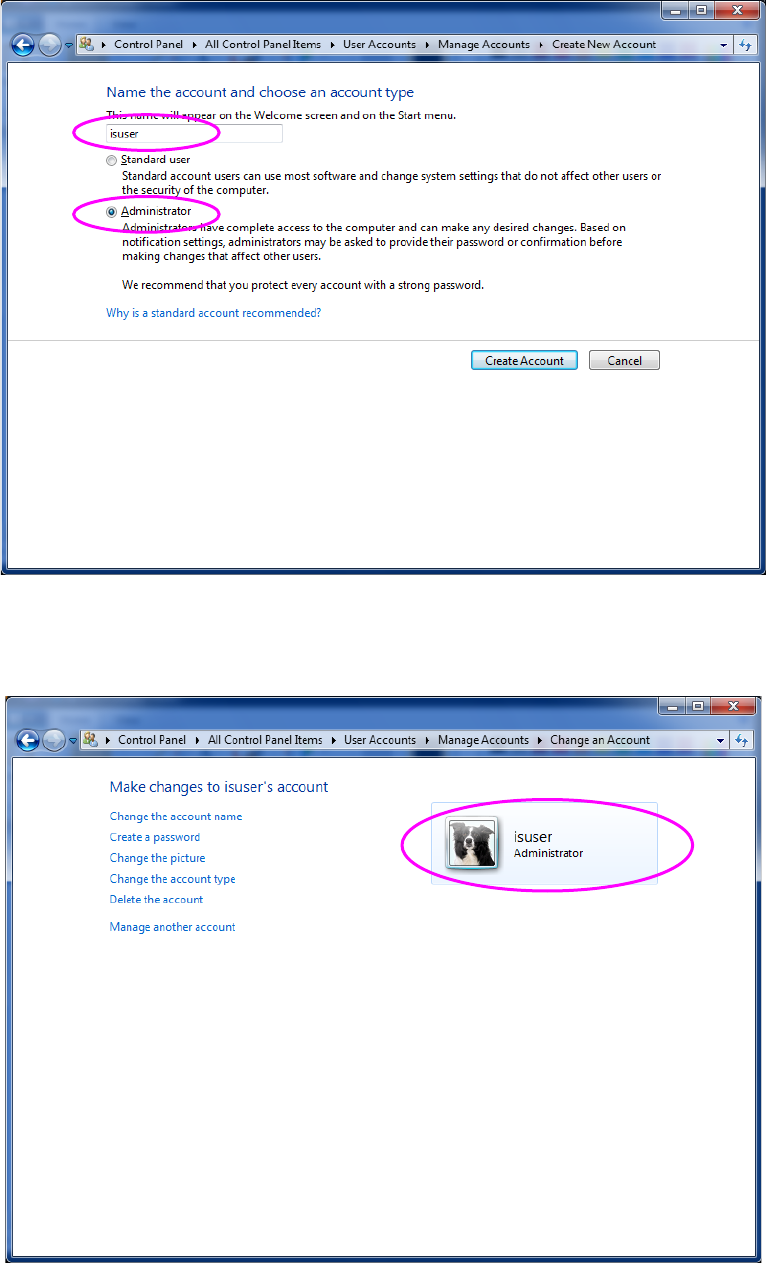
(3) When the “Manage Accounts” dialog box appears on the screen, select the item “Create a
new account.”
Figure 2.5-3 “Manage Accounts” dialog box (displayed with a machine)
JaNets Instruction Manual 2. Installation
2-32
(4) When the “Create New Account” dialog box appears on the screen, enter the user account
name, and then select the “Administrator” radio button. Next, select the <Create Account>
button. The name of an account to be created is “isuser.”
Figure 2.5-4 “Create New Account” dialog box (with a machine)
(5) The “Manage Accounts” dialog box reappears on the screen, and the new account is added
on this dialog box. Select the created user account.
Figure 2.5-5 “Manage Accounts” dialog box (displayed with a machine)