JANETS_INM.pdf - 第590页
J aN et s Inst ructi on Manual 15 . Log Control Tool 15 -4 15.1.3.2 M enu displ ayed when you cli ck the right button of a m ouse on the T r ee V ie w for applications Figure 15.1 -5 Menu dis play ed whe n y ou clic k th…
JaNets Instruction Manual 15. Log Control Tool
15-3
15.1.3 Tree View for applications
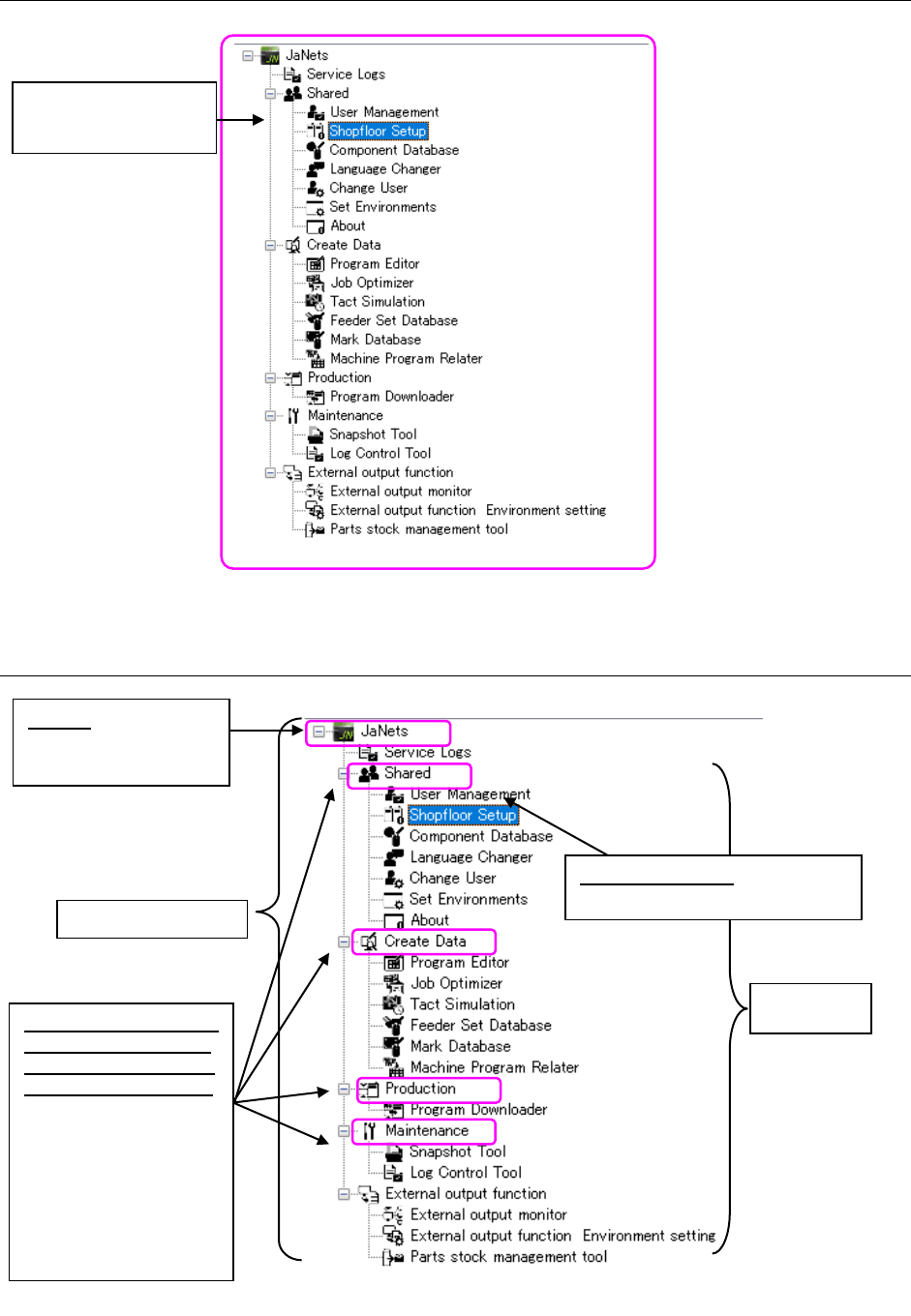
Figure 15.1-3 Tree View screen for applications
15.1.3.1 Setting range of items
Figure 15.1-4 Tree View for applications
Setting range
of the name
Displays the installed
applications.
Application name: Controls a
log of the selected application.
JaNets: Controls logs
of all installed
applications
JaNets setting range
Common function/data
creation/maintenance
function/production/ex
ternal output function:
The logs of all
applications contained
by the common function,
data creation,
maintenance function,
production, and external
output function are
collectively controlled.
JaNets Instruction Manual 15. Log Control Tool
15-4
15.1.3.2 Menu displayed when you click the right button of a mouse on the Tree View
for applications
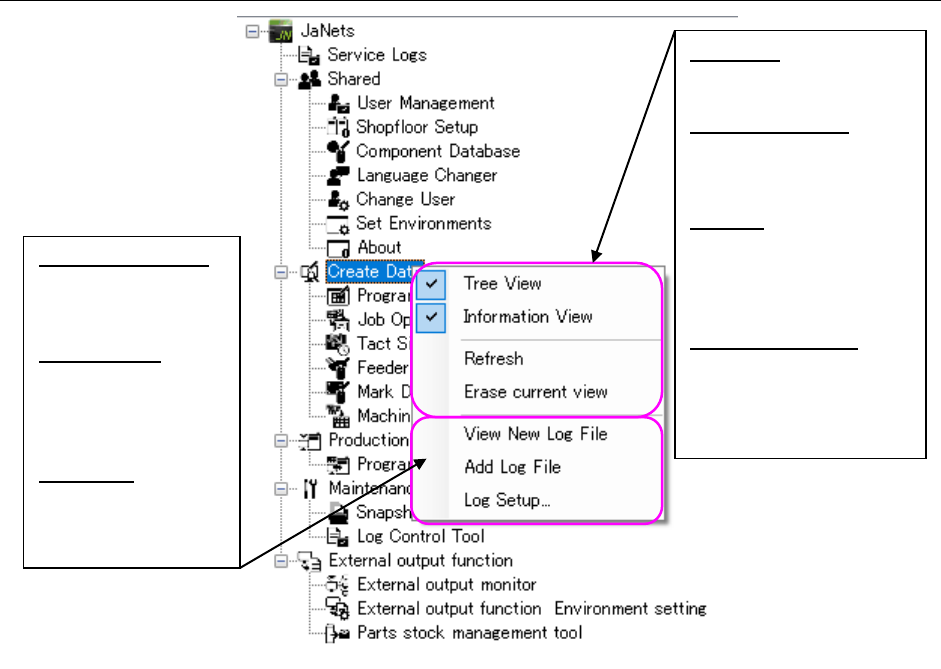
Figure 15.1-5 Menu displayed when you click the right button of a mouse
View New Log File:
Newly displays a
log of the selected
item in the Viewer.
Add Log File:
Additionally
displays a log of
the selected item in
the Viewer.
Log Setup: Displays
the “Log Setup”
dialog box for the
selected item.
Tree View:
Displays/hides the Tree
View for applications.
Information View:
Displays/hides the
detailed information
view of logs.
Refresh:
Reads a log file being
displayed in the Log
Viewer again to display
it again.
Erase current view:
Erases the log file
currently being
displayed on the
viewer.
JaNets Instruction Manual 15. Log Control Tool
15-5
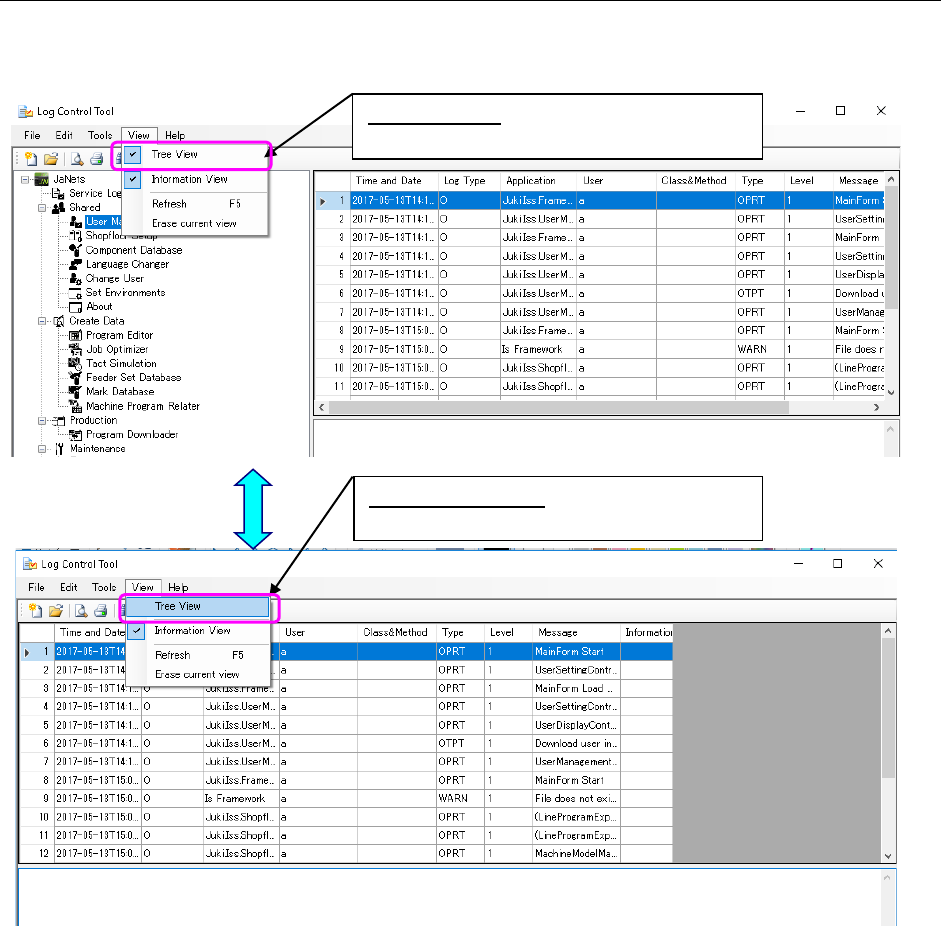
15.1.3.3 Displaying/hiding the Tree View for applications
Every time you select the [View] command from the menu bar, and then the [Tree View]
command from the “View” menu, the check box is selected or deselected.
Figure 15.1-6 Displaying/hiding the Tree View
When not checked:
Hides the Tree View for applications.
When checked:
Displays the Tree View for applications.