JANETS_INM.pdf - 第592页
J aN et s Inst ructi on Manual 15 . Log Control Tool 15 -6 15.1.4 Con figu r ation of the Log V iew er The Log View er consi sts of tw o s creens : the l og di sp lay area and t he detailed i nfor m ati on v iew (I nfor …
JaNets Instruction Manual 15. Log Control Tool
15-5
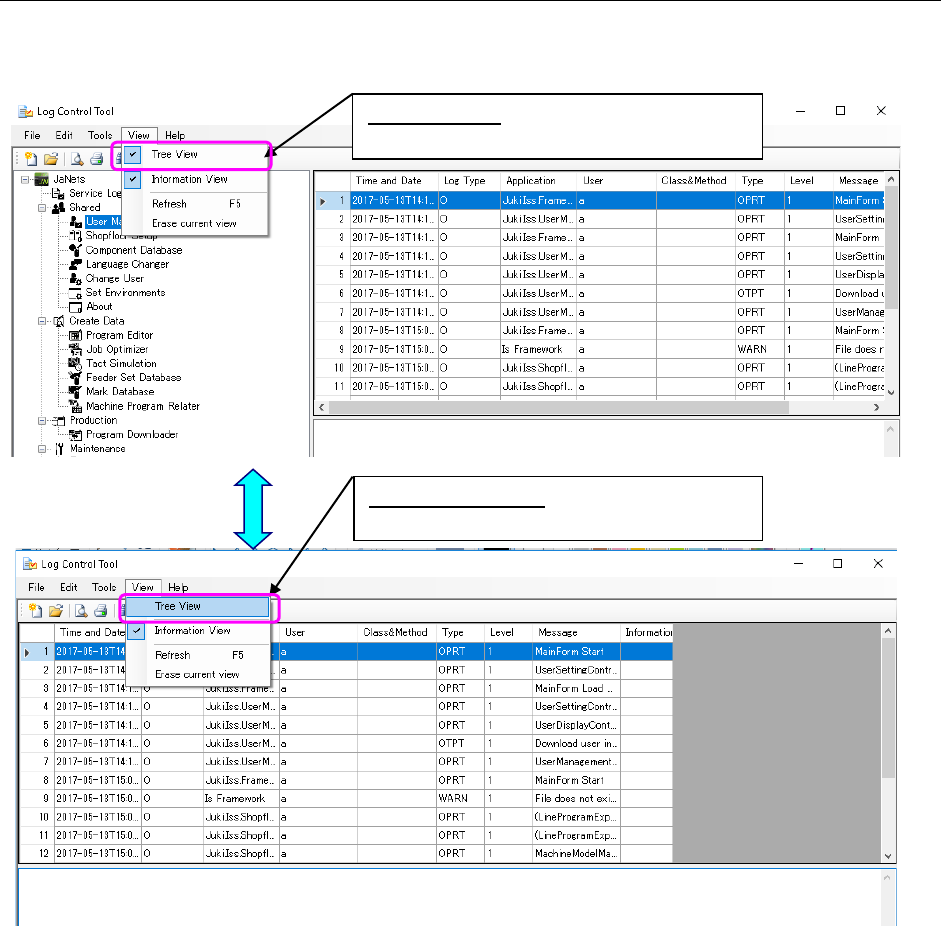
15.1.3.3 Displaying/hiding the Tree View for applications
Every time you select the [View] command from the menu bar, and then the [Tree View]
command from the “View” menu, the check box is selected or deselected.
Figure 15.1-6 Displaying/hiding the Tree View
When not checked:
Hides the Tree View for applications.
When checked:
Displays the Tree View for applications.
JaNets Instruction Manual 15. Log Control Tool
15-6
15.1.4 Configuration of the Log Viewer
The Log Viewer consists of two screens: the log display area and the detailed information view
(Information View).
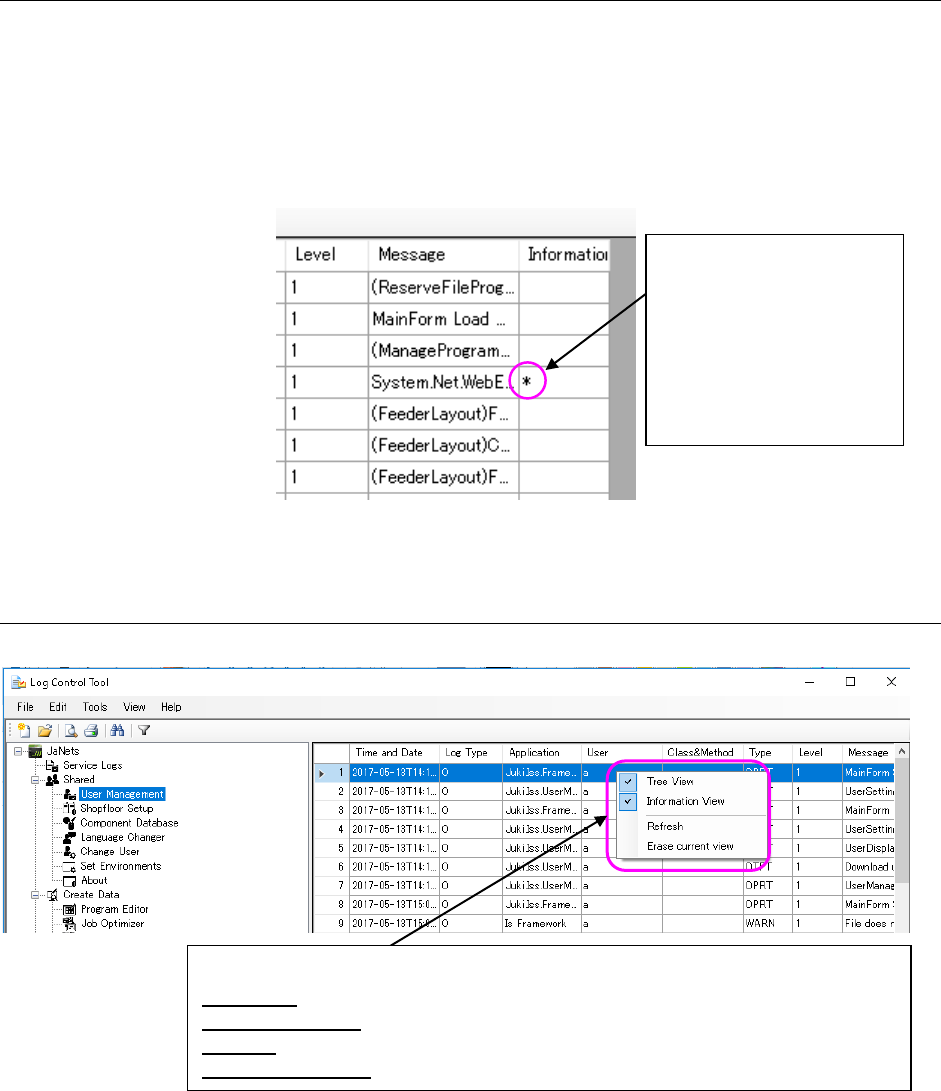
* When you select a log without the detailed information, the “Information” column becomes
blank.
<Checking whether there is any detailed information or not>
Figure 15.1-7 Displaying the detailed information
15.1.4.1 Menu displayed when you click the right button of a mouse on the Log Viewer
Figure 15.1-8 Menu displayed when you click the right button of
a mouse on the Log Viewer
An asterisk mark (*) is
displayed in the
“Information” column of a
log having the detailed
information, so you can
check whether each log has
its detailed information or
not.
<Menu items displayed on the pop-up menu>
Tree View: Displays/hides the Tree View for applications.
Information View: Displays/hides the Information View of logs.
Refresh: Reads a log file being displayed in the Log Viewer again to display it again.
Erase current view: Erases the log file currently being displayed on the viewer.
JaNets Instruction Manual 15. Log Control Tool
15-7
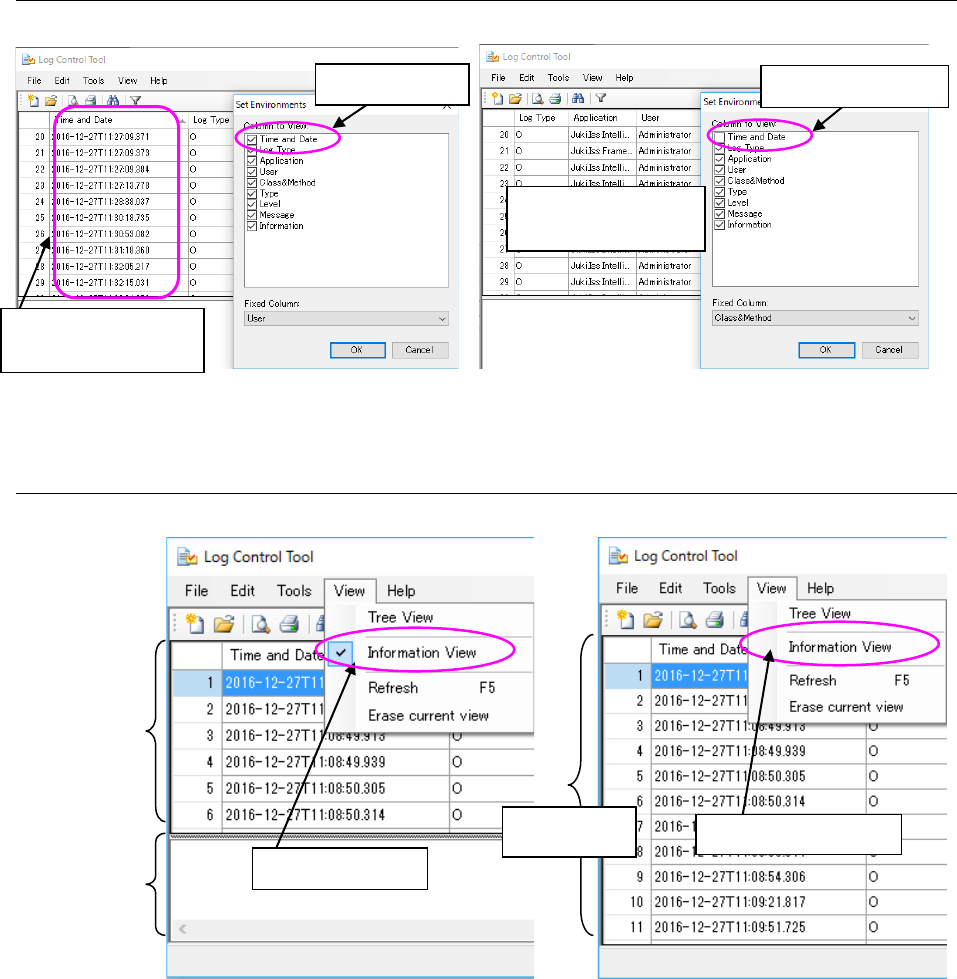
15.1.4.2 Displaying/hiding the Log Viewer items
Figure 15.1-9 Displaying/hiding the log item
15.1.4.3 Displaying/hiding the detailed information of logs
Figure 15.1-10 Displaying/hiding the detailed information
When checked
The “Time and Date”
column is displayed.
When not checked
The “Time and Date”
column is hidden.
Log display
area
When checked
Detailed
information
display area
Log display
area
When not checked