JANETS_INM.pdf - 第616页
JaNets In structio n Manual 16 Component D ataba se 16 - 16 Dispensing c onditions This sets con dition s for dispens ing po ints. G o to dispens ing cond itions in t he adhesion dat a edit screen to mak e settin gs by d…
JaNets Instruction Manual 16 Component Database
16-15
Adhesion pattern
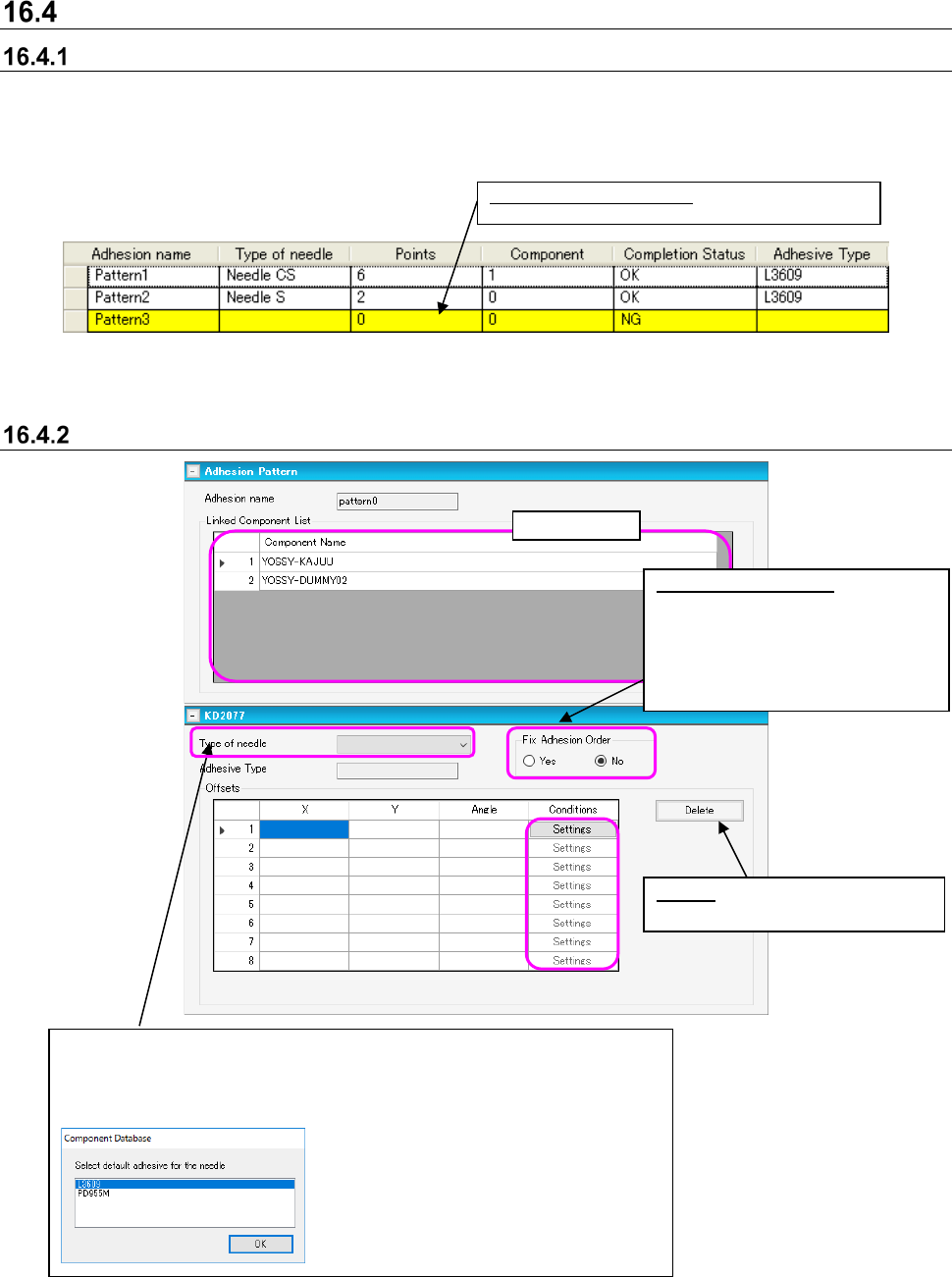
Adhesion pattern overview
This displays adhesion data recorded in the database. You cannot make entries only to the display.
Designated items for the adhesion data column are fixed in the [Environment settings] - [List
display] - [Adhesion list] fixed item column. Double click on the appropriate data position and
select [Edit] - [Add].
Figure 16.4-1 Adhesion data overview screen
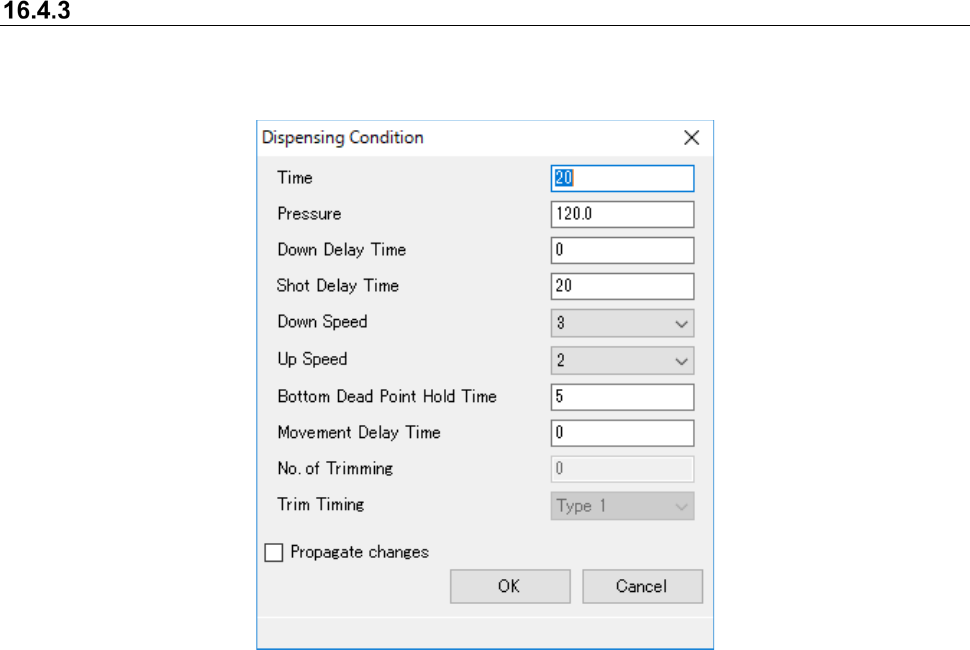
Adhesion data editor screen
Figure 16.4-2 Adhesion data edit screen
Background color - Yellow: Data incomplete
Display only
Delete: Deletes offset data for
designated dispensing
Fix Adhesion Order:
Specifies whether to create the
optimized data so that dispensing
may be carried out in the order of
inputting dispensing points during
optimized production.
Select with the combo box. When setting multiple adhesives with operation
settings of the environment settings, the screen below appears to select the
default adhesive. When a single adhesive is selected, a linked default value
is set where dispensing conditions are not input.
JaNets Instruction Manual 16 Component Database
16-16
Dispensing conditions
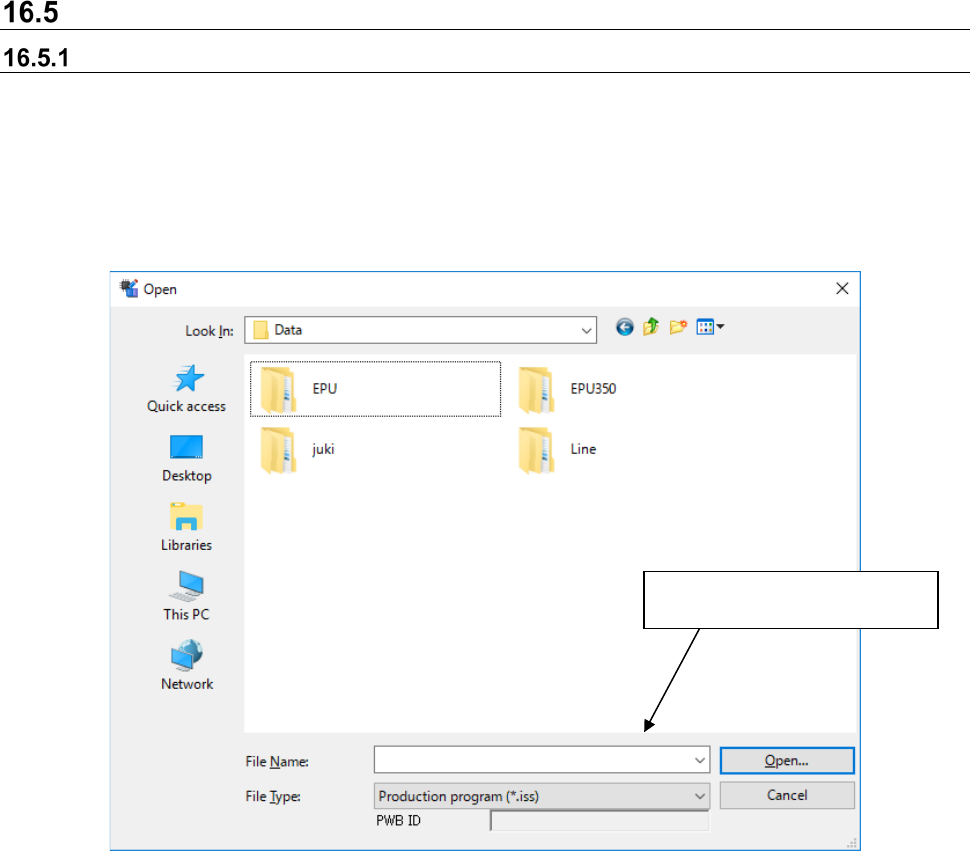
This sets conditions for dispensing points. Go to dispensing conditions in the adhesion data edit
screen to make settings by dispensing point.
Figure 16.4-3 Dispensing conditions screen
JaNets Instruction Manual 16 Component Database
16-17
Importing external data
Importing a production program file
This Section describes how to import Component data and Adhesive data of a production program
from an MDB file created with the existing Component Database of the main unit as a JaNets
Component Database.
When importing, component data and adhesion data with the same name from the database are
overwritten address objects. If not, new ones are added. Select [File] - [Import external data] and
the following file selection screen is displayed and the program importing the component data and
adhesive data is selected.
Figure 16.5-1 External data import file selection screen
When you select “Component Database format file (*.mdb)” in the “File Type” field, you can select
an MDB file created with the Component Database of the main unit. When you import a main unit
Component Database format file (referred to as “MDB file” hereinafter), association between
Component data and a package code can be imported also with the JaNets Component Database
as it is.
Processes importing for the
selected production program.