JANETS_INM.pdf - 第617页
JaNets In structio n Manual 16 Component D ataba se 16 - 17 I mporting e xternal data Importing a production program fil e This Secti on descr ibes ho w to import Com ponent da ta and Adhesiv e data of a product ion pr o…
JaNets Instruction Manual 16 Component Database
16-16
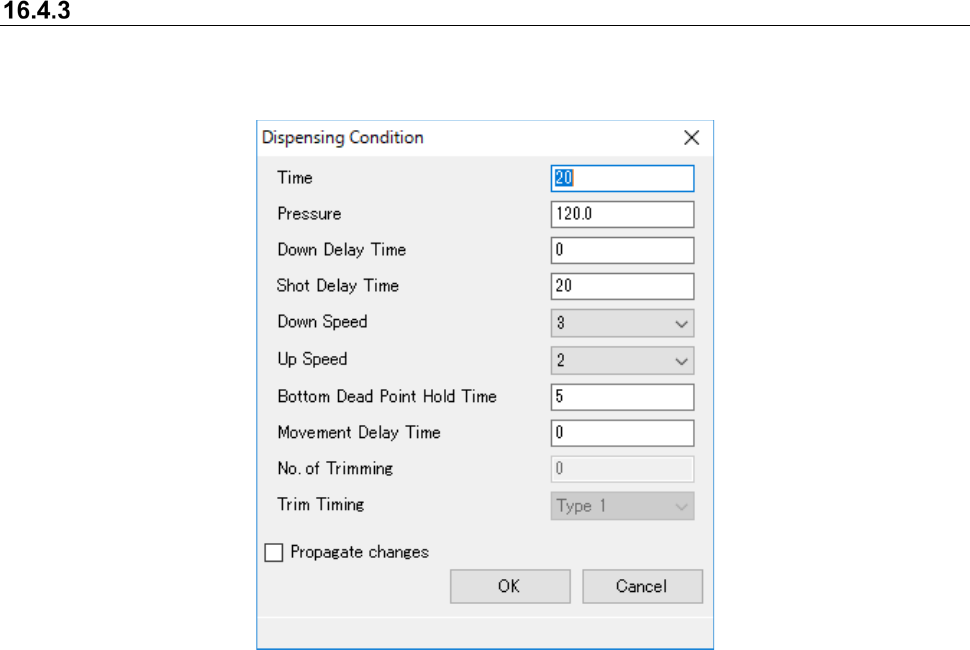
Dispensing conditions
This sets conditions for dispensing points. Go to dispensing conditions in the adhesion data edit
screen to make settings by dispensing point.
Figure 16.4-3 Dispensing conditions screen
JaNets Instruction Manual 16 Component Database
16-17
Importing external data
Importing a production program file
This Section describes how to import Component data and Adhesive data of a production program
from an MDB file created with the existing Component Database of the main unit as a JaNets
Component Database.
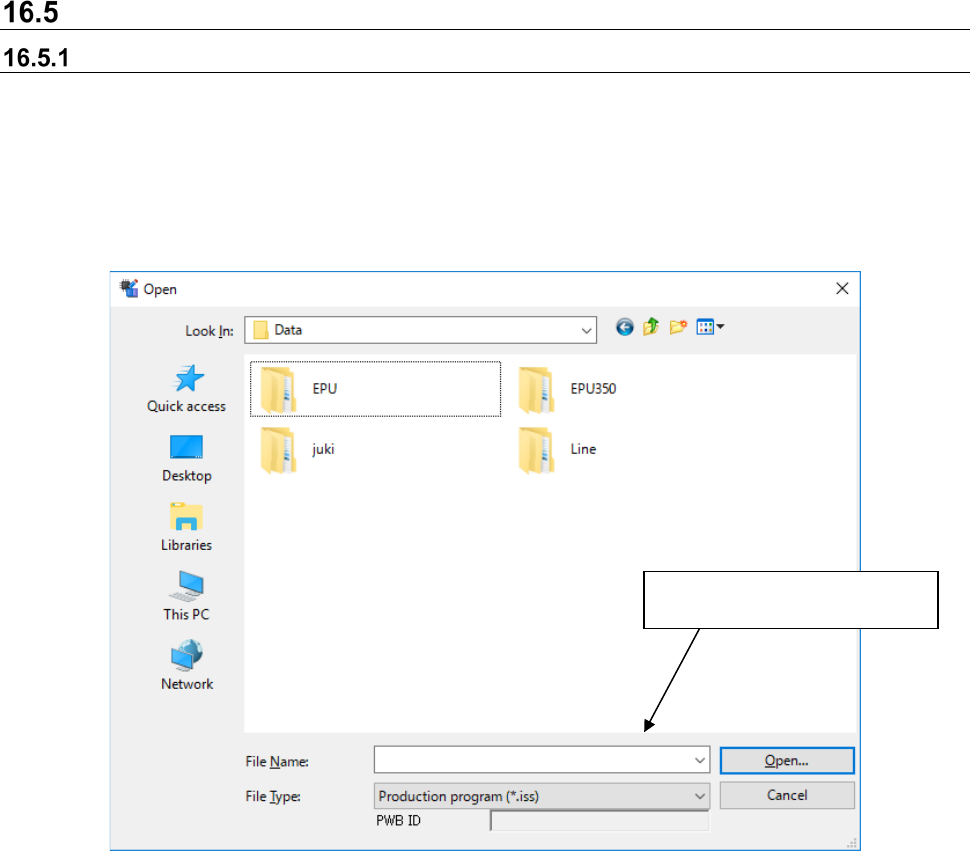
When importing, component data and adhesion data with the same name from the database are
overwritten address objects. If not, new ones are added. Select [File] - [Import external data] and
the following file selection screen is displayed and the program importing the component data and
adhesive data is selected.
Figure 16.5-1 External data import file selection screen
When you select “Component Database format file (*.mdb)” in the “File Type” field, you can select
an MDB file created with the Component Database of the main unit. When you import a main unit
Component Database format file (referred to as “MDB file” hereinafter), association between
Component data and a package code can be imported also with the JaNets Component Database
as it is.
Processes importing for the
selected production program.
JaNets Instruction Manual 16 Component Database
16-18
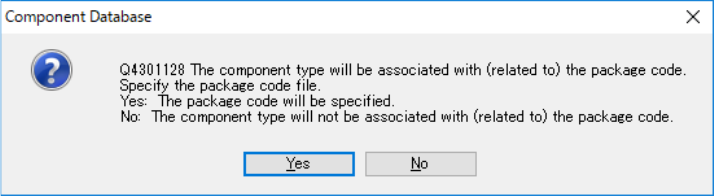
After specifying an MDB file to be imported, the following message appears on the screen.
Figure 16.5-2 Package code association confirmation message
When you select the <Yes (Y)> button, the “File” dialog box appears on the screen. Specify a
package code file (*.pkg) used with the Component Database of the main unit.
When you select the <No (N)> button, the system imports only data registered in the MDB file
without associating it with any package code.
However, a package code file specified when you import an MDB file is used to check association
of component data with package codes (to obtain a package code name). Since the system does
not import any package code, import a package code(s) before importing an MDB file. If a package
code is already registered, you do not have to import a package code file.
* Caution Items at Importing MDB File
When MDB file other than the latest version was imported, updating is performed in sequence up
to the latest version Table internally before parts registration.
For the reason, please be careful of taking time for update processing until the latest version when
old version MDB file is imported.
(The update processing time may differ depending on the version of MDB file to be imported and
the number of parts to be registered.)