JANETS_INM.pdf - 第620页
JaNets In structio n Manual 16 Component D ataba se 16 - 20 When data f inishes be ing import ed, t he following s creen ap pears. Figure 16.5 -5 Screen for checki ng the total number of re gistered da ta records * After…
JaNets Instruction Manual 16 Component Database
16-19
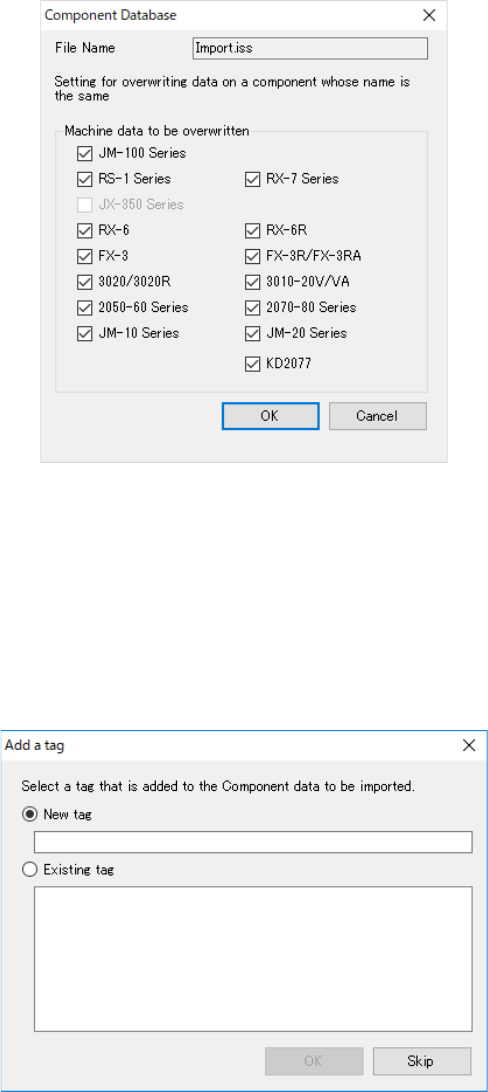
When you select “Yes” for the menu item “Confirm overwrite at import,” the following screen
appears.
Figure 16.5-3 Confirmation window for overwriting data at import
Data unique to the machine model(s) whose corresponding check box(es) is (are) checked off is
overwritten.
Data of the machine models whose corresponding check boxes are not checked off remains the
same as registered data in the database.
When data is imported, the following screen appears to allow you to assign a tag to Component
data to be imported.
Figure 16.5-4 “Add a tag” screen displayed at import
JaNets Instruction Manual 16 Component Database
16-20
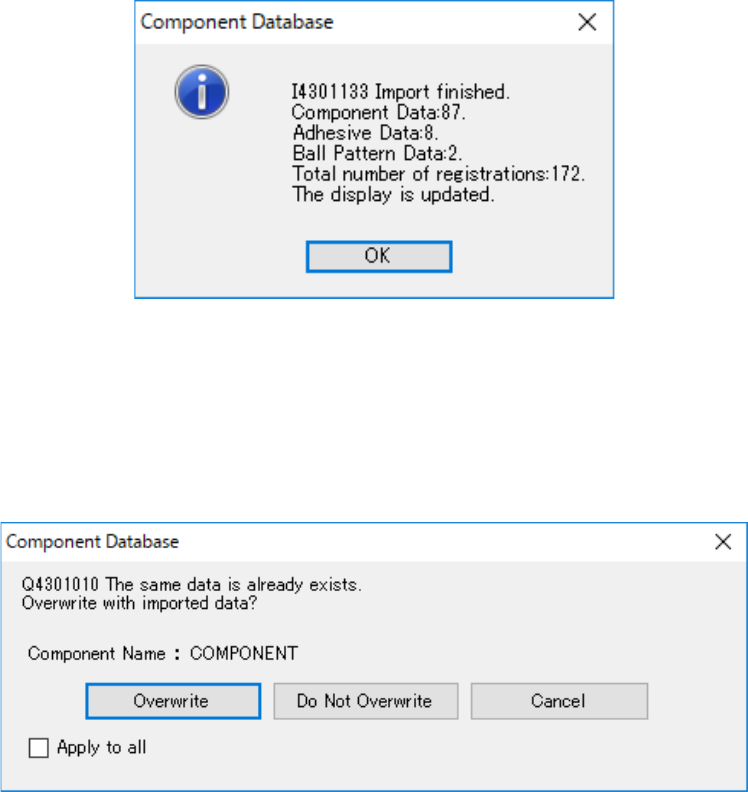
When data finishes being imported, the following screen appears.
Figure 16.5-5 Screen for checking the total number of registered data records
* After data is registered, the system displays the number of imported component data records,
that of imported adhesive data records and that of imported ball patterns, and the total number
of data records registered in the database, and then update the component list screen.
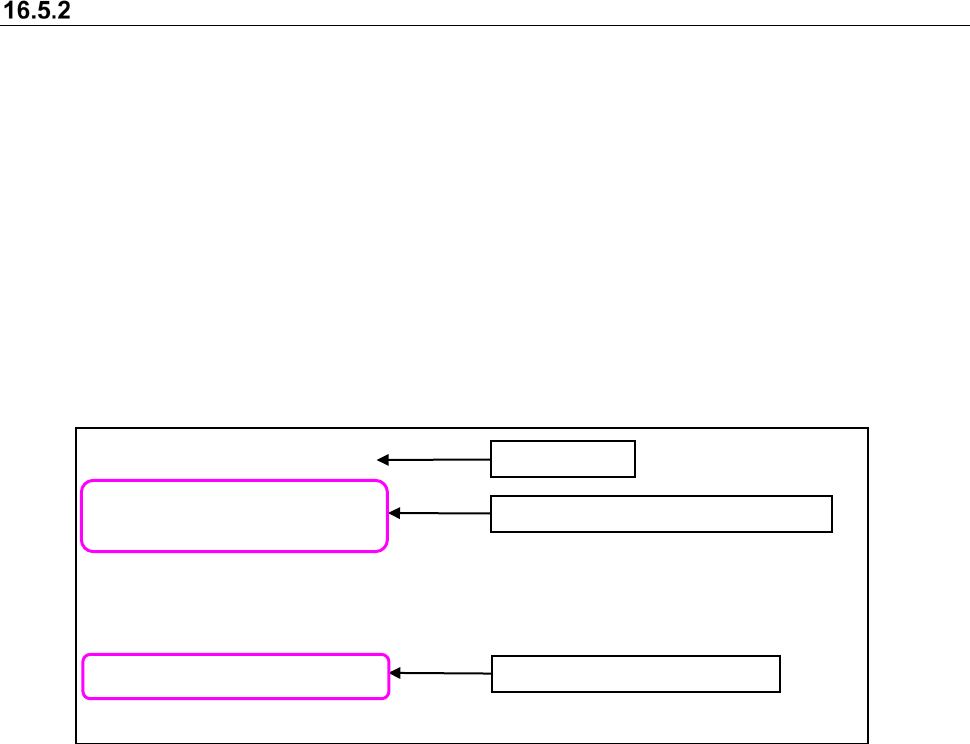
* When you try to overwrite registered data, the confirmation message asking you whether to
overwrite it appears on the screen.
Firure 16.5-6 Confirmation dialog box for overwriting the data
[Overwrite] : Overwrites Component data.
[Do Not Overwrite] : Does not overwrite Component data.
[Cancel] : Cancels the operation of importing external data. It does not overwrite or add
any data.
[Appy to all] : For the checked box (at Check ON): if the component data updated after
components are speficied has been associated when the "Overwrite" button
has been pressed, information on the component data other than the
packaging style is overwritten with imported data and registered.
For the unchecked box (at Check OFF): the component data for duplicated
components after components are specified is not overwritten with imported
data when the "Do Not Overwrite" button is pressed. However, only new
components are registered.
JaNets Instruction Manual 16 Component Database
16-21
NonGridArrayComponentData
[DY]
-35.5335,23.61735
-33.8165,23.61735
[DW]
-36.392,23.12205
-34.675,23.12205
:
Importing a non grid array component data file
In order to register a non grid array component data as the general-purpose vision components
(extended array data) in a component database, define locations of balls such as an Intel chip set
and a socket for CPU and import them to a CSV file.
The format of a non grid array component file (extension: CSV) is as follows:
The first line : Title → NonGridArrayComponentData
The second line : Group name enclosed with []
The third line or later : The ball coordinates (X, Y coordinates) of one point are specified by
comma separated values.
The N line : Group name enclosed with []
N + the first line or later : The ball coordinates (X, Y coordinates) of one point are specified by
comma separated values.
Create a CSV file, paying attention to the following points.
- In order to distinguish the contents of data, wording of "NonGridArrayComponentData" is
defined as the first line.
- Make the group name with a maximum of 32 characters. Cut 33 characters or more.
- A maximum of 20 groups can be registered.
- Set coordinates by mm.
- The four or less digits after the decimal point are effective. The five or more digits after
decimal points are omitted.
- A maximum of 256 data can be defined for one group.
Location information on one group
Coordinates of one point
Title line