JANETS_INM.pdf - 第622页
JaNets In structio n Manual 16 Component D ataba se 16 - 22 (1) Non grid arra y compone nt dat a file becom es select able by selec ting "a non gr id arr ay component data fi le (*. cs v)" as t he file type in …
JaNets Instruction Manual 16 Component Database
16-21
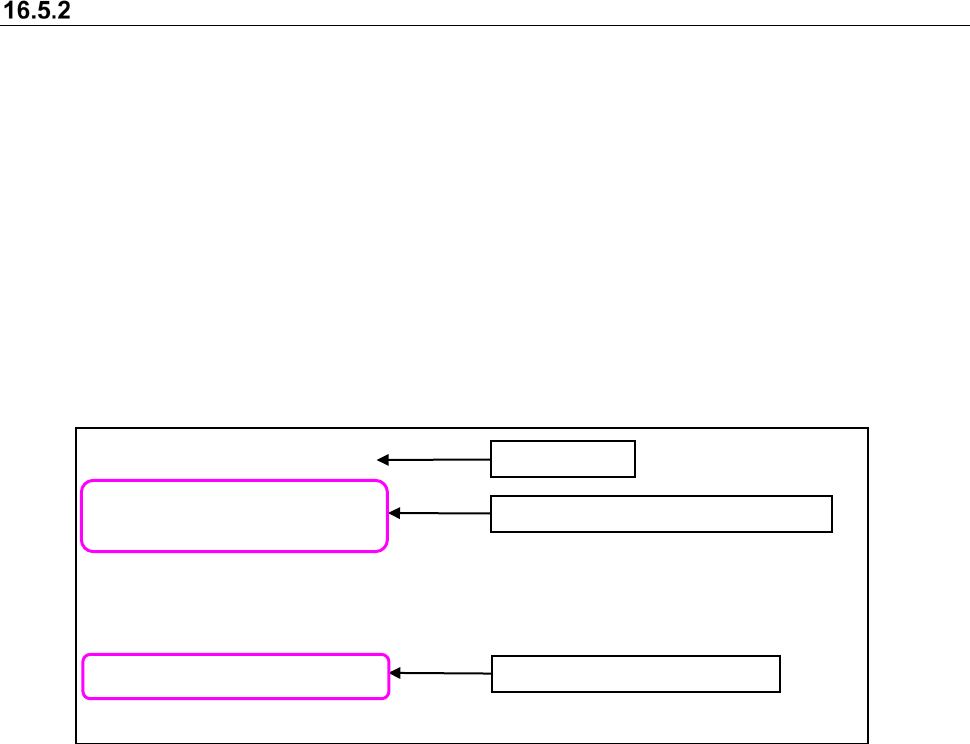
NonGridArrayComponentData
[DY]
-35.5335,23.61735
-33.8165,23.61735
[DW]
-36.392,23.12205
-34.675,23.12205
:
Importing a non grid array component data file
In order to register a non grid array component data as the general-purpose vision components
(extended array data) in a component database, define locations of balls such as an Intel chip set
and a socket for CPU and import them to a CSV file.
The format of a non grid array component file (extension: CSV) is as follows:
The first line : Title → NonGridArrayComponentData
The second line : Group name enclosed with []
The third line or later : The ball coordinates (X, Y coordinates) of one point are specified by
comma separated values.
The N line : Group name enclosed with []
N + the first line or later : The ball coordinates (X, Y coordinates) of one point are specified by
comma separated values.
Create a CSV file, paying attention to the following points.
- In order to distinguish the contents of data, wording of "NonGridArrayComponentData" is
defined as the first line.
- Make the group name with a maximum of 32 characters. Cut 33 characters or more.
- A maximum of 20 groups can be registered.
- Set coordinates by mm.
- The four or less digits after the decimal point are effective. The five or more digits after
decimal points are omitted.
- A maximum of 256 data can be defined for one group.
Location information on one group
Coordinates of one point
Title line
JaNets Instruction Manual 16 Component Database
16-22
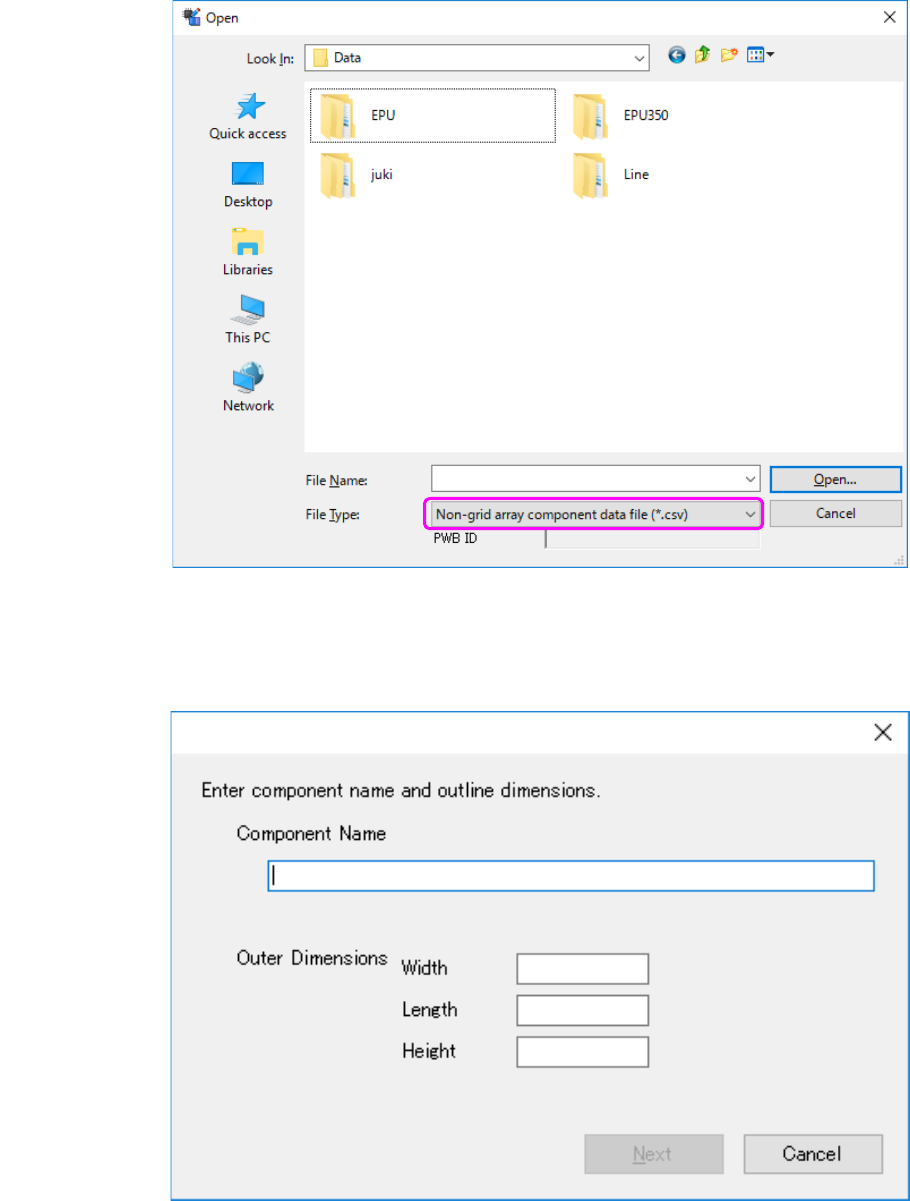
(1) Non grid array component data file becomes selectable by selecting "a non grid array
component data file (*. csv)" as the file type in the dialog box that opens the file to import.
Figure 16.5-7 The selection screen of the import file of external data
(at the time of non grid array component data file selection)
(2) Enter component name and outline dimensions.
Figure 16.5-8 Basic information setting screen
JaNets Instruction Manual 16 Component Database
16-23
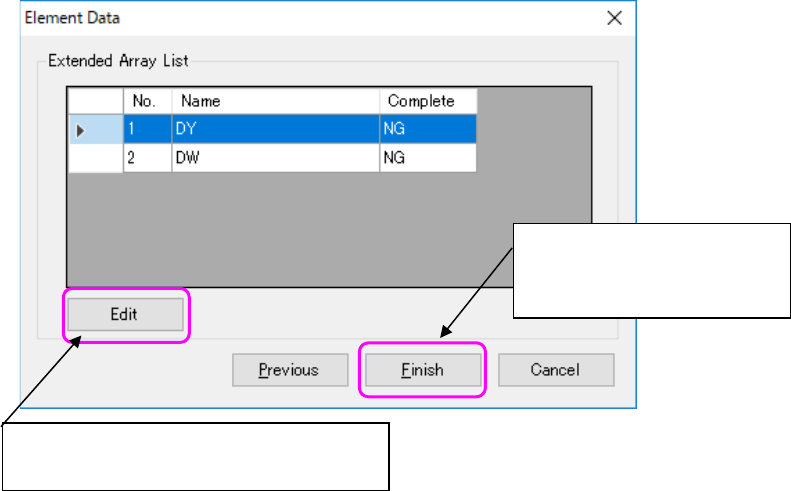
(3) A CSV file is read and the list of extended array groups is displayed.
Figure 16.5-9 Extended array list screen
Displays an extended array setting screen and
completes element data.
Completes the settings of
element data and starts import to
component data.