JANETS_INM.pdf - 第624页
JaNets In structio n Manual 16 Component D ataba se 16 - 24 E xporting data This functi on allows y ou to export com pon ent data and adhes ion data to main unit Comp onent database f ormat file. By select ing the [File]…
JaNets Instruction Manual 16 Component Database
16-23
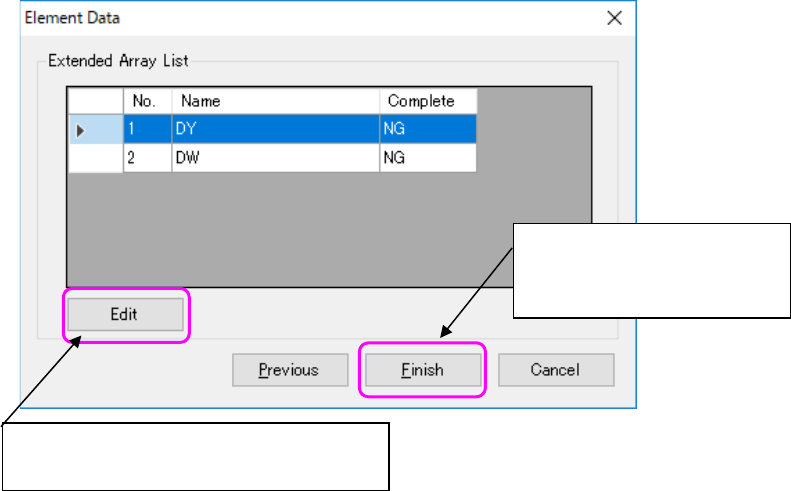
(3) A CSV file is read and the list of extended array groups is displayed.
Figure 16.5-9 Extended array list screen
Displays an extended array setting screen and
completes element data.
Completes the settings of
element data and starts import to
component data.
JaNets Instruction Manual 16 Component Database
16-24
Exporting data
This function allows you to export component data and adhesion data to main unit Component
database format file.
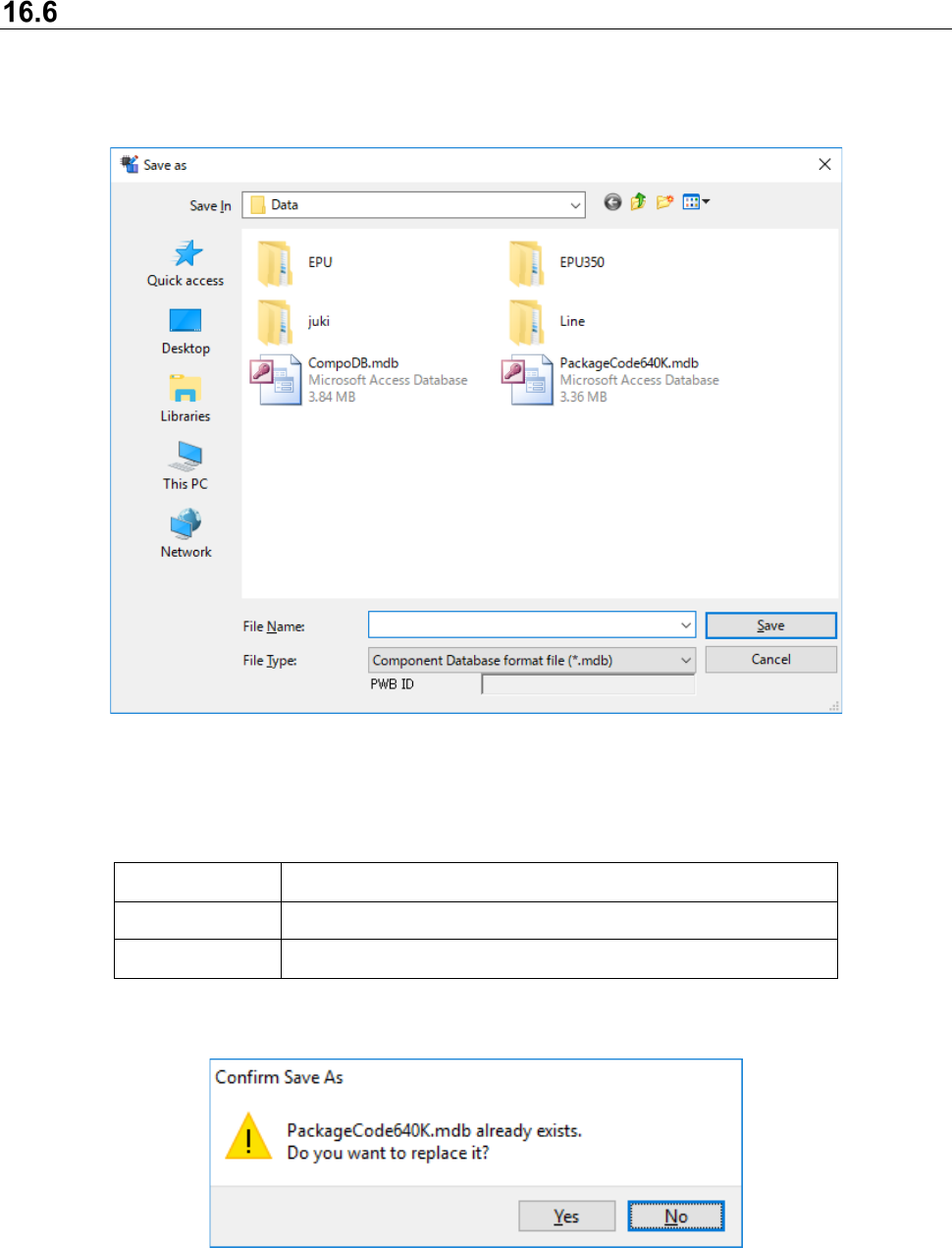
By selecting the [File] - [Export] command, the following file selection screen appears to specify
the file name to be exported.
Figure 16.6-1 Save As dialog box
Format that can be exported is shown as follows:
Table 16.6-1 Format that can be exported
Extension File format
MDB Main unit Component DB format
FLX Main unit Component DB Package code file
When existing file is specified, a confirmation message asking you whether to be replaced
appears.
Figure 16.6-2 Confirmation message asking you whether to be replaced
[Yes] : Replaces the file
[No] : Returns to Save As dialog
JaNets Instruction Manual 16 Component Database
16-25
When you export data in the main unit Component database format, you can also export
association with package codes.
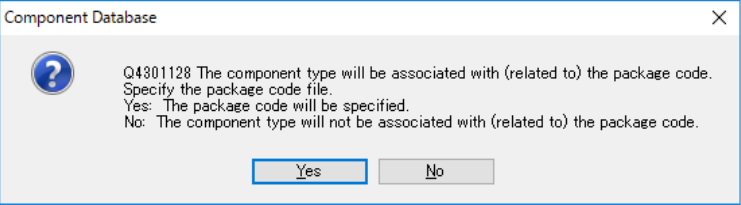
After you specify the name of an MDB file to be exported, the following message appears on the
screen.
Figure 16.6-3 Package code association confirmation message
When you select the <Yes (Y)> button, the “File” dialog box appears on the screen. Specify a
package code file (*.pkg) that is to be used with the main unit Component Database.
When you select the <No (N)> button, the system exports only registered data without associating
it with any package code.
However, a package code file specified when you export an MDB file is used to check association
of component data with package codes (to obtain a package code name). Since the system does
not export any package code, export a package code(s) before exporting an MDB file. If a package
code file already exists, you do not have to export it.