JANETS_INM.pdf - 第629页
JaNets In structio n Manual 16 Component D ataba se 16 - 29 Restor ing com po ne nt data In the compon ent datab ase overvie w screen go to [ Edit] - [Restor e] and use t he compone nt data input for m input to ret urn t…
JaNets Instruction Manual 16 Component Database
16-28
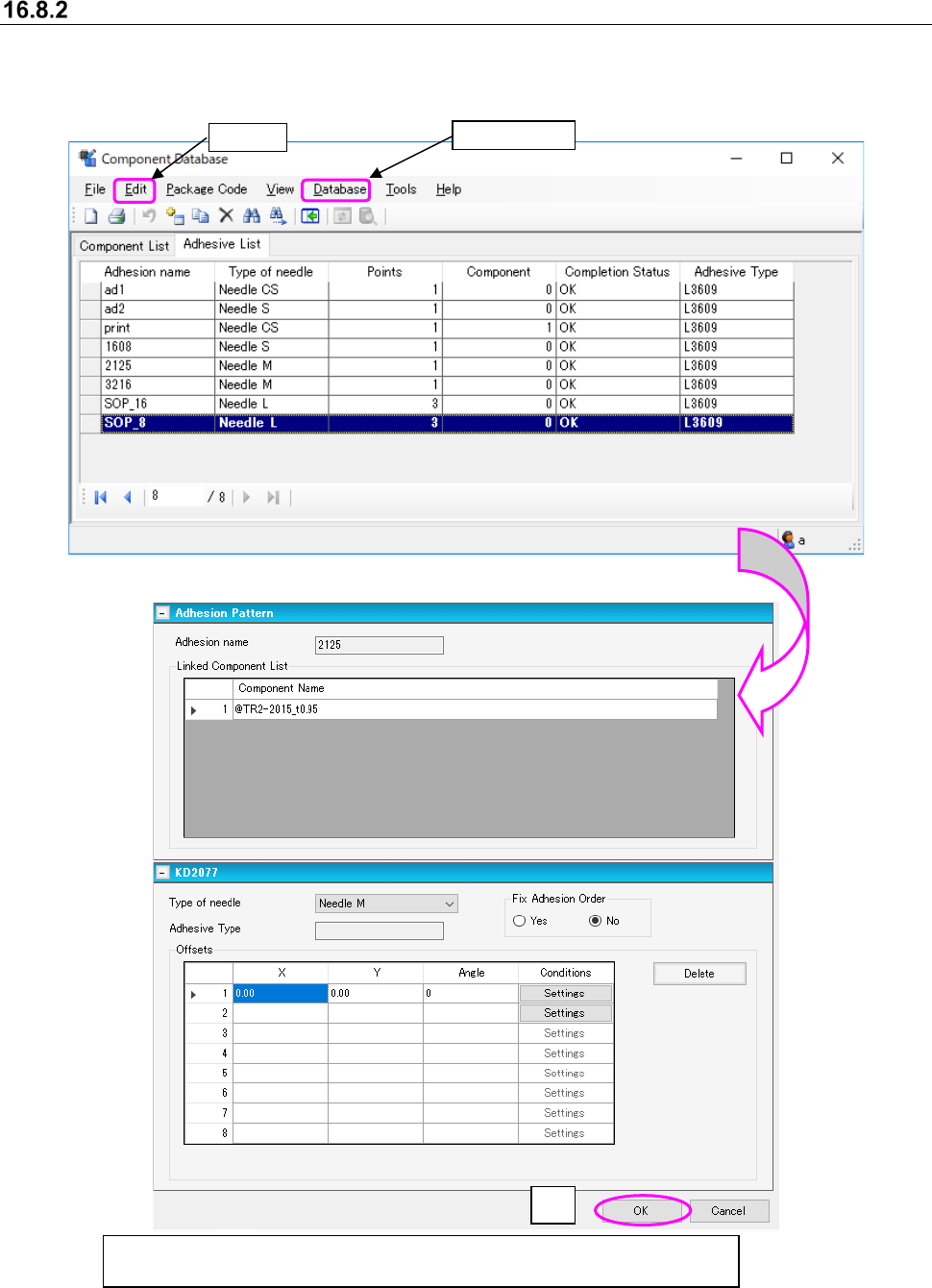
Adhesion data changes
Select data to be changed from the adhesion database overview screen, then select① [Edit] -
[Change] or double click and the screen switches to basic settings where data can be changed.
Figure 16.8-3 Component database overview screen
Figure 16.8-4 Basic setting screen - Adhesive data changes
③
After making changes, select
②
[Database] - [Update] or use
③
[OK] to make
the update to the database.
①
Edit
②
Database
JaNets Instruction Manual 16 Component Database
16-29
Restoring component data
In the component database overview screen go to [Edit] - [Restore] and use the component data
input form input to return to the most recent previous contents. However, data spread on the
screen cannot be restored.
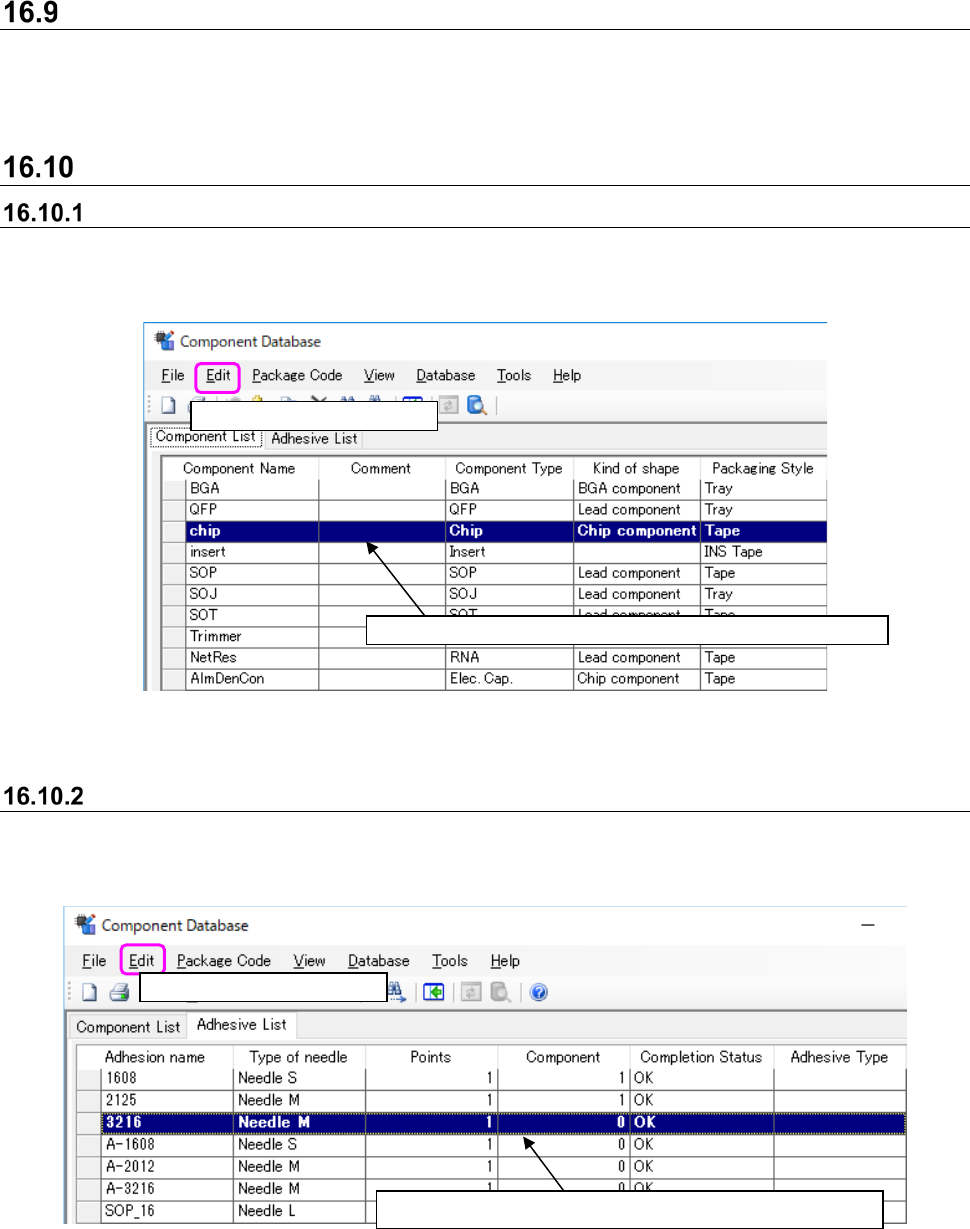
Delete
Deleting component data
Use ① and ② to operate or select the row to delete and press the Del key at the top of the
keyboard.
Figure 16.10-1 Component data deletion
Deleting adhesion data
Use ① and ② to operate or select the row to delete and press the Del key at the top of the
keyboard.
Figure 16.10-2 Adhesion data deletion
Select
②
[Edit] - [Delete].
Select
①
the row to delete. You can make multiple choices.
Select
②
[Edit] - [Delete].
Select
①
the line to delete. You can make multiple choices.
JaNets Instruction Manual 16 Component Database
16-30
Copy
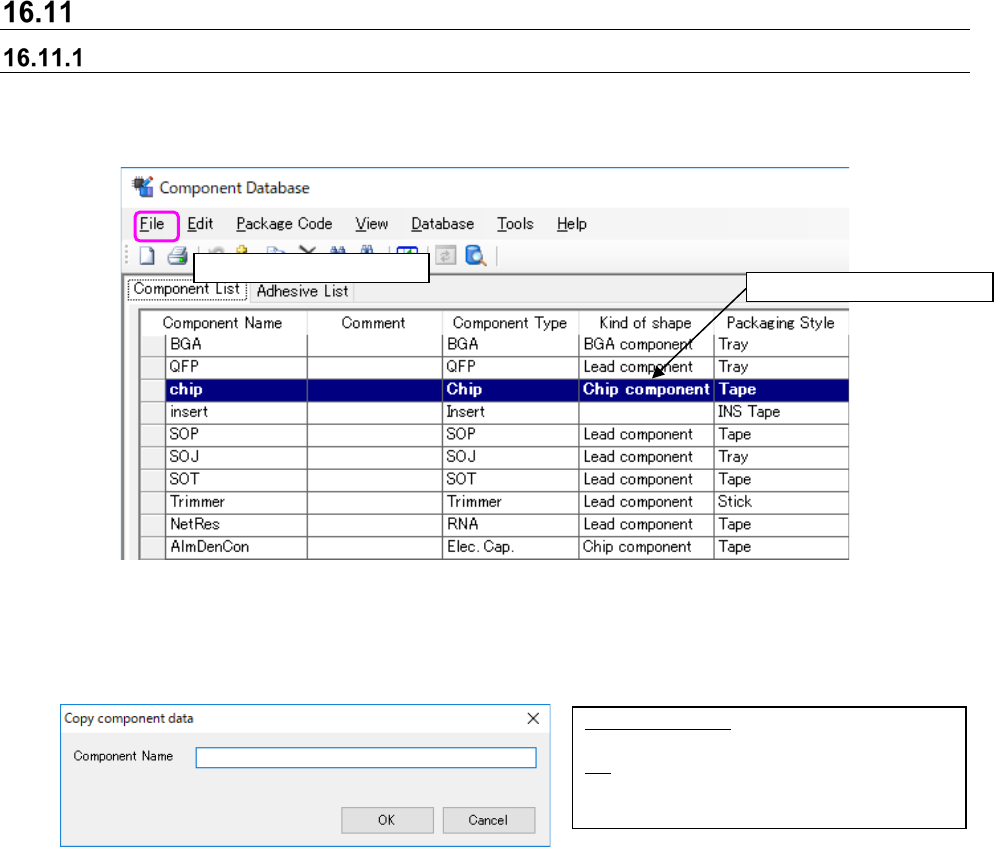
Copying component data
This works from the top of the component database overview screen. The rows copied are added
to the final row.
Figure 16.11-1 Component database copying
Operate ① and ② to display the screen below. Component names input into the screen below
become multiple copies of the component name.
Figure 16.11-2 Component name input screen
Select
②
[Edit] - [Copy].
Select
①
the lines to copy.
Component Name: Holds up to 60
characters of alphanumeric code.
OK: Sets the input of the component name
into the component data overview
screen.