JANETS_INM.pdf - 第63页
JaNets Instr ucti on Man ual 2. Install ation 2- 35 2.5.1 .2 Disabling the Firewall Disa ble the F irewa ll. Whe n the Firewa ll is enab led, the JaNe ts system cann o t commun icate w ith any machi ne. * Since an RX -7 …
JaNets Instruction Manual 2. Installation
2-34
You have finished creating a user account at this point.
- The cautions after account creation
The drive C becomes used as a ROM by using EWF (Enhanced Write Filter) for protecting the
OS in the machine. Since the contents written in drive C is deleted at the time of a restart of PC,
perform updating operation according to the Section "2.5.1.4 Updating the Drive C" when you
change the information on the OS.
JaNets Instruction Manual 2. Installation
2-35
2.5.1.2 Disabling the Firewall
Disable the Firewall. When the Firewall is enabled, the JaNets system cannot communicate with
any machine.
* Since an RX-7 series uses the different communication system, you do not have to make any
setting here.
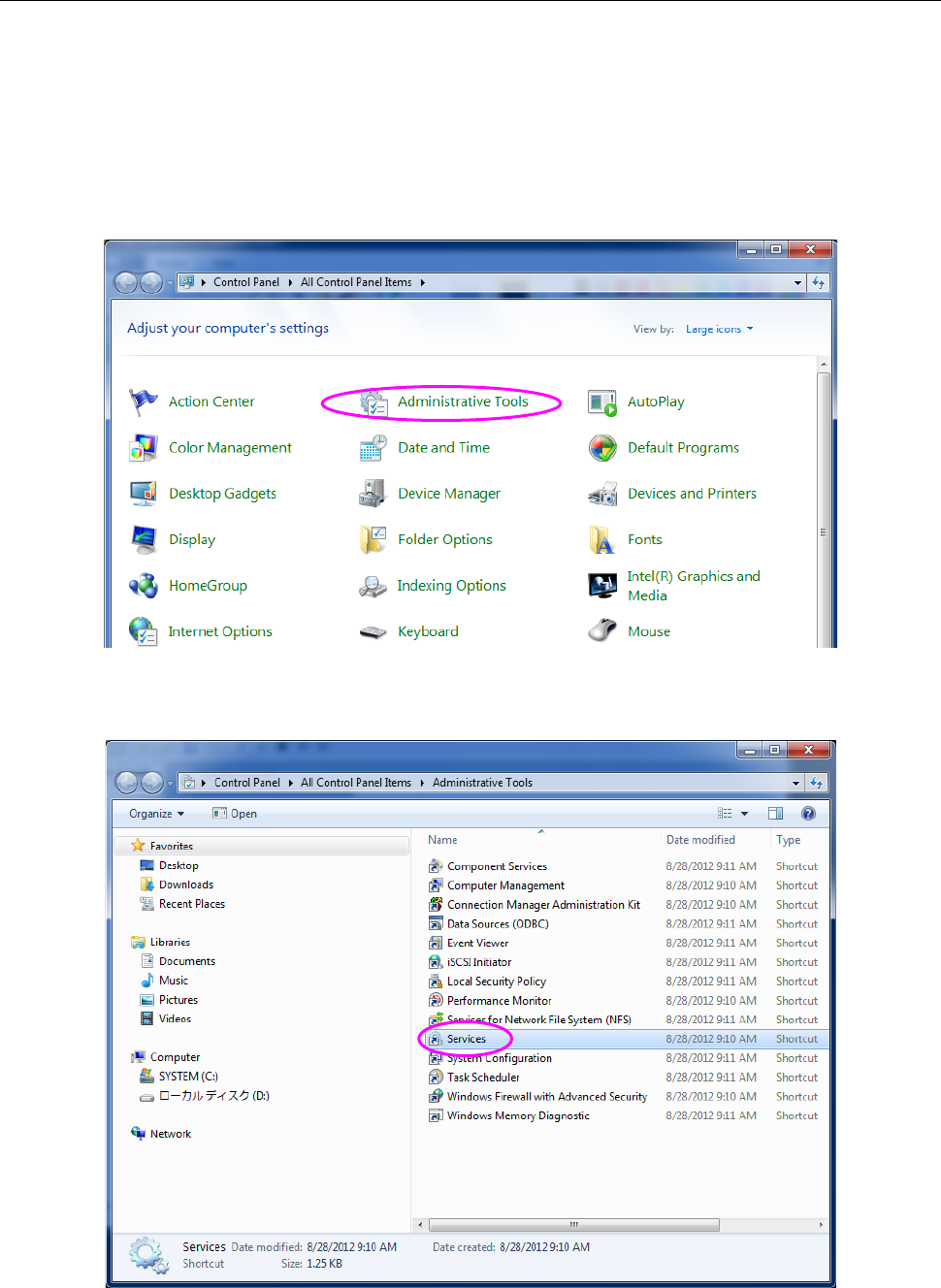
(1) Display the “Control Panel” displayed with a machine from the “Start” menu as shown in
Figure 2.5-8, and selects the “Administrative Tools” displayed with a machine.” The screen
shown in Figure 2.5-9.
Figure 2.5-8 “Control Panel” displayed with a machine
(2) Select the “Services” from the “Administrative Tools.”
Figure 2.5-9 “Administrative Tools” displayed with a machine
JaNets Instruction Manual 2. Installation
2-36
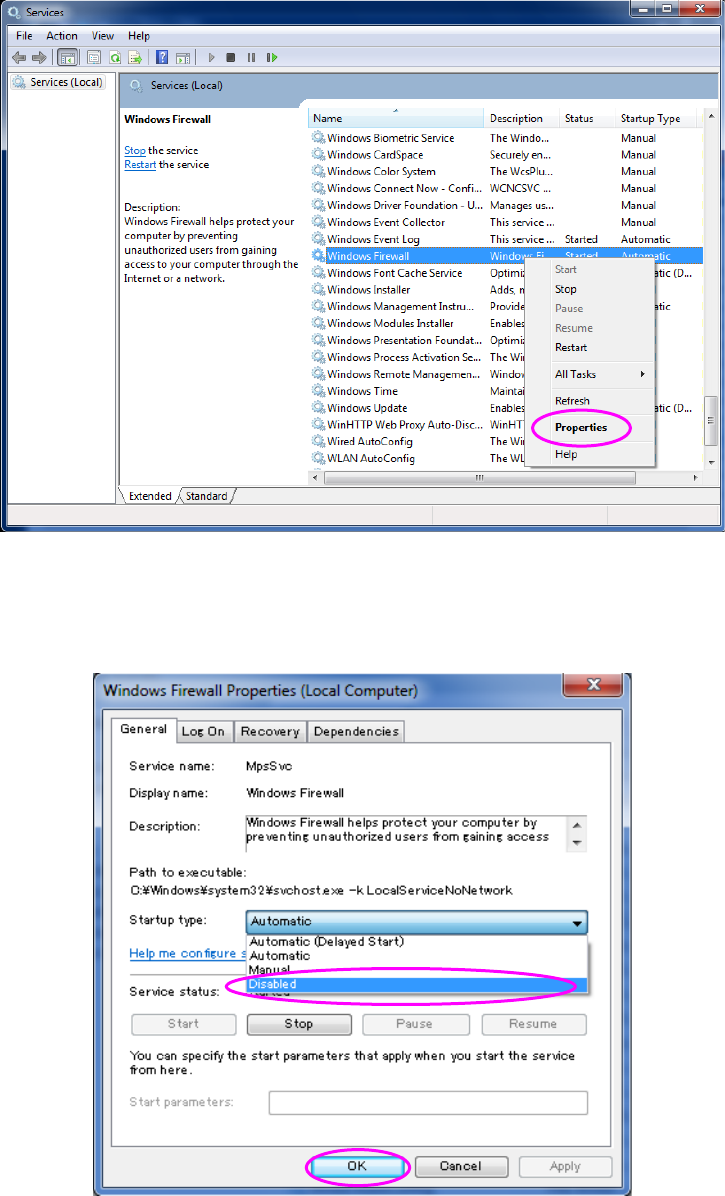
(3) If “Started” is displayed in the “Status” cell of the “Windows Firewall” on the “Services” menu,
right-click it, and then click [Properties] on the pop-up menu.
Figure 2.5-10 “Services” screen (displayed with a machine) 1
The Properties dialog box appears. On the General tab, set to “Disabled” for “Startup Type”,
and then the click <OK> button.
Figure 2.5-11 “Services” screen (displayed with a machine) 2
You have finished disabling the Firewall at this point.