JANETS_INM.pdf - 第635页
JaNets In structio n Manual 16 Component D ataba se 16 - 35 D isp la y by co mponen t ty pe It displays com ponent databas e by comp onent t ype by selecti ng the [V iew] - [By Compone nt T ype] command. Figure 16.16 -1 …
JaNets Instruction Manual 16 Component Database
16-34
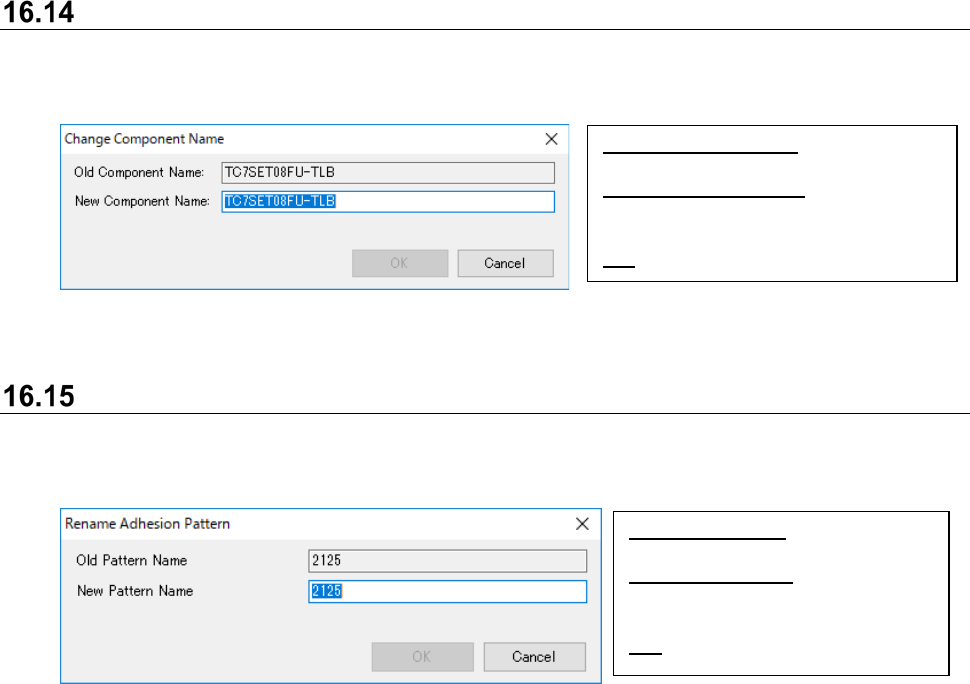
Change component name
Component name is assigned with requested name by selecting the [Edit] - [Change component
name] command.
Figure 16.14-1 Change component name
Rename adhesion pattern
Component name is assigned with requested name by selecting the [Edit] - [Change adhesion
pattern name] command.
Figure 16.15-1 Change adhesion pattern name
Old Component Name: Displays current
component name.
New Component Name: Input
requested component name. Holds up
to 60 alphanumeric characters.
OK:
Change component name.
Old Pattern Name: Displays current
pattern name.
New Pattern Name: Input requested
pattern name. Holds up to 8
alphanumeric characters.
OK: Change adhesion pattern name.
JaNets Instruction Manual 16 Component Database
16-35
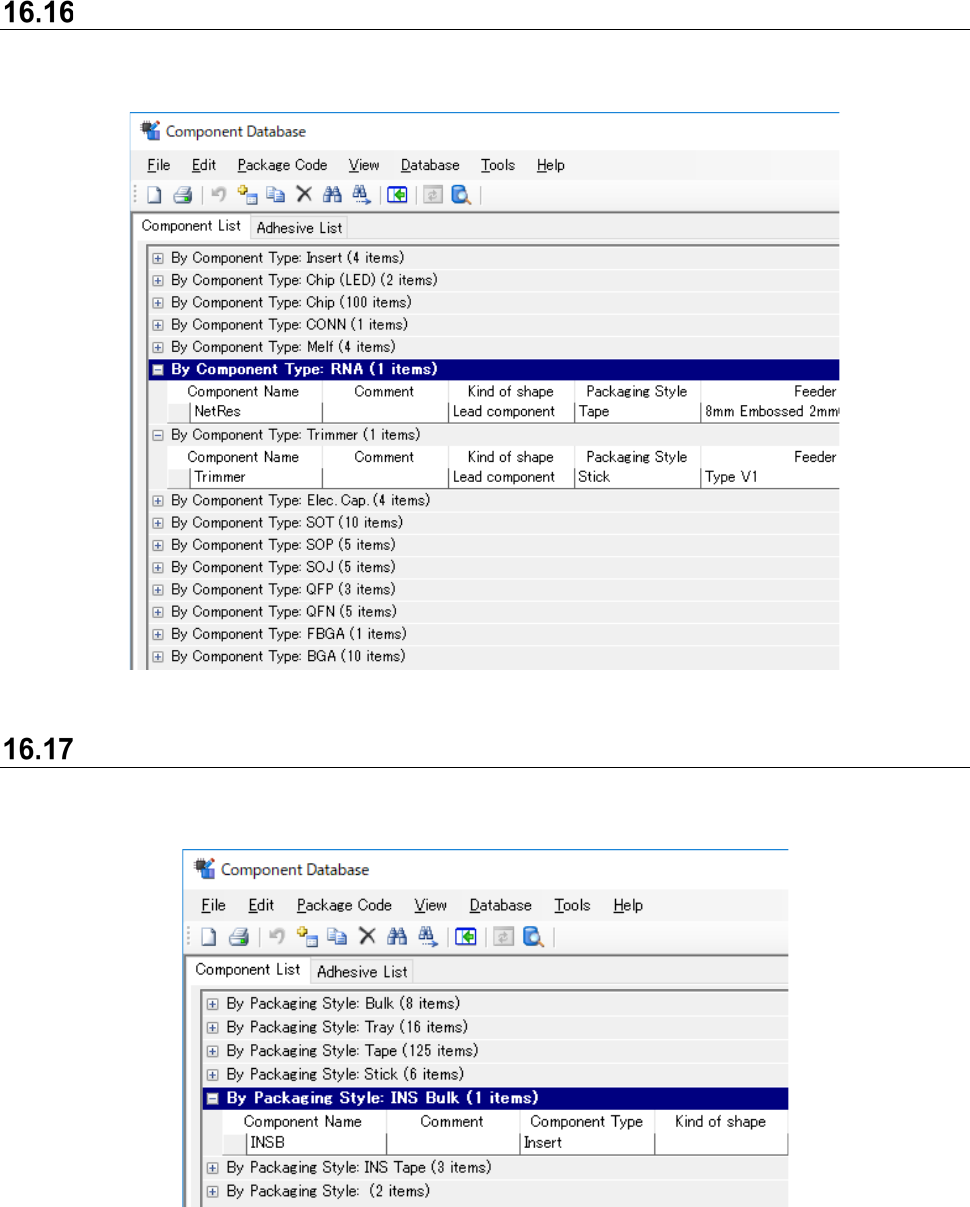
Display by component type
It displays component database by component type by selecting the [View] - [By Component Type]
command.
Figure 16.16-1 Display by component type
Display by packaging style
It displays component data/component reel by component type by selecting the [View] - [By
Component Code] command.
Figure 16.17-1 Display by packaging style
JaNets Instruction Manual 16 Component Database
16-36
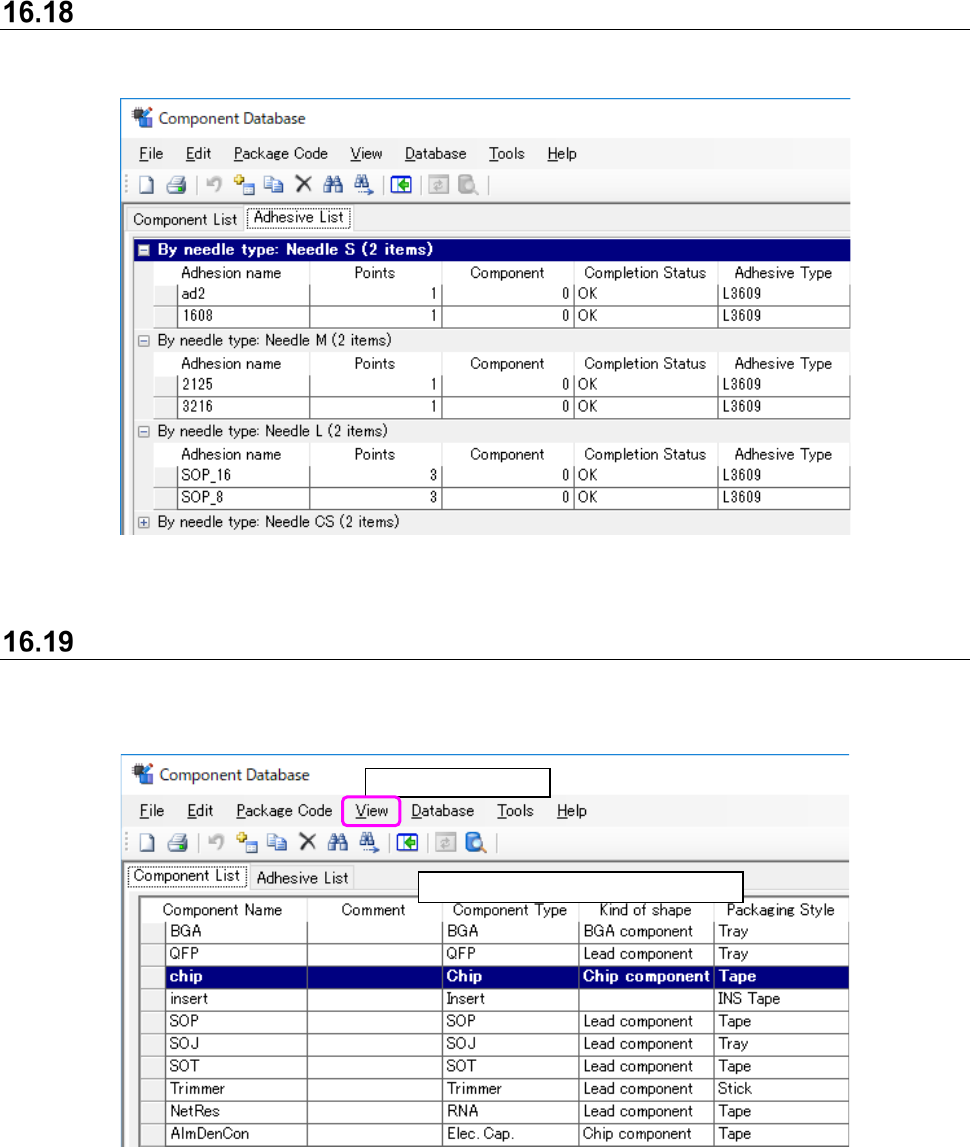
Display by needle type
It displays adhesion data by needle type by selecting the [View] - [By needle type] command.
Figure 16.18-1 Display by needle type
Display all
All component data whether [Component type] or [Packaging style] is displayed irrespective of
type.
Figure 16.19-1 Screen after selection of [All]
Select [View] - [All].
Displays data in order of registration.