JANETS_INM.pdf - 第643页
JaNets In structio n Manual 16 Component D ataba se 16 - 43 Panel di splay This sets the items display ed on c ompone nt data p anel. B y select ing dis play set tings from the tre e view , panel disp lay sett ings can b…
JaNets Instruction Manual 16 Component Database
16-42
Item
Description
Association of a needle with
adhesive agent
Specify association of a needle with adhesive agent.
Confirmation for overwriting data at
import
Select whether to overwrite data or not if Component data with the same
name already exists when the data is imported.
Data of a machine model whose corresponding check box is checked off is to
be overwritten.
External Output Function Default
setting for Feeder Setup control
Specify the respective default values to be used with the settings of the feeder
setup control function of the External Output Function. The default values
are shown below:
Warning level of the number of remaining components: 0
Length of the component tape for stopping the machine: 0
Length of tape for starting detection of splicing: 0
Length of the tape area for detecting splicing: 1000
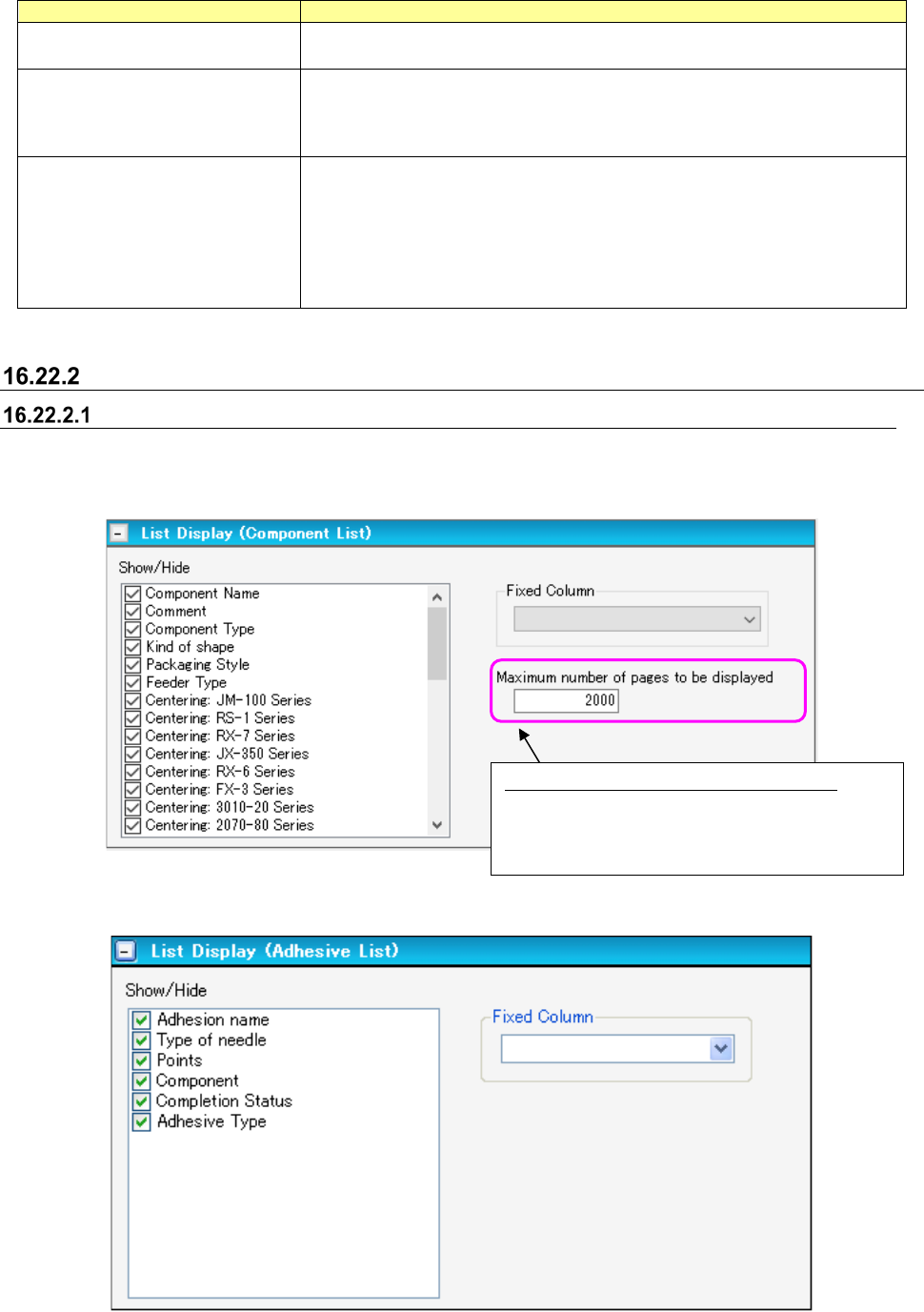
Display settings
List display settings
This sets the items for display in each list. By selecting setting lists from the tree view, list display
settings can be switched.
Figure 16.22-3 List display settings (Component List)
Figure 16.22-4 List Display settings (Adhesive List)
Maximum number of pages to be displayed:
Maximum number of component data records that
can be displayed on the Component data list after
the system searches the Component Database
JaNets Instruction Manual 16 Component Database
16-43
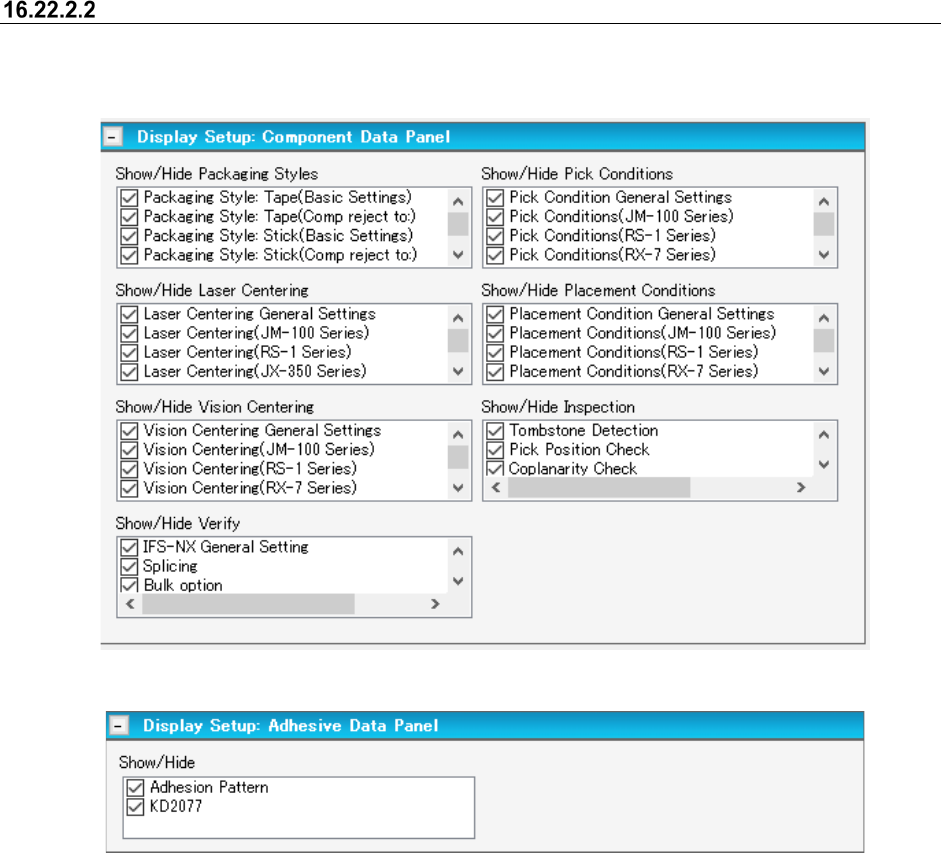
Panel display
This sets the items displayed on component data panel. By selecting display settings from the tree
view, panel display settings can be switched.
Figure 16.22-5 Display settings (Component data panel)
Figure 16.22-6 Display settings (Adhesive Data Panel)
JaNets Instruction Manual 16 Component Database
16-44
Package code
Package code contains component data information such as dimension, centering information, etc.
This package code allows you to enter data more effciently with package code because there are
so many components having difference in only package.
This package code also serves as an effective function for the components that are equal in a
packaging style, component size, etc. but different in the resistance, capaciyty, etc.
When creating component data with package code, you can enter data more correctly and
efficiently.
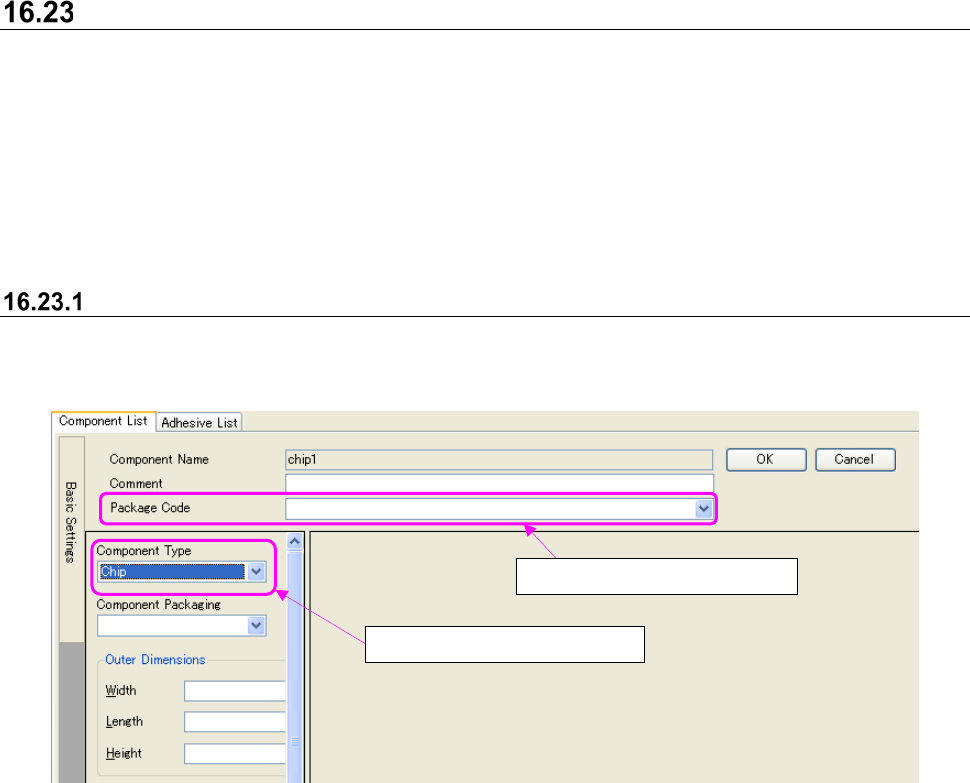
Component data creation with package code
When creating component data with package code, you can enter data more correctly and
efficiently.
Figure 16.23-1 Component form screen
* When component type is selected again, association with package code will be cancelled.
* When it is focused on the compo box of package code and [Delete] key is pressed, association
with package code will be cancelled.
* When package code is selected, the [Edit] – [Return to home] command will be invalid.
①
Select component type.
②
Select package code.