JANETS_INM.pdf - 第644页
JaNets In structio n Manual 16 Component D ataba se 16 - 44 Pack age c ode Package c ode co ntains co mponent data inf ormat ion such a s dimen sion, cent ering informat ion, etc . This packag e code al lows you t o ente…
JaNets Instruction Manual 16 Component Database
16-43
Panel display
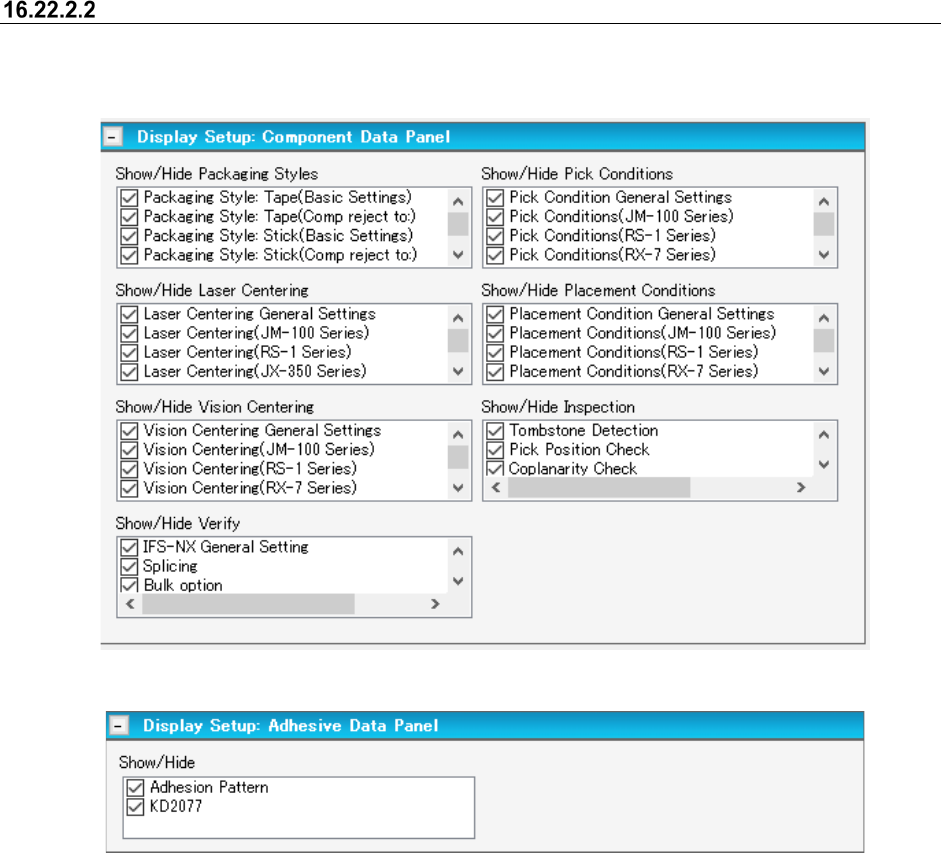
This sets the items displayed on component data panel. By selecting display settings from the tree
view, panel display settings can be switched.
Figure 16.22-5 Display settings (Component data panel)
Figure 16.22-6 Display settings (Adhesive Data Panel)
JaNets Instruction Manual 16 Component Database
16-44
Package code
Package code contains component data information such as dimension, centering information, etc.
This package code allows you to enter data more effciently with package code because there are
so many components having difference in only package.
This package code also serves as an effective function for the components that are equal in a
packaging style, component size, etc. but different in the resistance, capaciyty, etc.
When creating component data with package code, you can enter data more correctly and
efficiently.
Component data creation with package code
When creating component data with package code, you can enter data more correctly and
efficiently.
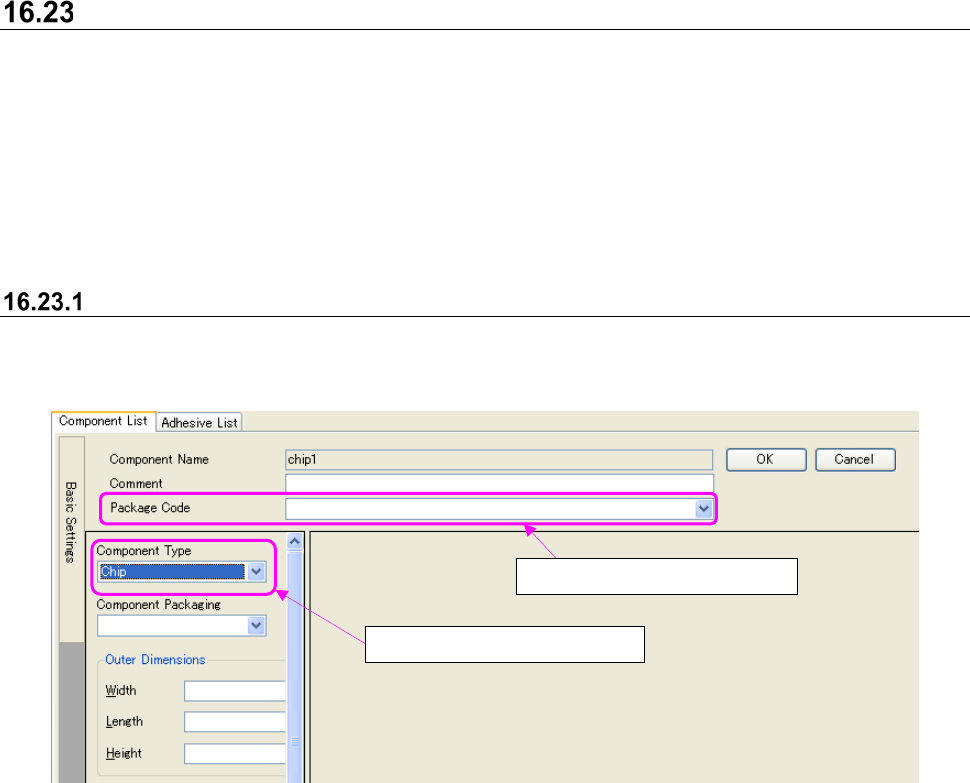
Figure 16.23-1 Component form screen
* When component type is selected again, association with package code will be cancelled.
* When it is focused on the compo box of package code and [Delete] key is pressed, association
with package code will be cancelled.
* When package code is selected, the [Edit] – [Return to home] command will be invalid.
①
Select component type.
②
Select package code.
JaNets Instruction Manual 16 Component Database
16-45
Package code editing
Package code is created based on the specific component data and the associated adhesion data.
However, package code does not cover user ball pattern data of component data. You can decide
whether to include a comment of component data in editing of a package code on the “Set
Environments” screen as shown below.
“Comment is registered too when a package code is registered”:
- A comment of a package is overwritten when “Add” or “Update” is executed.
“Comment is loaded too when a package code is registered”:
- When you select the “Package Code” combo box, a comment is loaded from the package
code, and then displayed on the screen.
- When “Add” or “Assign” is executed, a comment is loaded from the package code, and
then stored in the target component data.
- When the “Update a package code and the related component data” is executed, a
comment of the target component data is updated.
Package code is managed with component data when it is created. Therefore, the package dode
will not be changed even if basic component data and associated adhesion data are changed after
the package code is created.
The way to create and change package code is described as follows:
Package code addition
Package code is newly created based on specific component data information. It is created on
component form screen.
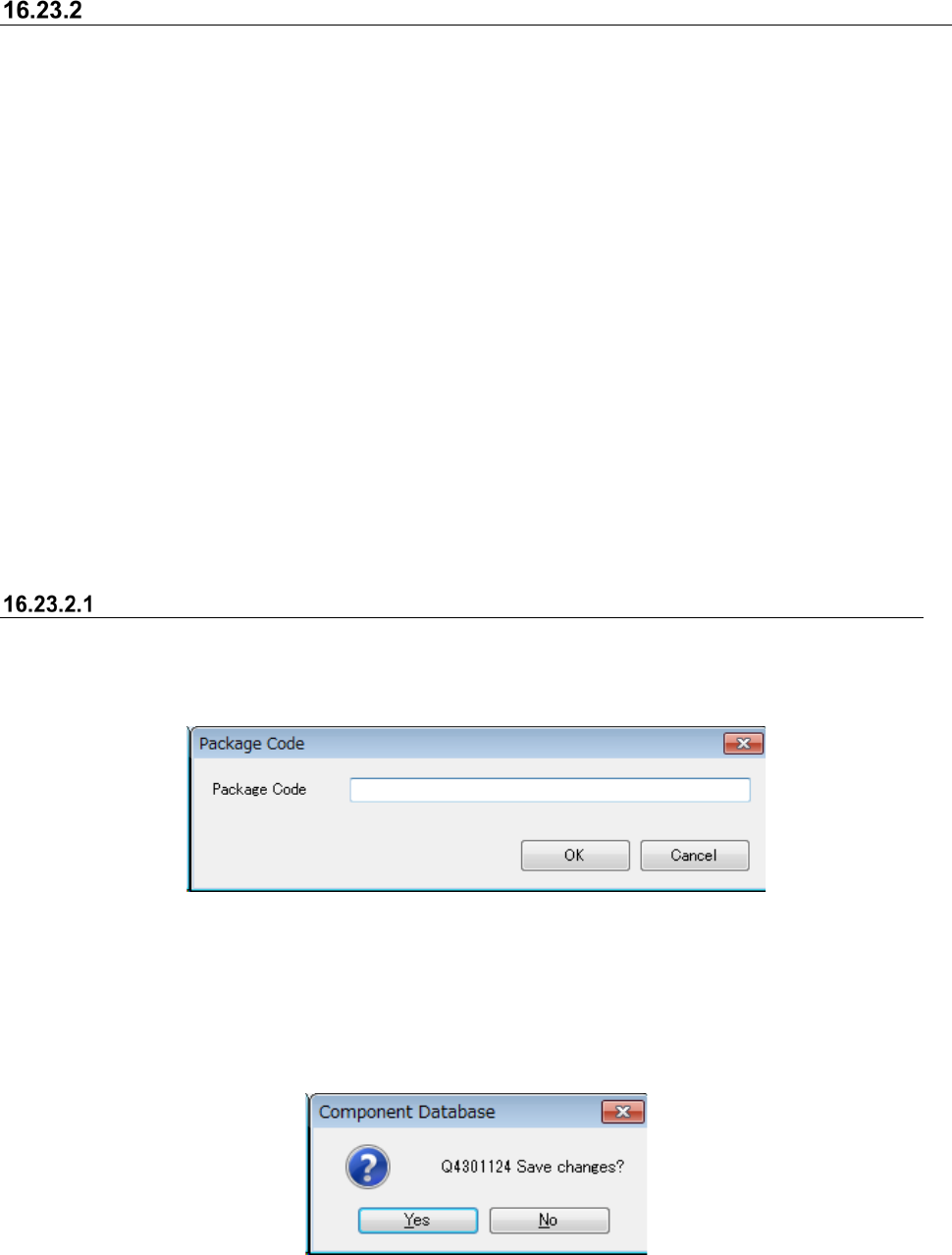
Package code name input screen appears if the [Package code] – [Add] command is selected.
Figure 16.23-2 Package code input screen
Package Code : It can be input up to 60 alphameric one-byte characters.
OK : Package code is created in selected component data.
Cancel : Package code is not created.
Save confirmation message appears if basic component data is being edited.
Figure 16.23-3 Save confirmation message
Yes : Saves data being edited, and displays package code name input screen.
No : Restores data being edited, and displays package code name input screen.