JANETS_INM.pdf - 第647页
JaNets In structio n Manual 16 Component D ataba se 16 - 47 Package code update Package code is updat ed with com ponent dat a hav ing pac kage code. Select the [ Package Co de O nly] or [Packa ge code a nd related com p…
JaNets Instruction Manual 16 Component Database
16-46
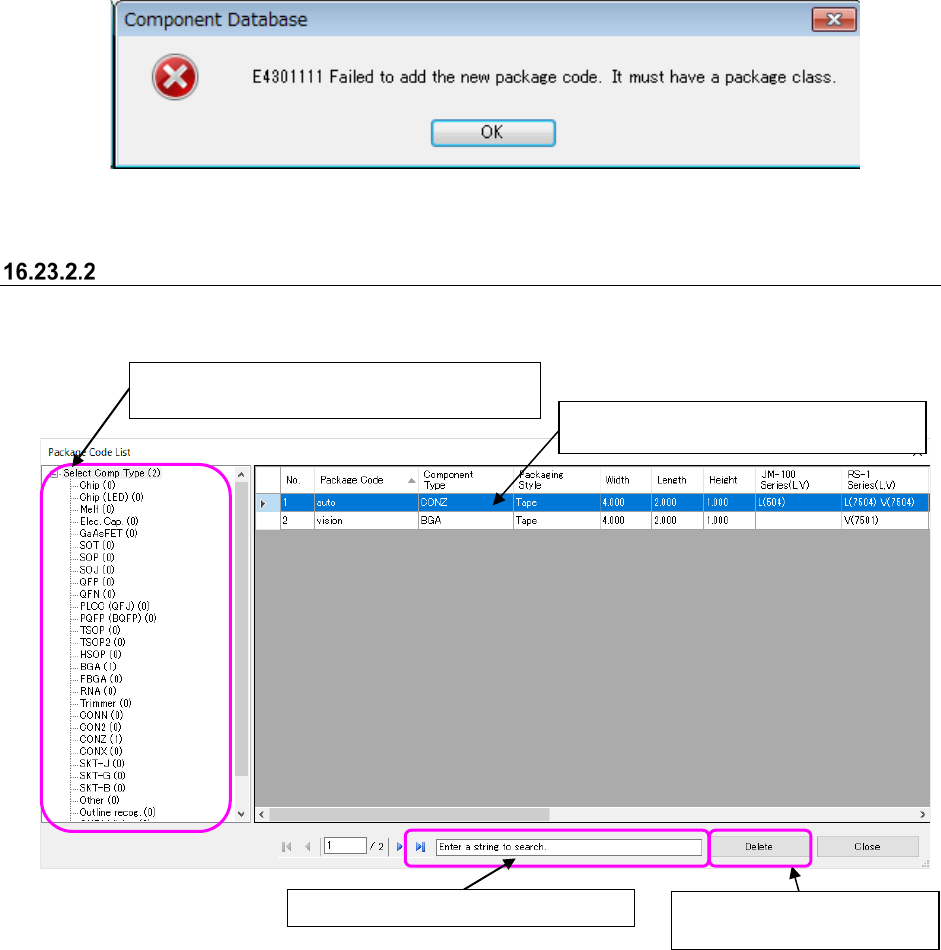
If component type is not set, the following error message appears, and package code is not
created.
Figure 16.23-4 Component type unset error message
Package code deletion
Package code is deleted from registered package codes.
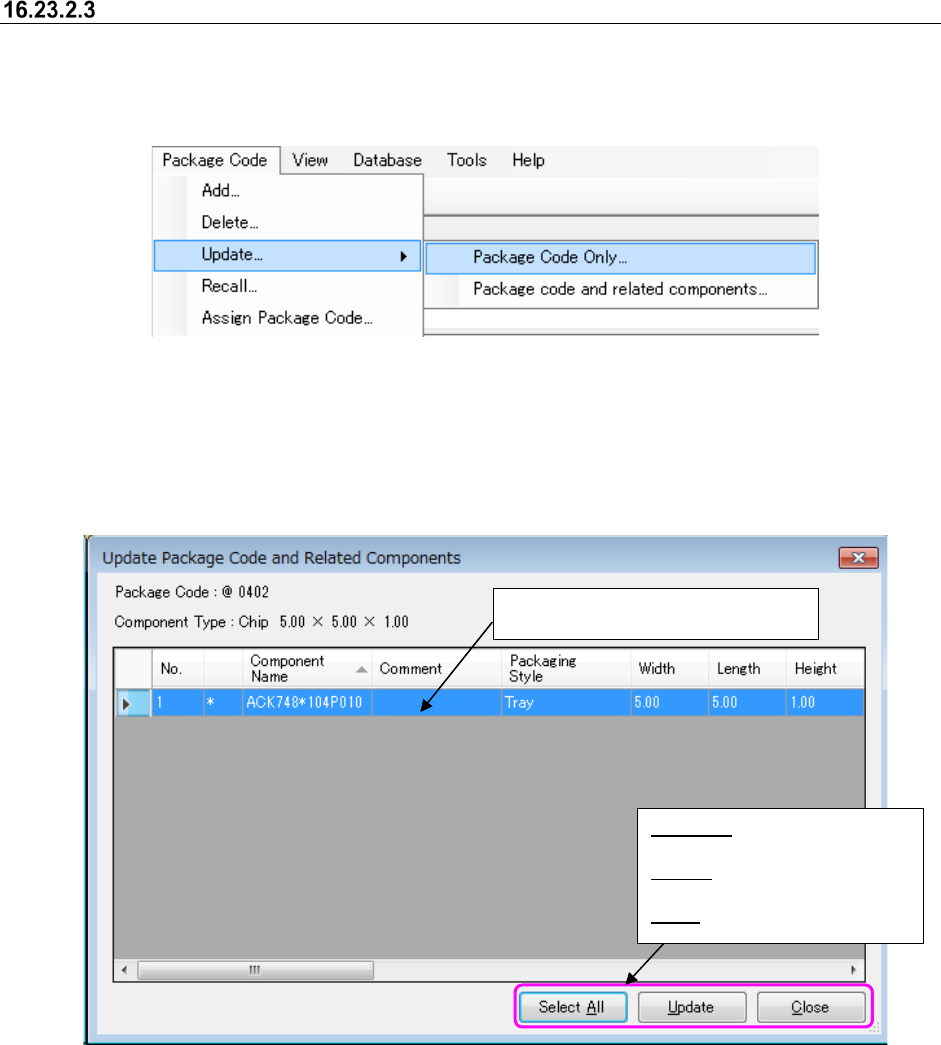
Package Code List screen appears if the [Package code] – [Delete] command is selected.
Figure 16.23-5 Package Code List screen
If packlage code is deleted, association with component data associated with deleted package
code is also deleted.
①
Select the lines to delete. You can
make multiple choices.
②
Deletes package code by
pressing "Delete" button.
Select Comp Type is displayed in a list if it is
selected in a tree view.
Searches package code name.
JaNets Instruction Manual 16 Component Database
16-47
Package code update
Package code is updated with component data having package code.
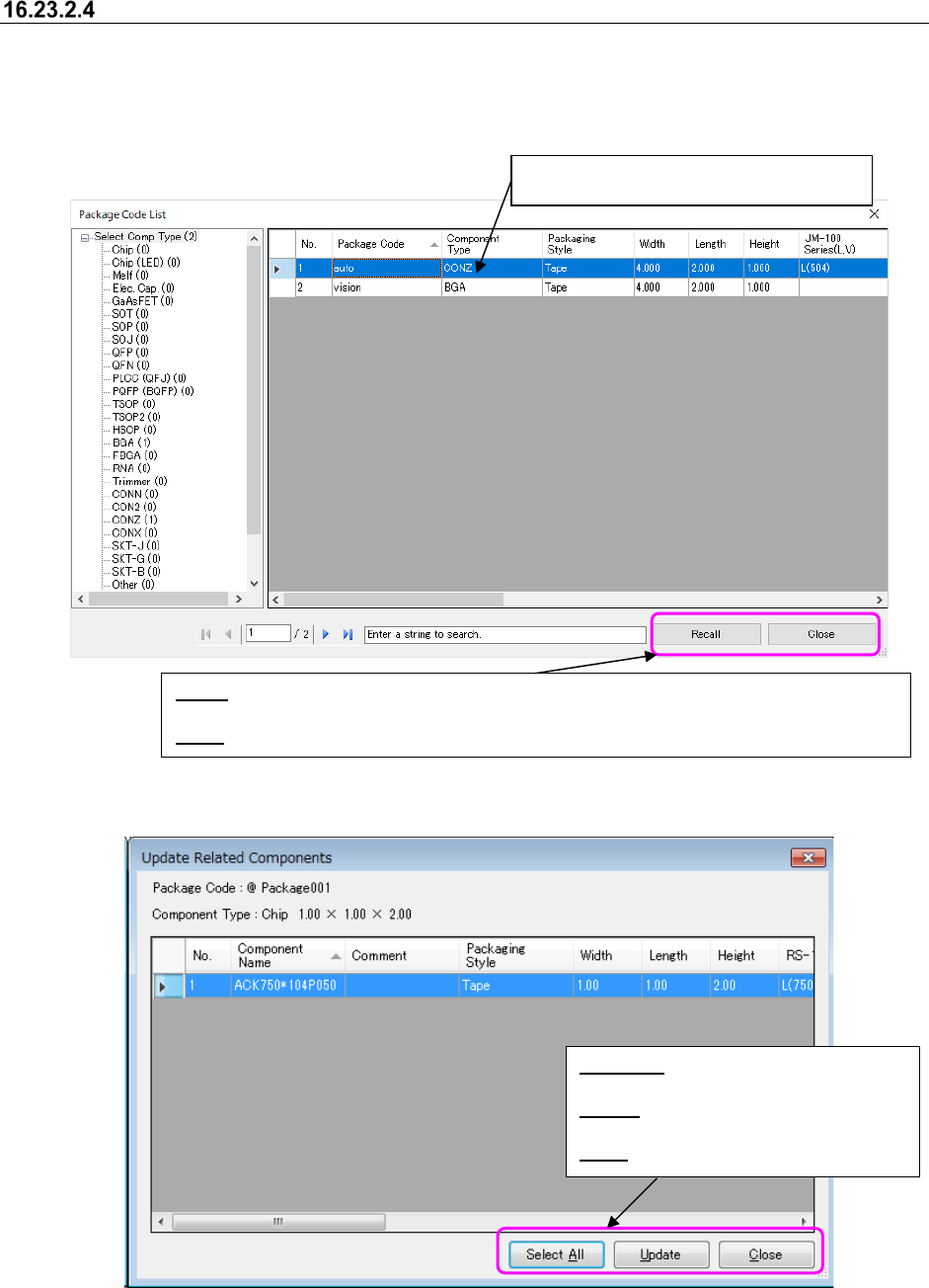
Select the [Package Code Only] or [Package code and related component] command to update
package code.
Figure 16.23-6 Package code update menu
Only package code is updated if [Package Code Only] menu is selected.
Package code is updated and also a list screen of component data associated with further
Updated Package Code and Related Components screen appears if [Package code and related
components] is selected.
Figure 16.23-7 Componenet data list screen associated with package code
Select the lines to update.
You can make multiple choices.
Select All: Selects all the lines
displayed in a list.
Update: Updates component
data in the lines selected.
Close: Closes a list screen.
JaNets Instruction Manual 16 Component Database
16-48
Package code recall
If the package code is recalled, all usable codes are displayed in a list and component data with
the same package code is updated in component database.
Package Code List screen appears if the [Package code] – [Recall] command is selected.
Figure 16.23-8 Package Code List screen
Figure 16.23-9 Related component list screen
Select the lines to recall package code.
You cannot make multiple choices.
Select All: Selects all the lines displayed
in a list.
Update: Updates component data in the
lines selected.
Close: Closes a list screen.
Recall: Displays a list screen of component data associated with package code in the lines
selected.
Close
: Closes a screen after ending recall of package code.