JANETS_INM.pdf - 第648页
JaNets In structio n Manual 16 Component D ataba se 16 - 48 Package code recall If the package c ode is rec alled, al l usable cod es are displayed i n a list and com ponent dat a with the same pac kage co de is updated …
JaNets Instruction Manual 16 Component Database
16-47
Package code update
Package code is updated with component data having package code.
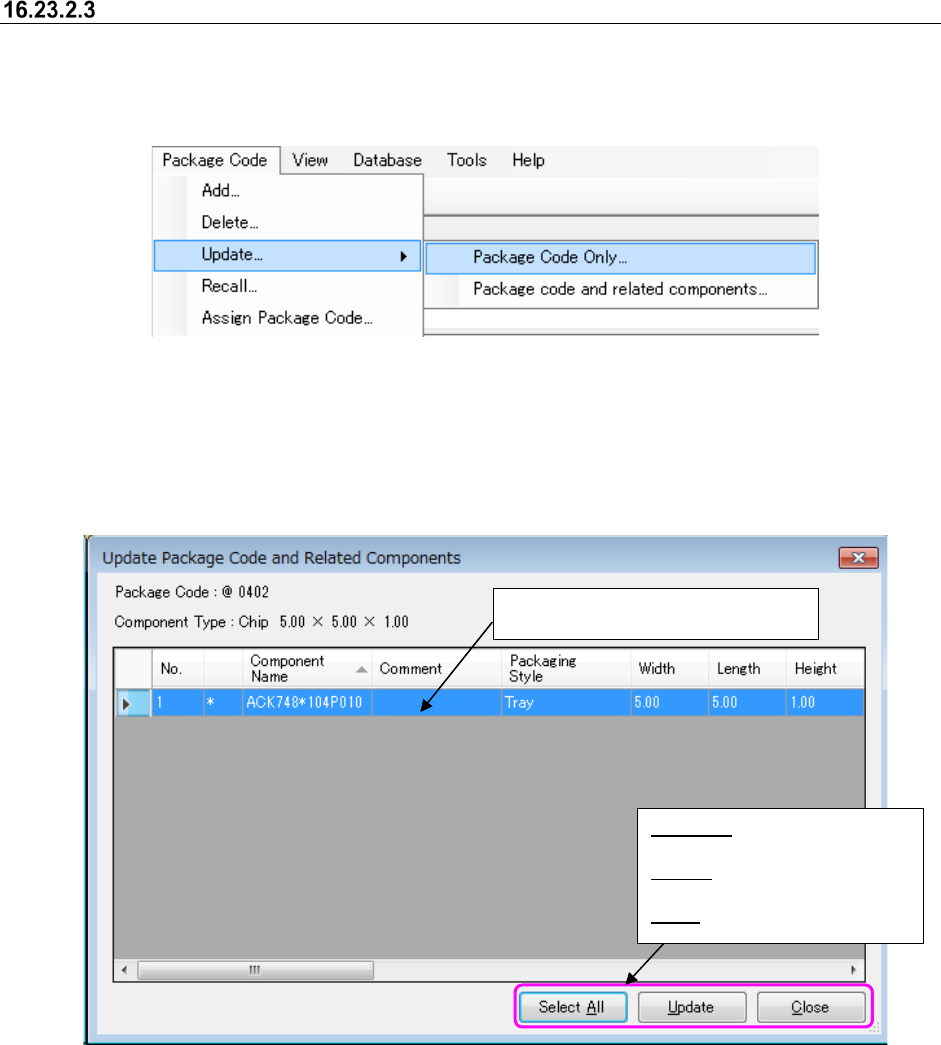
Select the [Package Code Only] or [Package code and related component] command to update
package code.
Figure 16.23-6 Package code update menu
Only package code is updated if [Package Code Only] menu is selected.
Package code is updated and also a list screen of component data associated with further
Updated Package Code and Related Components screen appears if [Package code and related
components] is selected.
Figure 16.23-7 Componenet data list screen associated with package code
Select the lines to update.
You can make multiple choices.
Select All: Selects all the lines
displayed in a list.
Update: Updates component
data in the lines selected.
Close: Closes a list screen.
JaNets Instruction Manual 16 Component Database
16-48
Package code recall
If the package code is recalled, all usable codes are displayed in a list and component data with
the same package code is updated in component database.
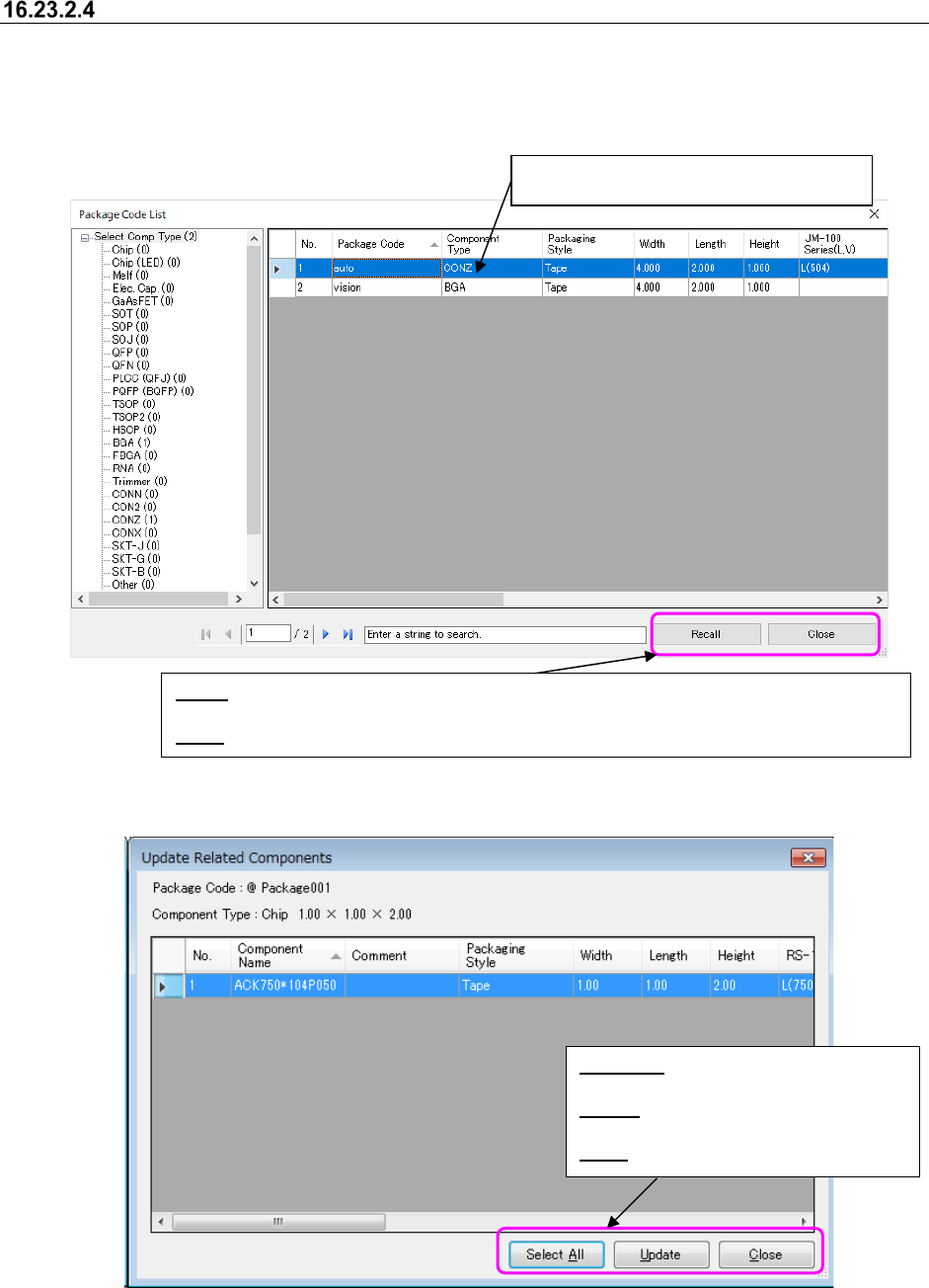
Package Code List screen appears if the [Package code] – [Recall] command is selected.
Figure 16.23-8 Package Code List screen
Figure 16.23-9 Related component list screen
Select the lines to recall package code.
You cannot make multiple choices.
Select All: Selects all the lines displayed
in a list.
Update: Updates component data in the
lines selected.
Close: Closes a list screen.
Recall: Displays a list screen of component data associated with package code in the lines
selected.
Close
: Closes a screen after ending recall of package code.
JaNets Instruction Manual 16 Component Database
16-49
Package code assignment
Set package code at once in two or more component data.
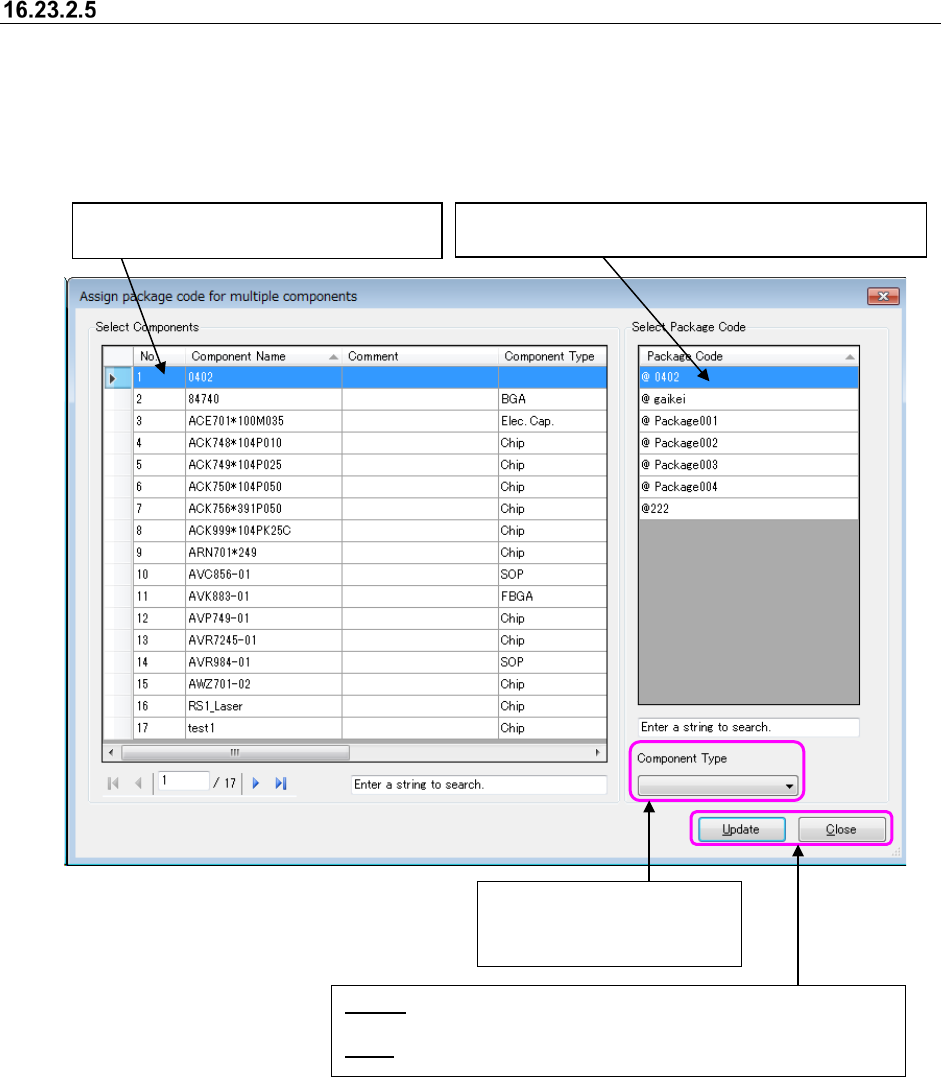
Package code list screen appears if [Package code] – [Assignment] menu is selected.
* The component name narrowed down by a search in the component database (component
name currently displayed on the component list screen) is displayed in the “Select Components”
area.
Figure 16.23-10 Package code assignment screen
Selects the lines to assign package code.
You can make multiple choices.
Select the lines to assign package code to component.
You cannot make multiple choices.
Update: Updates component data in package code by associating
package code with component data in the lines selected.
Close: Closes a list screen.
Narrows down package code
in selected componentn type
to display them in a list.