JANETS_INM.pdf - 第649页
JaNets In structio n Manual 16 Component D ataba se 16 - 49 Package code assignment Set package c ode at onc e in two or more c ompo nent dat a. Package code list scr een appe ars if [Pac kage code] – [ Assignme nt] menu…
JaNets Instruction Manual 16 Component Database
16-48
Package code recall
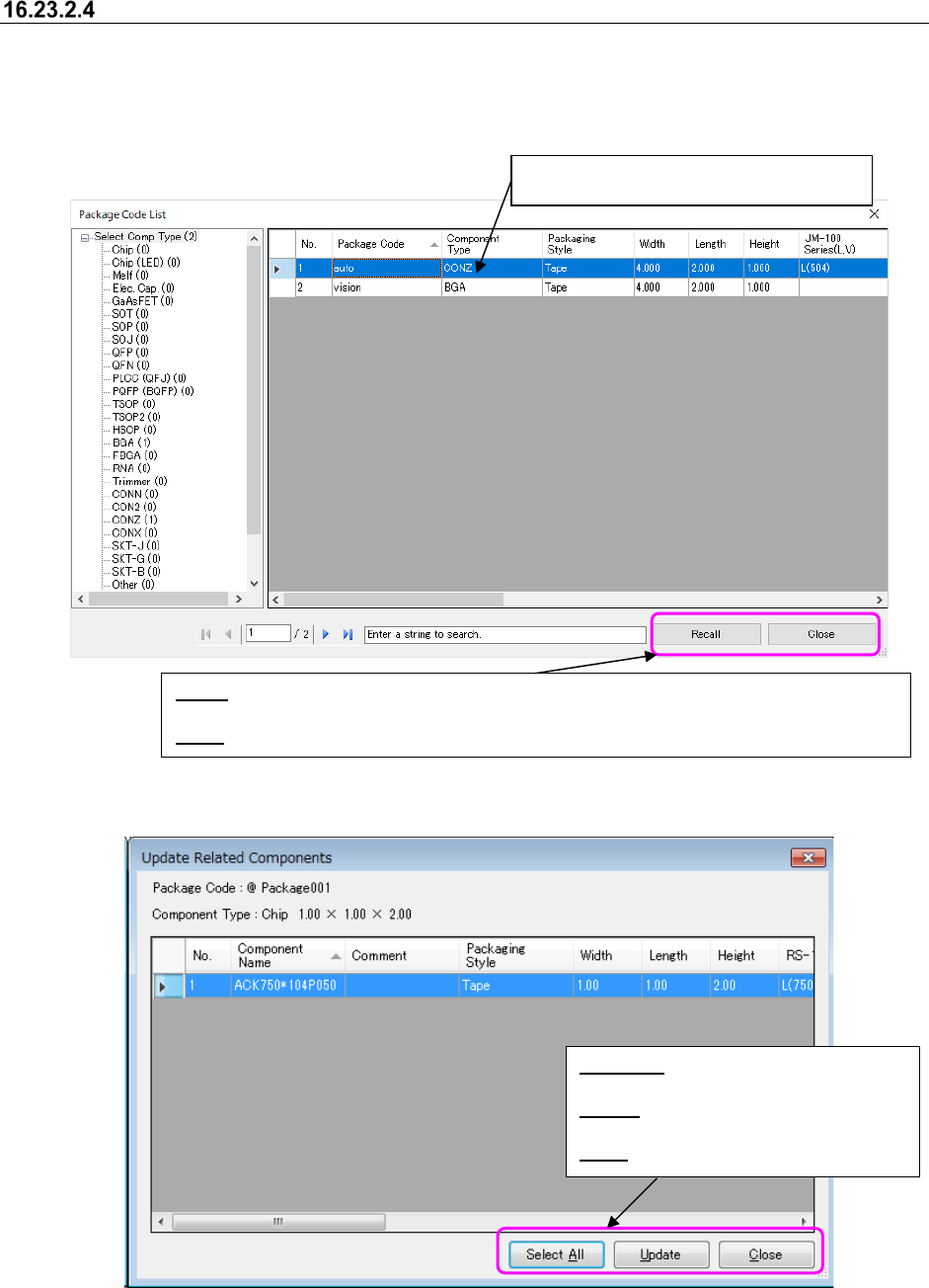
If the package code is recalled, all usable codes are displayed in a list and component data with
the same package code is updated in component database.
Package Code List screen appears if the [Package code] – [Recall] command is selected.
Figure 16.23-8 Package Code List screen
Figure 16.23-9 Related component list screen
Select the lines to recall package code.
You cannot make multiple choices.
Select All: Selects all the lines displayed
in a list.
Update: Updates component data in the
lines selected.
Close: Closes a list screen.
Recall: Displays a list screen of component data associated with package code in the lines
selected.
Close
: Closes a screen after ending recall of package code.
JaNets Instruction Manual 16 Component Database
16-49
Package code assignment
Set package code at once in two or more component data.
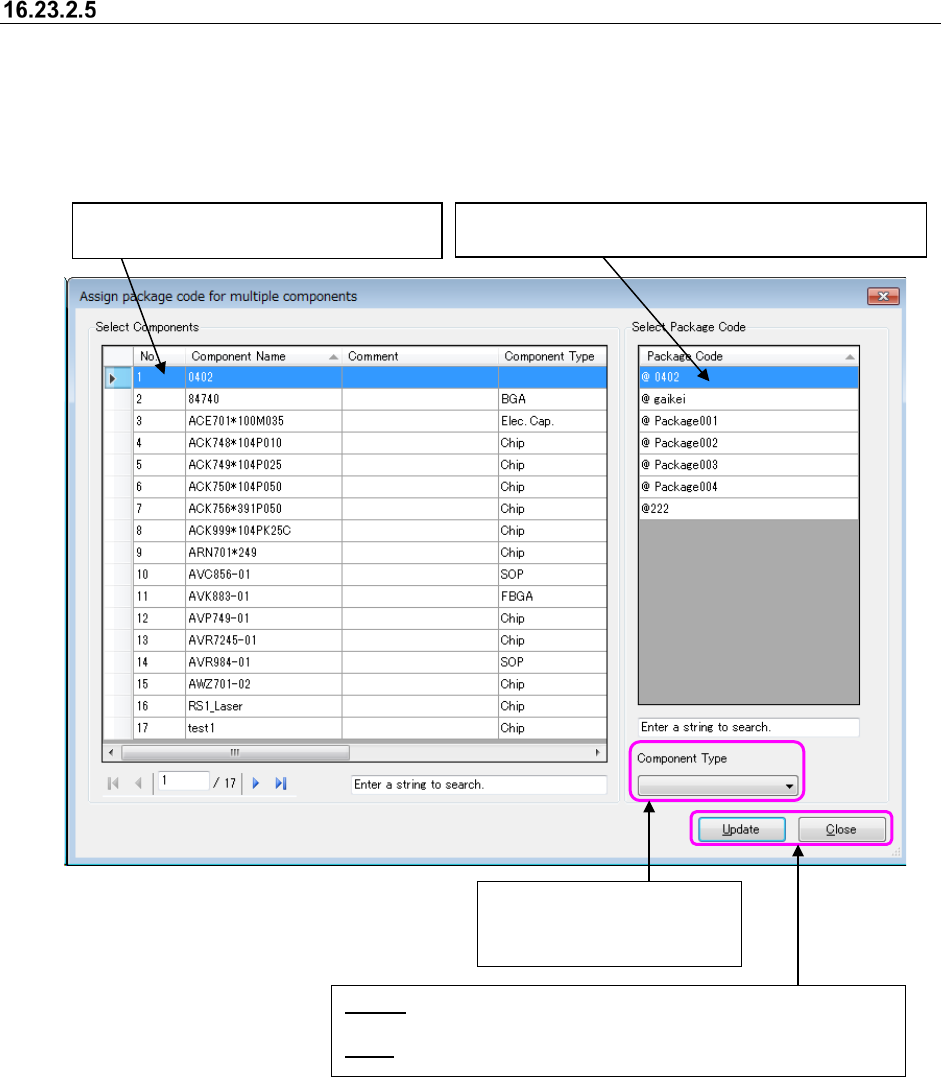
Package code list screen appears if [Package code] – [Assignment] menu is selected.
* The component name narrowed down by a search in the component database (component
name currently displayed on the component list screen) is displayed in the “Select Components”
area.
Figure 16.23-10 Package code assignment screen
Selects the lines to assign package code.
You can make multiple choices.
Select the lines to assign package code to component.
You cannot make multiple choices.
Update: Updates component data in package code by associating
package code with component data in the lines selected.
Close: Closes a list screen.
Narrows down package code
in selected componentn type
to display them in a list.
JaNets Instruction Manual 16 Component Database
16-50
Package code file import
You can import and then use package code file that was created with the main unit Component
Database/Flexline DB.
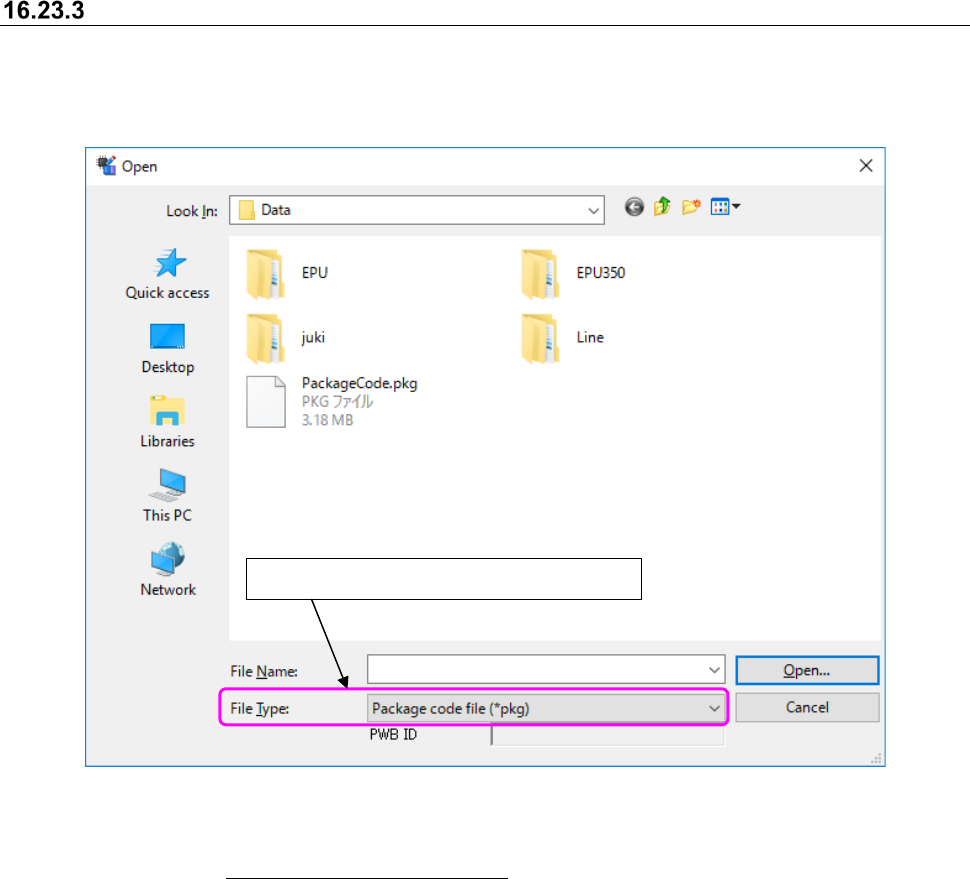
File selection screen appears if the [File] – [Importing external data] command is selected.
Figure 16.23-11 File selection screen
For a message given or an operation needed if the same package code data exists when it is
imported, refer to "16.5 Importing external data."
Select "Package code file (*flx)" in file type.