JANETS_INM.pdf - 第65页
JaNets Instr ucti on Man ual 2. Install ation 2- 37 2.5.1 .3 Setting a shared folder In order to d ownl oad a pro duction pr ogram f rom the Program Dow nload er , the shared f older which has a shared na me of "Pr …
JaNets Instruction Manual 2. Installation
2-36
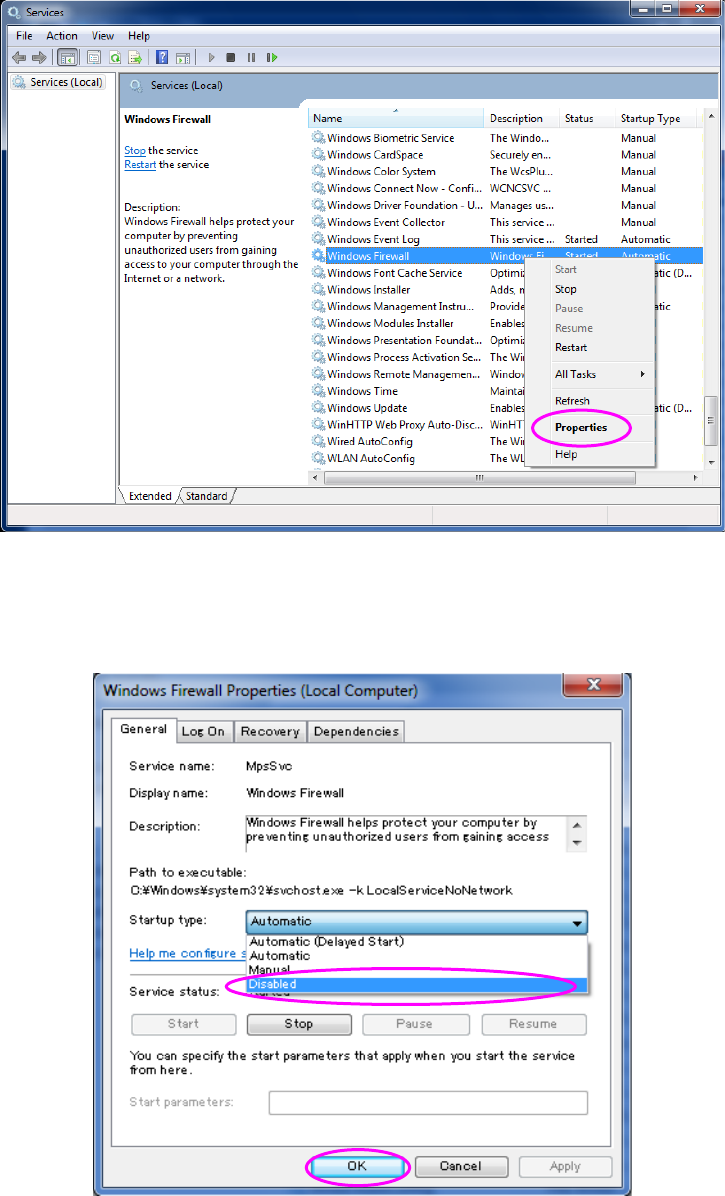
(3) If “Started” is displayed in the “Status” cell of the “Windows Firewall” on the “Services” menu,
right-click it, and then click [Properties] on the pop-up menu.
Figure 2.5-10 “Services” screen (displayed with a machine) 1
The Properties dialog box appears. On the General tab, set to “Disabled” for “Startup Type”,
and then the click <OK> button.
Figure 2.5-11 “Services” screen (displayed with a machine) 2
You have finished disabling the Firewall at this point.
JaNets Instruction Manual 2. Installation
2-37
2.5.1.3 Setting a shared folder
In order to download a production program from the Program Downloader, the shared folder which
has a shared name of "Prg" on the machine side is required. (This setup is unnecessary for an
RX-7 series.)
(1) Start up the Explorer and create a Prg folder through new document in the arbitrary places of
a drive D.
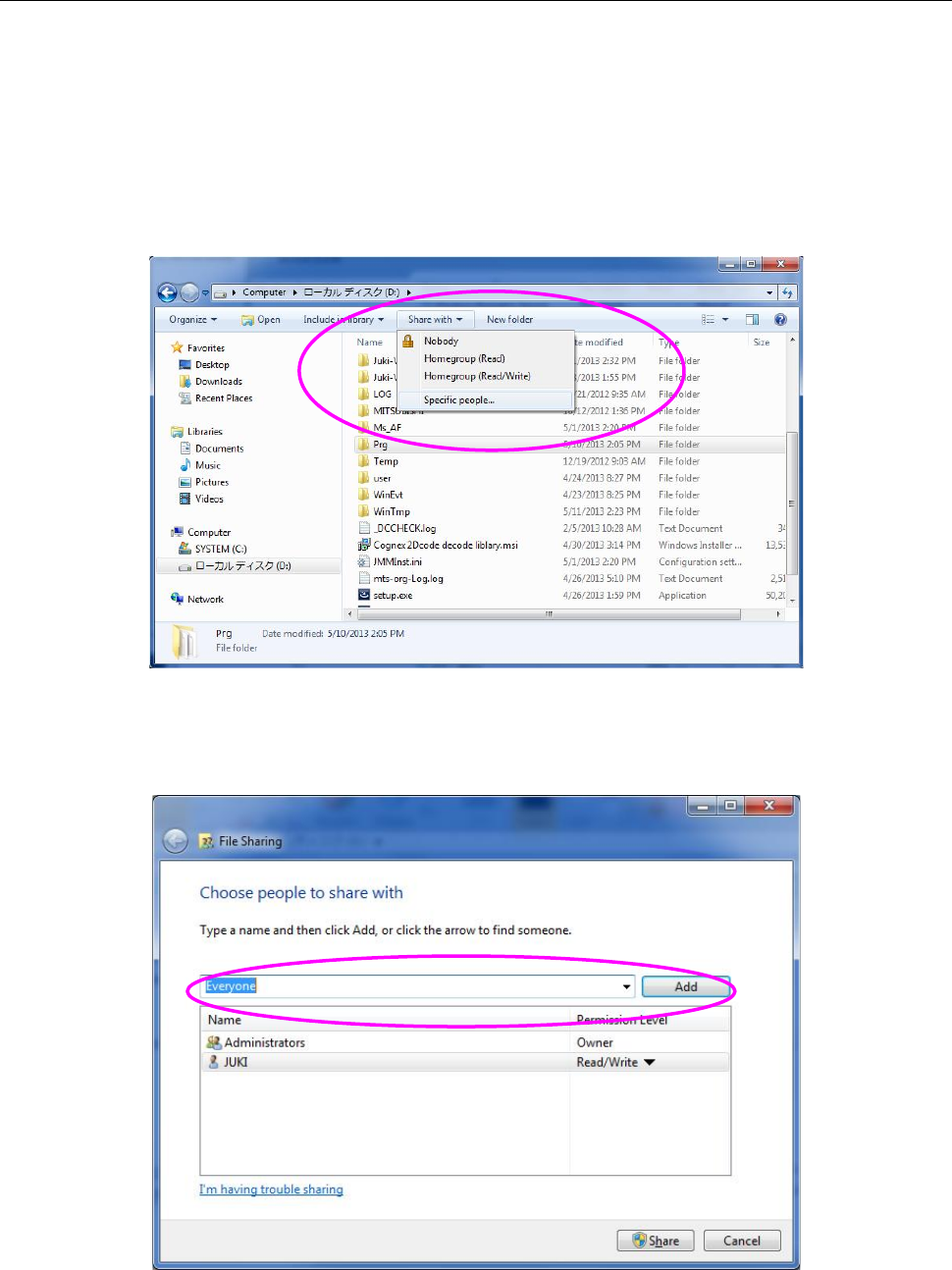
(2) In a state where your select the created Prg folder, select the "Share with" command from the
menu bar, and then the "Specific people" command from the Share with menu.
Figure 2.5-12 Shared folder setting (Windows 7)
(3) The "File Sharing" dialog box appears on the screen. Click the "Add" button in a state where
you select the "Everyone."
Figure 2.5-13 File Sharing dialog box (Windows 7)
JaNets Instruction Manual 2. Installation
2-38
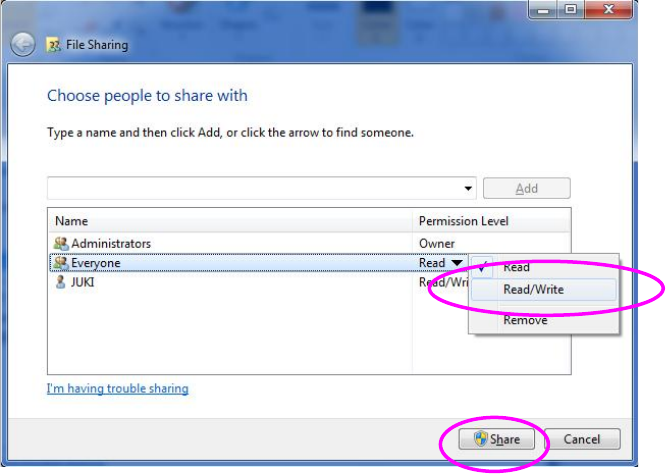
(4) The "Permission Level" of Everyone serves as "Read" by default on the above-mentioned
screen. Click this field to select "Read/Write," and click the "Share" button.
Figure 2.5-14 File Sharing dialog box (Windows 7)
(5) The drive C is used as a ROM by using EWF (Enhanced Write Filter) to protect the OS of the
machine. The contents written in a drive C are erased at the time of a reboot. When you
change the information on an OS, perform updating operation in accordance with the Section
"2.5.1.4 Updating the Drive C."