JANETS_INM.pdf - 第656页
JaNets In structio n Manual 17 Program Expl orer 17 -4 “ Production P rogram ” screen The displa y functions that can be s elected by t ool bar are as shown be low . T able 17.1 -1 T ree view display function Icon Descr …
JaNets Instruction Manual 17 Program Explorer
17-3
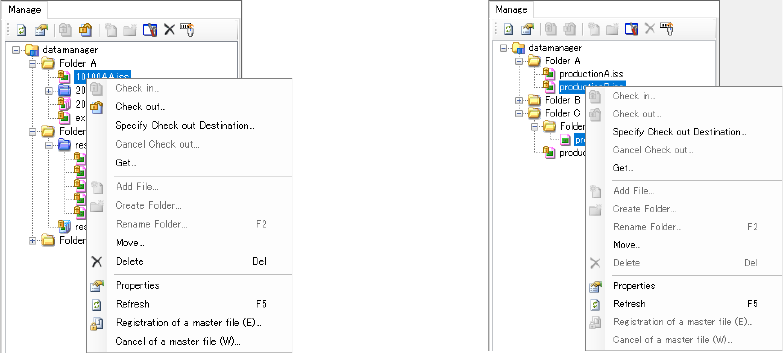
the screen. You can select an item that satisfies the display conditions from this pop-up menu.
No production program registered in a reservation file can be operated from this pop-up menu.
Figure 17.1-3 Pop-up menu (displayed when
only one file is selected)
Figure 17.1-4 Pop-up menu (displayed
when two or more files are selected)
JaNets Instruction Manual 17 Program Explorer
17-4
“Production Program” screen
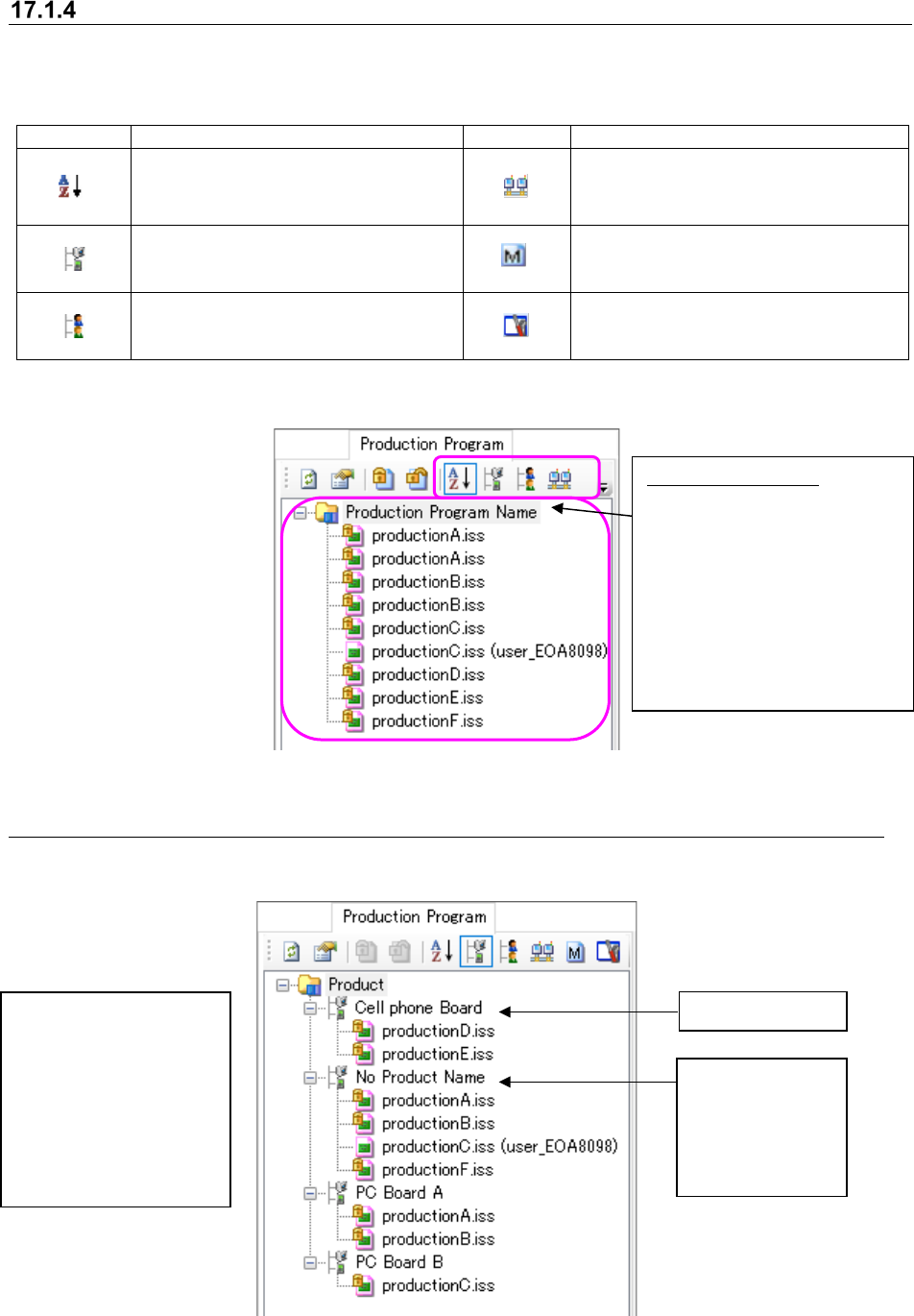
The display functions that can be selected by tool bar are as shown below.
Table 17.1-1 Tree view display function
Icon
Description
Icon
Description
Production programs are displayed
in sequence starting from the first.
(Display order is changed.)
Production programs are
displayed for each line.
Production programs are
displayed in the order of product
names.
Only the master file is displayed.
Production programs are
displayed for each checked-in
(including new registration) user.
The environment setting screen is
opened.
This screen displays the list of production programs controlled with the database.
Figure 17.1-5 “Production Program” screen (in alphabetical order)
17.1.4.1 “Production Program” – displayed by product name
This screen displays production programs by product name (to be registered when they are
stored in the database).
Figure 17.1-6 Production programs displayed by product name
Product name
Category of
production
programs whose
product name is
not registered
You can register/change a
product name when you
register or check in a new
file.
Under the same product
name, production
programs are displayed in
alphabetical order.
Production program:
You can
select two or more
production programs, and
operate them at a time. Note
that you cannot sort
production programs by
dragging and dropping them.
* This screen shows
production programs in
alphabetical order.
JaNets Instruction Manual 17 Program Explorer
17-5
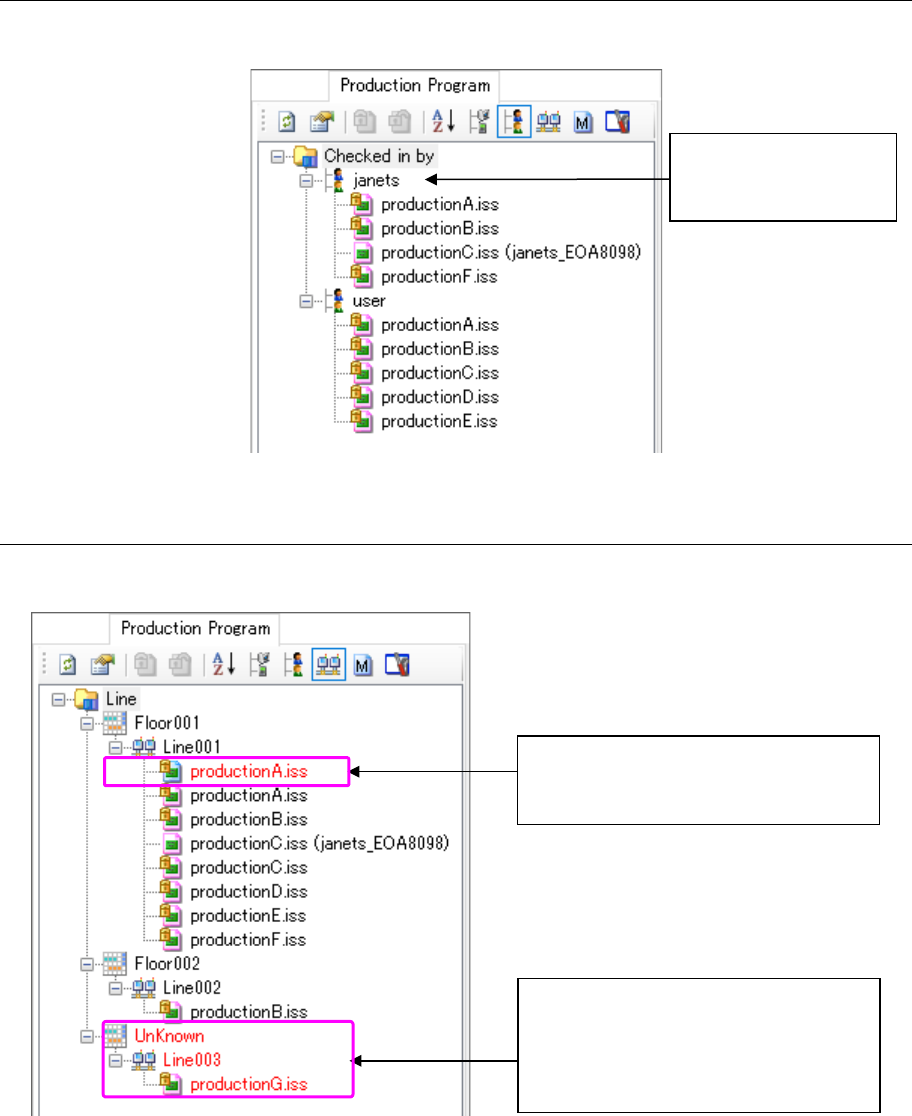
17.1.4.2 “Production Program” – displayed by user
This screen displays production programs by user who checked in them.
Figure 17.1-7 Production programs displayed by user
17.1.4.3 “Production Program” – displayed by production line
This screen displays production programs by production line.
Figure 17.1-8 Production programs displayed by production line
Name of a user who
checked in production
programs
The production line structure is different
from the actual one controlled with the
database.
This is a production line that does not
exist in the database. Since this
production line does not belong to any
floor in this case, the floor is displayed as
“UnKnown.”