JANETS_INM.pdf - 第658页
JaNets In structio n Manual 17 Program Expl orer 17 -6 17.1.4.4 “ Producti on Program ” – Operation menu items When you clic k the right b utton of a mouse on the “ Product ion Progr am ” scre en, the pop - up menu appea…
JaNets Instruction Manual 17 Program Explorer
17-5
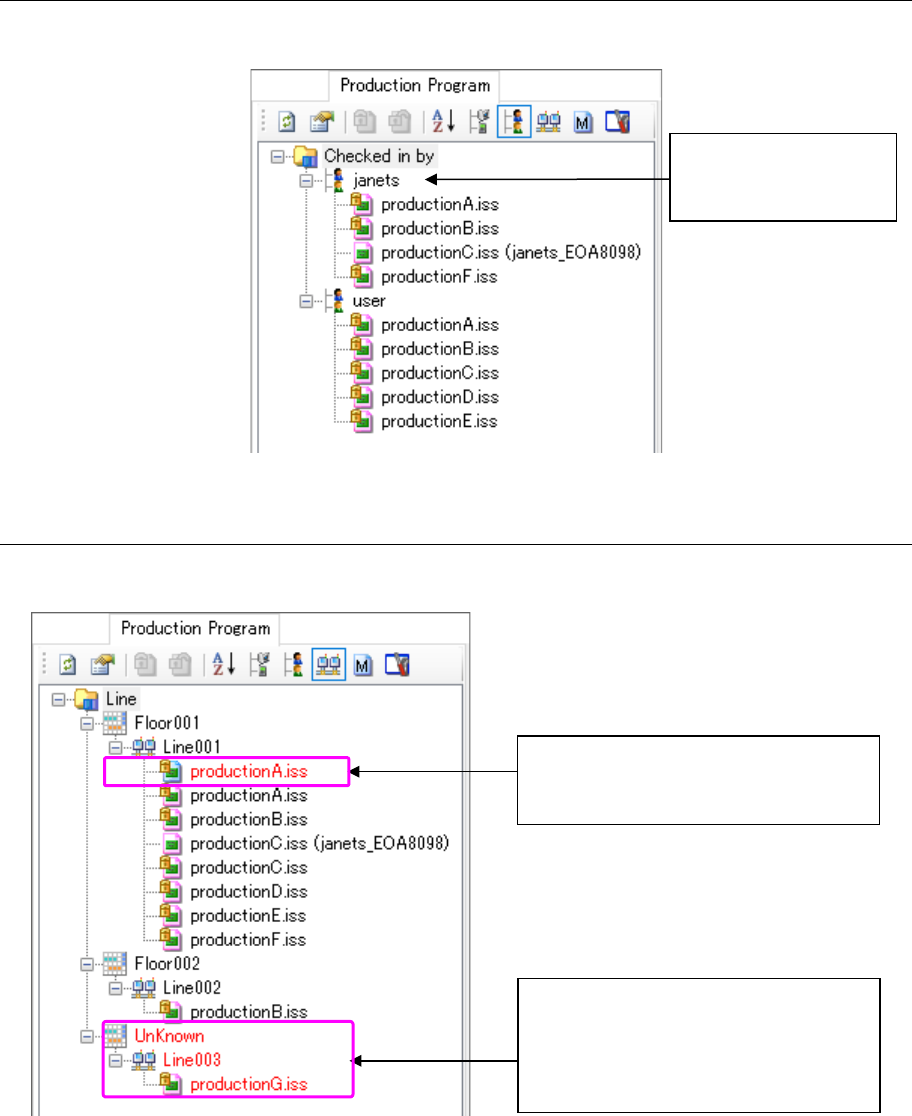
17.1.4.2 “Production Program” – displayed by user
This screen displays production programs by user who checked in them.
Figure 17.1-7 Production programs displayed by user
17.1.4.3 “Production Program” – displayed by production line
This screen displays production programs by production line.
Figure 17.1-8 Production programs displayed by production line
Name of a user who
checked in production
programs
The production line structure is different
from the actual one controlled with the
database.
This is a production line that does not
exist in the database. Since this
production line does not belong to any
floor in this case, the floor is displayed as
“UnKnown.”
JaNets Instruction Manual 17 Program Explorer
17-6
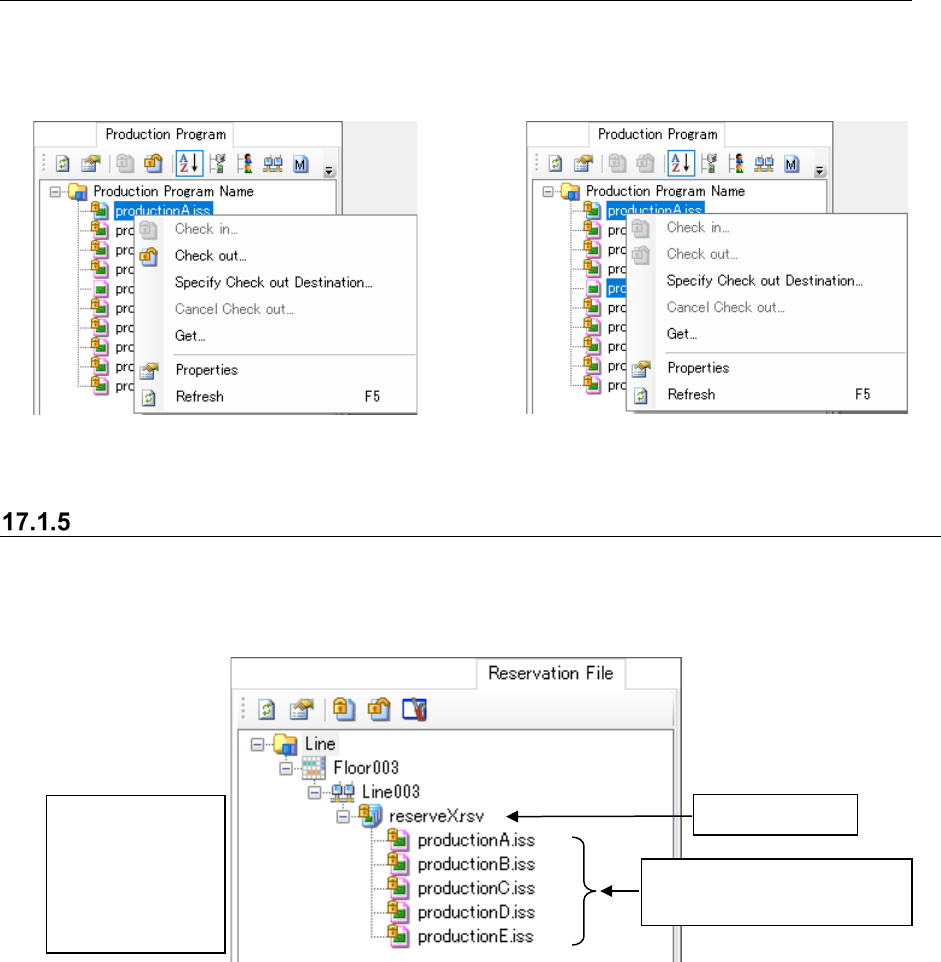
17.1.4.4 “Production Program” – Operation menu items
When you click the right button of a mouse on the “Production Program” screen, the pop-up menu
appears on the screen. Even though you select two or more production programs, the items that
satisfy the display conditions are displayed on this pop-up menu.
Figure 17.1-9 Pop-up menu (displayed when
one production program is selected)
Figure 17.1-10 Pop-up menu (displayed when two or
more production programs are selected)
“Reservation File” screen
This screen displays the list of reservation files controlled with the database. Production
programs are displayed in order of reservation as the hierarchy of reservation files. Note that you
can only obtain a production program on this screen.
Figure 17.1-11 “Reservation File” screen
Reservation file
Production programs included
in a reservation file
You can neither
select two or more
items nor drag
and drop an item
to sort displayed
items.
JaNets Instruction Manual 17 Program Explorer
17-7
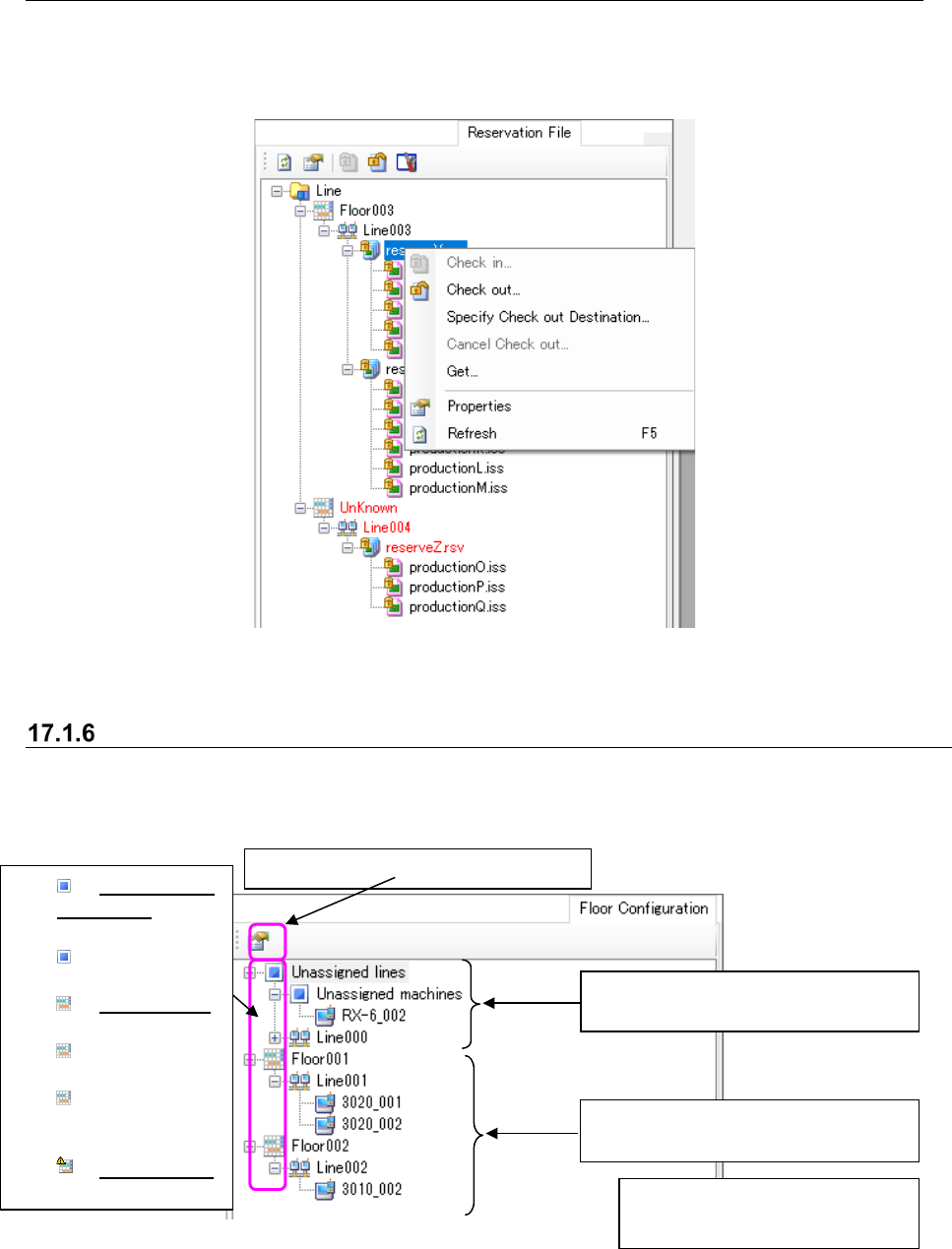
17.1.5.1 Operation menu items
The pop-up menu displayed when you click the right button of a mouse on the “Reservation File”
screen is shown below. Only the menu items that satisfy the display conditions are displayed on
this pop-up menu.
Figure 17.1-12 Pop-up menu (displayed when you select one reservation file only)
“Floor Configuration” screen
This screen displays the list of floors, production lines and machines. When you operate the
Shopfloor Setup application, you can change the production line or machine assignment. Note
that no properties icon is displayed with the Shopfloor Setup application.
Figure 17.1-13 “Floor Configuration” screen
Category of an item to which no
production line/machine is assigned
Category of the assigned
floor/production line/machine
You cannot select two or more
items at the same time.
Displays/hides the “Properties” screen.
Unassignede
quipment:
equipment not
assigned to
the floor
Normal floor:
Displays a floor
where no
maintenance wa
rning is output
to assigned
equipment.
Warned floor:
Displays a floor