JANETS_INM.pdf - 第668页
JaNets In structio n Manual 17 Program Expl orer 17 - 16 Creating a folder in the database Follow the pro cedur e 1 or 2 shown below . 1. Perfor m the operatio ns from ① to ② bel ow. Figure 17.3 - 11 Selecting a folder F…
JaNets Instruction Manual 17 Program Explorer
17-15
Deleting a File or Folder from the Database
1. Select a file or folder on the “Manage” tab (you can select two or more files or folders). When
you select the “Delete” ( ) tool from the tool bar for the Program Explorer, the delete
confirmation message appears on the screen, and you can delete it (them).
* Whichever you select, a file or folder, the same operation is to be performed in the
following sections.
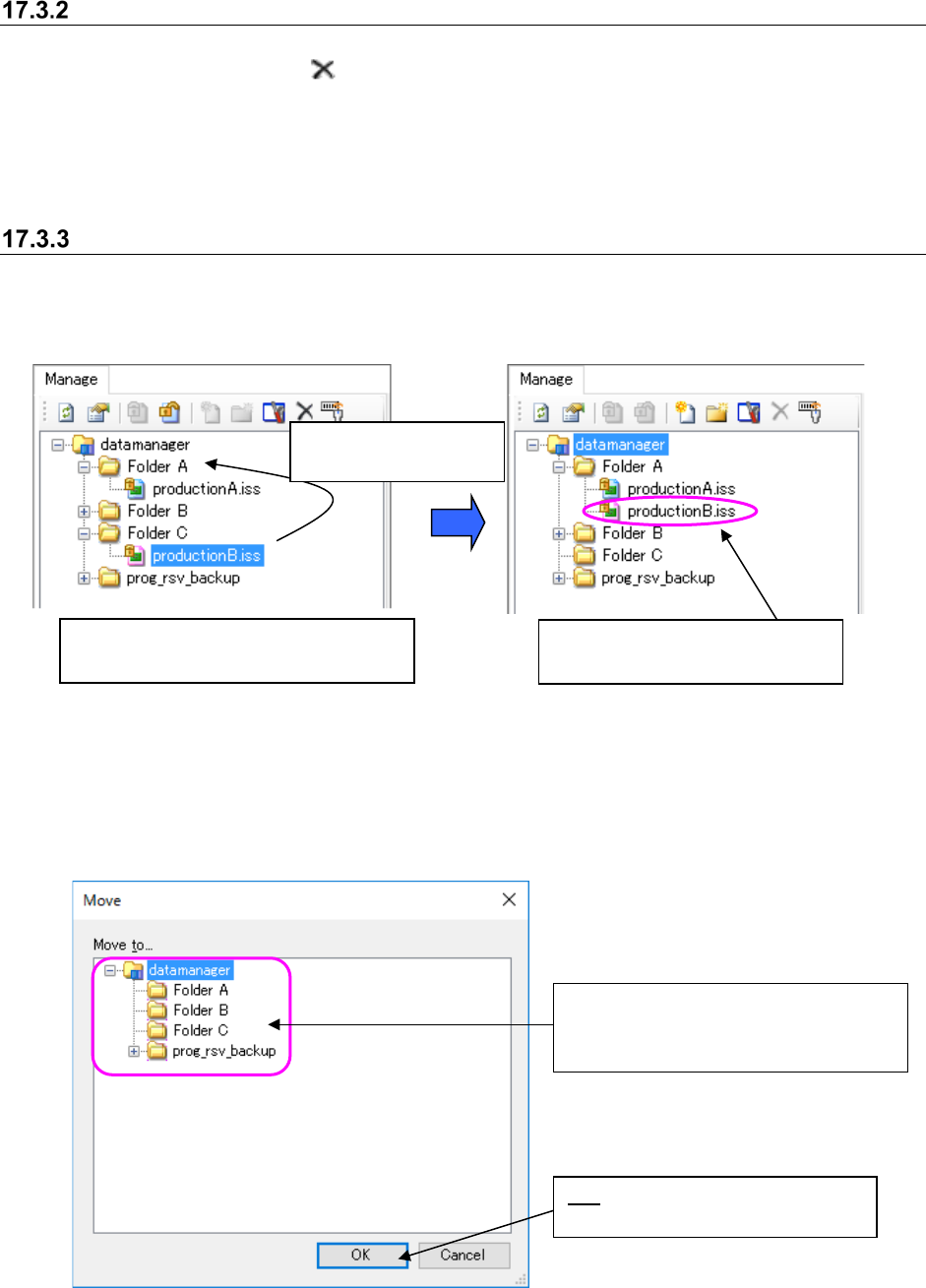
Moving a file between folders in the database
Follow the procedure 1 or 2 shown below.
1. Perform the operations ① and ② below.
Figure 17.3-9 Moving a file
2. When you select a file to be moved (you can select two or more files at a time) on the “Manage”
screen, and select the [Move] command on the pop-up menu displayed when you click the
right button of a mouse, the “Move” dialog box appears on the screen.
Figure 17.3-10 “Move” dialog box
①
Select a file to be moved (you can
select two or more files at a time.)
②
Drag and drop the
selected file(s).
The selected file(s) is (are) moved
to the folder you dropped it (them).
OK: Moves the selected file to the
selected destination folder.
Select the destination folder on the folder
configuration of the database displayed
on the “Move” dialog box.
JaNets Instruction Manual 17 Program Explorer
17-16
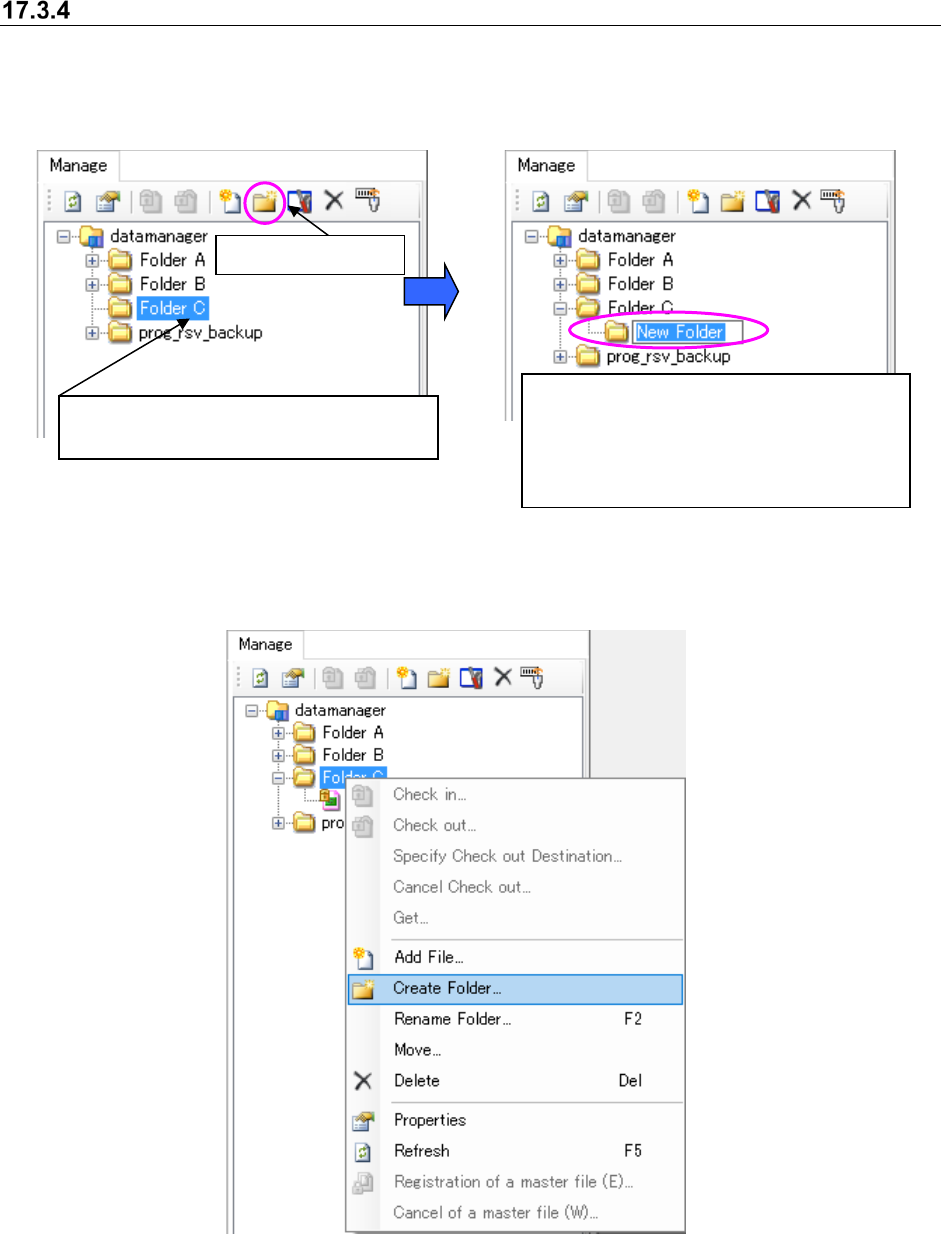
Creating a folder in the database
Follow the procedure 1 or 2 shown below.
1. Perform the operations from ① to ② below.
Figure 17.3-11 Selecting a folder
Figure 17.3-12 Creating a new folder
2. Perform the operations.
Figure 17.3-13 Clicking the right button of a mouse – [Create Folder]
① Select a folder (you cannot select two or
more folders at a time).
A new folder is created. Enter the folder
name (up to 256 characters).
If the same folder exists in the destination,
the folder is named “an entered name” +
(serial number).
②
Create a folder.
JaNets Instruction Manual 17 Program Explorer
17-17
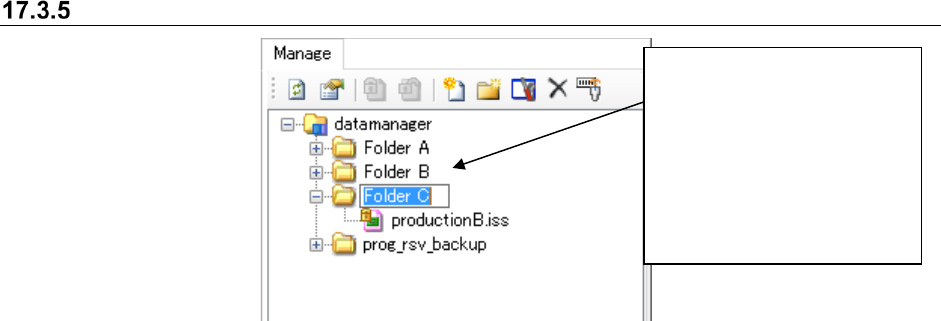
Renaming a folder in the database
Figure 17.3-14 Renaming a folder
Select a folder whose name
you want to change (you
cannot select two or more
folders at a time). Select the
[Rename Folder] command on
the pop-up menu displayed
when you click the right button
of a mouse. You can enter up
to 256 characters.