JANETS_INM.pdf - 第67页
JaNets Instr ucti on Man ual 2. Install ation 2- 39 2.5.1 .4 Updating the Drive C The machine uses the En hanced W rite Filter (EWF) to handle the dr ive C as ROM in order to protect t he OS. Since the dat a written in t…
JaNets Instruction Manual 2. Installation
2-38
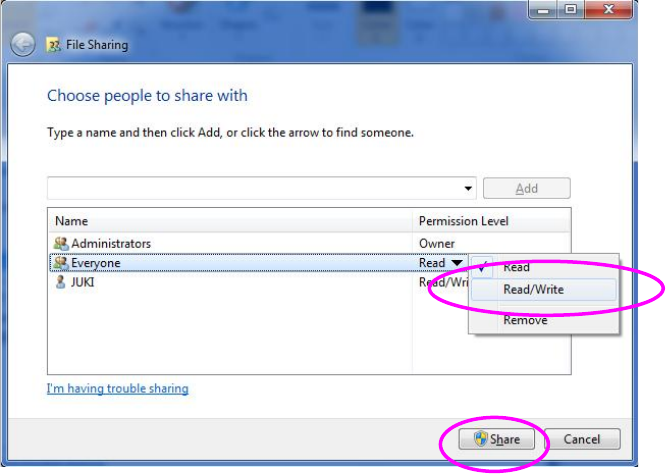
(4) The "Permission Level" of Everyone serves as "Read" by default on the above-mentioned
screen. Click this field to select "Read/Write," and click the "Share" button.
Figure 2.5-14 File Sharing dialog box (Windows 7)
(5) The drive C is used as a ROM by using EWF (Enhanced Write Filter) to protect the OS of the
machine. The contents written in a drive C are erased at the time of a reboot. When you
change the information on an OS, perform updating operation in accordance with the Section
"2.5.1.4 Updating the Drive C."
JaNets Instruction Manual 2. Installation
2-39
2.5.1.4 Updating the Drive C
The machine uses the Enhanced Write Filter (EWF) to handle the drive C as ROM in order to
protect the OS.
Since the data written in the drive C is erased at restart, follow the procedure below to update the
drive C in order to change the information of the OS.
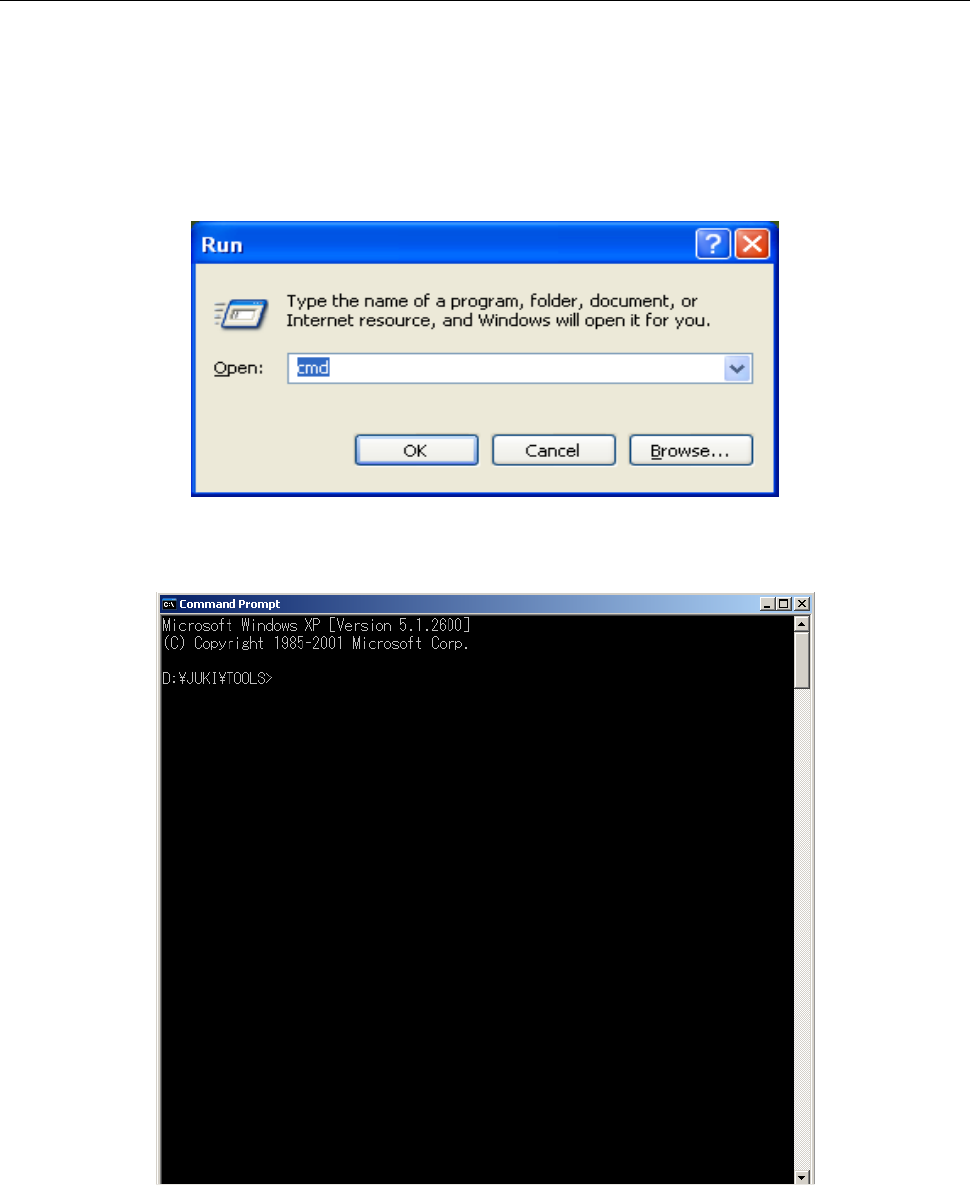
(1) Select the [Run] command on the “Start” menu invoked from the task bar.
Enter “cmd” with a keyboard, and then click the <OK> button.
Figure 2.5-15 Starting up the command prompt
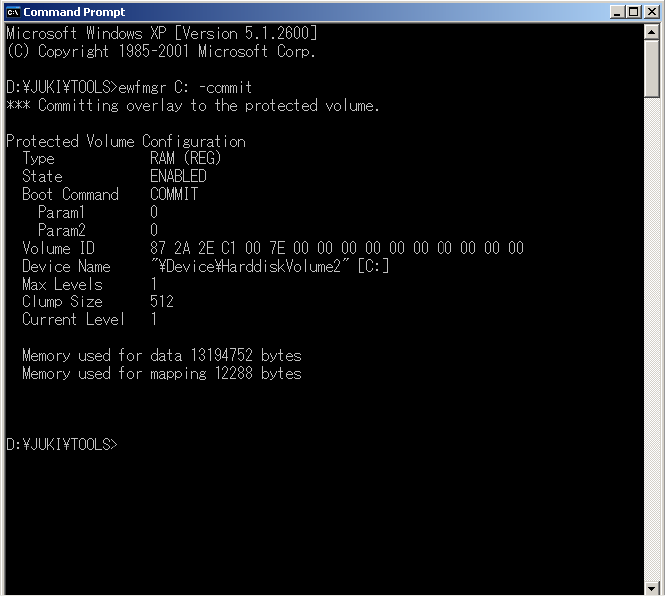
(2) Enter “ewfmgr C: -commit” on the command prompt screen, and then press the Enter key.
Figure 2.5-16 Command prompt
JaNets Instruction Manual 2. Installation
2-40
(3) The execution result appears on the screen. Quit the command prompt.
Figure 2.5-17 Result on the command prompt screen
(4) Restart the machine. You have finished updating the drive C at this point.