JANETS_INM.pdf - 第68页
JaNets Instr ucti on Man ual 2. Install ation 2- 40 (3) The execution res ult appe ars on the scr een. Q uit the com mand pro mpt. Figur e 2.5 - 17 Result on the command prompt scre en (4) Restart the mac hine . Yo u hav…
JaNets Instruction Manual 2. Installation
2-39
2.5.1.4 Updating the Drive C
The machine uses the Enhanced Write Filter (EWF) to handle the drive C as ROM in order to
protect the OS.
Since the data written in the drive C is erased at restart, follow the procedure below to update the
drive C in order to change the information of the OS.
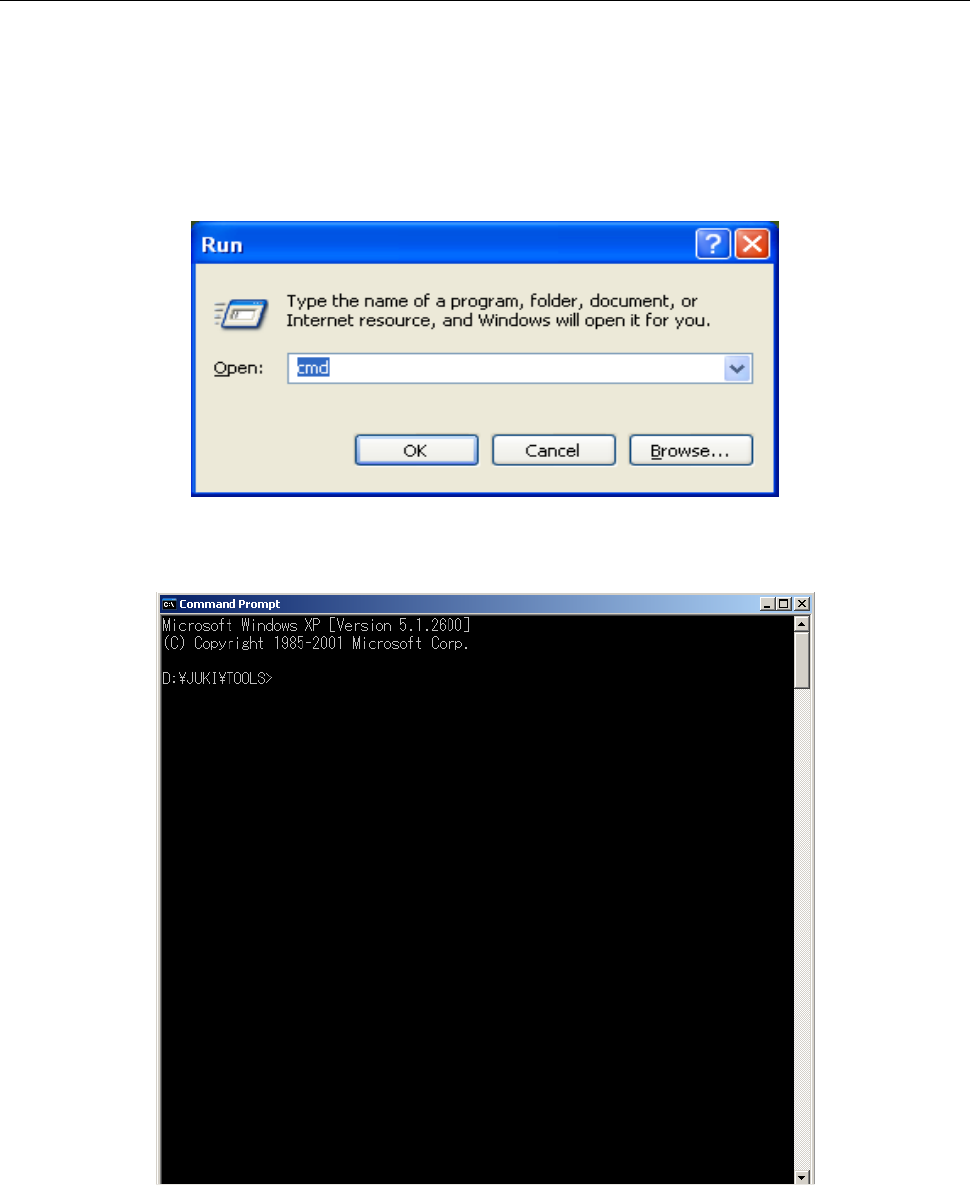
(1) Select the [Run] command on the “Start” menu invoked from the task bar.
Enter “cmd” with a keyboard, and then click the <OK> button.
Figure 2.5-15 Starting up the command prompt
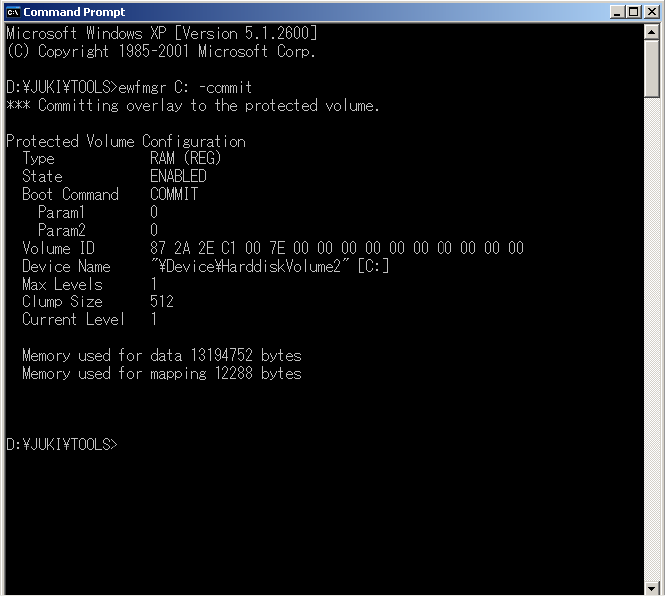
(2) Enter “ewfmgr C: -commit” on the command prompt screen, and then press the Enter key.
Figure 2.5-16 Command prompt
JaNets Instruction Manual 2. Installation
2-40
(3) The execution result appears on the screen. Quit the command prompt.
Figure 2.5-17 Result on the command prompt screen
(4) Restart the machine. You have finished updating the drive C at this point.
JaNets Instruction Manual 2. Installation
2-41
2.5.2 Procedure for setting up an RX-7 series
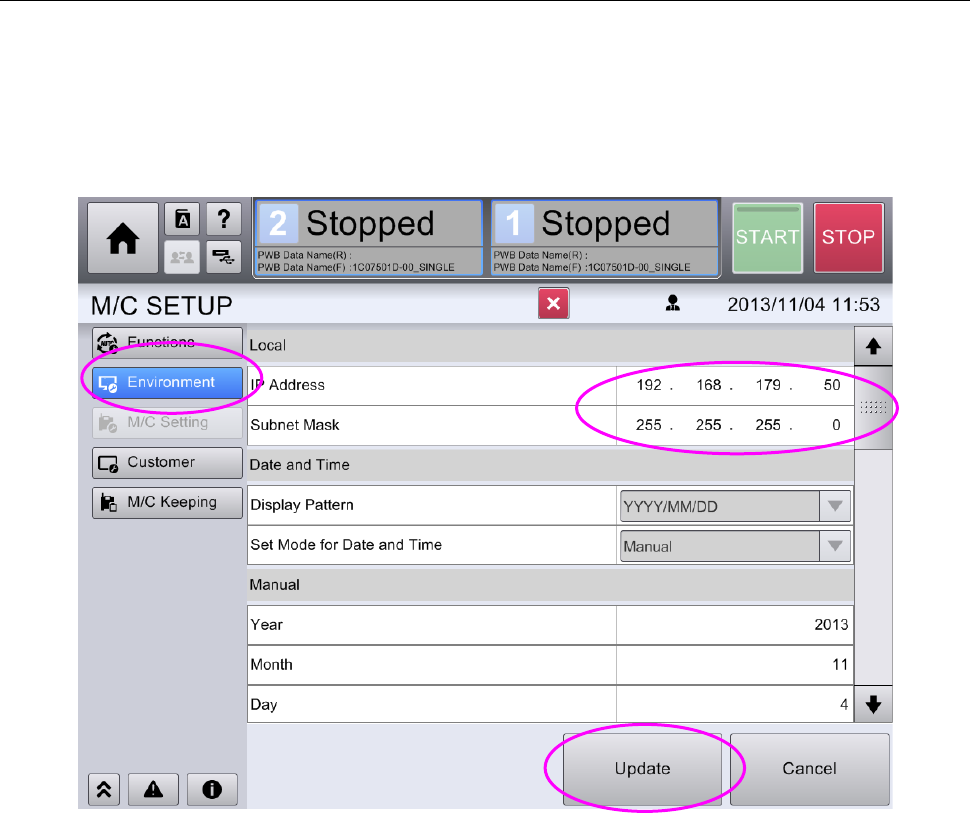
To set up an RX-7 series, click the [Machine Setup] menu command from the “top menu” to display
the “Machine Setup” screen.
Next, click the menu item “Environment Setting,” and then set the IP address and the sub net
mask according to your communication environment.
After setting the IP address and the sub net mask, click the <Update> button.
Figure 2.5-18 Screen for setting the machine environment