JANETS_INM.pdf - 第699页
JaNets In structio n Manual 18 . N ozzle Dat a V iewer 18 -7 18 -6-2 S aving/Loading an extraction rule Select the menu com mand [ Save as] fro m the “ To o l s ” menu to sav e an extrac tion rul e. Select the menu com m…
JaNets Instruction Manual 18. Nozzle Data Viewer
18-6
Extraction
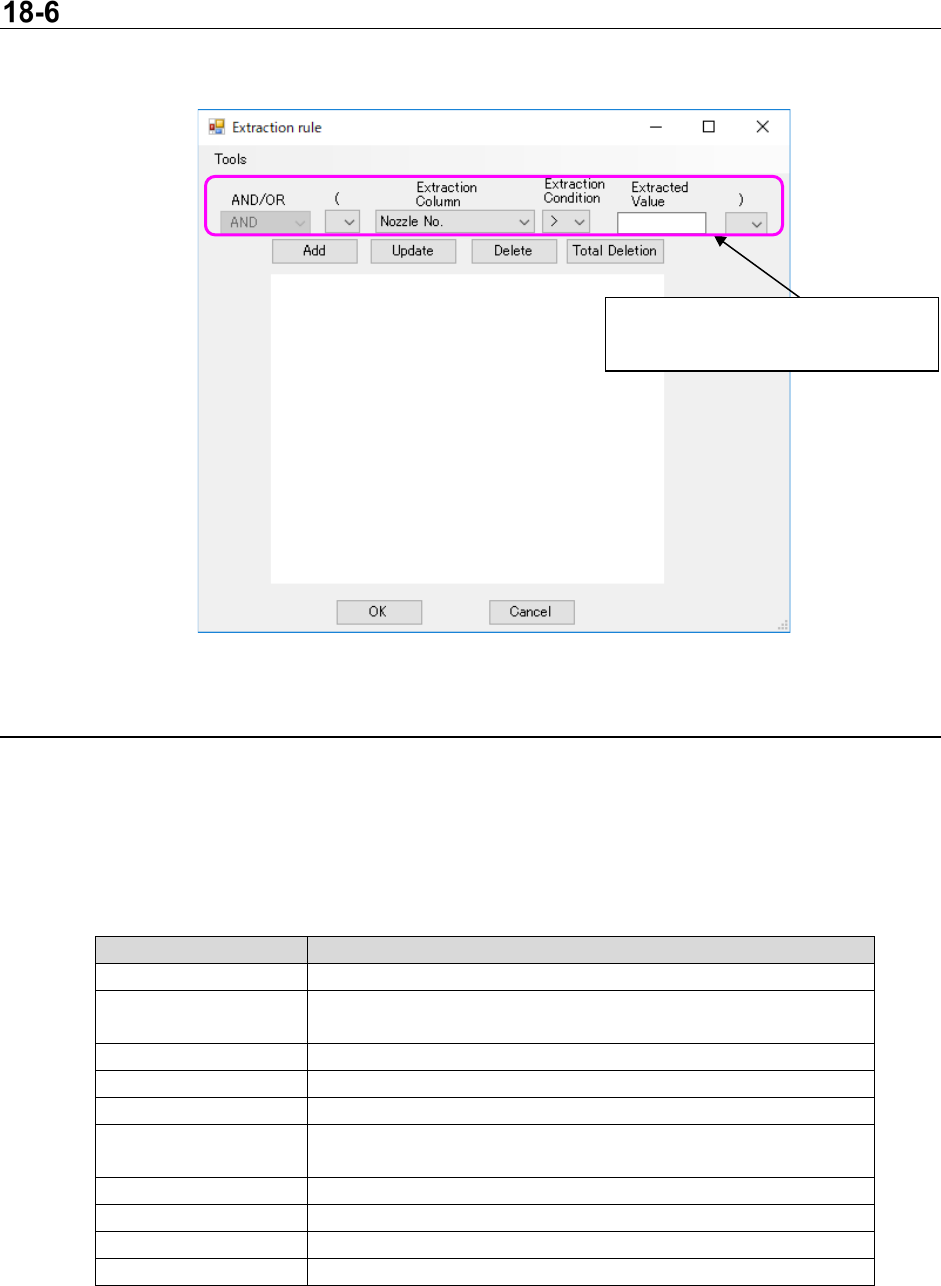
When you select the menu command [Extraction rule] from the “Tool s ” menu, the following screen
appears.
Figur 18-7-1 “Extraction rule” screen
18-6-1 Creating an extraction rule
You can create an extraction rule on the “Extraction rule” screen.
When you press the <OK> button, the Viewer can extract nozzle data according to the extraction rule
specified with the condition settings to display it.
The items you can specify as an extraction rule are shown in the table below.
Table 18-7-1 Extraction rule settings
Item
Description
AND/OR
Specify “AND” or “OR” for a previous condition.
(
Specify “(” for an extraction rule to set the priority processing
termination point.
Extraction Column
Specify what is to be extracted.
Extraction Condition
Specify the condition for the Extraction Column.
Extracted Value
Specify a threshold value to be extracted.
)
Specify “)” for an extraction rule to set the priority processing
termination point.
Add
Adds to an extraction rule according to your settings.
Update
Updates an extraction rule selected from the list.
Delete
Deletes an extraction rule selected from the list.
Total Deletion
Deletes all extraction rules.
Condition settings
Specify the extraction rule to be set.
JaNets Instruction Manual 18. Nozzle Data Viewer
18-7
18-6-2 Saving/Loading an extraction rule
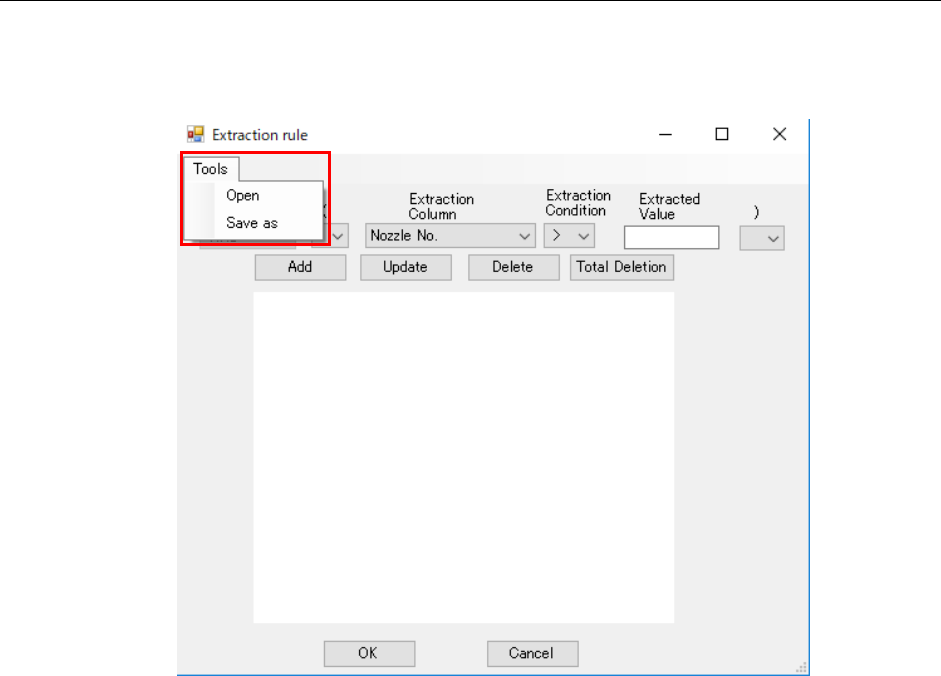
Select the menu command [Save as] from the “Too ls” menu to save an extraction rule.
Select the menu command [Open] from the “Too l s ” menu to load an extraction rule.
Figur 18-7-2 Saving/loading an extraction rule
JaNets Instruction Manual 19 TraceMonitor
19-1
TraceMonitor
What is TraceMonitor?
TraceMonitor uses log data output from a machine registered in the database to display errors that
occurred during production in a ranking format or in a graph.
19-1 Starting up or Quitting TraceMonitor
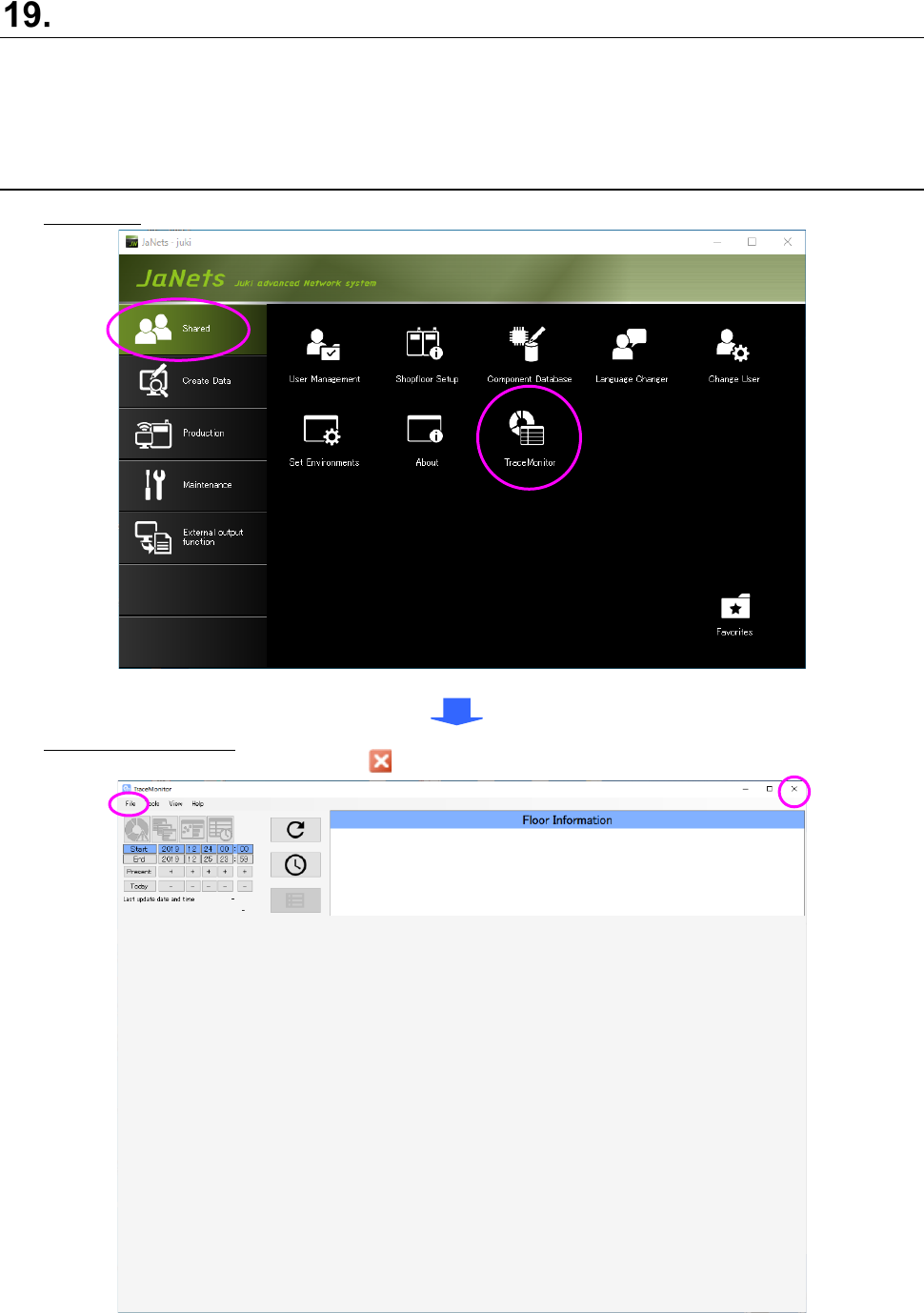
Starting up: Double-click the “TraceMonitor” icon on the “Shared” tab of the JaNets Launcher.
Figure 19-1-1 “JaNets Launcher” screen
Quitting TraceMonitor: Select the [Exit TraceMonitor] command from the “File” menu or select the
close mark ( ) on the title bar displayed on the upper right corner.
Figure 19-1-2 Screen displayed when you start up TraceMonitor for the first time