JANETS_INM.pdf - 第709页
JaNets In structio n Manual 19 T ra ceMonitor 19 - 10 There may be no data, an d then no de scriptio n may be dis played d epend ing on the err or type. In such a ca se, “ - ” is displ ayed as the mac hine nam e, f eeder…
JaNets Instruction Manual 19 TraceMonitor
19-9
19-3-4-2 Worst ranking information
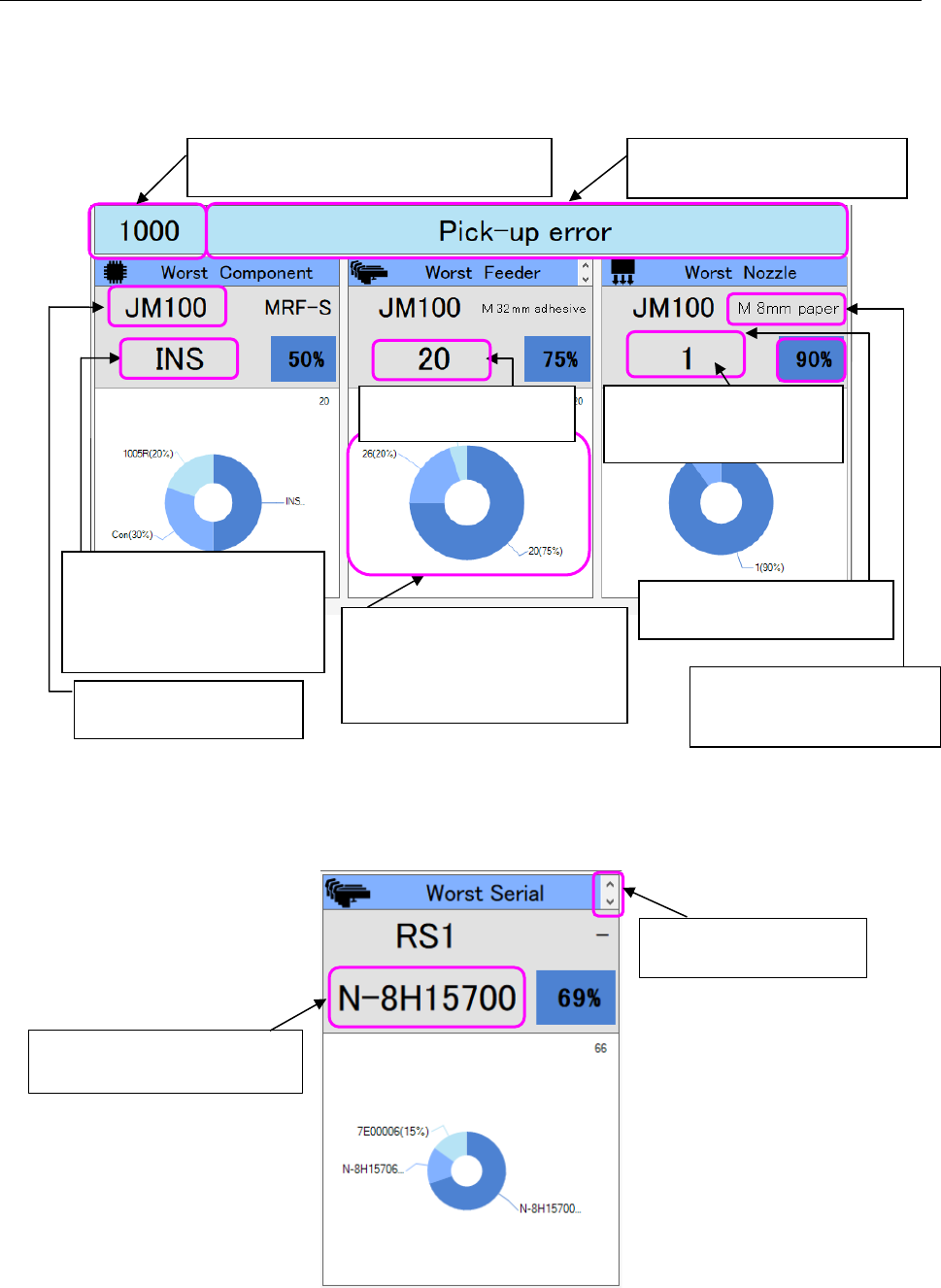
The Worst ranking information shows the result obtained by summarizing data on errors that
occurred frequently at each unit located inside the machine as for an error selected in the “Error
rankings” list.
The result is summarized with the following three categories: Worst Component, Worst Feeder and
Worst Nozzle.
Figure 19-3-16 Worst ranking information
When you click the cursor, the displayed data on the worst feeder is changed to data on the worst
serial number.
Figure 19-3-17 Worst serial number
The main error code selected in the “Error
rankings” information list is displayed here.
Description of an error of the main
error code is displayed here.
The name of the worst
machine is displayed here.
The name of the worst
component is displayed here.
* When the name is long, the
smaller fonts are used, and
the name wraps around.
The first five places are displayed,
and the sixth feeder and feeders
(components or nozzles) after it
are displayed collectively as
“Other.”
The feeder type of a machine
at which an error occurred is
displayed here.
The number of the worst
nozzle head is displayed here.
The position of the worst
feeder is displayed here.
Switching the data to be
displayed on the screen
The serial number of the worst
feeder is displayed here.
The ratio of the worst nozzle
(component or feeder) to the
total is displayed here.
JaNets Instruction Manual 19 TraceMonitor
19-10
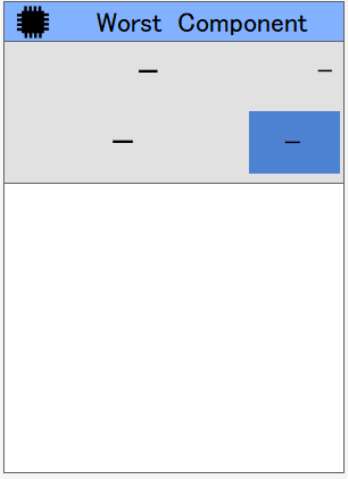
There may be no data, and then no description may be displayed depending on the error type.
In such a case, “-” is displayed as the machine name, feeder type, worst item name and the ratio of
the worst one to the total (%), and any circle graph is not displayed on the screen.
Figure 19-3-18 When no data is displayed on the screen
JaNets Instruction Manual 19 TraceMonitor
19-11
19-3-4-3 Final error information
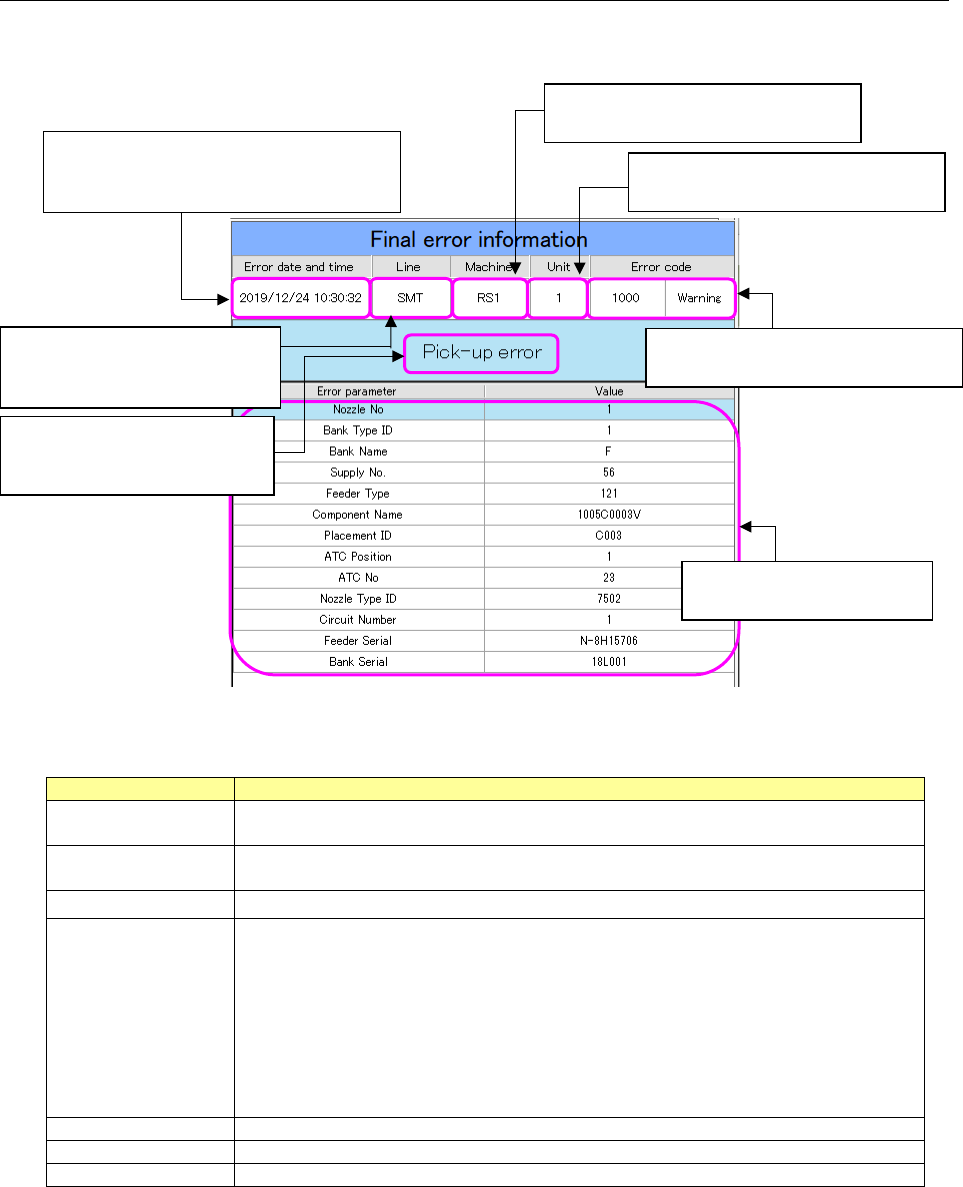
The “Final error information” screen shows information on the error that occurred the last time as for
an error selected on the “Error rankings” screen.
Figure 19-3-19 “Final error information” screen
Table 19-3-3 Items of the “Final error information” screen
Item
Description
Error date and time
Displays the date and time when the last error occurred as for the error code
selected on the “Error rankings” screen.
Line
Displays the name of a production line including a machine at which the last error
occurred.
Machine
Displays the name of a machine at which the last error occurred.
Unit
Displays a unit of a machine at which the last error occurred.
1- to 4-digit error code
RX-7 0: Entire machine 1: Right side 2: Left side
RX-6 1: Front head 2: Rear head
RS-1/JM-100 1: Head, entire machine
6-digit error code
RX-6/RS-1/JM-100 1: Entire machine
RX-7 No 6- digit error code is applied to the RX-7.
Error code
Displays the main error code and alarm type of the last error.
Error description
Displays the description of the main error code of the last error.
Error parameter
Displays each error parameter of the last error.
The date and time when the last error
occurred as for an error code selected in
the “Error rankings” list are displayed here.
The main error code and alarm type
of the last error are displayed here.
The name of a production line to
which a machine causing the last
error belongs is displayed here.
Description of the main error
code of the last error is
displayed here.
The name of a machine at which the
last error occurred is displayed here.
A unit of a machine at which the last
error occurred is displayed here.
Each error parameter of the
last error is displayed here.