JANETS_INM.pdf - 第722页
JaNets In structio n Manual 19 T ra ceMonitor 19 - 23 19 -3-7 Error history scr een When you se lect the “Erro r history ” panel with t he co rrespon ding panel s witch, t his screen ap pears. Figure 19 -3- 43 Pane l swi…
JaNets Instruction Manual 19 TraceMonitor
19-22
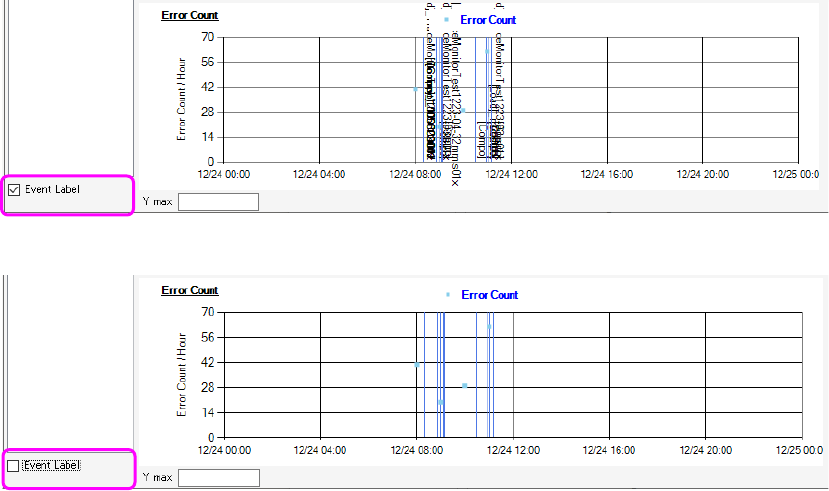
You can switch whether to display a label (character string) or not with the corresponding check box
also.
Figure 19-3-41 When EventData label is displayed
Figure 19-3-42 When Event data label is hidden
JaNets Instruction Manual 19 TraceMonitor
19-23
19-3-7 Error history screen
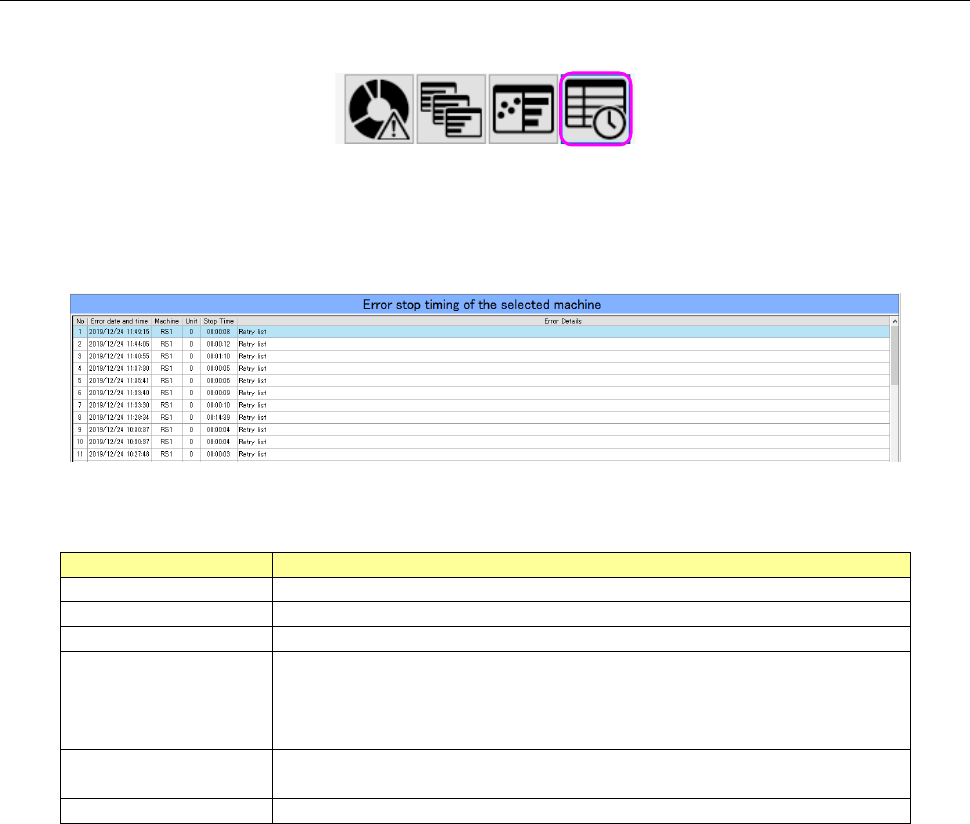
When you select the “Error history” panel with the corresponding panel switch, this screen appears.
Figure 19-3-43 Panel switches
The Error history screen chronemically shows stop of a machine caused by an error that occurred
on a machine or a device of a production line selected with the Floor Information function.
Figure 19-3-44 Error history screen
Table 19-3-11 Items of the Error history screen
Item
Description
No
Displays a serial number of data.
Error date and time
Displays the date and time when the system stopped due to an error.
Machine
Displays the name of a machine at which an error stop occurred.
Unit
Displays the name of a unit of a machine at which an error stop
occurred.
RX-7 0: Entire machine 1: Right side only 2: Left side only *1
Others 0: Entire machine
Stop Time
Displays the time period while the system was stopping due to an
error.
Error Details
Displays the description of the main error.
*1 If the entire machine stops after an error stop occurred on a single side, this error is displayed
as entire machine.
JaNets Instruction Manual 19 TraceMonitor
19-24
19-3-8 Corrective action
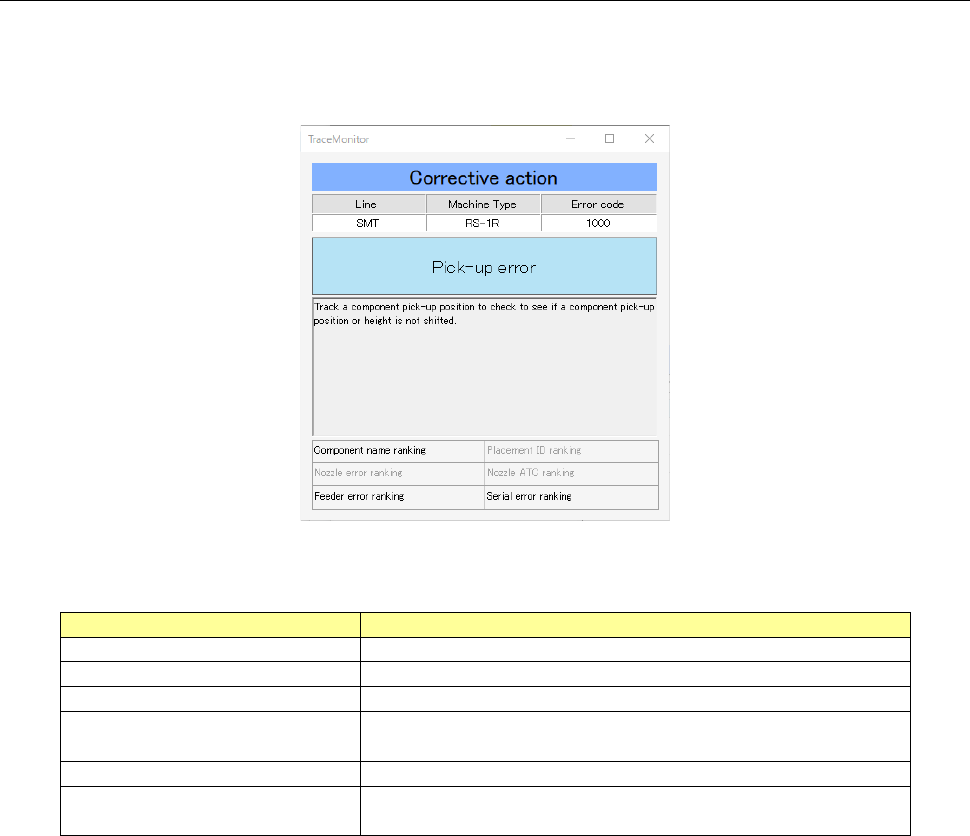
When you select the menu commands: [View (V)] and [Corrective Action (A)] in this order while the
error ranking information is being selected on the Error rankings panel or the Individual ranking panel,
the corrective action corresponding to an error is displayed on the screen.
Figure 19-3-45 “Corrective Action” dialog box
Table 19-3-12 Description of the “Corrective Action” dialog box
Item
Description
Line
Displays the name of a production line.
Machine Type
Displays the name of a machine at which an error occurred.
Error code
Displays the error code of an error that occurred.
Error description
Displays the description of an error corresponding to the
error code.
Corrective action
Displays the corrective action corresponding to an error.
Individual error ranking name
Displays the individual rankings you should notice when
you handle an error that occurred.