JANETS_INM.pdf - 第731页
J aN et s Instruc tion M anua l A. P at c h V er si o n Insta llation T ool A-2 T o q ui t t he Patc h Ins tal ler : C li ck t he <C ancel> b utton, or selec t the cl ose b utto n ( ). Figur e A. 1 -2 “ Patc h Ins …
JaNets Instruction Manual A. Patch Version Installation Tool
A-1
< Appendix >
A. Patch Version Installation Tool
What is the patch version installation tool?
This tool “Patch Installer” installs software that is modified only a little on the current JaNets
software.
Operations A.1
<Note>
Only a user who has the “administrator’s privilege” should start up the “Patch Installer.”
A.1.1 Starting up and quitting the Patch Installer
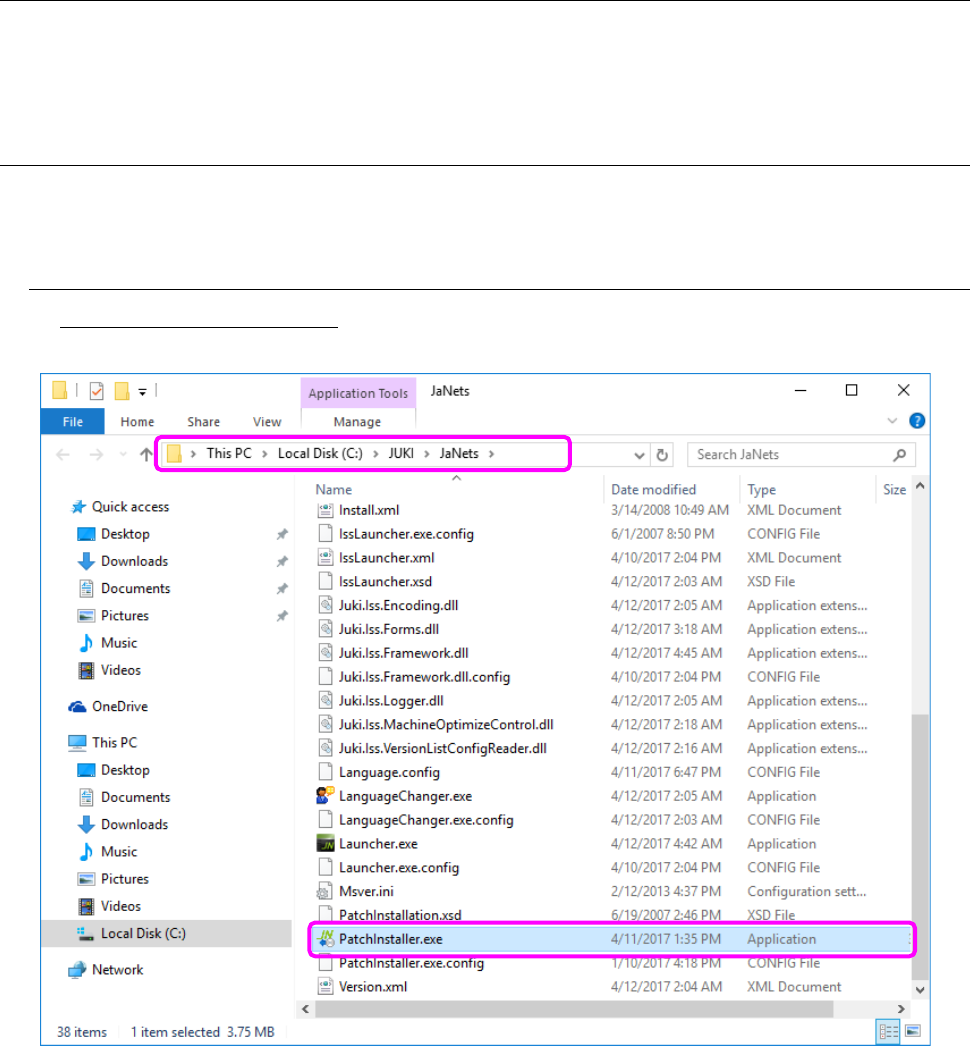
To start up the Patch Installer: Double-click PatchInstaller.exe immediately under the JaNets
installation folder.
Figure A.1-1 Screen for the Patch Installer
* Before starting up the Patch Installer, close all the MI-related applications except for the
Language Changer. Since this tool itself responds to the real time language switching of the
Language Changer, it cannot start up. To install the patch version Language Changer, quit the
Language Changer in advance.
If no MI application operates after this tool starts up, the following dialog box appears on the
screen.
JaNets Instruction Manual A. Patch Version Installation Tool
A-2
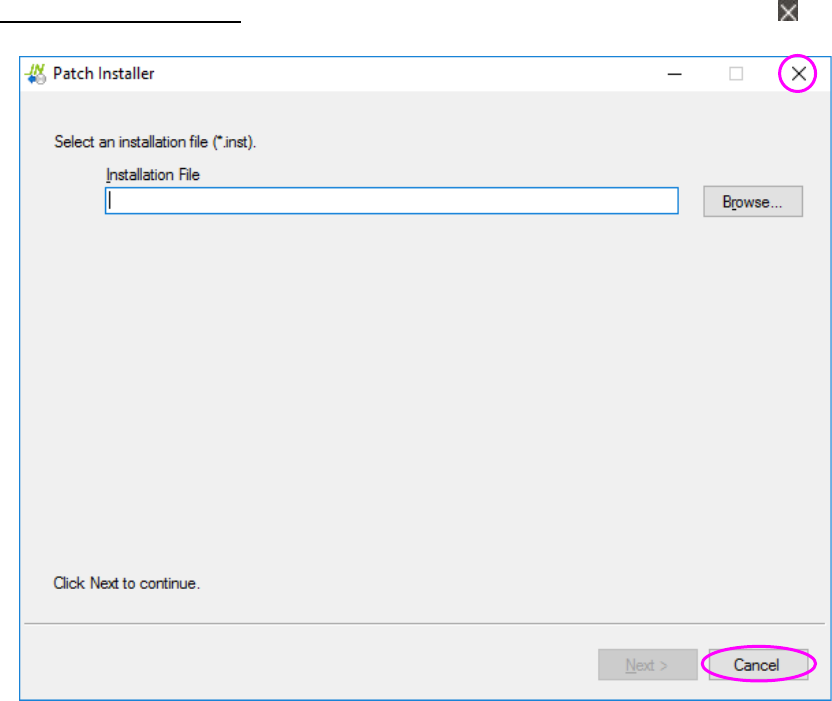
To quit the Patch Installer: Click the <Cancel> button, or select the close button ( ).
Figure A.1-2 “Patch Installer” screen
JaNets Instruction Manual A. Patch Version Installation Tool
A-3
“Patch Installer” screen A.2
Operate the following wizard screen to perform the patch installation process of a JaNets program.
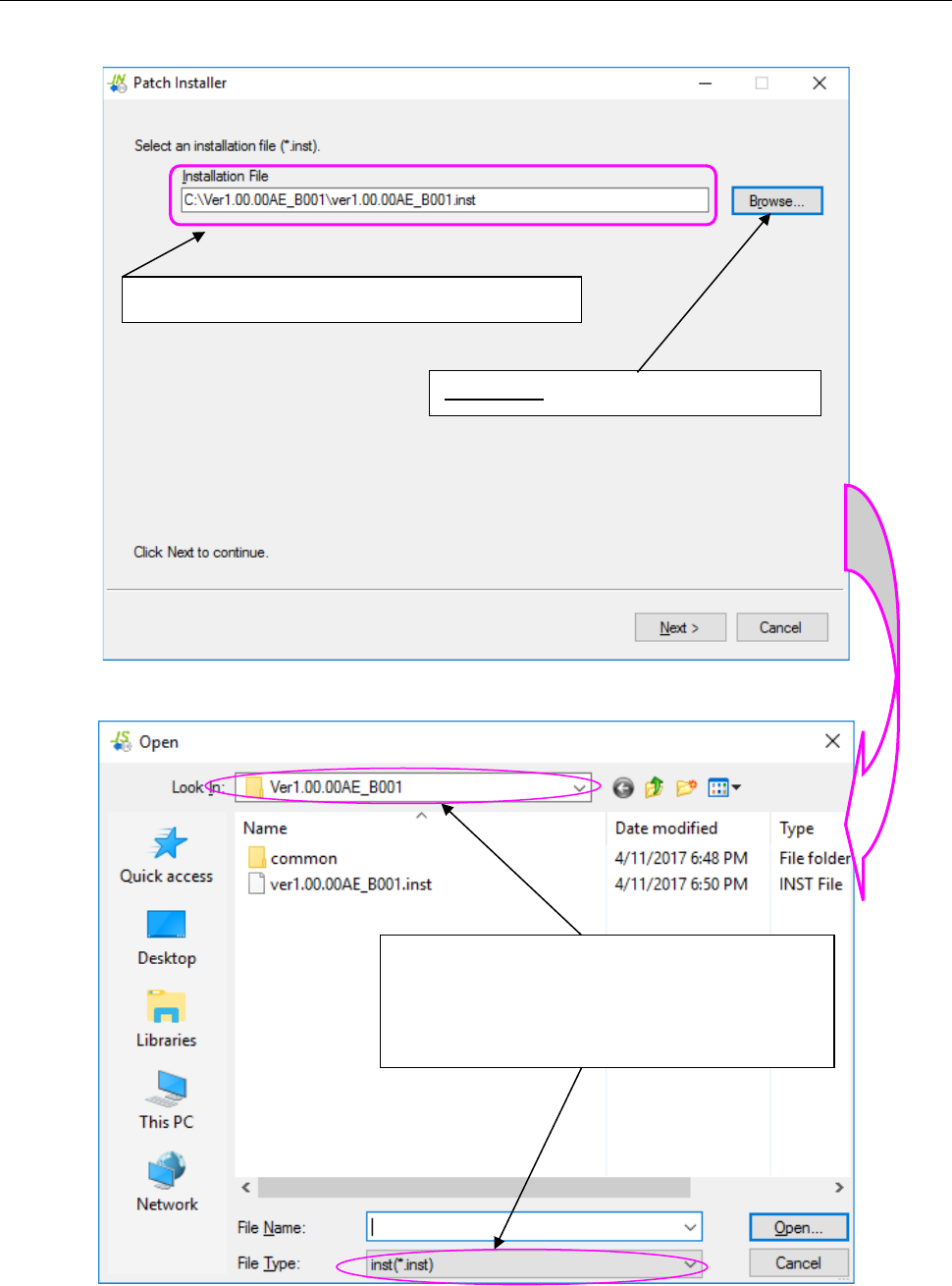
Figure A.2-1 Screen for selecting an installation file (file to be installed)
Figure A.2-2 “Open” dialog box for selecting a file
The selected installation file name is displayed here.
<Browse>: Starts up the “Open” dialog box.
Select the desired folder in the “Look In” field and the
desired file type in the “File Type” field (that is, a file in
the format of MI Line Optimizer patch installer
file*.inst) , and then select a file name. Next, select
the <Open> button.