JANETS_INM.pdf - 第734页
JaNets In structio n Manual B. T roubleshootin g B-1 <Appendix> B. T roubles hooti ng A solution of the pr oble m that has occ urred in t he JaN ets is described as follows: B.1 Not recogni zing a protect modul e 【…
JaNets Instruction Manual A. Patch Version Installation Tool
A-4
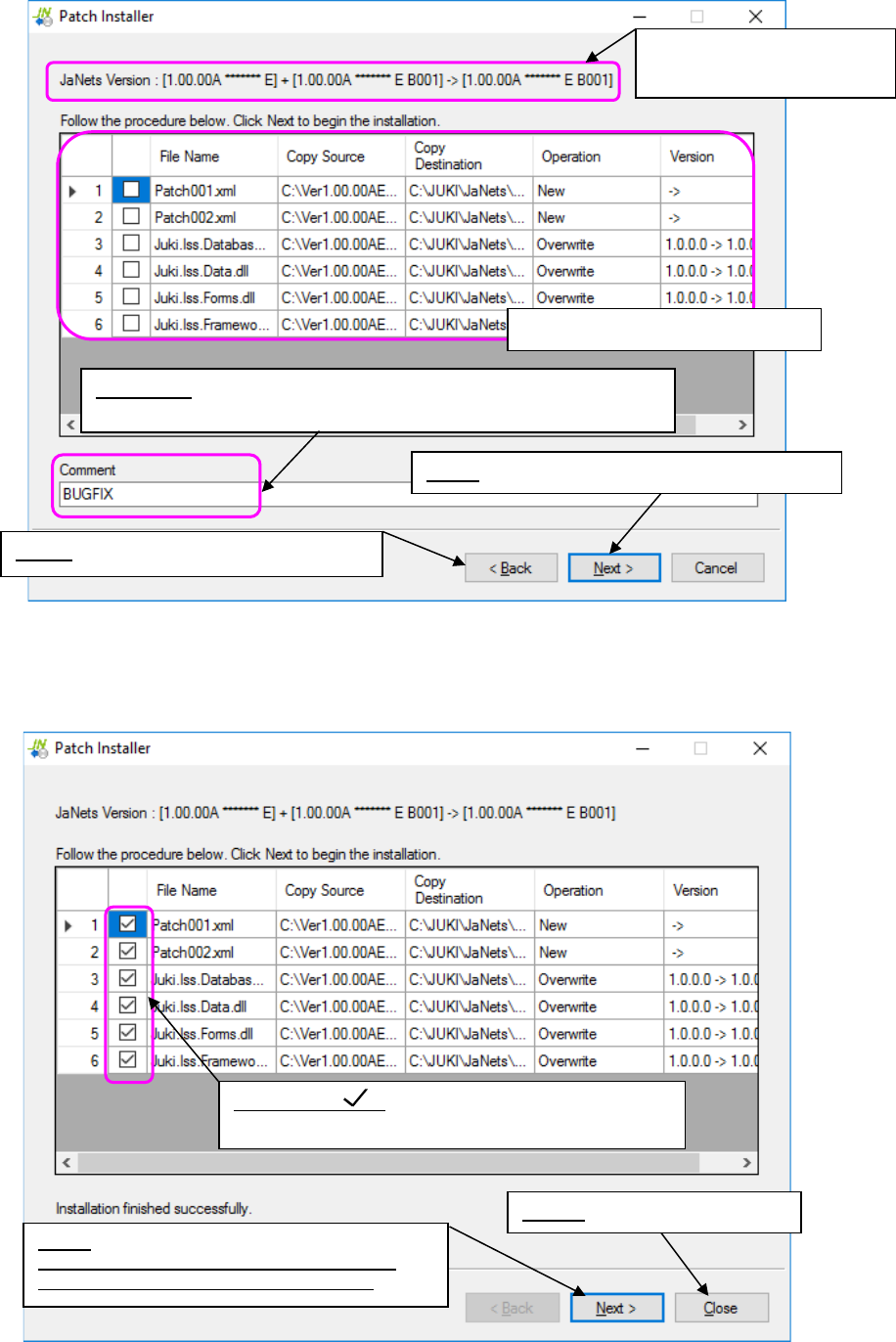
Figure A.2-3 Installation checking screen
<Screen displayed when installation is done normally>
Figure A.2-4 When installation is done normally
Displays the system versions
before/after installation.
Columns for checking installations
Back: Goes back to the “Open” dialog box.
Comment: Automatically entered if you select installation from the
“Installation File” field.
Check mark :
Indicates that installation is done normally.
Close: Quits the Patch Installer.
Next:
Returns to an installation file selection screen.
You can proceed to install other patches.
Next: Goes to the installation execution screen.
JaNets Instruction Manual B. Troubleshooting
B-1
<Appendix>
B. Troubleshooting
A solution of the problem that has occurred in the JaNets is described as follows:
B.1 Not recognizing a protect module
【Phenomenon】
Even when the each application program tries to be started up, it cannot be started up because
of an error “E1101007 No protect module is connected. [Application name] will be exited.”
Moreover, even when other applications are started up, the Shopfloor Setup cannot be started
up because of the project module error similarly.
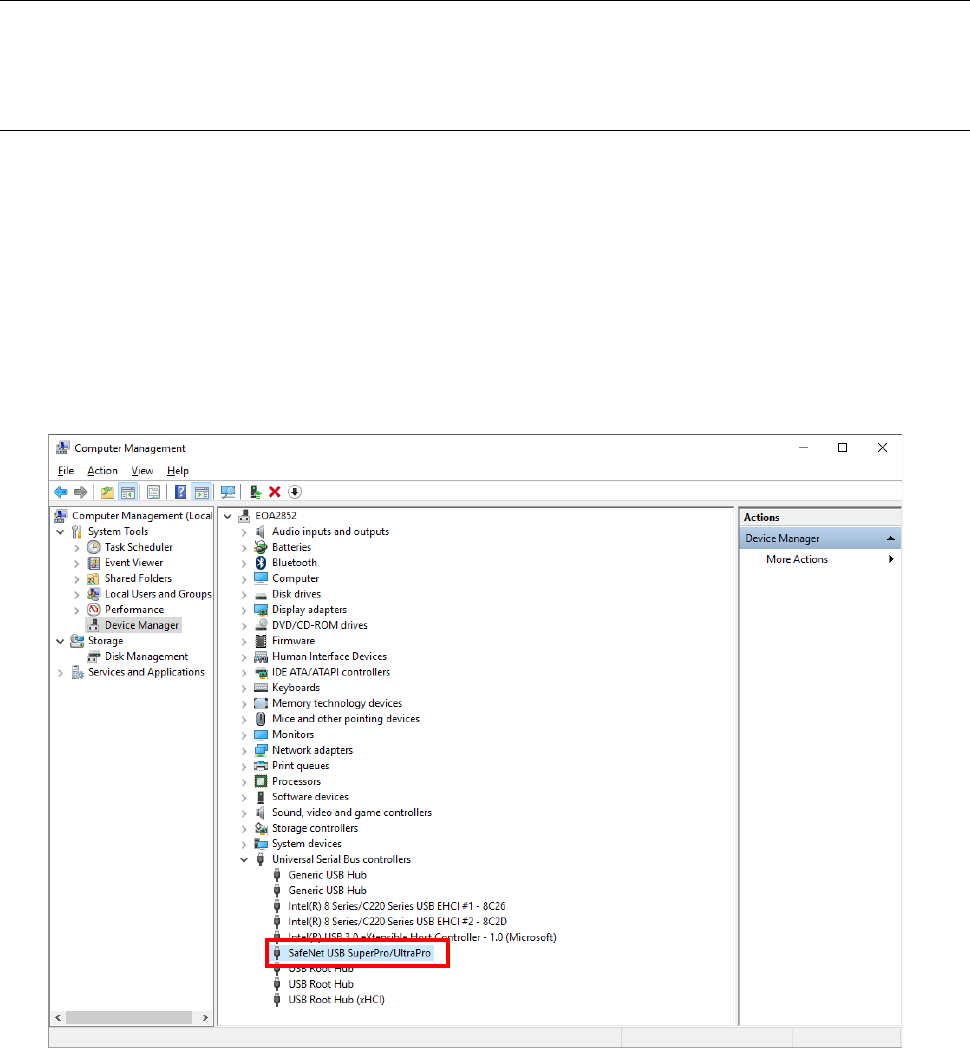
Start up the device manager of a control panel.
If any unrecognized mark is displayed in the red frame of the screen shown below, the protect
module is not recognized.
When the device manager also recognizes the protect module, it is comtenplated that the
protect module cannot be recognized because of the mismatch of a driver and a protect module.
JaNets Instruction Manual B. Troubleshooting
B-2
【Solution】
In the case of the phenomenon that does not recognize the protect module, uninstall a driver in
accordance with the following procedures to install a driver again.
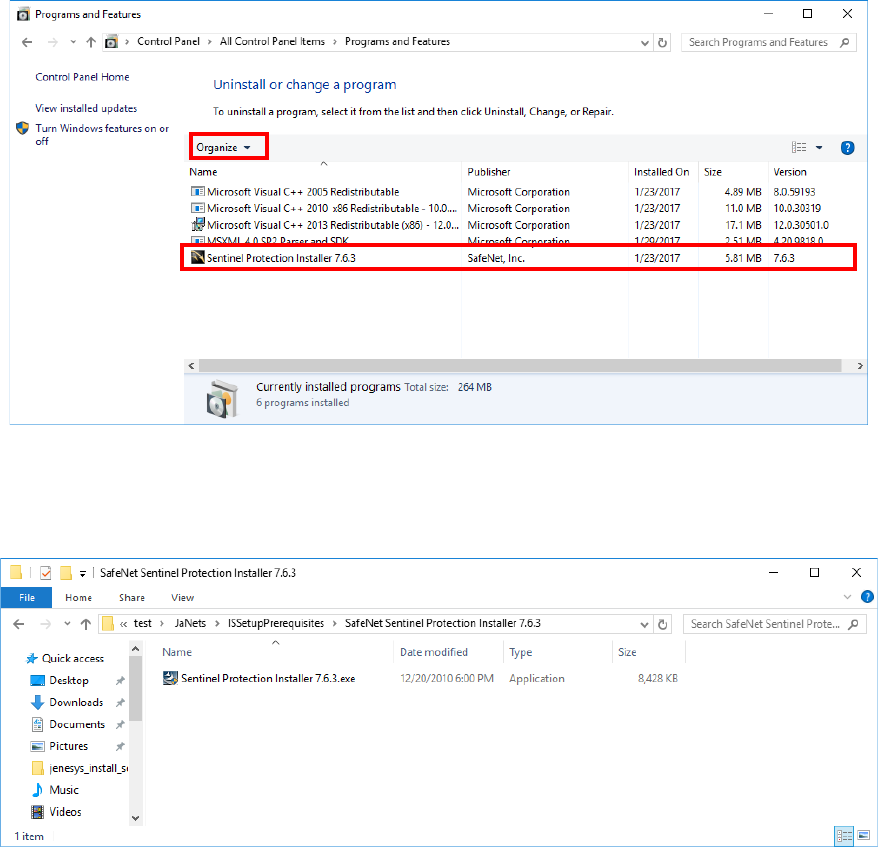
(1) Select the "Programs and Features" of a control panel.
(2) Select "Sentinel Protection Installer 7.6.3" from the list of the programs installed in PC to
execute uninstallation.
* The trailing version (for example 7.6.3) is a version used at the time of installation with
the JaNets.
Note that versions differ depending on the software which installs a driver.
(3) Execute "Sentinel Protection Installer 7.6.3.exe" supplied in an installation CD-ROM of the
JaNets to install a driver.