JANETS_INM.pdf - 第735页
JaNets In structio n Manual B. T roubleshootin g B-2 【 Solution 】 In the case o f the pheno menon that do es not reco gniz e the protect mo dule, un install a dr iver in accordanc e with the fo llow ing procedur es to in…
JaNets Instruction Manual B. Troubleshooting
B-1
<Appendix>
B. Troubleshooting
A solution of the problem that has occurred in the JaNets is described as follows:
B.1 Not recognizing a protect module
【Phenomenon】
Even when the each application program tries to be started up, it cannot be started up because
of an error “E1101007 No protect module is connected. [Application name] will be exited.”
Moreover, even when other applications are started up, the Shopfloor Setup cannot be started
up because of the project module error similarly.
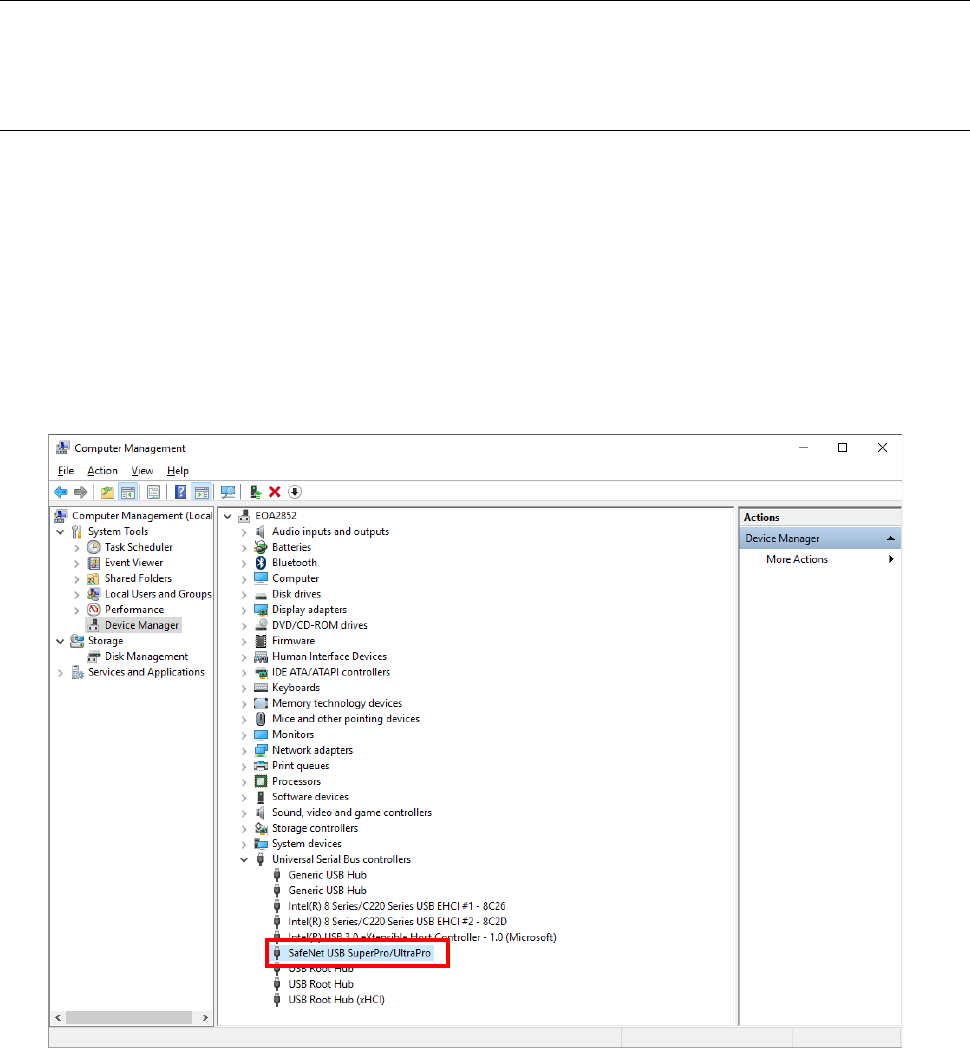
Start up the device manager of a control panel.
If any unrecognized mark is displayed in the red frame of the screen shown below, the protect
module is not recognized.
When the device manager also recognizes the protect module, it is comtenplated that the
protect module cannot be recognized because of the mismatch of a driver and a protect module.
JaNets Instruction Manual B. Troubleshooting
B-2
【Solution】
In the case of the phenomenon that does not recognize the protect module, uninstall a driver in
accordance with the following procedures to install a driver again.
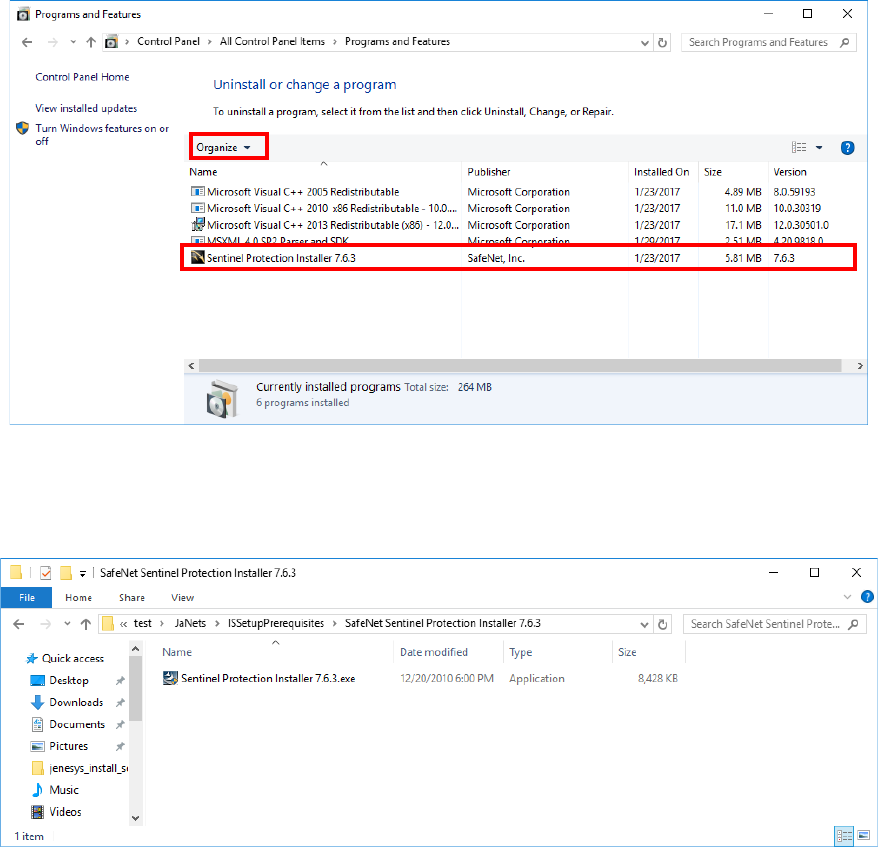
(1) Select the "Programs and Features" of a control panel.
(2) Select "Sentinel Protection Installer 7.6.3" from the list of the programs installed in PC to
execute uninstallation.
* The trailing version (for example 7.6.3) is a version used at the time of installation with
the JaNets.
Note that versions differ depending on the software which installs a driver.
(3) Execute "Sentinel Protection Installer 7.6.3.exe" supplied in an installation CD-ROM of the
JaNets to install a driver.

JaNets Instruction Manual B. Troubleshooting
B-3
B.2 Failed to install
【Phenomenon】
When you run the JaNets installer, the error message “Error 1722 This Windows Installer
package has a problem.” is displayed on the screen.
A file to be updated with JaNets may be locked with another application program. For example,
a file is locked due to the following causes:
- You run the IS Lite installer although the Launcher had not been terminated.
- The antivirus software has some effect on the file.
【Solution】
To unlock the file, restart Windows.