JANETS_INM.pdf - 第736页
JaNets In structio n Manual B. T roubleshootin g B-3 B.2 Fa iled to install 【 Phenom enon 】 When you run t he JaNet s insta ller , the err or message “ Error 1722 This Windows Installer package h as a probl em. ” is disp…
JaNets Instruction Manual B. Troubleshooting
B-2
【Solution】
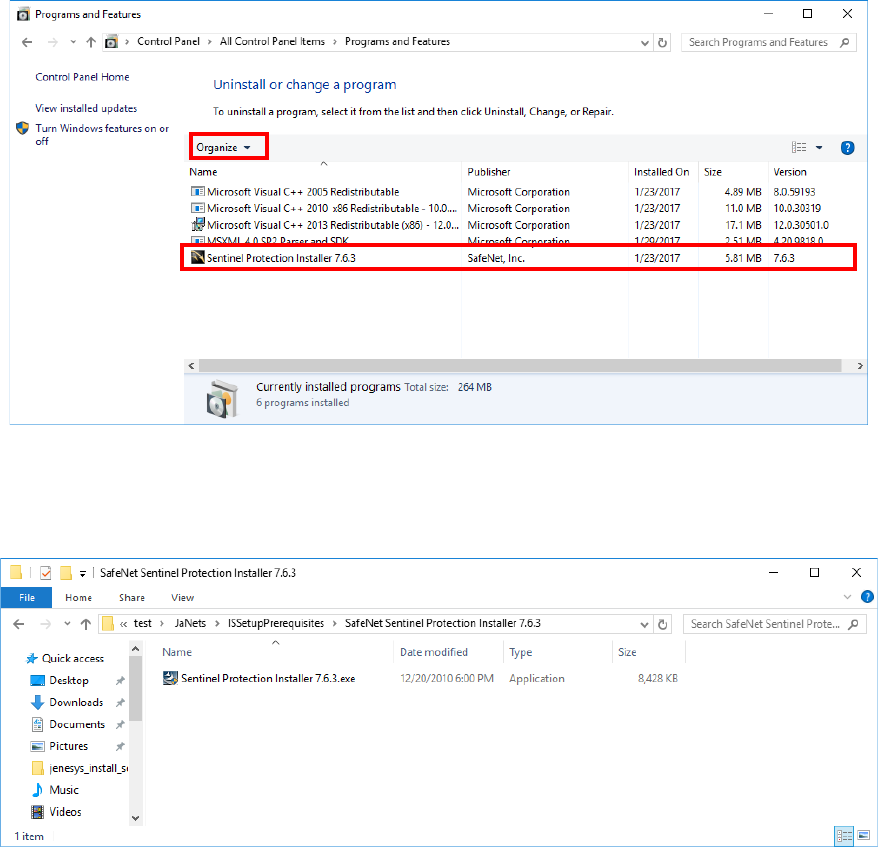
In the case of the phenomenon that does not recognize the protect module, uninstall a driver in
accordance with the following procedures to install a driver again.
(1) Select the "Programs and Features" of a control panel.
(2) Select "Sentinel Protection Installer 7.6.3" from the list of the programs installed in PC to
execute uninstallation.
* The trailing version (for example 7.6.3) is a version used at the time of installation with
the JaNets.
Note that versions differ depending on the software which installs a driver.
(3) Execute "Sentinel Protection Installer 7.6.3.exe" supplied in an installation CD-ROM of the
JaNets to install a driver.

JaNets Instruction Manual B. Troubleshooting
B-3
B.2 Failed to install
【Phenomenon】
When you run the JaNets installer, the error message “Error 1722 This Windows Installer
package has a problem.” is displayed on the screen.
A file to be updated with JaNets may be locked with another application program. For example,
a file is locked due to the following causes:
- You run the IS Lite installer although the Launcher had not been terminated.
- The antivirus software has some effect on the file.
【Solution】
To unlock the file, restart Windows.
JaNets Instruction Manual B. Troubleshooting
B-4
B.3 When the Program Downloader starts up, the E3105019 error
occurs.
【Phenomenon】
When the Program Downloader starts up, the E3105019 error occurs.
The application communicating with the machine does not start up yet.
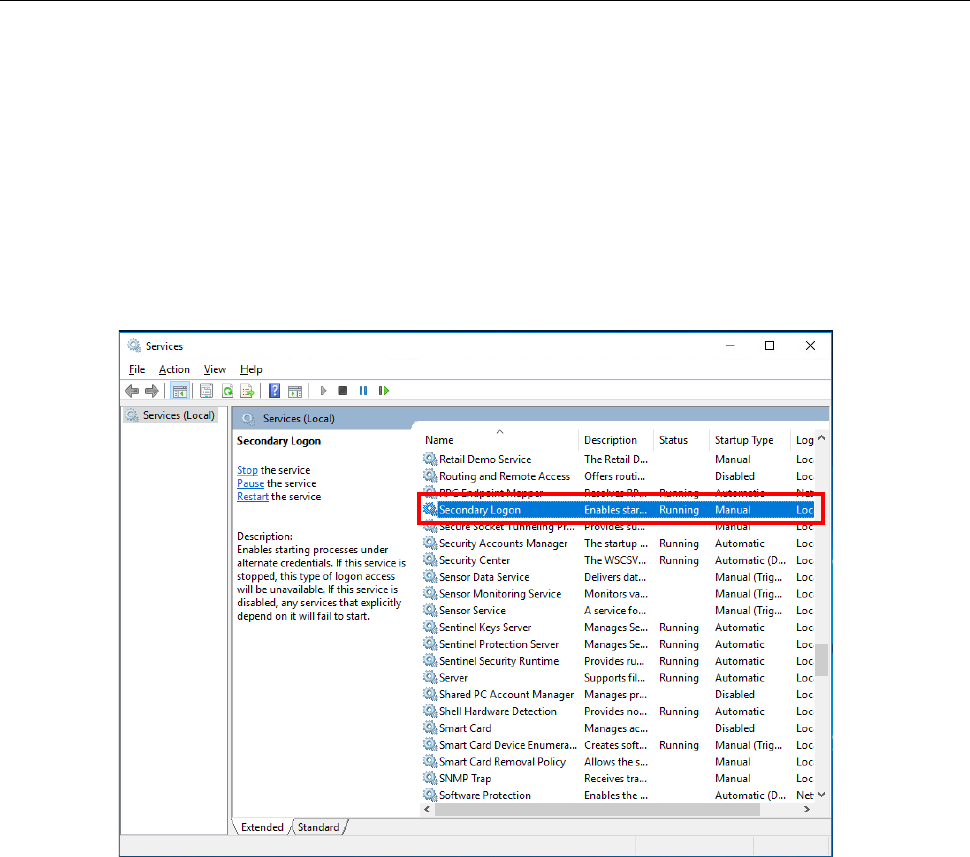
To start up the communication application, you have to enable “Secondary Logon” of the
Windows Services.
【Corrective action】
Start up [Control Panel] – [Administrative Tools] – [Services] in this order, select the “Secondary
Logon,” and then click with the right button to display the property. Set the items whose
“Startup Type” is set to “Disabled” to another choice, and then start the service.