JANETS_INM.pdf - 第737页
JaNets In structio n Manual B. T roubleshootin g B-4 B.3 Whe n the Program Dow nloader start s up, the E3105019 error occurs. 【 Phenom enon 】 When the Progr am Dow nloader st arts up, t he E310 5019 error o ccurs. The ap…

JaNets Instruction Manual B. Troubleshooting
B-3
B.2 Failed to install
【Phenomenon】
When you run the JaNets installer, the error message “Error 1722 This Windows Installer
package has a problem.” is displayed on the screen.
A file to be updated with JaNets may be locked with another application program. For example,
a file is locked due to the following causes:
- You run the IS Lite installer although the Launcher had not been terminated.
- The antivirus software has some effect on the file.
【Solution】
To unlock the file, restart Windows.
JaNets Instruction Manual B. Troubleshooting
B-4
B.3 When the Program Downloader starts up, the E3105019 error
occurs.
【Phenomenon】
When the Program Downloader starts up, the E3105019 error occurs.
The application communicating with the machine does not start up yet.
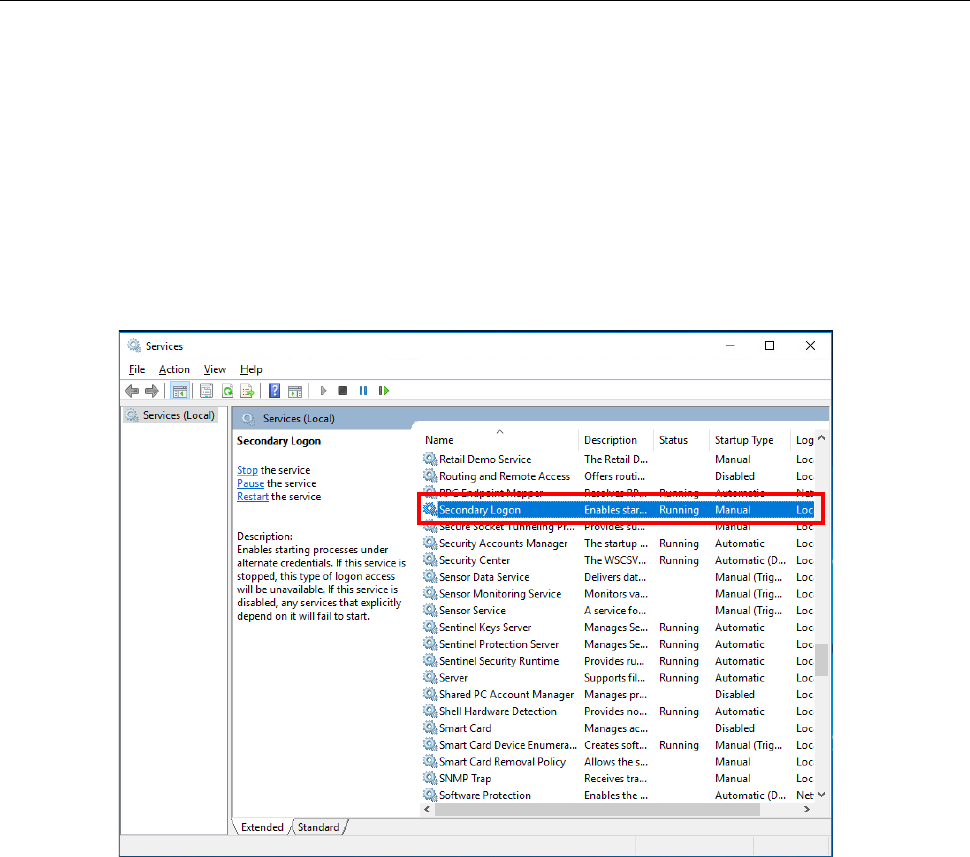
To start up the communication application, you have to enable “Secondary Logon” of the
Windows Services.
【Corrective action】
Start up [Control Panel] – [Administrative Tools] – [Services] in this order, select the “Secondary
Logon,” and then click with the right button to display the property. Set the items whose
“Startup Type” is set to “Disabled” to another choice, and then start the service.
JaNets Instruction Manual B. Troubleshooting
B-5
B.4 When you update Windows, the RemoteServer.exe error occurs.
【Phenomenon】
After you update Windows, an Exception error related to RemoteServer.exe occurs.
When you update Windows, the settings for starting up RemoteServer.exe may change in some
cases.
【Corrective action】
Perform either the operation described in Section B.4.1 “Changing the settings with the tool” or
that in Section B.4.2 “Changing the settings manually” to modify the settings.
B.4.1 Changing the settings with the tool
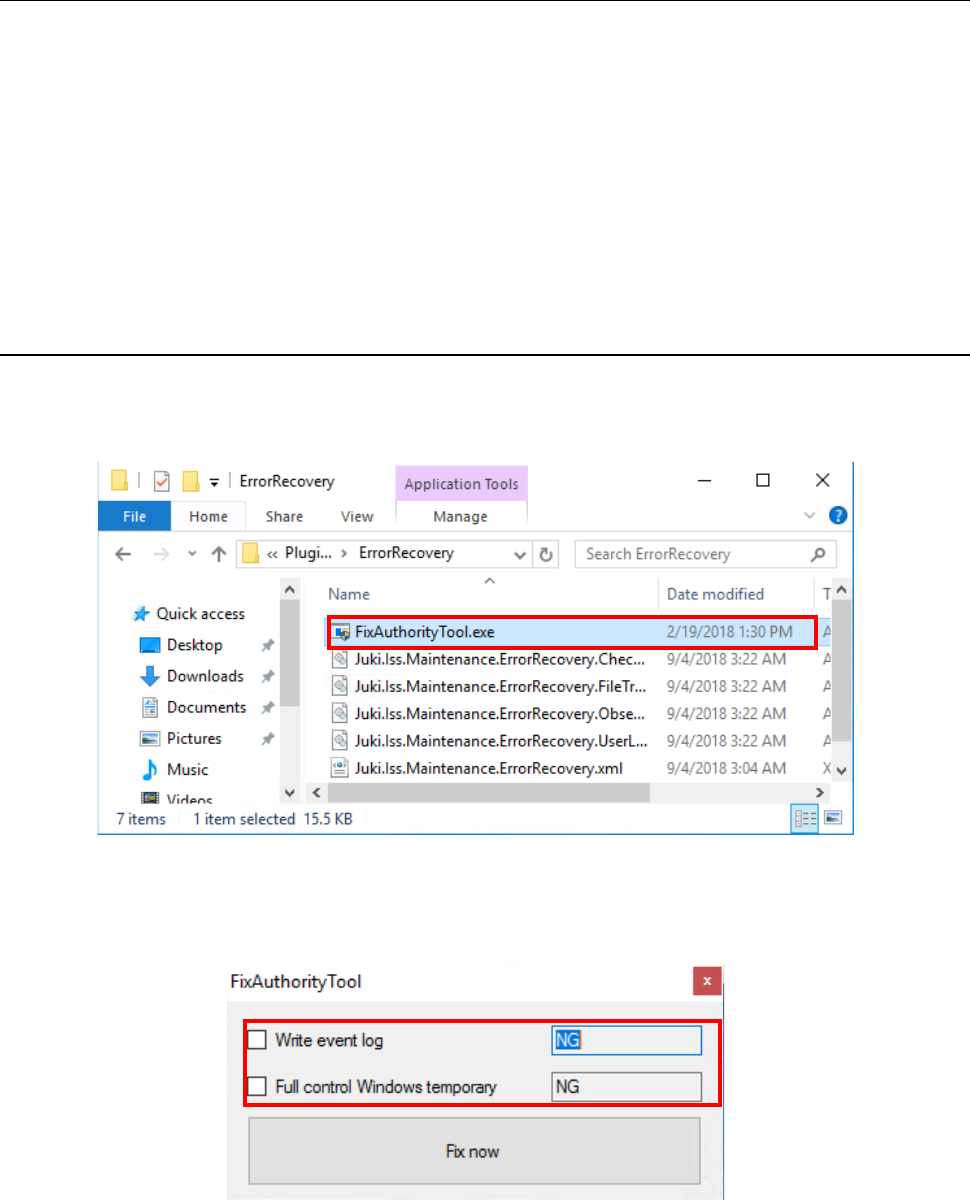
To change the settings with the tool, a user who has the administrator’s privilege has to start up
“¥Plugins¥ErrorRecovery¥FixAuthorityTool.exe” from the JaNets installation destination folder.
The tool starts up, and then displays the settings of the privileges required to start up
RemoteServer.exe.