JANETS_INM.pdf - 第74页
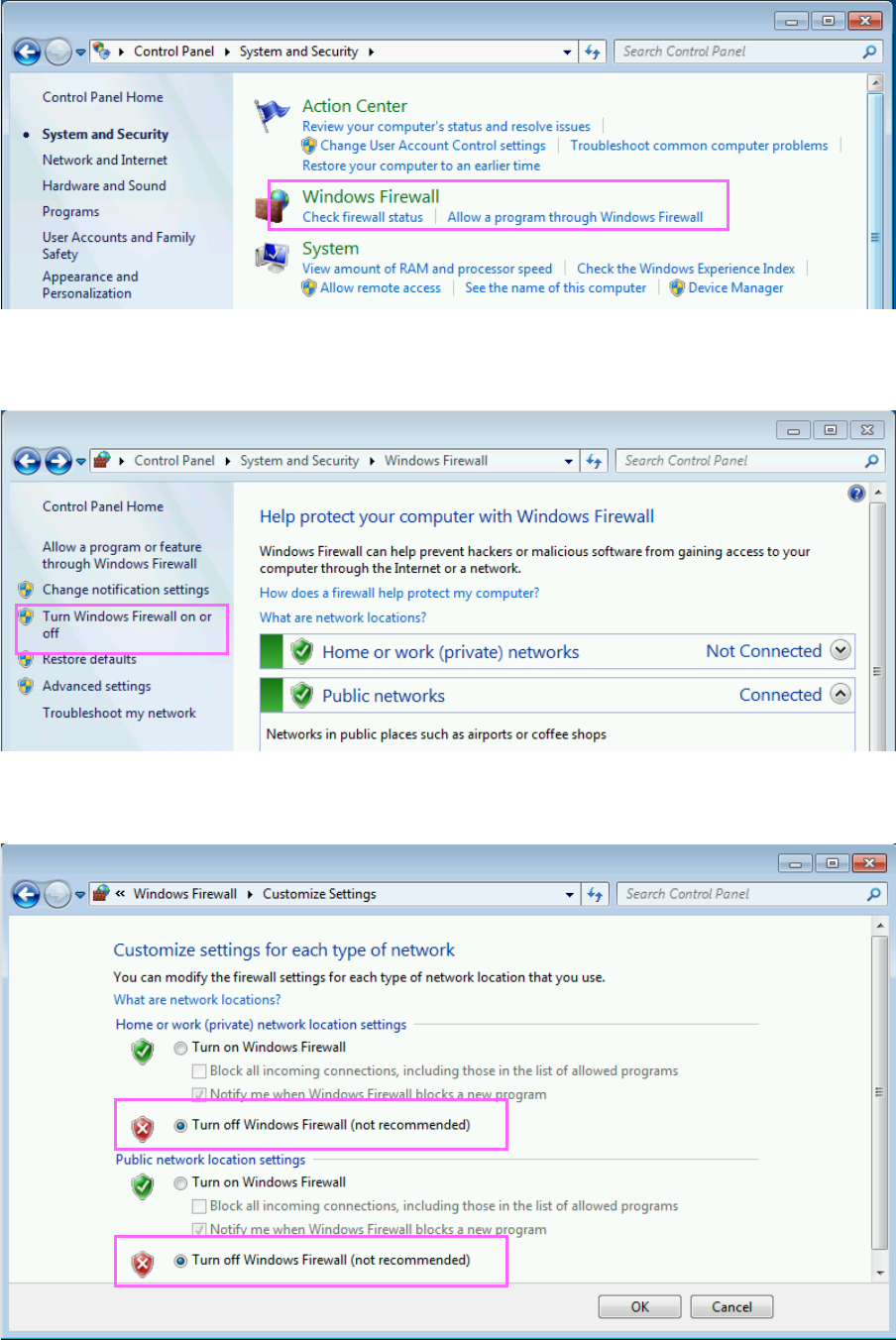
JaNets Instr ucti on Man ual 2. Install ation 2- 46 (2) Click the “Win dows Fire w all.” Fig ure 2. 5 - 27 “System and Security” sc reen (3) The Windows Fire wall scr een a ppears. Click th e menu item “T urn Windows Fir…
JaNets Instruction Manual 2. Installation
2-45
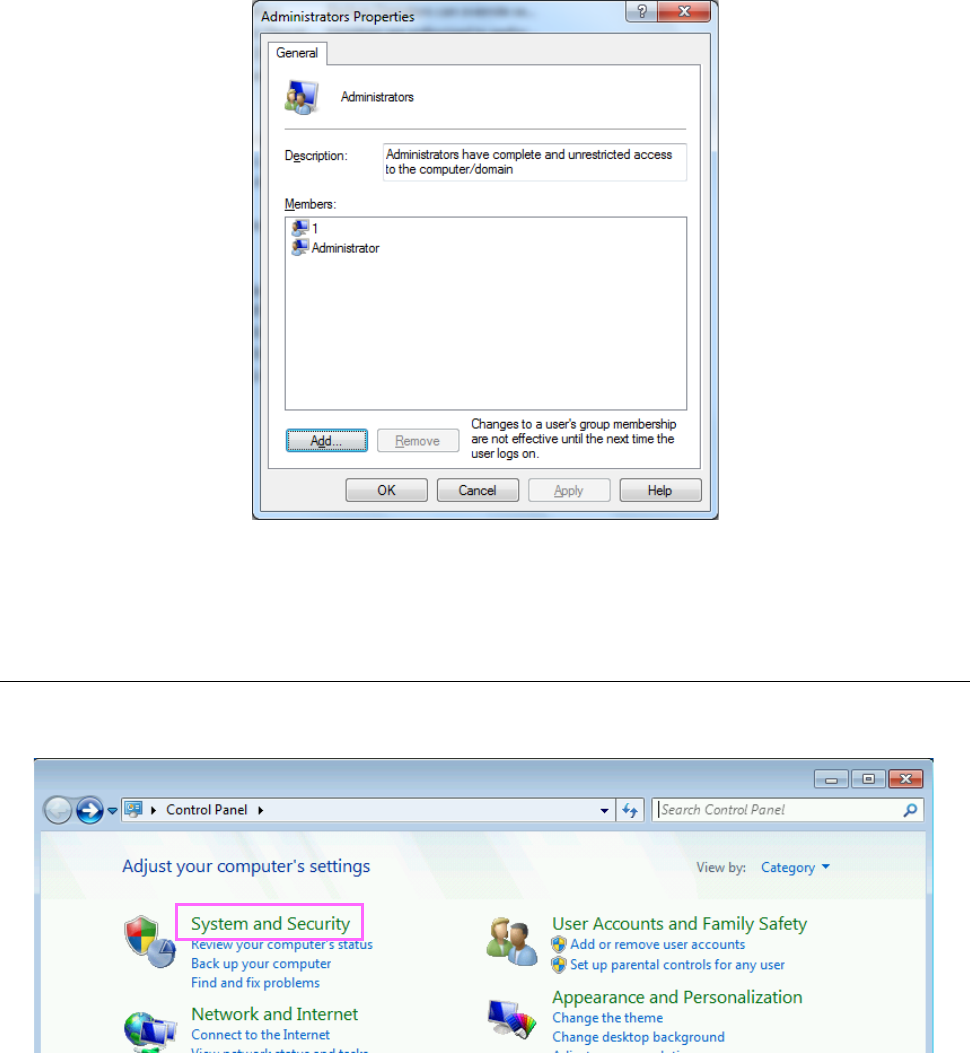
(6) The “Administrators Properties” screen appears, and name of users belonging to the group are
displayed on this screen. Click the <Add> button to add “isuser” to the group.
Figure 2.5-25 “Administrators Properties” screen
You have finished creating your user account here.
2.5.3.2 Disabling the firewall
(1) Click [Control Panel] on the Start menu of Windows running on the machine main unit. When
the control panel appears on the screen, click the “System and Security.”
Figure 2.5-26 “Control Panel” screen
JaNets Instruction Manual 2. Installation
2-46
(2) Click the “Windows Firewall.”
Figure 2.5-27 “System and Security” screen
(3) The Windows Firewall screen appears. Click the menu item “Turn Windows Firewall on or off”
displayed on the left side of the screen.
Figure 2.5-28 “Windows Firewall” screen
(4) Disable the Windows Firewall, and then click the <OK> button.
You have finished disabling the firewall here.
JaNets Instruction Manual 2. Installation
2-47
2.5.3.3 Setting a shared folder
Set a folder stored in the machine so that it can be shared for a file to be transferred or received.
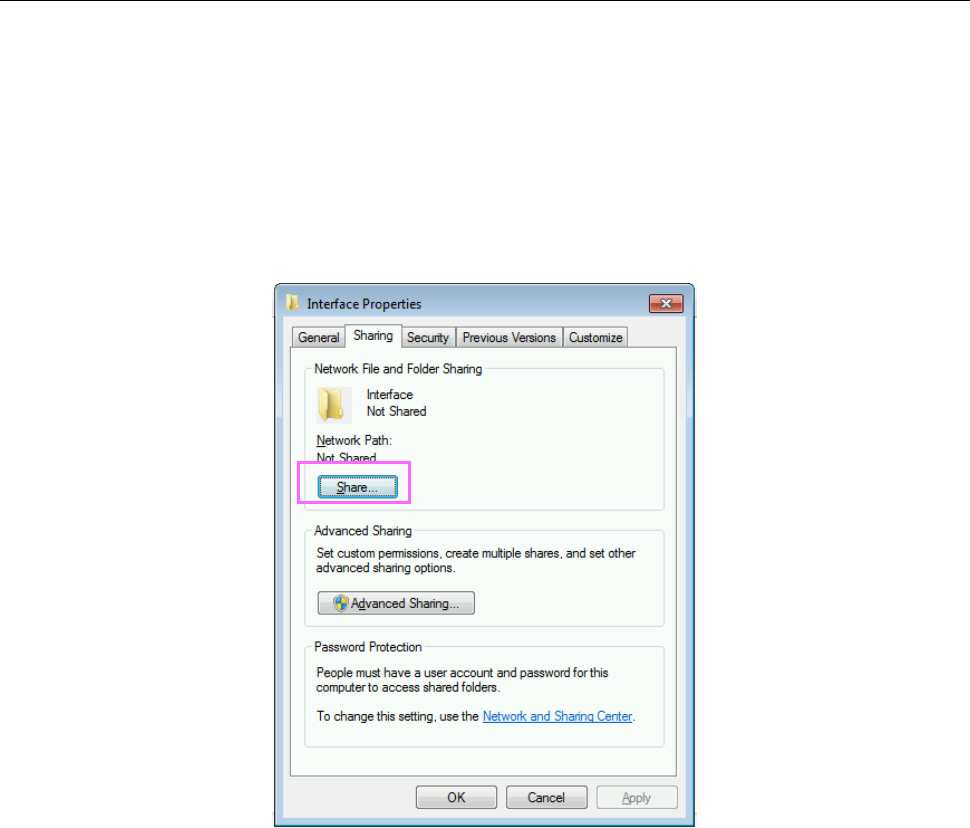
(1) With the right button, click the folder whose name is “Interface” on the drive C of the machine
main unit. When the menu appears on the screen, click [Properties].
RP-1 C:\Interface
RV-1, RV-2, RV-2-3D C:\ProgramData\Sony\SI-V1000\Interface
(2) Click the <Share…> button of the “Sharing” tab.
Figure 2.5-29 Properties of the Interface folder