JANETS_INM.pdf - 第740页
JaNets In structio n Manual B. T roubleshootin g B-7 When the Per missions f or Eventlog st arts up, chec k to see if “ is user ” is shown in th e list. If i t is not, add it to the list by clicking t he <Add> butt…
JaNets Instruction Manual B. Troubleshooting
B-6
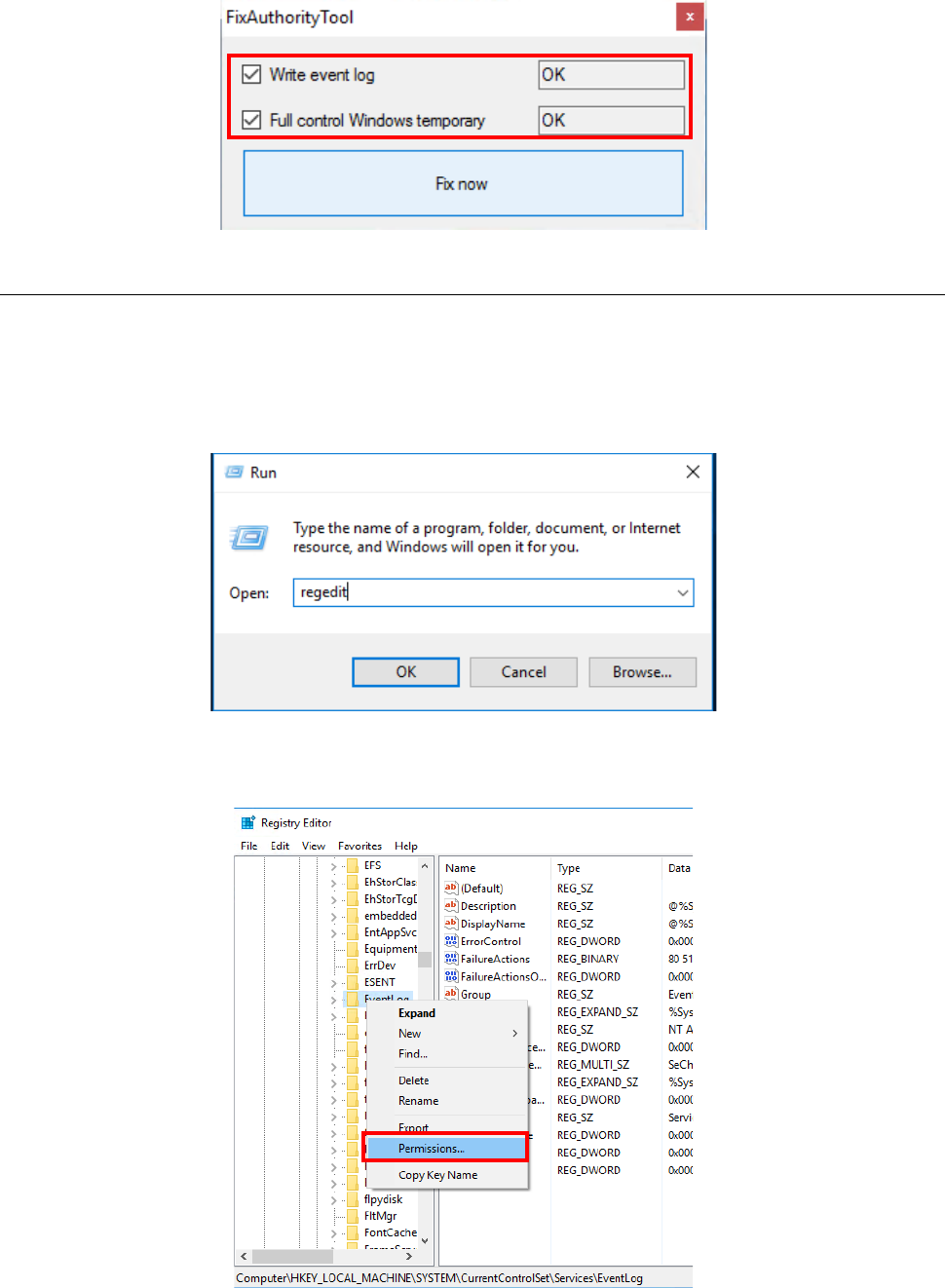
If “NG” is displayed for any menu item, check off the corresponding check box, and then click the
<Fix now> button. Check to see if the status of the corresponding item changes to “OK.”
B.4.2 Changing the settings manually
Check the settings of the following items:
- Whether you have the permission to create a log of RemoteServer.exe.
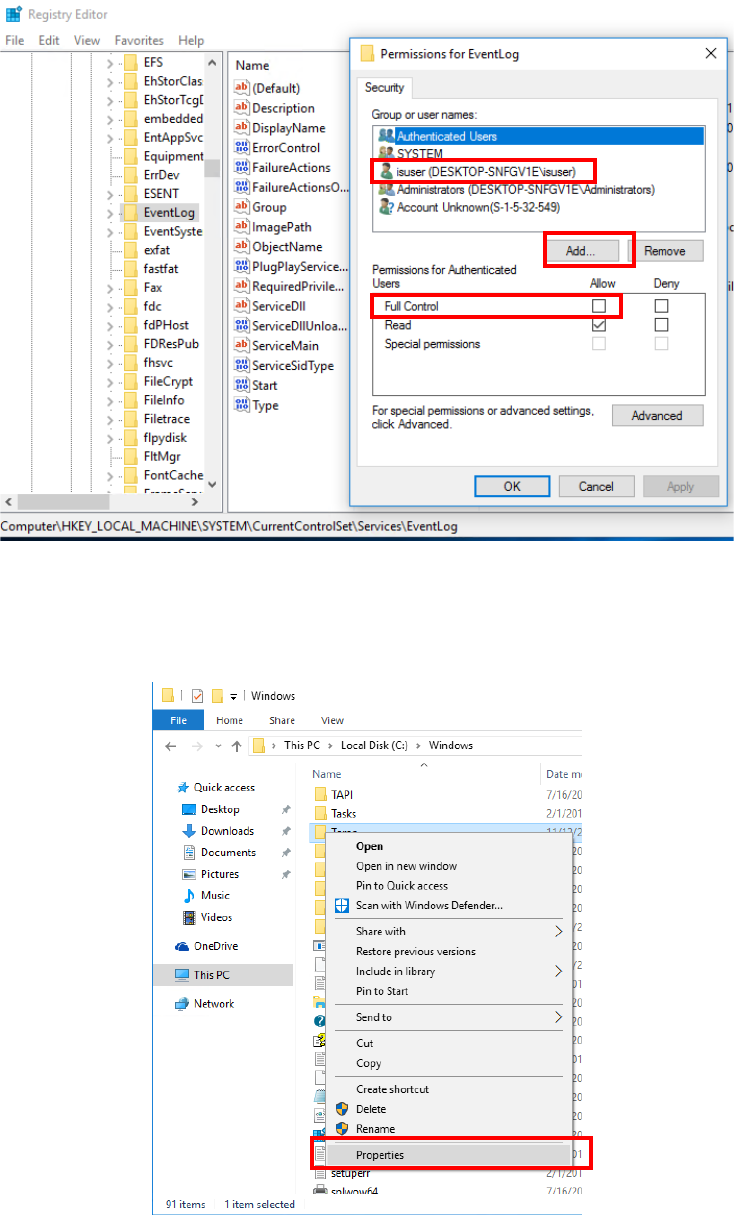
Select [Run] from the “Start” menu of the Windows, and then enter “regedit” to start up the
Registry Editor.
Select “HKEY_LOCAL_MACHINE¥SYSTEM¥CurrentControlSet¥Services¥Eventlog,” and
then click with the right button to select the [Permissions] menu command.
JaNets Instruction Manual B. Troubleshooting
B-7
When the Permissions for Eventlog starts up, check to see if “isuser” is shown in the list. If it
is not, add it to the list by clicking the <Add> button, and then check the “Allow” check box for
the setting item “Full Control.”
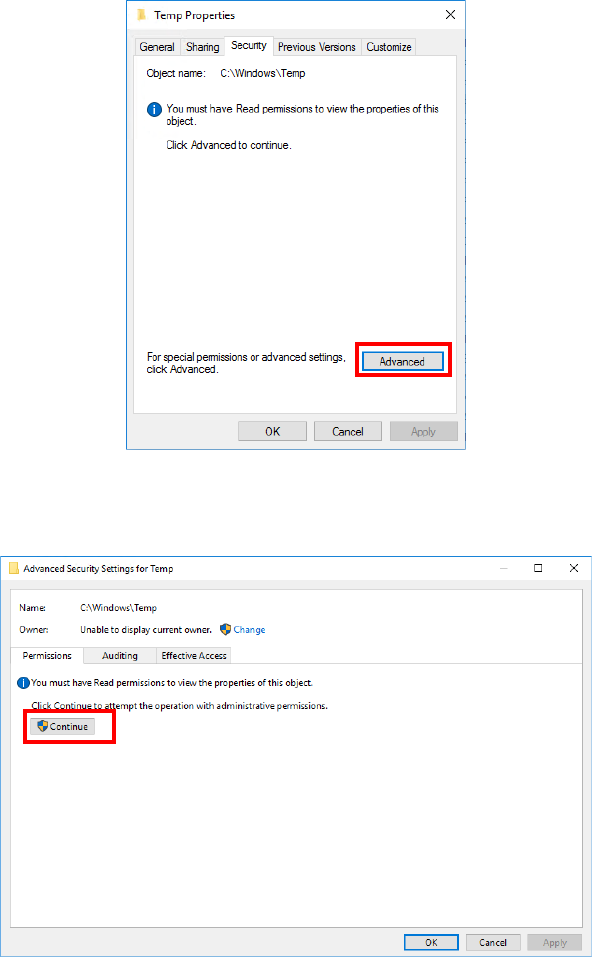
- Whether “C:¥Windows¥Tem p ” has the user authority of “isuser.”
Use Explorer to select “C:¥Windows¥Tem p ,” and then click with the right button to display the
menu command [Properties].
JaNets Instruction Manual B. Troubleshooting
B-8
Click the <Advanced> button on the “Security” tab.
When the “Advanced Security Settings for Temp” screen appears, click the <Continue>
button on the “Permissions” tab.