JANETS_INM.pdf - 第741页
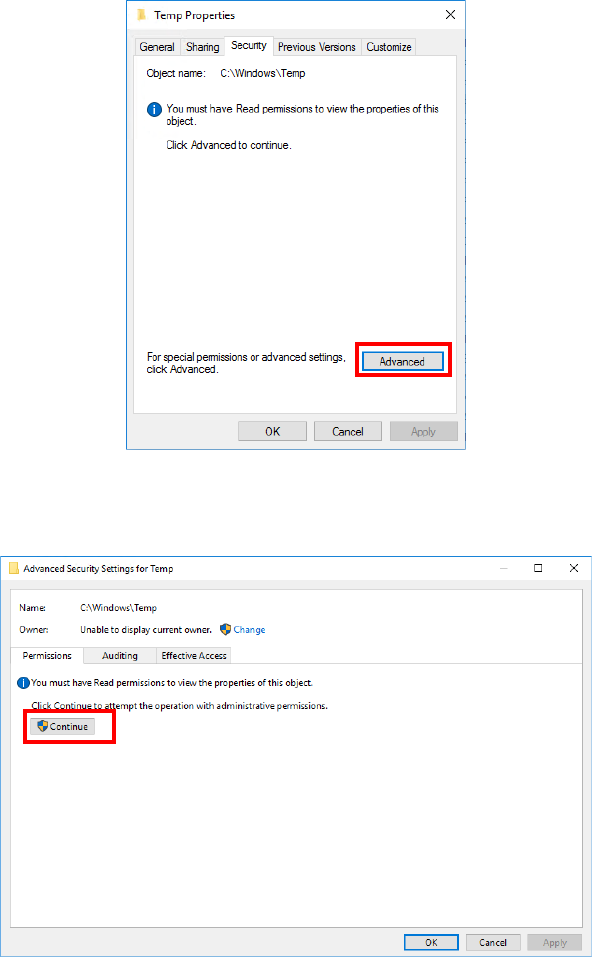
JaNets In structio n Manual B. T roubleshootin g B-8 Click the <Adv anced> button on the “ Secur ity ” tab. When the “ Advan ced Se curity Settings for T emp ” screen appears, click the <Cont inue> button on …
JaNets Instruction Manual B. Troubleshooting
B-7
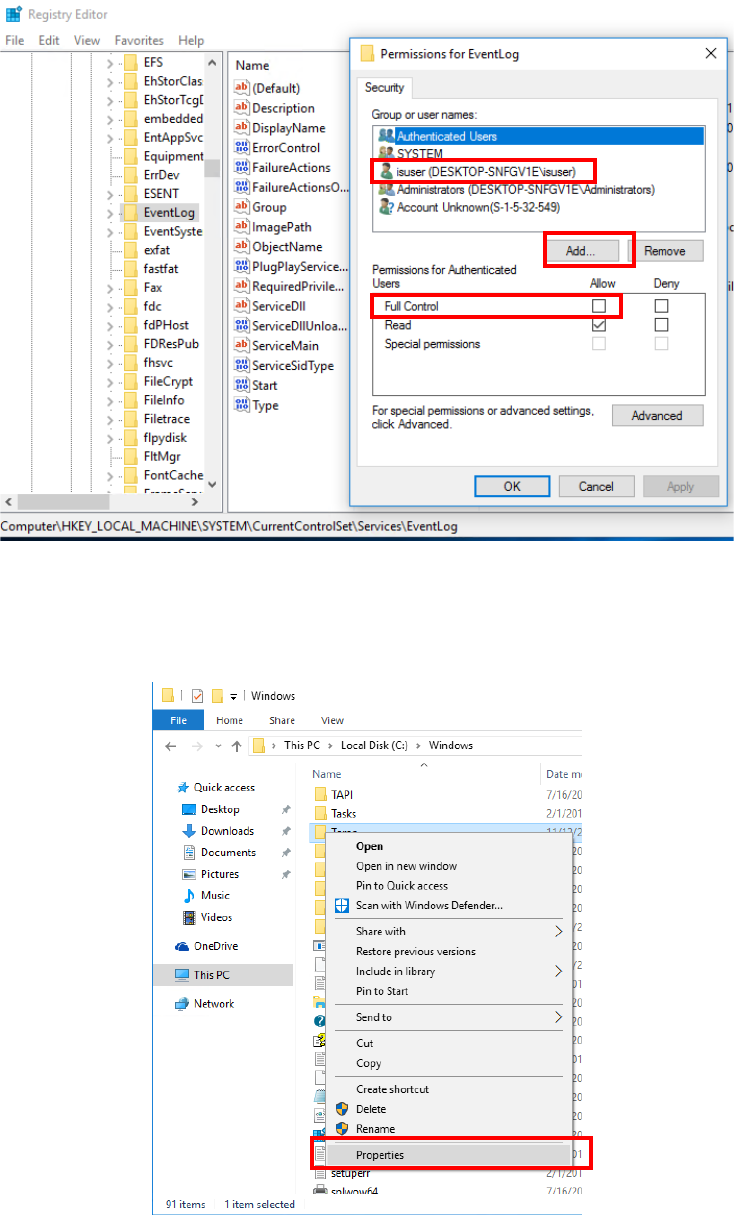
When the Permissions for Eventlog starts up, check to see if “isuser” is shown in the list. If it
is not, add it to the list by clicking the <Add> button, and then check the “Allow” check box for
the setting item “Full Control.”
- Whether “C:¥Windows¥Tem p ” has the user authority of “isuser.”
Use Explorer to select “C:¥Windows¥Tem p ,” and then click with the right button to display the
menu command [Properties].
JaNets Instruction Manual B. Troubleshooting
B-8
Click the <Advanced> button on the “Security” tab.
When the “Advanced Security Settings for Temp” screen appears, click the <Continue>
button on the “Permissions” tab.
JaNets Instruction Manual B. Troubleshooting
B-9
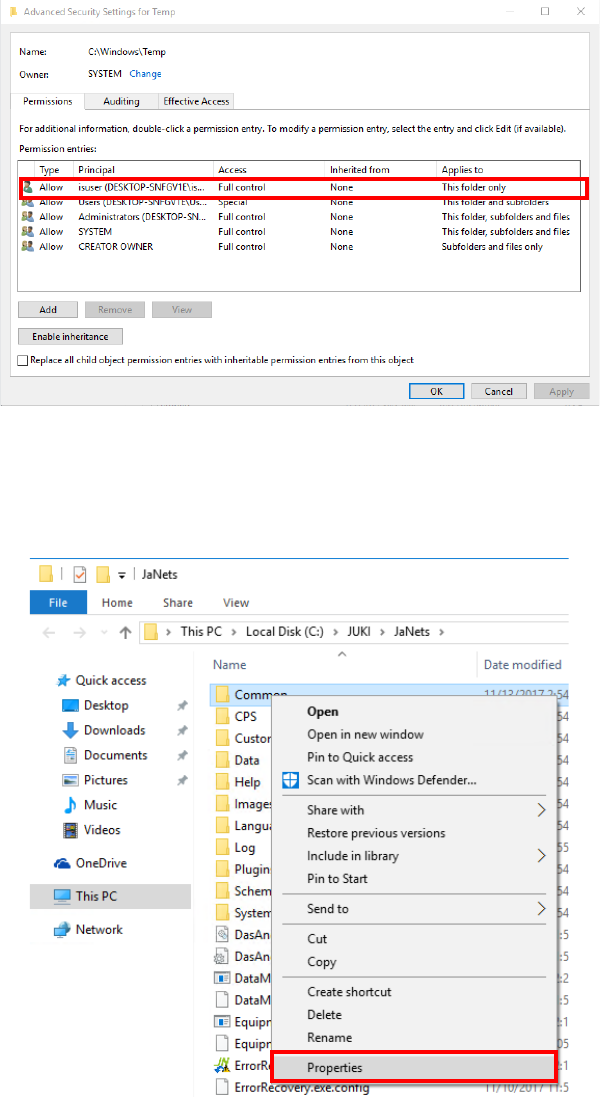
Check to see if “isuser” is shown in the “Permission entries” list. If it is not, add it to the list,
and then check the “Allow” check box for the setting item “Full control.”
- Whether you have a permission to start up RemoteServer.exe.
Select the “Common” folder of the JaNets installation folder, and click with the right button to
display the menu command [Properties].